iTech Gaming

Be ready with iTech Gaming for your next battle & choose your next Console For your gaming center at home, or a gaming laptop for go-anywhere excitement. Either way the right gaming accessories can mean the difference between a happy good win, and a “hard luck” to losers.

Now, if you already have a gaming desktop, then adding a Larger monitor with high resolution and refresh rates, a keyboard and a Gaming mouse is a great start to see & feel the world around you.

Best RTX 5070 Laptops (2026): 5 Picks, With GPU Power Checked

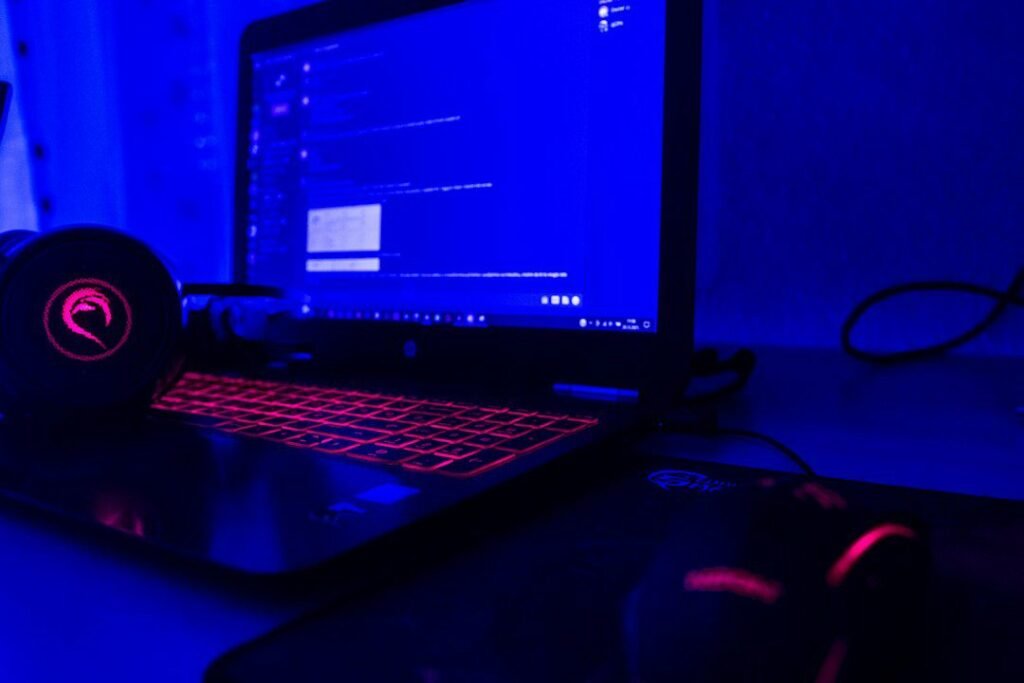
Gaming laptop with an RGB-lit keyboard

The best RTX 5070 laptop you can buy new right now is the Lenovo Legion 5i Gen 10: a full-power 115 W RTX 5070 and a 15.1-inch 2.5K OLED screen; it’s priced as a premium model, so it’s worth waiting for a sale. For full power for less, the Acer Predator Helios Neo 14 AI runs its RTX 5070 at 115 W in a 14.5-inch body, and the ASUS ROG Strix G16 does the same in a 16-inch body, both for well under $2,000. The cheapest RTX 5070 laptop we found is the slimmer Acer Nitro V 16S AI, with the GPU at 85 W.

At the very top of the range, see our best RTX 5090 laptops.

Also check for a MUX switch: ASUS and Jarrod’s Tech measured about a 9% average frame-rate gain with one (see which gaming laptops have a MUX switch).

Check the Legion 5i Gen 10 (RTX 5070) on Amazon →

Which page do you need? This guide covers RTX 5070 laptops from about $1,200 up. If your ceiling is $1,200, see our best gaming laptops under $1,200 (mostly RTX 5060 laptops); under about $900, see the cheapest gaming laptops worth buying; for more power, see the best RTX 5070 Ti and RTX 5080 laptops.

How we put this together: this guide is based on manufacturers’ specifications, published reviews and measurements (linked below). It is not based on hands-on testing by iTech Level. Laptop prices change daily and vary by configuration, so check the exact model before you buy. See how we choose products.

Best RTX 5070 laptops compared

LaptopBest forGPU powerScreenBuy
Lenovo Legion 5i Gen 10Best overall115 W (full power)15.1″ 2.5K OLED, 165HzCheck price
ASUS ROG Strix G16 (2025)Full power for less115 W (full power)16″ 1200p IPS, 165HzCheck price
Acer Predator Helios Neo 14 AIBest 14-inch115 W (full power)14.5″ 2.5K IPS, 165HzCheck price
Acer Nitro V 16S AICheapest RTX 5070, slimmer 16-inch85 W16″ 1600p IPS, 180HzCheck price

GPU power is the maximum including Dynamic Boost, from Lenovo, ASUS and Acer’s official specifications (see our laptop GPU power database). Configurations are the ones linked, checked October 19, 2026.

Which RTX 5070 laptop for your budget?

Before you buy: GPU power matters more than the name

Every laptop on this page says “RTX 5070”, but they don’t all perform the same. Laptop makers choose how much power the GPU gets. The laptop RTX 5070 comes with 8GB of GDDR7 video memory or, since Nvidia added a second version in April 2026, 12GB (Notebookcheck), and can be set up to 100 W, plus extra Dynamic Boost power from the processor (Notebookcheck). In practice you’ll see three kinds of RTX 5070 laptop:

  • Full power (115 W with boost): the Legion 5i, Strix G16 and Helios Neo 14 AI below. These get the most out of the chip.
  • Mid power (about 95 W): the Acer Nitro V 16 (ANV16-72), when you can find it (see below). Slower than full power, but a sensible trade near $1,200.
  • Power-limited (85 W or less): slimmer or cheaper models such as the Nitro V 16S AI. They’re slower, especially at 1440p, but run cooler. Some budget models go much lower: MSI lists the RTX 5070 in its Cyborg 15 at just 60 W (see the skip list below).

Look for the GPU wattage (“TGP”) on the spec sheet before you buy. It’s often a bigger difference than the processor. Our laptop GPU power database lists it for over 200 RTX 50 laptop configurations.

GPU power: which RTX 5070 laptops run it at full speed?

Every laptop here uses the same RTX 5070, but the maker decides how much power it gets, and power turns into frame rate. These are the manufacturers’ maximum GPU power figures; they ignore the screen, processor and build, so use them alongside the picks below.

LaptopMax GPU power
Acer Predator Helios Neo 14 AI115 W
ASUS ROG Strix G16 (2025)115 W
Acer Nitro V 16S AI85 W
Lenovo Legion 5i Gen 10115 W

Two things stand out. The Helios Neo 14 AI and the Strix G16 give you the full 115 W for much less than the OLED Legion 5i. The slim Nitro V 16S AI is the cheapest RTX 5070 laptop here, but it runs its GPU 30 W lower than both, so you’re paying for the thinner design, not the performance.

The best RTX 5070 laptops in 2026

1. Lenovo Legion 5i Gen 10: best RTX 5070 laptop

The Legion 5i Gen 10 (15IRX10) runs its RTX 5070 at the full 115 W in a 15.1-inch body that weighs about 1.9 kg, with a 2.5K 165Hz OLED screen. Notebookcheck rated this RTX 5070 version “good” (87%), praising the bright OLED display and its accurate color profiles, the comfortable keyboard and strong gaming performance, which it found close to the bigger, pricier Legion Pro 5 16. The Amazon US listing we found pairs it with an Intel Core i7-14700HX, 16GB of memory and a 1TB SSD.

Good to know: Notebookcheck measured loud fans while gaming (up to 50 dB(A) in Performance mode), PWM flicker on the OLED, no USB4 and no card reader, and just under five hours of web browsing on battery. Notebookcheck tested a version with a Core i7-13650HX; the GPU, screen and chassis are the same. It’s priced as a premium model: a previous-generation model like this is one of the most likely to be discounted for Black Friday.

Check the Legion 5i Gen 10 (RTX 5070) on Amazon →

2. ASUS ROG Strix G16 (2025): full power for less

The Strix G16 (G614FP) costs about the same as the Helios Neo 14 AI and pairs the full-power RTX 5070 with a 16-core AMD Ryzen 9 9955HX, 16GB of DDR5, a 1TB SSD and a 16-inch 1920×1200 165Hz screen. ASUS’s official GPU power list rates its RTX 5070 at 115 W (100 W plus 15 W of Dynamic Boost). The 9955HX is one of the fastest laptop processors, which helps in CPU-heavy games and in work like video exports.

Good to know: we haven’t found a review of this exact RTX 5070 configuration. Notebookcheck reviewed the same chassis with an RTX 5080 and rated it a good gaming laptop. The screen in this configuration is 1200p, not the 2.5K 240Hz panel of the pricier versions, and 16GB of memory is the minimum we’d accept at this price.

Check the Strix G16 (RTX 5070) on Amazon →

3. Acer Predator Helios Neo 14 AI: best 14-inch RTX 5070 laptop

Most small gaming laptops cut GPU power to keep heat in check. The Helios Neo 14 AI (PHN14-71) doesn’t: Acer’s official GPU power list rates its RTX 5070 at 115 W. The Amazon US version has an Intel Core Ultra 9 285H, 32GB of memory, a 1TB SSD and a 14.5-inch 2.5K 165Hz matte screen. It was the cheapest full-power RTX 5070 laptop we found.

Good to know: it’s heavy for a 14-inch laptop. PCWorld’s review lists it at 4.14 lb (about 1.9 kg) and 1.02 inches thick, criticised the battery life and the keyboard, and preferred the Zephyrus G14 for portability. The G14 is hard to find at a fair price right now (see below), so the Helios Neo 14 AI is the 14-inch RTX 5070 we’d buy today. Our compact gaming laptops guide compares it with other compact models.

Check the Helios Neo 14 AI (RTX 5070) on Amazon →

4. Acer Nitro V 16S AI: slimmer 16-inch, cheapest RTX 5070

The Nitro V 16S AI is one of Acer’s slimmer S-line models, with a sharper 16-inch 2560×1600 180Hz screen than the regular Nitro V 16. The Amazon US version (ANV16S-61) has an AMD Ryzen AI 7 350, 16GB of DDR5 and a 1TB SSD. Check who sells it before you buy. PC Gamer called it “pretty much the cheapest RTX 5070 gaming laptop you can find” when it was on sale earlier this year.

Good to know: Acer’s GPU power list rates its RTX 5070 at 85 W, 30 W below the full-power Strix G16 and Helios Neo 14 AI. Choose it for the slimmer body, the 1TB SSD and the higher-resolution screen, not for frame rates.

Check the Nitro V 16S AI on Amazon →

Good RTX 5070 laptops that are hard to buy right now

These were picks in earlier versions of this guide, or are often recommended elsewhere, but on October 7, 2026 we couldn’t find them new at a fair price (checked October 7 and, for the Nitro V 16, October 19, 2026):

  • Acer Nitro V 16 (ANV16-72): our cheapest RTX 5070 pick earlier in October, with the GPU at 95 W (Acer’s GPU power list). The listing we linked has since switched to an RTX 5050 model. Worth it if the RTX 5070 version comes back near $1,200. Check the model code: the 2026 Nitro V 16 (ANV16-I31) runs the RTX 5070 at only 75 W.
  • Lenovo Legion Pro 5i Gen 10: Notebookcheck rated the RTX 5070 version 86%, with the GPU at 115 W and a 16-inch OLED. It usually costs well above our picks; worth it if it drops near $1,800 on sale.
  • ASUS ROG Zephyrus G14 (2025): a 1.5 kg aluminium 14-inch with a 3K OLED; ASUS rates its RTX 5070 at up to 100 W. Our G14 price guide explains which model to look for.
  • Razer Blade 14 (2025): hard to find new in the US. See our Razer Blade 14 (2025) guide.
  • Gigabyte Gaming A16: Gigabyte lists 85 W for most RTX 5070 versions, the same as the slimmer Nitro V 16S AI.
  • Acer Nitro V 17 AI: Acer rates its RTX 5070 at 95 W, but we found no US listing.

RTX 5070 laptops to skip

MSI Cyborg 15 with RTX 5070: priced close to the Nitro V 16S AI, but MSI’s spec page rates its RTX 5070 at 60 W, the lowest we’ve found for this GPU. At that power it gives up much of the RTX 5070’s advantage over cheaper GPUs. Also be careful with third-party “upgraded” bundles: they often add RAM or storage at a large markup over the standard configuration.

RTX 5070 vs RTX 5060 vs RTX 5070 Ti laptops

  • RTX 5060 (8GB): RTX 5060 laptops launched from $1,099, against $1,299 for RTX 5070 models. The original 8GB RTX 5070 has the same video memory as the RTX 5060, so it mainly buys higher frame rates; the newer 12GB RTX 5070 also leaves more room for high texture settings. Under $1,200, see our best gaming laptops under $1,200.
  • RTX 5070 (8GB or 12GB): the sweet spot for 1440p if you get a full-power model, and the 12GB version is worth choosing when the price is close. In Notebookcheck’s first tests, an 85 W RTX 5070 was only slightly ahead of the old RTX 4070 laptop (up to 12% in synthetic benchmarks), so a discounted RTX 4070 laptop isn’t a bad buy either.
  • RTX 5070 Ti (12GB): 40–60% faster in Notebookcheck’s synthetic tests, though that compared a full-power 5070 Ti with an 85 W 5070. The extra video memory helps with future games. In the same Legion Pro 5, the gap was up to 25% in games for roughly €500–700 more. See our best RTX 5070 Ti and RTX 5080 laptops.

RTX 5070 laptop prices in 2026, and Black Friday

RTX 5070 laptops launched from $1,299, but higher memory prices in 2026 have pushed most models up. In October 2026, almost no RTX 5070 laptop from a major brand cost $1,200 or less, and full-power models cost well over $1,500. That makes sales important. Black Friday is November 27, 2026, and last year’s models, like the Legion 5i Gen 10 and the 2025 Strix G16, are the most likely to see deep cuts. A full-power RTX 5070 laptop under about $1,600 would be a good Black Friday deal. Our Black Friday laptops guide tracks them. If you’re still deciding whether a gaming laptop makes sense at these prices, see are gaming laptops worth it in 2026.

Our verdict

The Lenovo Legion 5i Gen 10 is the best RTX 5070 laptop you can buy new right now: full GPU power, one of the best OLED screens in a gaming laptop and a strong review record, though it’s priced as a premium model, so it’s worth waiting for a sale. For full power for less, choose the Acer Predator Helios Neo 14 AI (14-inch) or the ASUS ROG Strix G16 (16-inch), both well under $2,000. The Acer Nitro V 16S AI is the cheapest RTX 5070 laptop we found, slimmer and with a sharper screen, but with an 85 W GPU. If the 95 W Acer Nitro V 16 (ANV16-72) comes back near $1,200, it’s the value pick.

Frequently asked questions

What is the best RTX 5070 laptop?

The Lenovo Legion 5i Gen 10 among models you can buy new right now. It runs the RTX 5070 at full power (115 W) with a 15.1-inch 2.5K OLED screen, and Notebookcheck rated it 87%. It’s priced as a premium model, so watch for Black Friday deals.

What is the cheapest RTX 5070 laptop?

The Acer Nitro V 16S AI. Acer rates its RTX 5070 at 85 W, below the 115 W of full-power models but above budget laptops that run the same GPU at 60–75 W. The 95 W Acer Nitro V 16 (ANV16-72) is the better value if you can find its RTX 5070 version near $1,200.

What is the cheapest full-power RTX 5070 laptop?

The Acer Predator Helios Neo 14 AI (14.5-inch) and the ASUS ROG Strix G16 (16-inch), both well under $2,000. Both run the RTX 5070 at 115 W.

Is the RTX 5070 laptop good for 1440p?

Yes, especially in a full-power model, with DLSS in demanding games. With 8GB of video memory you may need to lower texture settings in some new games; the 12GB RTX 5070 (added in 2026) and the RTX 5070 Ti have more headroom.

Is an RTX 5070 laptop worth it over an RTX 5060?

If you play at 1440p or want higher frame rates, and the price gap is reasonable. RTX 5060 laptops launched about $200 cheaper, and both originally had 8GB of video memory; the newer 12GB RTX 5070 adds room for future games. Under $1,200, the RTX 5060 is the better value: in October 2026, almost no RTX 5070 laptop cost that little.

What wattage should an RTX 5070 laptop have?

Full-power models run it at 115 W including Dynamic Boost. Many cheaper laptops limit it to 85–95 W, and a few go as low as 60 W, which saves money and heat but costs performance. Check the GPU’s TGP on the spec sheet before buying.

Related guides

Best RTX 5070 Laptops (2026): 5 Picks, With GPU Power Checked Read More »

Best Laptops for Video Editing (2026): Windows Picks and Which MacBook to Buy

Video editing timeline on a screen

If you edit on Windows, the best laptop for video editing is the ASUS ProArt P16: a 16-inch OLED screen, an RTX 5070 and a touchpad dial built for editing apps. The Lenovo Yoga Pro 9i has one of the best screens for colour work at a lower price, and the ASUS ProArt PX13 GoPro Edition packs 128GB of memory into a 13-inch convertible. If you’re open to a Mac, the 14-inch MacBook Pro with M5 Pro is the strongest all-rounder, with hardware ProRes engines and long battery life. On a budget, an RTX 5060 gaming laptop like the Lenovo LOQ 15 handles 4K timelines for far less.

Check the ASUS ProArt P16 (2025) on Amazon →

How we put this together: this guide is based on manufacturers’ official specifications plus published reviews and benchmarks from independent outlets (linked in each pick). It is not based on hands-on testing by iTech Level. Prices are list prices at the time of writing and change often. See how we choose products.

Best laptops for video editing compared

LaptopBest forProcessor / graphicsScreenBuy
ASUS ProArt P16 (2025)Best Windows laptop overallRyzen AI 9 HX 370, RTX 5070 (as reviewed)16″ OLED, 120HzCheck price
Lenovo Yoga Pro 9i Aura EditionBest screen for the moneyIntel Core Ultra 9, RTX 5050 or 506016″ 3.2K tandem OLED, 120HzCheck price
ASUS ProArt PX13 GoPro EditionMost power in a small laptopRyzen AI Max+ 395, Radeon 8060S, 128GB13.3″ 3K OLED touch, 60HzCheck price
MacBook Pro 14 (M5 Pro)Best for Mac usersApple M5 Pro, ProRes engine14.2″ XDR, 120HzCheck price
Lenovo LOQ 15 Gen 10 (RTX 5060)Best on a budgetRyzen 7 250, RTX 506015.6″ IPSCheck price

The best laptops for video editing in 2026

1. ASUS ProArt P16 (2025): best Windows laptop for video editing

The ProArt P16 is built for creators first. It pairs an AMD Ryzen AI 9 HX 370 with Nvidia RTX 50-series graphics (the RTX 5070 in the reviewed configuration), a 16-inch OLED screen, and ASUS’s DialPad, a touch-sensitive dial on the touchpad for scrubbing timelines and adjusting brush size or exposure in creative apps. It’s 14.9 mm thin, weighs under 2 kg and is MIL-STD 810H rated. Stuff calls it “an impressive Windows laptop for creatives with lots of power, sublime looks and a gorgeous OLED screen”.

Good to know: it’s expensive, and the same reviews question whether the faster renders justify the premium over older models. ASUS has also announced a new 2026 ProArt P16 for this fall, with up to 128GB of memory and a 4K tandem OLED option, but no price yet (Android Headlines), so the 2025 model may get cheaper.

Check ProArt P16 prices on Amazon →

2. Lenovo Yoga Pro 9i Aura Edition: best screen for the money

The Yoga Pro 9i is the one to get if colour and brightness matter most. Last year’s Gen 10 impressed Notebookcheck with a 1,100-nit OLED that it calls one of the best screens on the market, and in the US it came with a Core Ultra 9 285H and RTX 5060. The new Gen 11 moves to Intel’s Core Ultra 300 (Panther Lake) chips with RTX 5050 or 5060 graphics and an optional 3.2K 120Hz tandem OLED (Ubergizmo).

Good to know: the RTX 5060 is a mid-range GPU, fine for 4K editing but slower than the ProArt P16 for heavy effects and exports. GPU wattage affects export times too; our laptop GPU power database lists it for over 200 laptop configurations. With the Gen 11 now out, a discounted Gen 10 is often the better value.

Check Yoga Pro 9i prices on Amazon →

3. ASUS ProArt PX13 GoPro Edition: most power in a small laptop

Tom’s Guide names the PX13 GoPro Edition the best Windows laptop for video editing. Inside a 3.1 lb, 13.3-inch convertible, it has AMD’s Ryzen AI Max+ 395 with Radeon 8060S graphics and 128GB of unified memory, up to 96GB of which can go to the GPU, plus a 3K OLED touchscreen covering 100% of DCI-P3. It comes with a pen, a carry case, a year of GoPro Premium+ and three months of Adobe Creative Cloud (The Gadgeteer).

Good to know: Tom’s Guide flags the 60Hz screen and the microSD (not full-size SD) slot, and reviewers note battery life doesn’t match a MacBook’s. It makes most sense for creators who travel and edit large projects on the road.

Check the ProArt PX13 GoPro Edition on Amazon →

4. MacBook Pro 14 (M5 Pro): best for Mac users

If you’re not tied to Windows, a MacBook Pro is still the easiest recommendation for editing: Tom’s Guide ranks the MacBook Pro first overall for video editing. The 14-inch M5 Pro model has a bright XDR display, a hardware ProRes engine, HDMI and a full-size SD card slot, 1TB of storage as standard, and much longer battery life than the Windows picks. It also runs Final Cut Pro, which is Mac-only. Our best MacBook for video editing guide compares the M5, M5 Pro and M5 Max models in detail.

Good to know: you can’t upgrade the memory or storage later, so buy the configuration you’ll need. Some Windows-only plugins and tools won’t run on a Mac.

Check the MacBook Pro 14 (M5 Pro) on Amazon →

5. Lenovo LOQ 15 Gen 10 (RTX 5060): best on a budget

Gaming laptops make capable budget editing machines, because an Nvidia RTX GPU speeds up effects and exports in Premiere Pro and DaVinci Resolve. The LOQ 15 Gen 10 with an RTX 5060, a Ryzen 7 250 and 16GB of DDR5 is our top pick in the gaming laptops under $1,200 guide, and it handles 1080p and 4K timelines for much less than a creator laptop.

Good to know: a budget gaming screen isn’t made for colour accuracy, so for client colour work pair it with a calibrated external monitor. 16GB of RAM is the minimum for 4K editing; 32GB is more comfortable, so check whether the memory can be upgraded.

Check the Lenovo LOQ 15 on Amazon →

Which MacBook for video editing: M5, M5 Pro or M5 Max?

If you edit on a Mac, the chip matters more than the size. The MacBook Pro 14 with M5 Pro above suits most editors; here’s how the rest of the range compares:

ModelBest forMemoryProRes enginesDisplayWeightBuy
MacBook Pro 14 (M5 Pro)Best overall24GB and up114.2″ XDR, 1,000 nits SDR, 120Hz3.5 lb—
MacBook Pro 14 (M5)Best value16–32GBYes (hardware ProRes)14.2″ XDR, 1,000 nits SDR, 120Hz3.4 lb—
MacBook Pro 14 or 16 (M5 Max)8K, multicam, colourUp to 128GB214.2″ or 16.2″ XDR3.6 / 4.7 lb—
MacBook Pro 16 (M5 Pro)Biggest screen24GB and up116.2″ XDR, 120Hz4.7 lbCheck price
MacBook Air 15 (M5)Light editing on a budget16–32GBYes (hardware ProRes)15.3″ Liquid Retina, 500 nits3.3 lbCheck price

Specs from Apple’s tech specs pages for the 14-inch MacBook Pro (M5 Pro/M5 Max), 16-inch MacBook Pro (M5 Pro/M5 Max), 14-inch MacBook Pro (M5) and 15-inch MacBook Air (M5). Starting prices from Apple’s March 2026 announcement.

MacBook Pro 14 with M5: best value

The base 14-inch MacBook Pro is the cheapest way to get the XDR display, HDMI and an SD card slot. It comes with 1TB of storage. The M5 has a 10-core CPU, a 10-core GPU and hardware acceleration for H.264, HEVC, ProRes and ProRes RAW. Unlike the MacBook Air, it has a fan, so long exports hold their speed. It’s a good fit for YouTube, wedding and social video work in 4K.

Good to know: memory tops out at 32GB, bandwidth is 153GB/s, and the ports are Thunderbolt 4 rather than 5. Heavy multicam, 8K or complex Fusion and After Effects work will push you toward the M5 Pro.

Check the MacBook Pro 14 (M5) on Amazon →

MacBook Pro with M5 Max: best for 8K, multicam and colour grading

The M5 Max doubles the ProRes engines to two, which speeds up exports of multiple ProRes streams. It supports up to 128GB of unified memory with 460–614GB/s of bandwidth depending on the GPU, and starts with 2TB of storage. Apple says it’s up to 3x faster than the M4 Max in DaVinci Resolve Studio in its own testing. It comes in both sizes: the 14-inch at 3.6 lb, or the 16-inch at 4.7 lb for the larger screen.

Good to know: it’s the most expensive option, and it only pays off if your projects actually hit the limits of the M5 Pro. The 14-inch M5 Max is rated for slightly less battery life than the M5 Pro (20 vs 22 hours of video streaming).

Check MacBook Pro M5 Max models on Amazon →

MacBook Pro 16 with M5 Pro: best for a bigger screen

If you edit mostly at a desk but still travel, the 16-inch gives you a 16.2-inch XDR panel (3456 × 2234) with room for a full timeline and viewer, and it’s rated for up to 24 hours of video streaming. It has the same ports and M5 Pro chip options as the 14-inch.

Good to know: at 4.7 lb it’s over a pound heavier than the 14-inch, and it costs more.

Check the MacBook Pro 16 (M5 Pro) on Amazon →

MacBook Air 15 with M5: best for light editing on a budget

The MacBook Air uses the same M5 chip family, with hardware ProRes support, 16GB of memory and 512GB of storage as standard. The 15-inch model has the 10-core GPU and weighs 3.3 lb; the 13-inch has an 8-core GPU. For short-form social video, vlogs and simple 4K edits, it’s plenty.

Good to know: it has no fan, so long exports and effects-heavy timelines slow down as it heats up. The 500-nit display isn’t an XDR panel, so it’s not suited to HDR grading. There’s no HDMI or SD slot, just two Thunderbolt 4 ports. If you find last year’s MacBook Air 15 (M4) heavily discounted, it’s a reasonable alternative for the same kind of work.

Check the MacBook Air 15 (M5) on Amazon →

What matters in a video editing laptop

  • Graphics and media engines. Editing apps lean on the GPU for effects, colour grading and exports. On Windows, an Nvidia RTX GPU is the safest choice for Premiere Pro and DaVinci Resolve. On a Mac, the M5 Pro and M5 Max add dedicated ProRes and video engines.
  • Memory. 16GB is the minimum for 1080p and light 4K work. 32GB is the sweet spot for 4K, and 64GB or more helps with 8K, heavy effects or long multicam projects.
  • The screen. Look for an OLED or mini-LED panel with wide DCI-P3 colour coverage if you grade colour. A 16-inch screen gives the timeline more room.
  • Storage and ports. Video eats storage, so 1TB is a sensible minimum. A full-size SD card slot, Thunderbolt or USB4 for fast external drives, and HDMI for a second display all save time.
  • Windows or Mac. Premiere Pro and DaVinci Resolve run on both. Final Cut Pro is Mac-only. Windows laptops give you more choice and upgradeable parts on some models; MacBooks win on battery life and quietness.

Also worth a look

  • Dell XPS 16 (2026): a beautifully made 16-inch laptop, but this generation has no discrete GPU option, only Intel integrated graphics (Tom’s Hardware). Fine for light editing; not for heavy 4K work.
  • MacBook Air 15 (M5): good for light editing and short 4K projects, but it has no fan, so long exports slow down. See our MacBook video editing guide.
  • A gaming laptop with an RTX 5070 or above: if you also game, a higher-end gaming laptop gives you more GPU for the money than most creator laptops. See our smallest gaming laptops for compact options.

Our verdict

For Windows editors, the ASUS ProArt P16 is the best all-round video editing laptop, and the Lenovo Yoga Pro 9i gives you a superb OLED for less. The ProArt PX13 GoPro Edition is the pick if you need workstation-level memory in a small laptop. If you can switch platforms, the MacBook Pro 14 with M5 Pro is the strongest all-rounder, and on a budget an RTX 5060 gaming laptop such as the Lenovo LOQ 15 does the job for under $1,200. Choosing a Mac chip? The M5 Pro suits most projects; the M5 Max only pays off for 8K, multicam and heavy grading.

Frequently asked questions

What is the best laptop for video editing in 2026?

On Windows, the ASUS ProArt P16, with a 16-inch OLED screen, RTX 50-series graphics and a DialPad for editing apps. On a Mac, the 14-inch MacBook Pro with M5 Pro, which has a hardware ProRes engine and long battery life. Tom’s Guide ranks the MacBook Pro best overall and the ASUS ProArt PX13 GoPro Edition as the best Windows option.

Is a gaming laptop good for video editing?

Yes, for the money. An Nvidia RTX GPU speeds up effects and exports in Premiere Pro and DaVinci Resolve, so an RTX 5060 gaming laptop like the Lenovo LOQ 15 handles 4K timelines well. The trade-offs are a less colour-accurate screen and louder fans than a creator laptop.

How much RAM do I need for video editing?

16GB for 1080p and light 4K editing, 32GB for comfortable 4K work, and 64GB or more for 8K, heavy effects or long multicam projects.

Is Mac or Windows better for video editing?

Both work well. Premiere Pro and DaVinci Resolve run on both; Final Cut Pro is Mac-only. MacBooks have better battery life and hardware ProRes engines, while Windows laptops offer more choice, Nvidia GPUs and, on some models, upgradeable memory and storage.

What is the best cheap laptop for video editing?

An RTX 5060 gaming laptop such as the Lenovo LOQ 15 Gen 10, usually under $1,200. Add an external monitor for colour-critical work. On a Mac, the MacBook Air with M5 handles light editing, but it slows down in long exports because it has no fan.

Is the M5 Pro or M5 Max better for video editing?

The M5 Pro is the better value for most editors. The M5 Max adds a second ProRes engine, more GPU cores, more memory bandwidth and up to 128GB of memory, which helps with 8K, multicam and heavy colour grading, but it costs $1,600 more to start.

Is the MacBook Air good for video editing?

For light editing, yes. The M5 MacBook Air has hardware ProRes support and 16GB of memory as standard, which handles short-form and simple 4K projects. It has no fan, though, so long exports slow down, and it lacks an XDR display, HDMI and an SD card slot. Skip the cheaper MacBook Neo for editing: its 8GB of memory can’t be upgraded.

Related guides

Best Laptops for Video Editing (2026): Windows Picks and Which MacBook to Buy Read More »

Cheapest Gaming Laptops (2026): The Best Under $800, and What to Avoid

Gaming laptop with a backlit keyboard in a blue-lit room (illustrative photo)

The cheapest gaming laptops worth buying in 2026 are RTX 5050 models such as the Lenovo LOQ 15, Acer Nitro V 15 and HP Victus 15. Their list prices are usually around $1,000 or more, but they regularly drop below $800 in sales. Older RTX 4050 laptops are no longer the cheap fallback: in October 2026 they cost about the same as RTX 5050 models, so only buy one on clearance. Below about $600, you’re into RTX 3050 and RTX 2050 laptops that we’d only recommend for esports and older games.

Check the Lenovo LOQ 15 (RTX 5050) on Amazon →

Our picks at a glance

PickBest forBuy
Lenovo LOQ 15 (RTX 5050)Best cheap gaming laptop overallCheck price
Acer Nitro V 15 (RTX 5050)Best screen for the moneyCheck price
HP Victus 15 (RTX 5050)Easiest to upgrade laterCheck price
HP Victus (RTX 4050)Only on clearanceCheck price
Next sale: Black Friday

Prime Big Deal Days has ended. Black Friday is November 27, 2026, and Cyber Monday is November 30. Amazon's Black Friday deals often start a few days early. Some Amazon Black Friday deals are for Prime members only. New members can start a free Prime trial (eligible customers; it becomes paid unless you cancel). Our picks are chosen on year-round value, not just sale pricing; tap any link to see today's price.

How we put this together: this guide is based on manufacturers’ official specifications plus published reviews, benchmarks and deal reports from independent outlets (linked in each pick). It is not based on hands-on testing by iTech Level. Prices change constantly, especially at the cheap end, so treat the prices here as examples and check the exact listing. See how we choose products.

Why cheap gaming laptops got more expensive

Rising component costs have pushed laptop prices up. Tom’s Hardware says the market below $1,000 “has effectively been decimated” and that most gaming laptops under $1,500 now use an RTX 5050 or RTX 5060. In practice, that means two things for a tight budget: the cheapest current-generation gaming laptops are RTX 5050 models, and the best prices on them come from sales rather than list prices.

What your money gets you

BudgetGraphics you’ll findWhat it playsOur take
Around $1,000–$1,200RTX 5060New games at 1080p, high settingsThe sweet spot if you can stretch. See our gaming laptops under $1,200.
Under $800 (on sale)RTX 5050New games at 1080p, medium settings; esports at high frame ratesThe cheapest current-generation option. Wait for a sale.
Cheapest older stockRTX 40501080p at medium-to-low settings in new gamesOK if it’s clearly cheaper than an RTX 5050 laptop on sale.
Under about $600RTX 3050, RTX 2050, integratedEsports and older gamesAvoid for new releases; 4GB of video memory is the main limit.

The cheapest gaming laptops worth buying

1. Lenovo LOQ 15 (RTX 5050): best cheap gaming laptop overall

The RTX 5050 version of the LOQ 15 is the cheapest way into the laptop family we rate highest under $1,200. It usually pairs the RTX 5050 with an Intel Core i5-13450HX, a 15.6-inch 1080p 144Hz screen, 16GB of RAM and a 512GB SSD. The HX processor is a step up from the H-series chips in most cheap gaming laptops. It’s often discounted on Lenovo’s site, and Tom’s Guide says it’s good for playing the latest games at medium settings.

Good to know: many listings are third-party bundles with “upgraded” RAM or storage at a markup, so compare them with the standard 16GB / 512GB configuration. At full price, the LOQ 15 with an RTX 5050 and an i7 costs over $1,000; our under-$1,200 guide covers it and the 115 W RTX 5060 version to watch for a sale.

See LOQ 15 RTX 5050 listings on Amazon →

2. Acer Nitro V 15 (RTX 5050): best screen for the money

The Nitro V 15 is the 15.6-inch member of Acer’s Nitro V family. In the US, Acer’s RTX 5050 version (ANV15-52-778V) comes with an Intel Core i7-13620H, a 1080p 165Hz screen, 16GB of RAM (up to 32GB) and a 512GB SSD (Acer); some other regions sell it with an i5-13420H instead. The 165Hz panel is the fastest of the picks here, which helps in esports games where the RTX 5050 can push high frame rates. Like the LOQ 15, it’s often discounted, so wait for a sale price.

Good to know: Acer runs the RTX 5050 at up to 75 W in this model, below some rivals (see our GPU power database), and Acer sells several Nitro V 15 versions with different processors and graphics, including older RTX 2050 and RTX 3050 models. Check that the listing says RTX 5050.

See Nitro V 15 RTX 5050 listings on Amazon →

3. HP Victus 15 (RTX 5050): easiest to upgrade later

The Victus 15 is a sensible budget pick if you plan to add memory or storage later: Notebookcheck found two RAM slots and two SSD slots, consistent performance and fairly moderate fan noise under load. It has a 15.6-inch 1080p 144Hz screen.

Good to know: HP limits the RTX 5050 to 80 watts in this model, while some rivals run it at up to 115 watts, so it’s a little slower in games. Notebookcheck also notes an older processor, a screen with limited color, and no card reader. Only buy it when it’s priced below the LOQ 15 and Nitro V 15.

See Victus 15 RTX 5050 listings on Amazon →

4. HP Victus (RTX 4050): only on clearance

An RTX 4050 laptop used to be the cheapest way to play new games at 1080p when no RTX 5050 model was on sale. That has changed: in October 2026, new RTX 4050 laptops, such as the HP Victus 15 with a Ryzen 7 7445HS, 16GB of memory and a 15.6-inch 144Hz screen, cost about as much as RTX 5050 models, and the cheapest had only 8GB of memory. That’s close to the price of an RTX 5050 Lenovo LOQ 15. In Notebookcheck’s testing, the RTX 4050 is about 15 percent behind the RTX 5050 in 3DMark, and it has 6GB of video memory rather than 8GB.

Good to know: it’s a generation older, so it misses DLSS 4 Multi Frame Generation. Only buy one on clearance, clearly below the cheapest RTX 5050 laptop you can find.

See HP Victus RTX 4050 listings on Amazon →

Best gaming laptops under $800

Under $800 is the price where a current RTX 5050 gaming laptop becomes possible, but usually only on sale: their list prices are around $1,000 or more. The best example is the Lenovo LOQ 15 with an RTX 5050, which Tom’s Guide spotted under $800 on Lenovo’s site. At Black Friday 2025, the closest deals landed just above the line: HotHardware listed the RTX 5060 LOQ 15 among them. Memory prices have risen sharply since then, about 400% by June 2026 according to Tom’s Hardware, so this year’s sale prices may not drop as far.

What to buy for $800 or less:

  • Lenovo LOQ 15 (RTX 5050) whenever it’s at or under $800. It’s our top pick above, with the faster HX processor.
  • Acer Nitro V 15 (RTX 5050) if it’s cheaper, for its 165Hz screen; check that the listing really says RTX 5050.
  • An RTX 4050 laptop such as the HP Victus only on clearance below the RTX 5050 models: a generation older, with 6GB of video memory instead of 8GB.

Checklist for an under-$800 gaming laptop: an RTX 5050 with 8GB of video memory (skip RTX 3050 and RTX 2050 models with 4GB), 16GB of memory, a 144Hz or faster screen, and a graphics chip that isn’t heavily power-limited; our GPU power database lists the wattage for each model. Avoid third-party listings with “upgraded” memory or storage at a markup, and compare against the maker’s standard 16GB / 512GB configuration.

See RTX 5050 gaming laptops on Amazon →

Is an RTX 5050 laptop good enough?

For most people on a budget, yes. Tom’s Hardware says the RTX 5050 “can provide reasonably smooth performance at 1080p” but isn’t one to buy for ray tracing. It has 8GB of GDDR7 video memory and supports DLSS 4 Multi Frame Generation, the same features as the RTX 5060. The RTX 5060 is about 21–22 percent faster in 3DMark at the same power level (Notebookcheck), so expect medium rather than high settings in new games.

For esports games like Valorant, Counter-Strike 2, League of Legends and Fortnite, an RTX 5050 laptop is plenty. There, a fast 144Hz or 165Hz screen matters more than the graphics chip.

Marvel Rivals is heavier: NetEase recommends a desktop RTX 2060-class card, so check our best laptops for Marvel Rivals before you settle on an RTX 5050.

RTX 5050 laptops: 45 W to 115 W

How fast an RTX 5050 laptop is depends a lot on how much power the maker gives the chip. Our laptop GPU power database lists 44 RTX 5050 configurations, from 45 W to 115 W:

Max GPU powerConfigurationsExamples
115 W (full power)16 of 44Lenovo LOQ 15 Gen 11 (AMD), LOQ 17 Gen 10, Legion 5 and Legion Pro 5, MSI Katana 15 HX, ASUS ROG Strix G16/G18 and TUF A16/F16, Acer Nitro 16 AI
95–110 W10ASUS TUF A14 (110 W), Lenovo LOQ 15 Gen 10 and ASUS Zephyrus G14/G16 (100 W), Acer Nitro V 16 (2025) and Nitro V 17 AI (95 W)
85 W11Acer Nitro V 16 AI (2026) and Nitro V 16S, Gigabyte Gaming A16 and AERO X16
45–75 W7Acer Nitro V 15 (75 W), MSI Cyborg 15 C13WX (70 W), Acer Nitro V 14 AI (60 W), MSI Cyborg 15 and 17 B2RW (45 W)

Our picks sit in the middle: the Core i5-13450HX LOQ 15 (Gen 10) runs its RTX 5050 at 100 W, the Victus 15 at 80 W and the Nitro V 15 at 75 W. That’s a fair trade at their prices, and it’s why the Nitro V 15 is our screen pick rather than our performance pick. The full-power 115 W models mostly cost more, so if you see one, such as the LOQ 15 Gen 11, at a cheap-laptop price, it’s the better buy. Avoid the MSI Cyborg 15 and Cyborg 17 B2RW, which run the RTX 5050 at just 45 W, well under half of full power.

Can you get a good gaming laptop for under $600?

New, not really. Below about $600 you’ll mostly find laptops with an RTX 3050 or RTX 2050, often with only 4GB of video memory, or with no dedicated graphics at all. They play esports and older games, but new releases will struggle or need the lowest settings, and they’ll age quickly. If that’s your budget, you’re usually better off saving for an RTX 5050 laptop on sale, or looking at a refurbished RTX 4050 or RTX 4060 laptop from a reputable seller with a warranty.

GTA 5 is the exception: the original GTA V Legacy runs on almost anything, while the Enhanced version wants an RTX 3060-class card (see our best laptops for GTA 5).

Cheap gaming laptop traps to avoid

  • The wrong graphics chip under the right name. Nitro V, LOQ and Victus each come with several GPUs. A “Nitro V 15” deal may be an RTX 2050 or 3050 model. Check the listing for the exact RTX number.
  • 8GB of RAM. 16GB is the practical minimum for a gaming laptop today. An 8GB model is only a deal if you add memory straight away, and only if it has a free RAM slot.
  • Bundles with “upgraded” parts. Third-party sellers often add RAM and storage at a markup and still call it a discount. Compare against the standard configuration.
  • Low graphics power. The same GPU can run at very different wattages. A lower limit, like the Victus 15’s 80 W, means fewer frames than the same chip at 115 W. Check a model in our laptop GPU power database.
  • Inflated “was” prices. A big percentage off a made-up list price isn’t a deal. Compare with the price history and with the other picks here.

Because the best prices on cheap gaming laptops come from sales, it’s worth timing your purchase. See our gaming laptop deals guide for what to watch and how to spot a real discount.

Our verdict

The cheapest gaming laptop worth buying in 2026 is an RTX 5050 model on sale: the Lenovo LOQ 15 for the best all-round package, the Acer Nitro V 15 for its 165Hz screen, or the HP Victus 15 if you want room to upgrade. If none is on sale, wait: RTX 4050 laptops now cost about the same as RTX 5050 ones, so they’re only worth it on clearance. If you can stretch to around $1,000–$1,200, an RTX 5060 laptop from our under-$1,200 guide will last noticeably longer.

Frequently asked questions

What is the cheapest gaming laptop worth buying?

An RTX 5050 laptop on sale, such as the Lenovo LOQ 15, Acer Nitro V 15 or HP Victus 15. Their list prices are usually around $1,000 or more, but they often drop below $800 in sales; Tom’s Guide saw the LOQ 15 with an RTX 5050 under $800. If none is on sale, wait for one: older RTX 4050 laptops now cost about as much as RTX 5050 models, so they’re only worth it on clearance.

Can you get a gaming laptop for under $500?

Not a new one that handles current games well. Under $500 you’ll find laptops with an RTX 2050, RTX 3050 or integrated graphics, which are fine for esports and older games but struggle with new releases. A refurbished RTX 4050 or RTX 4060 laptop with a warranty is usually a better use of a small budget. If you don’t need a gaming GPU, see our best Lenovo laptops under $500 for school and everyday work.

Is an RTX 5050 laptop good for gaming?

Yes, at 1080p. Tom’s Hardware says the RTX 5050 provides reasonably smooth performance at 1080p, though it isn’t one for ray tracing. It has 8GB of video memory and supports DLSS 4 Multi Frame Generation. The RTX 5060 is about 21–22 percent faster, so expect medium rather than high settings in new games.

What wattage should an RTX 5050 laptop have?

115 W (including Dynamic Boost) is full power, and 16 of the 44 RTX 5050 configurations in our GPU power database run at it. Most cheap models run it at 75 to 100 W; avoid 45 W models such as the MSI Cyborg 15 and 17 B2RW.

Is an RTX 3050 laptop still worth buying in 2026?

Only for esports and older games, and only at a very low price. Many RTX 3050 laptops have just 4GB of video memory, which limits them in new games. An RTX 4050 or RTX 5050 laptop will stay usable for much longer.

What is the best gaming laptop under $800?

An RTX 5050 laptop on sale, such as the Lenovo LOQ 15, which Tom’s Guide saw under $800. List prices are around $1,000, so wait for a sale; an RTX 4050 laptop is only a fallback on clearance below that, since new ones now cost about as much as RTX 5050 models.

When is the best time to buy a cheap gaming laptop?

During big sales such as Black Friday and Cyber Monday, Amazon’s Prime Day events, and back-to-school season. Cheap gaming laptops see some of their biggest cuts then, which is often the only time RTX 5050 models drop below $800.

Related guides

Cheapest Gaming Laptops (2026): The Best Under $800, and What to Avoid Read More »

Best Lenovo Laptop Under $500 (2026): 5 Picks Worth Buying

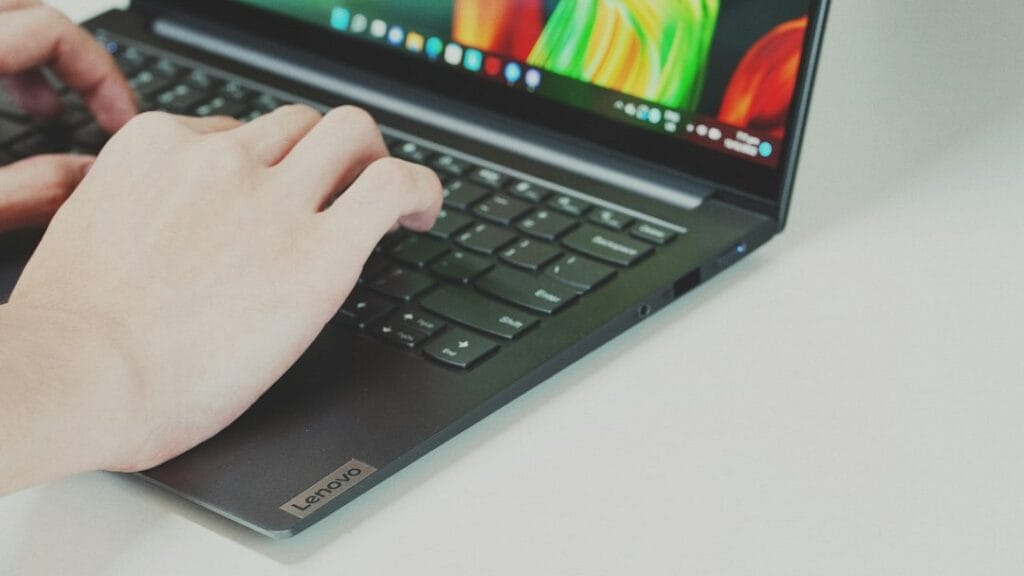
Hands typing on a Lenovo laptop keyboard

The best Lenovo laptop under $500 in 2026 is the IdeaPad Slim 3x when it’s on sale: a Snapdragon X chip, 16GB of memory, a 15.3-inch touchscreen and 16 hours 29 minutes in Tom’s Guide’s battery test. It has sold for $449, but it usually costs more, so wait for Black Friday. The best Lenovo you can buy under $500 today is the Chromebook Plus i 15, if you mostly use Google Docs and Chrome. For Windows at this price, the IdeaPad Slim 3i with an Intel N150 (about $390) handles browsing and schoolwork, but its 8GB of memory and 128GB of storage fill up fast. For a tablet you can type on, get the Chromebook Duet 11 with 8GB of memory.

Need it for work? Our best business laptops starts with the ThinkPad X1 Carbon Gen 14 and covers budget ThinkPads like the E14 Gen 7.

Next sale: Black Friday

Prime Big Deal Days has ended. Black Friday is November 27, 2026, and Cyber Monday is November 30. Amazon's Black Friday deals often start a few days early. Some Amazon Black Friday deals are for Prime members only. New members can start a free Prime trial (eligible customers; it becomes paid unless you cancel). Our picks are chosen on year-round value, not just sale pricing; tap any link to see today's price.

How we put this together: this guide is based on Lenovo’s published specs and independent reviews (linked below). It is not based on hands-on testing by iTech Level. Prices are list or launch prices, or the prices reviewers reported. Prices change often; check the current listing. See how we choose products.

Best Lenovo laptops under $500 compared

ModelBest forKey specsBatteryPrice guide
IdeaPad Slim 3xMost people (Windows)Snapdragon X, 16GB, 15.3″ 1920×1200 touch, 3.4 lb16 h 29 min (Tom’s Guide test)List $749
Chromebook Plus i 15School and web workCore i3-N355, 8GB, 15.3″ 1920×1200, 400 nitsUp to 11 h (Lenovo)From $469.99
Chromebook Duet 11 (2024)Tablet + keyboardKompanio 838, 10.95″ 2K touch, keyboard includedVery efficient (Notebookcheck)About $340–$400 at launch
Chromebook Plus 2-in-1Convertible on saleCore 3 N355, 8GB, 128GB, 360° hinge, pen inputAbout 7 h (Chrome Unboxed)MSRP $579
IdeaPad Slim 3i (Intel N150)Cheapest Windows laptopIntel N150 (4 cores), 8GB, 128GB, 15.6″ 1920×1080Up to 12 h (retailer listings)Around $400
IdeaPad Slim 3 (Intel/AMD)Windows app compatibilityCore 5 210H or Ryzen, 8–16GB, 15.3″ 1920×12004 h or less (Thurrott)Varies widely by configuration

1. Lenovo IdeaPad Slim 3x: best Lenovo laptop under $500

The IdeaPad Slim 3x is the one to buy for most people, and Tom’s Guide ranks it as the best laptop under $500 overall, from any brand. It runs Windows 11 on a Qualcomm Snapdragon X (X1-26-100) with 16GB of memory, and it has a 15.3-inch 1920×1200 touchscreen in a 3.4 lb body. The standout is battery life: 16 hours 29 minutes in Tom’s Guide’s review, far longer than Intel and AMD laptops at this price. Expert Reviews calls it the “king of the cheap laptops”.

  • Good for: students, remote work, browsing, Office and streaming, and anyone who wants to leave the charger at home.
  • Skip it if: you play games, or you rely on older Windows software or drivers that don’t support Arm chips. Check your key apps first. Reviewers also call the screen and speakers underwhelming.
  • Buying tip: it’s sometimes discounted, but it’s usually well above $500. Black Friday (November 27) is the likeliest time to see it under $500 again. Look for the 16GB / 512GB version; the 256GB model fills up quickly.

Check the IdeaPad Slim 3x on Amazon →

2. Lenovo Chromebook Plus i 15: best for school and web work

Announced at CES 2026 for a spring 2026 launch, the Chromebook Plus i 15 starts under $500 (Notebookcheck). It pairs an Intel Core i3-N355 with 8GB of memory, 128GB or 256GB of storage and a 15.3-inch 1920×1200 display rated at 400 nits, with an optional 120Hz touchscreen. Lenovo rates the 65Wh battery at up to 11 hours. You also get a full keyboard with a number pad, a fingerprint reader, a 5MP webcam with a privacy shutter, HDMI, a microSD slot and MIL-STD-810H durability testing.

  • Good for: Google Docs, Classroom, web apps and Android apps, with Google’s built-in AI features.
  • Skip it if: you need Windows software such as full desktop Office apps, specialist school software or PC games.

Check the Chromebook Plus i 15 on Amazon →

3. Lenovo Chromebook Duet 11 (2024): best tablet you can type on

The Duet 11 is a 10.95-inch 2K tablet with a detachable keyboard in the box, powered by a MediaTek Kompanio 838. It launched with 4GB of memory and 64GB of storage, or 8GB and 128GB. Get the 8GB model: 9to5Google’s review is titled “Ruined by RAM” because 4GB isn’t enough for a modern Chromebook. Notebookcheck calls it a “mobile energy-saving champion”.

  • Good for: reading, streaming, notes and light schoolwork on the couch or on the go.
  • Skip it if: you type for hours; a small detachable keyboard is no substitute for a laptop keyboard.

Check the Chromebook Duet 11 on Amazon →

4. Lenovo Chromebook Plus 2-in-1: best convertible, if it’s on sale

At list price this 2-in-1 is over budget, but Chrome Unboxed reports it has dropped well under $500 several times since launch. On sale it’s a well-made convertible: a rigid chassis, what the review calls a fantastic keyboard and trackpad, a responsive touch and pen screen, lots of ports and a fingerprint reader. The trade-offs are an Intel Core 3 N355 that is “only fine”, 8GB of memory with 128GB of storage, a fan, and about 7 hours of real-world battery life.

Check the Chromebook Plus 2-in-1 on Amazon →

5. Lenovo IdeaPad Slim 3 (Intel or AMD): only if you need full Windows compatibility

The regular IdeaPad Slim 3 is the Lenovo most people find when they search for a cheap laptop, and it’s the one to be careful with. Prices vary widely by processor, memory and storage, and reviews are weak. Thurrott’s review of an Intel Core 5 210H model found slow performance, constant fan noise and “4 hours or less” of real-world battery life, and PCWorld called it “a rare miss from Lenovo”. On the plus side, you can open it up to upgrade the memory and SSD.

Choose it only if you need Windows software or hardware that doesn’t support Snapdragon, and then buy a 16GB model; avoid 8GB versions. If you don’t need a Lenovo specifically, the Acer Aspire Go 15 (Ryzen 7 7730U, 16GB, 512GB) is a budget Windows alternative worth comparing.

Check IdeaPad Slim 3 configurations on Amazon →

The IdeaPad Slim 3i (Intel N150): fine for basics, nothing more

This is the Lenovo you’ll see most often under $500: Google’s own shopping results lead with it. It often comes bundled with a year of Microsoft 365. It has a 15.6-inch 1920×1080 screen and Windows 11, but the parts are entry level. The Intel N150 has 4 cores and 4 threads at 6 W, and Intel lists one memory channel with a 16GB maximum. The usual configuration has 8GB of memory and 128GB of UFS storage.

  • Good for: web browsing, streaming, email, Google Docs and Word, and a child’s first laptop.
  • Skip it if: you keep many tabs and apps open, edit photos, or store files locally. After Windows updates, 128GB leaves little free space, and the chip itself tops out at 16GB of memory.
  • Buying tip: at these specs, the Chromebook Plus i 15 is the better buy if you can live without Windows. ChromeOS runs well on 8GB, and it has the faster Core i3-N355 chip.

Check the IdeaPad Slim 3i (N150) on Amazon →

Is there a Lenovo gaming laptop under $500?

Not a new one. None of the laptops above has a dedicated graphics card, so they only handle light or cloud gaming. Lenovo’s cheapest current gaming laptop, the LOQ 15, costs more; the RTX 5050 versions are the closest to $1,000. See the cheapest gaming laptops worth buying for those options. Older IdeaPad Gaming 3 models sometimes turn up used or refurbished; check the GPU, battery health and warranty before buying.

Still seeing the IdeaPad 3 with a Ryzen 5 5500U?

That’s a 2021 model. It was a good budget laptop in its day, and it still turns up under $500, often refurbished. In 2026 it’s only worth buying at a clear discount compared with the IdeaPad Slim 3x, which has far longer battery life and more memory as standard. Check whether the listing is new or refurbished, and how much memory and storage it has.

If you mainly need a dependable Windows laptop for school or office work, a refurbished business laptop is another way to stay under $500. Models such as the HP EliteBook 840 G8 (Core i5-1145G7, 16GB RAM, 256GB SSD) come with a one-year warranty from refurbishers like Discount Electronics.

See refurbished laptops at Discount Electronics →

What to check before buying a laptop under $500

  • Memory: 16GB for Windows, 8GB for ChromeOS. 4GB and 8GB Windows laptops slow down quickly.
  • Storage: 512GB for Windows if you keep files locally; Chromebooks work with less because most files live in the cloud.
  • Chip: Snapdragon laptops last much longer on battery, but a few older Windows apps and games don’t run on them. Intel and AMD run everything but drain the battery faster.
  • Screen: look for 1920×1080 or 1920×1200. Avoid 1366×768 panels.
  • The exact model: the same name can cover very different configurations, so compare the model number and specs, not just “IdeaPad”.

Frequently asked questions

What is the best Lenovo laptop under $500?

The Lenovo IdeaPad Slim 3x is the best Lenovo laptop under $500 in 2026 when it’s on sale: it has a Snapdragon X chip, 16GB of memory and a 15.3-inch touchscreen, and it lasted 16 hours 29 minutes in Tom’s Guide’s battery test. It has sold for $449, but it’s usually well above $500. Under $500 that day, the best choice was the Chromebook Plus i 15 at $435.

Is the Lenovo IdeaPad Slim 3i with an Intel N150 good?

It’s fine for browsing, streaming and schoolwork, and it often sells for $270 to $450. The Intel N150 is a 4-core, 6 W chip, and the usual configuration has 8GB of memory and 128GB of storage, which fills up quickly on Windows. If you don’t need Windows, the Chromebook Plus i 15 is the better buy at a similar price.

Is the Lenovo IdeaPad Slim 3 good?

It’s fine for basic tasks, but reviews are mixed. Thurrott found slow performance and 4 hours or less of battery life on an Intel Core 5 model, and PCWorld called it a rare miss. The Snapdragon-based IdeaPad Slim 3x is the better choice unless you need software that only runs on Intel or AMD.

Should I get a Lenovo Chromebook or a Windows laptop under $500?

Get a Chromebook if you mostly use Google Docs, a browser and web apps: the Chromebook Plus i 15 starts at $469.99. Get a Windows laptop such as the IdeaPad Slim 3x if you need desktop software like full Microsoft Office or specialist school apps. If you’d rather have a Mac, Apple’s cheapest, the MacBook Neo, costs $599 with education pricing ($699 otherwise). For more Chromebooks, including OLED models, see our best Chromebooks.

Can a Lenovo laptop under $500 play games?

Only light, older or cloud-streamed games. Lenovo laptops under $500 have integrated graphics. For real gaming, Lenovo’s LOQ 15 with an RTX 5050 costs closer to $1,000.

When is the best time to buy a cheap Lenovo laptop?

Black Friday (November 27, 2026) and Cyber Monday (November 30) usually bring the widest discounts, and back-to-school season is another good time. The IdeaPad Slim 3x and Chromebook Plus 2-in-1 have both sold well below list price outside those events too.

Related guides

Best Lenovo Laptop Under $500 (2026): 5 Picks Worth Buying Read More »

MacBook Air 13-inch (M5, 2026): Specs, What Reviews Say and Who Should Buy It

Silver MacBook on a white table

The 13-inch MacBook Air with M5 (March 2026) is still the best ultraportable laptop for most people, according to published reviews. It weighs 2.7 lb, is rated for up to 18 hours of video streaming, and now starts with 16GB of memory and 512GB of storage (Apple raised its price by $200 in June 2026). The trade-offs are the same as before: it has no fan, so it slows down under long heavy loads; the display isn’t as bright as newer rivals; and there’s no HDMI or SD slot.

Playing The Sims 4? It runs natively on Apple silicon, which makes the Air our top pick in the best laptops for The Sims 4.

How we put this together: this page summarises Apple’s official specs and published reviews (linked below). It is not based on hands-on testing by iTech Level. See how we choose products.

MacBook Air 13-inch (M5) specs

ChipApple M5: 10-core CPU (4 super cores, 6 efficiency cores), 8-core or 10-core GPU
Memory16GB unified memory; 24GB or 32GB options
Storage512GB SSD, up to 4TB
Display13.6″ Liquid Retina, 2560 × 1664, 500 nits, 1 billion colours
Battery53.8Wh; up to 18 hours video streaming, 15 hours wireless web
PortsMagSafe 3, 2× Thunderbolt 4, 3.5 mm headphone jack
External displaysUp to two (for example 6K at 60Hz or 4K at 144Hz)
Wireless and cameraWi-Fi 7, Bluetooth 6, 12MP Center Stage camera
Size and weight0.44 in thick, 2.7 lb
ColoursSky Blue, Silver, Starlight, Midnight
Price$200 more than at launch (Apple’s June 2026 increase); education pricing available

Source: Apple’s MacBook Air (13-inch, M5) tech specs. Pricing from Apple’s March 2026 launch.

What reviews say

Reviews are consistently positive. TechRadar calls it “still the best ultraportable I’ve ever used”, and Tom’s Hardware sums it up as “steady as it goes”. RTINGS highlights the build quality, touchpad, webcam and battery life, and Expert Reviews calls it a great laptop, while noting you have choices.

  • Praised: fast M5 performance for everyday and creative work, battery life that lasts a full workday and more, the thin fanless design, and the move to 512GB of storage, Wi-Fi 7 and Bluetooth 6 as standard.
  • Criticised: it throttles under sustained heavy loads because there’s no fan, the 500-nit display is starting to trail brighter OLED and mini-LED rivals, there are no new colours, and the starting price went up.

Check the MacBook Air 13 (M5) on Amazon →

MacBook Air 13 (M5) vs M4: should you upgrade?

The M5 model keeps the same design as the 2025 M4 Air. The upgrades are the faster M5 chip, a faster SSD, 512GB of base storage instead of 256GB, and Wi-Fi 7 with Bluetooth 6. If you already have an M4 (or even an M2 or M3) Air, there’s little reason to upgrade. If you’re buying new, a discounted M4 Air is still a very good laptop, but check the storage: the base M4 model has only 256GB.

MacBook Air or MacBook Neo?

The MacBook Neo is Apple’s cheapest laptop, even after Apple raised prices on June 25, 2026 (MacRumors). It uses the A18 Pro, an iPhone chip, with 8GB of memory that can’t be upgraded, 256GB of storage and a 13-inch, 500-nit display, and it weighs the same 2.7 lb as the Air (MacRumors). Apple rates it for 16 hours of battery, and it lasted 13.5 hours in TechRadar‘s test.

The Air costs $600 more and gets you twice the memory and storage, the faster M5 chip, two Thunderbolt 4 ports (one of the Neo’s two USB-C ports runs at slow USB 2 speed) and support for two external displays. Choose the Neo for browsing, schoolwork, office apps and video calls. Choose the Air if you edit photos or video, keep lots of apps open, or want a laptop that will last for years.

Using those external display outputs on the go? UPERFECT’s MX16BU is a 16-inch 2880×1800 OLED monitor made for MacBooks, with its own stand. We found no independent lab tests of it, so this is based on the maker’s specs.

Check the UPERFECT MX16BU (16-inch OLED) at UPERFECT →

Check the MacBook Neo on Amazon →

For a side-by-side with lab test results, see our MacBook Neo vs MacBook Air comparison.

13-inch or 15-inch MacBook Air?

The 15-inch model has a bigger 15.3-inch screen, a 10-core GPU in every configuration and six speakers, and weighs 3.3 lb. It costs $200 more. Choose the 13-inch if you carry it every day. Choose the 15-inch if it mostly sits on a desk and you want more screen without paying for a MacBook Pro.

MacBook Air or MacBook Pro?

The 14-inch MacBook Pro with M5 costs $700 more and comes with 1TB of storage. It adds a fan (so it sustains performance), a brighter XDR display with 120Hz ProMotion, HDMI and an SD card slot. For students, office work, browsing and light photo or video editing, the Air is enough. For regular video editing, see our best MacBook for video editing guide.

Frequently asked questions

Is the MacBook Air 13 (M5) worth buying?

Yes, for most people. Reviewers rate it among the best ultraportable laptops thanks to its M5 performance, all-day battery life and 2.7 lb design, and it now starts with 16GB of memory and 512GB of storage. Its main limits are the fanless design under sustained heavy loads and the lack of HDMI and an SD slot.

How long does the MacBook Air 13 (M5) battery last?

Apple rates it at up to 18 hours of video streaming and 15 hours of wireless web browsing from its 53.8Wh battery. Reviews report comfortably more than a full workday of light use.

What’s the difference between the M5 and M4 MacBook Air?

The design is the same. The M5 model has a faster chip and SSD, doubles base storage to 512GB, and adds Wi-Fi 7 and Bluetooth 6. It launched at $100 more than the M4 model, and Apple raised its price by another $200 in June 2026.

Can the MacBook Air 13 run two external monitors?

Yes. The M5 MacBook Air supports up to two external displays at the same time, for example at 6K 60Hz or 4K 144Hz, according to Apple’s specs.

Should I buy the MacBook Neo or the MacBook Air?

Buy the MacBook Neo for browsing, schoolwork and office apps. Buy the MacBook Air if you edit photos or video or keep many apps open: it has 16GB of memory instead of 8GB, double the storage, the faster M5 chip and two Thunderbolt 4 ports.

Is the MacBook Air good for gaming?

It handles many Mac games and Apple Arcade titles well, and the M5 GPU is faster than earlier models, but the fanless design throttles in long sessions and many PC games aren’t available on macOS. If gaming matters, look at a Windows gaming laptop instead.

Related guides

MacBook Air 13-inch (M5, 2026): Specs, What Reviews Say and Who Should Buy It Read More »

Photo by Martin Sanchez on Unsplash · Photo by Peter Stumpf on Unsplash · Photo by Clastr Cloud Gaming on Unsplash · Photo by Back2Gaming on Unsplash · Photo by Maxim Hopman on Unsplash