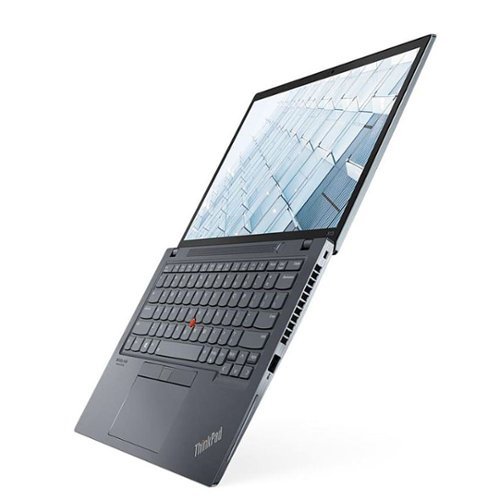
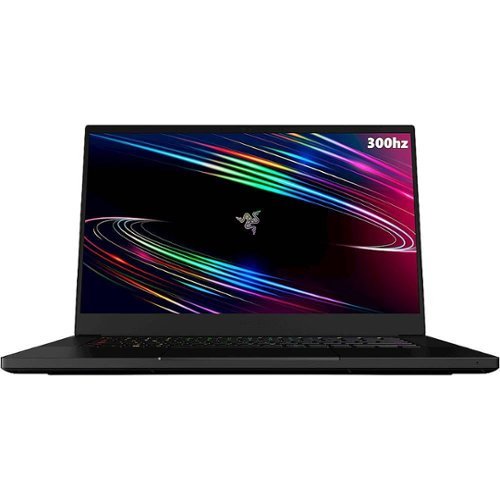
Quick answer: the best small gaming laptop is still the ASUS ROG Zephyrus G14 (2025) (1.50 kg, OLED, RTX 5060 or 5070), though on Amazon US it’s mostly sold by third-party resellers at about $1,900 and up. The smallest gaming machine is the ASUS ROG Flow Z13 (2025), a 1.20 kg gaming tablet ($1,971 on Amazon). For the most graphics power in a 14-inch body, the Acer Predator Helios Neo 14 AI runs its RTX 5060 or 5070 at a full 115 W from $1,599.99, at the cost of extra weight. Sizes come from the manufacturers’ spec pages and reviews; we compare published specs and reviews rather than running our own lab tests (how we choose).
See Zephyrus G14 listings on Amazon →
The smallest gaming laptops in 2026 weigh between 1.2 and 1.6 kg (2.7 to 3.5 lb), about the same as a thin ultrabook, and still run modern games on a dedicated or high-end integrated GPU. If you want to game on a train, in a dorm or from a hotel desk without carrying a 17-inch brick, this is the class to look at. The catch in late 2026: several of the best-known small gaming laptops are hard to buy new, so this guide only recommends ones you can actually get.
Next sale: Black Friday
Prime Big Deal Days has ended. Black Friday is November 27, 2026, and Cyber Monday is November 30. Amazon's Black Friday deals often start a few days early. Our picks are chosen on year-round value, not just sale pricing; tap any link to see today's price.
Smallest gaming laptops ranked by size
Sorted from lightest to heaviest. Thickness ranges cover the thinnest and thickest point of the chassis. Laptops marked “hard to find” were out of stock new, or only sold by third-party resellers at inflated prices, when we checked Amazon US on October 7, 2026.
| Laptop | Screen | Weight | Thickness | Availability |
|---|
| 1. ASUS ROG Flow Z13 (2025) | 13.4-inch 2-in-1 tablet | 1.20 kg (2.65 lb), tablet only | 1.30–1.49 cm | Pick (sold by Amazon) |
| 2. ASUS TUF Gaming A14 (RTX) | 14-inch | 1.46 kg (3.22 lb), 2024 model | 1.69–1.99 cm | Hard to find (see below) |
| 3. ASUS ROG Zephyrus G14 (2025/2026) | 14-inch | 1.50–1.57 kg (3.31–3.46 lb) | 1.59–1.83 cm | Pick (mostly resellers) |
| 4. Razer Blade 14 (2025) | 14-inch | 1.63 kg (3.59 lb) | 1.58–1.62 cm (thinnest) | Hard to find (out of stock) |
| 5. HP OMEN Transcend 14 | 14-inch | about 1.63 kg (3.6 lb) | about 1.8 cm | Hard to find (resellers only) |
| 6. Acer Predator Helios Neo 14 AI | 14.5-inch | about 1.9 kg (4.1 lb) | about 2.1–2.6 cm | Pick (sold by Amazon) |
| 7. Lenovo LOQ 15 (15AHP11, 2026) | 15.3-inch | 2.1 kg (4.6 lb) | not stated on the listing | Pick (authorized retailer on Amazon) |
The first five are the genuinely small options. The Helios Neo 14 AI trades some of that portability for a full-power GPU, and the LOQ 15 is here for readers who would rather carry a bigger, cheaper laptop than pay extra for a small one.
Comparison at a glance
| Product | Price (Amazon US, Oct 8) | Key specs | |
|---|
Best Overall
ASUS ROG Zephyrus G14 | About $1,900+ from resellers | 14-inch 3K OLED at 120Hz, RTX 5060 or 5070 at 100 W, 1.50–1.57 kg. G14 price & model guide → | Check on Amazon |
Smallest Overall
ASUS ROG Flow Z13 (2025) | $1,949.99 | 13.4-inch 2.5K touchscreen at 180Hz, Ryzen AI Max+ 395, Radeon 8060S, 32GB, 1.20 kg tablet | Check on Amazon |
Most GPU Power
Acer Predator Helios Neo 14 AI | $1,599.99 (RTX 5060) / $1,899.99 (RTX 5070) | 14.5-inch 2.5K at 165Hz, RTX 5060 or 5070 at 115 W, Core Ultra 7 or 9, about 1.9 kg | Check on Amazon |
Best Value (Bigger)
Lenovo LOQ 15 (15AHP11, 2026) | $1,249.99 (Oct 12) | 15.3-inch 1920×1200 at 165Hz, RTX 5060 at 115 W, Ryzen 7 250, 2.1 kg | Check on Amazon |
Prices are what we saw on Amazon US on October 8, 2026. The Flow Z13 and Helios Neo 14 AI were sold by Amazon, and the LOQ 15 ($1,249.99, checked October 12) by antonline, an authorized retailer; the Zephyrus G14 was only available from third-party resellers when we checked on October 7. Prices change often, so check the listing before you buy.
The picks
Best Overall: ASUS ROG Zephyrus G14 (2025 or 2026)
Still the best-balanced small gaming laptop, if you can find it at a fair price.
The Zephyrus G14 packs a 14-inch 3K OLED screen at 120Hz and an RTX 5060 or RTX 5070 into an aluminium chassis that weighs 1.50–1.57 kg and is 1.59–1.83 cm thick. ASUS’s official GPU power list rates the 2025 model’s RTX 5060 and 5070 at up to 100 W, a little below full power but a sensible balance for its size. The 2026 version keeps the same size with a brighter OLED (1,100 nits peak) and a 73Wh battery; our G14 price and model guide explains which year and configuration to look for.
The problem in October 2026 is availability. On Amazon US the G14 was only sold by third-party resellers, mostly at about $1,900 and up for an RTX 5060 model, often with upgraded memory or storage at a markup. At those prices the Helios Neo 14 AI below gives you more graphics power for less money; the G14 is worth the extra if a lighter, slimmer laptop and an OLED screen matter more to you. Check the seller and the exact configuration before you buy.
Pros
- 3K OLED display at 120Hz
- RTX 5060 or 5070 in a 1.5 kg aluminium chassis
- Slimmer and lighter than the full-power 14-inch alternatives
Cons
- Mostly reseller-priced on Amazon US right now
- GPU limited to 100 W, below the 115 W of the Helios Neo 14 AI
See Zephyrus G14 listings on Amazon →
Smallest Overall: ASUS ROG Flow Z13 (2025)
The smallest gaming machine here: a 13.4-inch tablet with a detachable keyboard and graphics that reviewers compare to a laptop RTX 4070.
The ROG Flow Z13 is not a laptop in the usual sense. It is a 1.20 kg (2.65 lb), 1.3 cm thick Windows tablet with a kickstand and a detachable keyboard cover, built around AMD’s Ryzen AI Max+ 395. That chip has no separate graphics card; its integrated Radeon 8060S is strong enough that Notebookcheck found it neck-and-neck with the RTX 4070 Laptop GPU. The 13.4-inch 2.5K screen runs at 180Hz and supports touch and a stylus.
The Ryzen AI Max+ 395 version with 32GB of memory was $1,949.99 on Amazon (list $2,399.99), sold by Amazon. Note that some listings use the slightly cheaper Ryzen AI Max 390 instead, which has a smaller integrated GPU, so check the processor name. The trade-offs are price, a kickstand and keyboard cover that are less stable on your lap than a hinge, and graphics that still trail a full-power RTX 5070 in the heaviest games.
Pros
- Smallest and lightest pick: 1.20 kg tablet, 1.30 cm thick
- Integrated graphics close to a laptop RTX 4070
- 2.5K 180Hz touchscreen with stylus support
- Works as a tablet as well as a gaming PC
Cons
- Expensive for its gaming performance
- Kickstand and keyboard cover are awkward on a lap
Flaws but not dealbreakers
The 1.20 kg figure is the tablet alone; the keyboard cover adds a little. Without a dedicated GPU, expect to lower settings in the heaviest new games compared with a full-power RTX laptop.
Check on Amazon →
Most GPU Power for the Size: Acer Predator Helios Neo 14 AI
A full 115 W RTX 5060 or 5070 in a 14.5-inch body, if you can live with the extra weight.
Most small gaming laptops cut GPU power to keep heat in check. The Helios Neo 14 AI (PHN14-71) doesn’t: Acer’s official GPU power list rates its RTX 5060 and RTX 5070 at 115 W, the most in this guide. On Amazon US, the version with a Core Ultra 7 255H, RTX 5060, 16GB and a 14.5-inch 2.5K 165Hz screen was $1,599.99, and the one with a Core Ultra 9 285H, RTX 5070 and 32GB was $1,899.99, both sold by Amazon (October 8, 2026).
The cost is size. PCWorld’s review lists it at 4.14 lb (about 1.9 kg) and 1.02 inches thick, criticised the battery life and the keyboard, and concluded it’s “good, but just not good enough” next to the Zephyrus G14 for portability. We’d still pick it when the G14 is only available at reseller prices, since it gives you more graphics power for less.
Pros
- RTX 5060 or 5070 at a full 115 W
- Sold by Amazon, from $1,599.99
- RTX 5070 version includes 32GB of memory
Cons
- About 1.9 kg: heavier and thicker than the G14
- Battery life and keyboard criticised in reviews
Check the RTX 5070 version on Amazon →
Check the RTX 5060 version on Amazon →
The pick below is bigger. At 2.1 kg the LOQ 15 isn’t a small laptop; it’s here for readers who would rather carry a larger screen than pay extra for a compact one.
Best Value (Bigger): Lenovo LOQ 15 (15AHP11, 2026) with RTX 5060
A full-power RTX 5060 for $1,249.99, in a 15-inch body you can still carry.
If size isn’t critical, the 2026 LOQ 15 gets you a full-power GPU for much less than any small laptop here: $1,249.99 on Amazon on October 12, sold by antonline, an authorized retailer. Lenovo’s spec sheet lists its RTX 5060 at the full 115 W, with an AMD Ryzen 7 250 and a 15.3-inch 1920×1200 165Hz screen with 100% sRGB, in a 2.1 kg (4.6 lb) chassis. This version has 16GB of memory in a single stick and a 512GB SSD. It’s also our pick for a lighter laptop in the best gaming laptops under $1,200. Good to know: the Acer Nitro V 16 with an RTX 5070 we recommended here earlier in October rose to $1,399.49 from a third-party seller.
Pros
- RTX 5060 at a full 115 W for $1,249.99
- 15.3-inch 16:10 screen at 165Hz with 100% sRGB
Cons
- Not a small laptop (2.1 kg)
- 512GB SSD and a single 16GB memory stick out of the box
Check on Amazon →
Small gaming laptops that are hard to find right now
These were picks in earlier versions of this guide. They’re still good laptops, but when we checked Amazon US on October 7, 2026, you couldn’t buy them new at a sensible price:
- Razer Blade 14 (2025): the thinnest 14-inch gaming laptop here (1.58 cm) with an RTX 5060 or 5070 at up to 115 W. Razer’s US store listed the RTX 5060 version at $2,299.99 but out of stock, and Amazon only had used units. Our Razer Blade 14 guide has the specs and what reviews say.
- HP OMEN Transcend 14: a creator-friendly 14-inch with a 3K OLED, but the only Amazon listings were third-party bundles at $2,499 and up.
- ASUS TUF Gaming A14 with an RTX GPU: the lightest clamshell in our ranking. ASUS rates the 2025 model’s RTX 5060 at 110 W, but we found no RTX version sold by Amazon. The TUF A14 Amazon did sell ($1,819.99) has a Ryzen AI Max+ 392 with integrated graphics and no RTX GPU, so read the listing carefully.
Even smaller: handheld gaming PCs
If a 1.2 kg tablet is still too big, the next step down is a handheld PC. The Steam Deck OLED (7.4-inch screen, about 640 g), ASUS ROG Xbox Ally X (7-inch, about 715 g) and Lenovo Legion Go 2 (8.8-inch, about 920 g) all run PC games, but they are built around a controller rather than a keyboard, with lower-power chips aimed at 800p to 1080p. They make great travel companions, but they don’t replace a laptop for work or keyboard-and-mouse games.
What to look for in a compact gaming laptop
- GPU and its wattage: an RTX 5060 or better handles new games at 1080p. Small laptops often limit GPU power, from about 100 W in the Zephyrus G14 down to 60 W in some budget 14-inch models, so look the exact model up in our laptop GPU power database.
- Integrated vs dedicated graphics: AMD’s Ryzen AI Max+ chips (Flow Z13, some TUF A14s) have strong integrated graphics and no RTX GPU. They’re good, but check which one a listing has.
- Weight and thickness: under 1.6 kg is genuinely small; full-power 14-inch models like the Helios Neo 14 AI weigh closer to 1.9 kg.
- Display: OLED panels give deeper blacks and higher contrast; 120Hz to 180Hz keeps games smooth.
- Battery and charging: gaming drains any laptop in a couple of hours, so USB-C charging for light use on the go is a useful extra.
- Who’s selling it: small gaming laptops are often sold by resellers with “upgraded” configurations at a markup. Check the seller and compare with the standard configuration.
Our verdict
The ASUS ROG Zephyrus G14 is still the best small gaming laptop if you find one at a fair price, and the ASUS ROG Flow Z13 is the pick if you want the smallest machine possible and can live with a tablet. With the G14 mostly reseller-priced right now, the Acer Predator Helios Neo 14 AI is the 14-inch laptop we’d actually buy for gaming today: more GPU power for less money, at the cost of about 400 g. If size matters less than price, the Lenovo LOQ 15 with a full-power RTX 5060 costs $1,249.99.
Frequently Asked Questions
What is the smallest gaming laptop in 2026?
The ASUS ROG Flow Z13 (2025) is the smallest gaming machine in this guide: a 13.4-inch tablet that weighs 1.20 kg (2.65 lb) and is 1.3 cm thick, with a detachable keyboard. Among traditional clamshells, the ASUS TUF Gaming A14 (1.46 kg) and the ASUS ROG Zephyrus G14 (1.50–1.57 kg) are the lightest, though the RTX version of the TUF A14 was hard to find new in October 2026.
What is the best small gaming laptop in 2026?
The ASUS ROG Zephyrus G14 is the best-balanced small gaming laptop, with a 3K OLED screen and an RTX 5060 or 5070 in a 1.5 kg body. In October 2026 it was mostly sold by resellers on Amazon US at about $1,900 and up, so the Acer Predator Helios Neo 14 AI, with a full 115 W RTX 5060 or 5070 from $1,599.99, was the better buy at those prices.
Is the ASUS ROG Zephyrus G14 worth the price?
At or near its normal price, yes: it’s lighter and slimmer than other 14-inch gaming laptops with an RTX 5060 or 5070, and its OLED screen is excellent. At reseller prices of $1,900 or more for an RTX 5060 model, a full-power laptop like the Helios Neo 14 AI gives you more performance for less.
Do mini gaming laptops sacrifice performance compared to larger models?
Often, yes. Many small laptops limit GPU power to manage heat, from about 100 W in the Zephyrus G14 down to 60 W in some budget 14-inch models, while larger laptops usually run the same GPU at 115 W. The Helios Neo 14 AI is an exception, with a 115 W RTX 5060 or 5070, at the cost of extra weight. Check the exact model in our laptop GPU power database.
What GPU should I look for in a compact gaming laptop?
Aim for at least an RTX 5060 for smooth 1080p gaming, and check its wattage, since a power-limited GPU can be much slower. AMD’s Ryzen AI Max+ chips, as in the Flow Z13, have strong integrated graphics instead of an RTX GPU.
Is there anything smaller than a mini gaming laptop?
Yes. Handheld gaming PCs such as the Steam Deck OLED (about 640 g), ROG Xbox Ally X (about 715 g) and Legion Go 2 (about 920 g) run PC games on a 7- to 8.8-inch screen. They are more portable than any laptop but use lower-power chips and have no keyboard.
Related guides
If you’re shopping on a tighter budget, see our roundup of the best budget gaming laptops under $1,200, and our honest take on whether budget gaming laptops are worth it in 2026 given this year’s price increases.