Adam Levell

Adam Levell is the editor of iTech Level, where he has compared laptops, headphones and earbuds since 2020. He builds each guide from manufacturer specs, independent measurements and owner reviews, and covers laptop matchups on the iTech Level YouTube channel. Adam Levell is the pen name of iTech Level's founder.

October Prime Day Gaming Laptop Deals 2026: What’s Worth Buying

package, delivery, amazon, amazon parcel, 3d, 3d rendering, online shopping, mobile shopping, e commerce, amazon prime, parcel carrier, order, buy, shopping, online order, amazon prime, amazon prime, amazon prime, amazon prime, amazon prime
Prime Big Deal Days: Oct 6–7

Amazon's October sale, Prime Big Deal Days, runs October 6–7, 2026. Deals are for Prime members and start at 12:01 a.m. PT on October 6. The picks below are chosen on year-round value, not just sale pricing; tap any link to see today's price.

Amazon’s second Prime Day of 2026, Prime Big Deal Days, runs October 6–7. Deals are for Prime members and start at 12:01 a.m. PT on October 6. Gaming laptops are one of the categories that get real discounts, and plenty of fake ones. This guide shows how to tell them apart and which compact gaming laptops are worth watching. If you miss it, Black Friday follows on November 27.

This guide isn’t a live price ticker (those go stale the moment the sale ends). Instead, it’s the framework we use to judge whether an October Prime Day laptop deal is actually worth it, plus the specific compact gaming laptops we think are worth watching when the discounts land. For the full breakdown of these models, see our smallest gaming laptops guide. On a tighter budget, start with our best budget gaming laptops under $1,200.

How to tell a real Prime Day laptop deal from a fake one

Retailers lean hard on Prime Day urgency, and gaming laptops are prime territory for misleading discounts. Before you buy, run any deal through these checks.

  • Check the GPU generation, not just the model name. A laptop with last-generation graphics (an RTX 4060 when current models ship the RTX 5060) may be discounted simply because it’s old stock. Sometimes that’s a genuine bargain; sometimes you’re paying for yesterday’s performance. Know which generation you’re getting.
  • Look at the exact configuration. The same laptop name covers wildly different specs — RAM, storage, GPU wattage, and screen all vary. A “deal” on a 8GB-RAM base model isn’t the same product as the 32GB version reviewers praised.
  • Compare against the non-sale price history. A laptop “40% off” from an inflated list price may be no cheaper than its normal street price. Tools like price-history trackers tell you whether the Prime Day price is genuinely the lowest it’s been.
  • Decide your needs before the sale, not during it. Prime Day’s countdown timers are designed to make you buy fast. Know your screen size, GPU tier, and budget in advance so you’re matching a deal to a plan — not rationalizing a purchase because the clock is ticking.
  • Factor in the things that don’t go on sale. Build quality, thermals, keyboard, and display are the same whether or not the laptop is discounted. A cheap deal on a laptop that thermal-throttles is still a compromised laptop.

Compact gaming laptops worth watching this October Prime Day

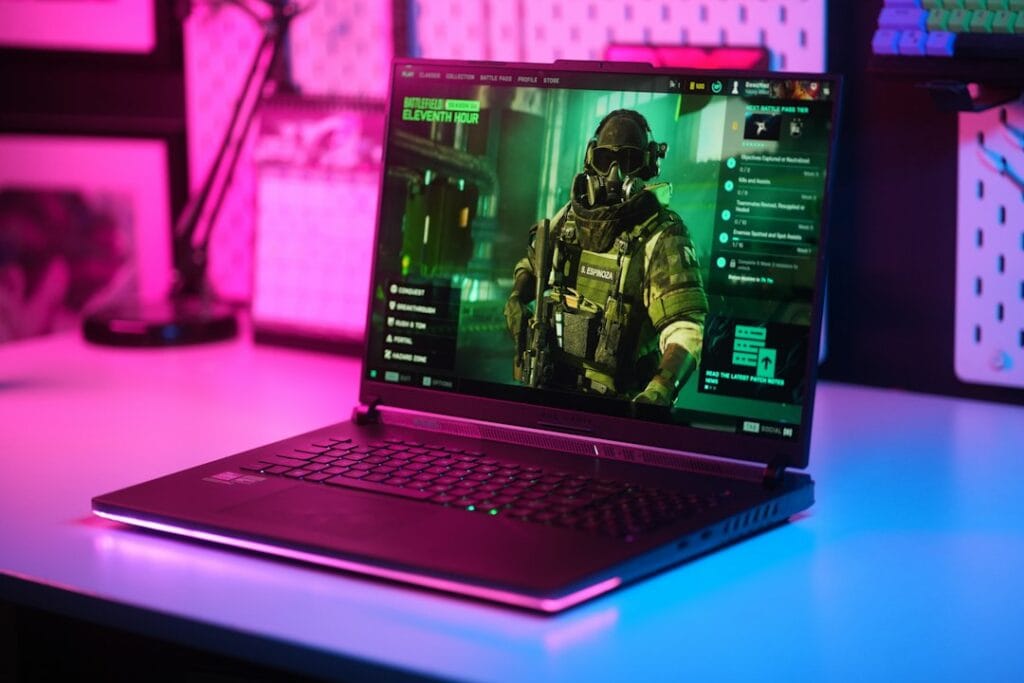
These are the small-form-factor (14–16 inch) gaming laptops we’d keep an eye on when the Prime Big Deal Days discounts go live on October 6. We’ve covered each in depth in our smallest gaming laptops guide — here’s the short version of why each is worth watching, and who it suits.

ASUS ROG Zephyrus G14 — the one to watch first

The most-requested compact gaming laptop, and the one we’d prioritize if it sees a Prime Day cut. The 14-inch 3K OLED display, RTX 5060, and Ryzen 9 in a genuinely portable chassis make it the best all-rounder for gaming on the move. Already premium-priced, so even a modest Prime Day discount is meaningful here.

Check today’s Zephyrus G14 price on Amazon →

ASUS TUF Gaming A14 — the budget watch

The most affordable true-14-inch pick. If you want compact gaming without flagship pricing, watch this one — an RTX 4060 and a 165Hz screen at a Prime Day discount would make it a strong entry point. Last-gen GPU, so check the discount is real and not just clearing old stock at the usual price.

Check today’s TUF Gaming A14 price on Amazon →

ASUS ROG Strix G16 — the value watch

The lowest starting price in our compact lineup, with a 16-inch 165Hz screen and RTX 5060. If you’ll trade some portability for a bigger display and don’t want to overspend, a Prime Day cut here is worth jumping on.

Check today’s ROG Strix G16 price on Amazon →

Razer Blade 14 — the premium watch (if it ever discounts)

The most powerful 14-inch option (RTX 5070) with the best build quality — and the least likely to see a deep discount, since Razer rarely cuts hard. But if you’ve wanted a Blade, Prime Day is one of the few times it might dip, so it’s worth a price check.

Check today’s Razer Blade 14 price on Amazon →

ASUS ROG Flow Z13 (2025) — the smallest watch

The smallest gaming machine we cover: a 13.4-inch gaming tablet that weighs 1.20 kg, with a detachable keyboard and integrated Radeon 8060S graphics that Notebookcheck found close to a laptop RTX 4070. It’s expensive for its gaming performance at full price, so it only makes sense if the discount is substantial and you want the smallest footprint possible.

Check today’s ROG Flow Z13 price on Amazon →

Should you wait for October Prime Day to buy a gaming laptop?

Honestly: it depends on whether you need one now. If your current machine works and you can wait, Prime Day (and the October Prime Big Deal Days) are among the better windows for laptop discounts each year, alongside Black Friday. Prime Big Deal Days is only days away, so if you can wait until October 6–7 it costs you little. If you miss it, Black Friday (November 27) and Cyber Monday (November 30) are the next windows. If you need a laptop today, don’t force yourself to wait for a discount that might not come on the specific model you want.

The smartest approach: decide which laptop fits your needs and budget now — using our full smallest gaming laptops guide — then watch its price on October 6–7. If it drops, buy. If it doesn’t, you haven’t lost anything by being ready.

Frequently asked questions

When is October Prime Day 2026?

Amazon’s October Prime Day, officially called Prime Big Deal Days, runs October 6–7, 2026. Deals start at 12:01 a.m. PT on October 6 and are for Prime members. The summer Prime Day 2026 ran June 23–26.

Are gaming laptops actually cheaper on Prime Day?

Often, yes — gaming laptops are a category that sees genuine discounts during Prime Day, alongside Amazon’s own devices. But not every “deal” is a real bargain. Check the GPU generation, the exact configuration, and the price history before buying, since some discounts are on older or overpriced models.

Is it better to wait for Prime Day or Black Friday for a gaming laptop?

Both are strong windows for laptop discounts. Prime Day (June) and Prime Big Deal Days (October) tend to clear current-generation stock, while Black Friday (November) often has the broadest selection. If you need a laptop now, buy when you find the right model at a fair price; if you can wait, watch your target model across all three events.

Do I need Amazon Prime to get Prime Day gaming laptop deals?

Yes — Prime Day pricing is exclusive to Amazon Prime members. If you’re not a member, a free 30-day Prime trial lets you access the deals during the event, which you can cancel afterward if you don’t want to keep it.

Prime Big Deal Days 2026 runs October 6–7. This guide focuses on how to judge a deal and which models to watch rather than specific prices, since Prime Day pricing changes throughout the event — tap any link to see current pricing.

October Prime Day Gaming Laptop Deals 2026: What’s Worth Buying Read More »

Best Wireless Earbuds for Google Pixel 11 & 11 Pro (2026): 6 Picks

A person wearing wireless earbuds while walking in a city street

Updated September 2026 for the Pixel 11 series

Quick answer: the best earbuds for a Google Pixel, including the new Pixel 11 and Pixel 11 Pro, are the Google Pixel Buds Pro 2. They get Pixel-only features first, and Google’s August 2026 update added improved noise cancellation, Gemini audio controls, and sleep detection. On a budget, the Soundcore P30i gives you noise cancellation for far less.

Google Pixel phones have a reputation for tight hardware-software integration, and the right earbuds should feel like an extension of that ecosystem. Whether you’re streaming hi-res music, relying on Google Assistant, or hopping between a tablet and a laptop, the earbuds you choose need to work flawlessly with Pixel’s native features.

In this guide we’ll walk through the most important buying factors — from Pixel-specific features and active noise cancellation to multipoint Bluetooth and battery endurance. We’ll also rank the best options from budget-friendly to premium, so you can quickly spot the model that matches your price range and usage pattern.

See Also: best wireless earbuds for Android

Comparison at a glance

ProductKey specs 
Best Overall
Google Pixel Buds Pro 2
Tensor A1 chip, Silent Seal 2.0 adaptive ANC, Gemini hands-free, up to 8 hours with ANC (30 hours with case), IP54Check on Amazon
Best Sound Quality
Sony WF-C700N
Sony’s signature tuning, ANC with Ambient Sound mode, up to 20 hours total battery with case (ANC off)Check on Amazon
Best Noise Cancellation
Bose QuietComfort Ultra Earbuds (2nd Gen)
CustomTune ANC, Immersive Audio, up to 6 hours per charge (24 hours with case), wireless charging case, IPX4Check on Amazon
Best Budget
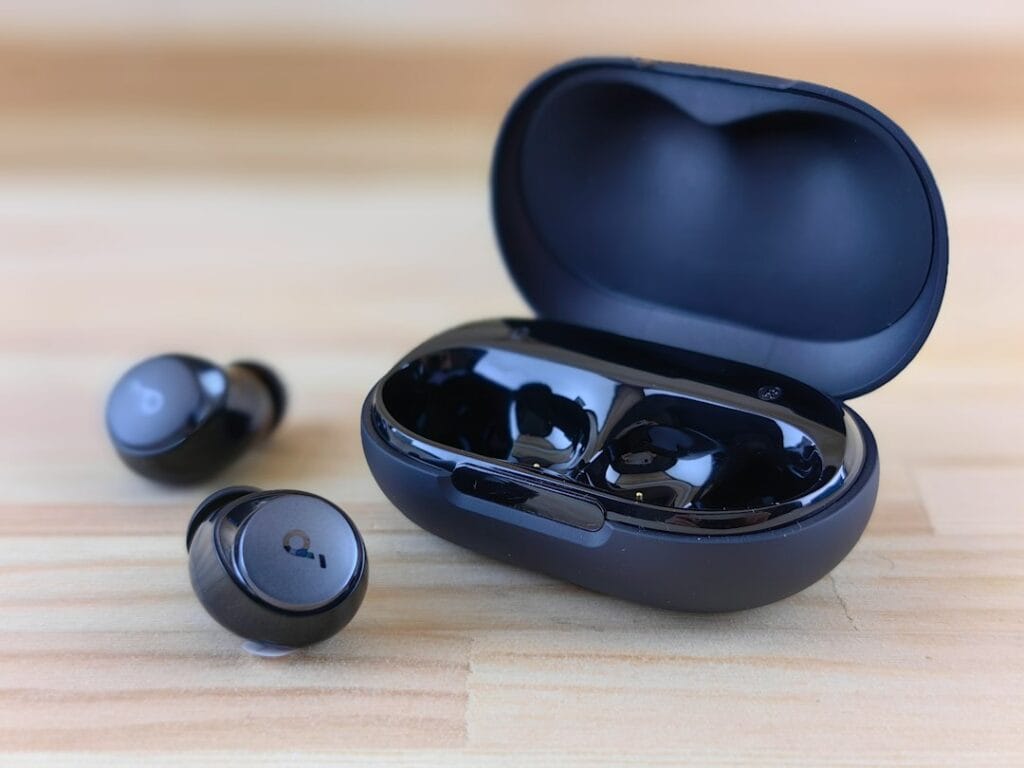
Soundcore P30i by Anker
ANC in a sub-$30 earbud, up to 45 hours total battery with case (12 hours buds-only), custom EQ via Soundcore appCheck on Amazon
Best for Workout
JLab Go Sport+
IP55 sweat and dust resistance, secure over-ear hook design, up to 32 hours total battery with caseCheck on Amazon
Best Value
Samsung Galaxy Buds FE
ANC with Ambient Sound mode, up to 30 hours total battery with case (8.5 hours buds-only, ANC off), Bluetooth 5.2Check on Amazon

The picks

Best Overall: Google Pixel Buds Pro 2

Google’s own earbuds, and the pair that gets new Pixel features first.

The Pixel Buds Pro 2 are the natural match for any Pixel phone, from the Pixel 8 to the new Pixel 11 Pro. Google’s Tensor A1 chip powers Silent Seal 2.0 adaptive noise cancellation, and the buds are noticeably smaller and lighter than the original Pixel Buds Pro, which makes them more comfortable for long listening sessions. Fast Pair, Find My Device, and hands-free Gemini work out of the box on a Pixel.

Google skipped a Pixel Buds Pro 3 at the Pixel 11 launch and instead gave the Pro 2 a free update: more consistent noise cancellation regardless of how the tips sit, Gemini controls for adjusting bass and treble by voice, and sleep detection that pauses playback when you doze off. Battery life is up to 8 hours with ANC on (up to 30 hours with the case), both the buds and case are IP54 rated, and multipoint lets you switch between your phone and laptop.

Pros

  • Deepest Pixel and Gemini integration of any earbuds
  • Strong adaptive ANC, improved again in the 2026 update
  • Small, light fit with IP54 buds and case
  • Multipoint Bluetooth and Find My Device support

Cons

  • Premium price compared with the rest of this list
  • No LDAC; streams over AAC like most earbuds
  • Some features work best, or only, on Pixel phones

Check on Amazon →

Best Sound Quality: Sony WF-C700N

Sony’s WF-C700N delivers detailed, well-tuned sound at a mid-tier price, ideal for Pixel users who value audio quality.

The Sony WF-C700N stands out as a strong audio pick for Google Pixel owners, thanks to Sony’s signature tuning that delivers clear, detailed sound at a mid-tier price. The earbuds support standard SBC and AAC codecs — not LDAC — so streaming caps below true hi-res, but Sony’s DSEE upscaling and tuning expertise make the most of what’s there. With up to 20 hours of total playback with ANC off (15 hours with ANC on) and noise cancellation that can be toggled to Ambient Sound mode, these earbuds keep music immersive whether you’re commuting or at the gym.

Compact and light, the WF-C700N’s IPX4 splash resistance and multipoint Bluetooth let you pair with two devices — ideal for switching between a Pixel phone and a laptop without missing a beat. The Sony Headphones Connect app adds a custom EQ and DSEE upscaling, so you can tailor the sound to your taste while still enjoying the baseline clarity that beats most competitors in this price range.

Pros

  • Sony’s signature tuning delivers detailed, balanced sound
  • 20 hours total battery life with case (ANC off)
  • Active noise cancellation with Ambient Sound mode
  • Multipoint Bluetooth for seamless device switching

Cons

  • No LDAC codec support — caps streaming at standard quality
  • Microphone picks up background noise in calls

Flaws but not dealbreakers

The biggest limitation is the lack of LDAC codec support — these stream over SBC and AAC, so you won’t get true hi-res audio on Pixel even though your phone supports it. For most listeners on Spotify or YouTube Music, this is invisible; audiophiles streaming Tidal or Apple Music lossless will notice the difference. The microphone also captures some background noise during calls, which is fine for casual chats but noticeable for professional voice work.

Check on Amazon →

Best Noise Cancellation: Bose QuietComfort Ultra Earbuds (2nd Gen)

The strongest noise cancellation you can pair with a Pixel, for commuters and open offices.

The QuietComfort Ultra Earbuds (2nd Gen) are Bose’s current flagship earbuds and replace the QuietComfort Earbuds II. CustomTune calibrates the noise cancellation to each ear, and the second generation improves ActiveSense, which lets outside sound in while keeping loud noises in check, plus clearer call microphones. On a Pixel they pair with Google Fast Pair, and multipoint lets you stay connected to your phone and laptop at the same time.

Battery life is up to 6 hours per charge (about 4 hours with Bose’s Immersive Audio spatial mode on), and the case holds three more full charges, now with wireless charging built in. The IPX4 rating covers sweat and light rain. They support aptX Adaptive, but Pixel phones do not, so on a Pixel they stream over AAC, which still sounds excellent for everyday listening.

Pros

  • Class-leading noise cancellation tuned to your ears
  • Wireless charging case
  • Multipoint and Google Fast Pair on Pixel
  • Immersive Audio spatial sound mode

Cons

  • Most expensive pick on this list
  • Shorter battery life than the Pixel Buds Pro 2, especially with Immersive Audio on
  • aptX Adaptive does not work on Pixel phones

Check on Amazon →

Best Budget: Soundcore P30i by Anker

The most feature-rich sub-$30 earbuds for Pixel users, delivering ANC, multipoint Bluetooth, and a 45-hour total battery.

The Soundcore P30i stands out as a rare budget earbud that offers active noise cancellation at under $30, cutting a meaningful amount of ambient sound with its adaptive ANC system. Paired with 10mm drivers and Soundcore’s BassUp technology, it delivers surprisingly punchy bass and clear mids, while the dedicated Soundcore Android app lets you fine-tune the sound with a custom EQ and profiles.

For Pixel owners who juggle a laptop and phone, the P30i’s multipoint Bluetooth makes switching seamless, and the compact 2-in-1 case doubles as a phone stand for hands-free viewing. Battery life is impressive: around 12 hours on a single charge and up to 45 hours with the case, plus a quick-charge boost. IPX5 water resistance and a secure fit with multiple ear-tip sizes keep them workout-ready, while wireless charging adds a touch of convenience rarely seen at this price point.

Pros

  • Active Noise Cancellation under $30
  • 45-hour total battery with case
  • Custom EQ via Soundcore app
  • Multipoint Bluetooth for phone and laptop

Cons

  • Muffled mic quality in noisy settings
  • Companion app requires an Anker account for advanced features

Flaws but not dealbreakers

The microphone can sound a bit muffled during calls, especially in noisy environments, which may bother frequent callers or remote workers. The touch controls are also occasionally less responsive when wearing gloves or in cold weather, but most users will find them adequate for everyday use.

Check on Amazon →

Best for Workout: JLab Go Sport+

The most secure, sweat-proof earbuds for Pixel users who want a stay-put fit and long battery life during intense workouts.

JLab’s Go Sport+ earbuds deliver a reliable on-the-go experience for Google Pixel owners, thanks to a dedicated ear-hook design that locks the drivers in place while you run, lift, or jump rope. Paired with Bluetooth 5.3 and Google Fast Pair, the connection is instant and stable, and the 32-hour total battery (including a quick-charge case) means you can power through multiple training sessions without hunting for a charger. The three built-in EQ presets — Signature, Balanced, and Bass Boost — are easily accessed via the JLab app.

Beyond the hardware, the Go Sport+ is engineered for the gym: an IP55 rating shields the earbuds from sweat and dust, while the compact USB-C charging case fits neatly in any gym bag. Touch controls on each earbud let you adjust volume, skip tracks, and answer calls without breaking stride, and the dual-mic system with environmental noise canceling keeps voice chats clear even when the music is loud. For Pixel users who prioritize durability and hands-free convenience, these earbuds strike a sweet spot between performance and price.

Pros

  • Secure ear-hook design stays put during high-intensity movement
  • IP55 sweat and dust resistance for gym-ready durability
  • 32-hour total battery life with fast-charge case
  • Google Fast Pair and Bluetooth 5.3 for seamless Pixel connectivity

Cons

  • EQ presets are limited; no fully custom EQ in the app
  • Bass-boost preset may sound muddy on certain tracks

Flaws but not dealbreakers

The touch controls can be overly sensitive, sometimes registering a swipe when you’re just adjusting the earhook, which may frustrate users who prefer a more deliberate interface. The bass-boost preset also leans heavily toward low frequencies, which can sound muddy on some tracks; the Balanced mode is the better default for most music. Both issues are minor compared to the overall fit and battery life.

Check on Amazon →

Best Value: Samsung Galaxy Buds FE

A solid ANC earbud with clear sound and easy Pixel pairing at a price that won’t break the bank.

The Samsung Galaxy Buds FE deliver active noise cancellation and a single dynamic driver per earbud for clear, balanced audio, making them a compelling value in the Pixel-compatible earbud market. With Bluetooth 5.2 they pair quickly with any Android device, and the Galaxy Wearable app works on Pixel phones, giving you customizable touch gestures and ANC settings. The earbuds provide up to 30 hours of total playback (8.5 hours buds-only) with ANC off, or 21 hours total (6 hours buds-only) with ANC on, so you can power through commutes and workouts alike.

The wing-tip fit stays secure during movement while the IPX2 splash resistance handles light rain or sweat. Touch controls let you adjust volume, skip tracks, and summon your voice assistant with a tap, and the Ambient Sound mode lets you stay aware of your surroundings when needed. At $76-$100, the Buds FE strike a sweet spot between performance and price, making them ideal for Pixel users who value flexibility and reliability without committing to a premium price tag.

Pros

  • Effective ANC with Ambient Sound mode
  • Clear, balanced audio
  • Strong Android pairing via Bluetooth 5.2
  • Up to 30 hours total battery with ANC off (21 hours with ANC on)

Cons

  • Only IPX2 splash resistance
  • Touch controls may misfire in cold temperatures

Flaws but not dealbreakers

The IPX2 rating only protects against light splashes, so heavy sweat or rain during intense workouts can be a problem for very active users. The touch controls can also be a bit sensitive in cold weather, leading to accidental volume changes — an annoyance for those who frequently use earbuds outdoors in winter, but manageable for most everyday scenarios.

Check on Amazon →

Best earbuds for Pixel 11 and Pixel 11 Pro

Every pick on this list works with the Pixel 11 and Pixel 11 Pro over standard Bluetooth, and all of them support Google Fast Pair for one-tap pairing. The difference is how much of the phone’s software you can use:

  • Get the full Pixel experience: the Pixel Buds Pro 2. Gemini hands-free, Live Translate, Find My Device, and new features from Google’s updates arrive on these first.
  • Best noise cancellation: the Bose QuietComfort Ultra Earbuds (2nd Gen) if blocking noise on a commute matters more than Pixel extras.
  • Spend less: the Soundcore P30i or Samsung Galaxy Buds FE work well with a Pixel 11 for everyday listening and calls.

What to look for

When shopping for wireless earbuds that pair perfectly with a Google Pixel, focus on the following six criteria. Each one directly impacts how seamless and enjoyable the experience will be.

  • Native Pixel integration: Fast Pair, Find My Device, and on-tap Google Assistant should work without extra setup.
  • Codec support: Pixel phones support LDAC for higher-bitrate audio, but most earbuds, including Google’s own, use AAC. For Spotify, YouTube Music, and podcasts, AAC sounds great; LDAC matters mainly if you stream lossless music.
  • Active Noise Cancellation (ANC): Look for adaptive ANC that can adjust to your ear shape and ambient environment, especially if you commute or work in noisy spaces.
  • Battery life: Consider both earbud-only runtime and total case capacity. Aim for at least 20 hours total for a full day of use with occasional charging.
  • Multipoint Bluetooth: The ability to stay connected to two devices (e.g., phone and laptop) saves you from constant re-pairing.
  • Comfort and fit: Ear shape, ear-hook designs, and IP ratings affect long-term wearability and suitability for workouts.

Balancing these factors against your budget will help you pinpoint the earbuds that feel native to your Pixel while delivering the sound and features you need.

Our verdict

After comparing each model’s Pixel compatibility and feature set, the Google Pixel Buds Pro 2 are the overall winner. Their Pixel and Gemini integration, strong adaptive ANC, and steady stream of feature updates make them the most Pixel-centric choice, especially on the new Pixel 11 series.

If you’re chasing the absolute best noise cancellation, the Bose QuietComfort Ultra Earbuds (2nd Gen) take the crown, though they sit at the premium end. For ANC on a tight budget, the Soundcore P30i delivers surprising features for very little money. Runners and gym-goers will love the secure fit of JLab’s Go Sport+ earbuds, while the Sony WF-C700N offers excellent sound quality at a modest price. Finally, the Samsung Galaxy Buds FE provide a solid all-round experience for those who want a dependable cross-brand option.

Frequently Asked Questions

Do the Google Pixel Buds Pro 2 work with non-Pixel Android phones?

Yes. The Pixel Buds Pro 2 pair with any Bluetooth phone and support Fast Pair on Android. Some features, such as certain Gemini and Pixel-exclusive settings, work best or only on Pixel phones.

Which earbuds support the LDAC codec for hi-resolution audio?

None of the picks in this roundup support LDAC, including Google’s Pixel Buds Pro 2, which use AAC. If LDAC matters to you, look at Sony’s higher-end earbuds such as the WF-1000XM5. For most streaming services, AAC is not a noticeable limitation.

Can I use these earbuds with two devices at the same time?

Yes, multipoint Bluetooth is available on the Pixel Buds Pro 2, Sony WF-C700N, Soundcore P30i, and JLab Go Sport+, enabling simultaneous connections to a phone and a laptop.

What is the best budget option that still includes active noise cancellation?

The Soundcore P30i by Anker is the best budget pick; it provides ANC, up to 45 hours of total battery life, and a custom EQ app at a fraction of the price of premium earbuds.

What are the best earbuds for the Pixel 11 Pro?

The Google Pixel Buds Pro 2. They are built for Pixel phones, get Gemini and Pixel features first, and received improved noise cancellation and new controls alongside the Pixel 11 launch in August 2026.

Is there a Pixel Buds Pro 3?

Not as of September 2026. Google did not announce new Pro earbuds with the Pixel 11 series and instead updated the Pixel Buds Pro 2 with new features, so the Pro 2 remain Google’s current flagship earbuds.


Find My Earbuds

Want a personalized recommendation? Try our 30-second earbuds finder.

Related guide

Want to understand the factors behind these picks? Our guide on how to choose wireless earbuds walks through codecs, ANC, fit, and the details that matter most — especially on Android.

Best Wireless Earbuds for Google Pixel 11 & 11 Pro (2026): 6 Picks Read More »

The Complete Guide to Wireless Earbuds for Android in 2026

Close-up of levitating black wireless earbuds above an open palm.

The Complete Guide to Wireless Earbuds for Android in 2026

Most “best wireless earbuds” guides quietly test on iPhone. That’s a problem if you’re one of the roughly 71% of smartphone users worldwide running Android. This guide answers the questions other reviewers skip — and helps you pick the earbuds actually worth your money for your specific Android phone. Whether you call them wireless earbuds or Bluetooth earbuds, the goal is the same: finding a pair that actually works well with your Android phone — not one designed for an iPhone first.

Prime Big Deal Days: Oct 6–7

Amazon's October sale, Prime Big Deal Days, runs October 6–7, 2026. Deals are for Prime members and start at 12:01 a.m. PT on October 6. The picks below are chosen on year-round value, not just sale pricing; tap any link to see today's price.

About iTech Level — We help mainstream tech buyers answer the question that actually matters: is this worth it? Every roundup and review on this site weighs price against performance for everyday use — commuting, working from home, gaming, family life — so you can decide whether to spend more or save your money. We don’t chase audiophile measurements or fringe benchmarks. We focus on the practical trade-offs real buyers face when comparing products in 2026. Learn more about how we evaluate products →

Quick recommendations: skip ahead to your pick

If you only have 30 seconds, here are the four earbuds we recommend most often to Android users, organized by what you actually care about. We explain why each won its category further down — but if you trust our reasoning and want to buy, start here.

What you wantOur pickWhyPrice
Best overall for AndroidGoogle Pixel Buds ProLDAC codec, native Google Assistant, multipoint, 31-hour battery$129–$199
Best for Samsung GalaxySamsung Galaxy Buds FENative Galaxy integration, Auto Switch across Samsung devices, SmartThings support$76–$100
Best budget for AndroidSoundcore P30i by AnkerANC under $30, 45-hour battery, polished Android companion app$27–$50
Best for workoutsJLab Go Sport+IP55 sweat resistance, secure ear-hook fit, under $50$25–$45

If you want to know why these are the picks — and which one matches your specific Android phone, use case, and budget — keep reading. The rest of this guide is the framework we used to choose them.

What makes earbuds “good for Android”?

Most premium wireless Bluetooth earbuds were designed with iPhone integration in mind. The AirPods, the Beats lineup, and even some Bose and Sony models lean on Apple’s ecosystem for their best features. On Android, those same earbuds technically work — they just lose most of what makes them special.

“Good for Android” means something specific. It comes down to four practical factors that other reviewers rarely test.

1. Audio codecs that actually work on Android

Wireless earbuds transmit audio through a Bluetooth codec — a compression standard that affects sound quality and latency. Android phones support a wider range of codecs than iPhones, but you only benefit if your earbuds support the same ones.

The codecs that matter for Android in 2026:

  • LDAC — Sony’s high-resolution codec, also adopted by Google. Transmits up to 990 kbps for genuinely high-quality streaming. The Pixel Buds Pro and Sony WF-1000XM5 use LDAC. iPhones don’t support it at all.
  • aptX Adaptive — Qualcomm’s adaptive codec that scales quality with connection strength. Common on premium Android phones (Samsung, OnePlus, Sony). Excellent for stable connections.
  • AAC — Apple’s preferred codec, also supported on Android but with inconsistent results. Quality varies depending on the Android phone manufacturer’s implementation.
  • SBC — The basic universal codec. Every Bluetooth device supports it, but it’s the lowest quality tier. Avoid earbuds that only support SBC if you care about sound.

If you have a Pixel, Samsung Galaxy, OnePlus, or other premium Android phone, prioritize earbuds that support LDAC or aptX Adaptive. The difference is genuinely audible on hi-res music.

2. Multipoint Bluetooth — more important than you think

Multipoint lets your earbuds connect to two devices simultaneously. You’re listening to a podcast on your laptop, your phone rings, and the earbuds switch automatically. No re-pairing, no menu diving.

This matters more for Android users than iPhone users because Apple’s ecosystem handles device switching natively for AirPods. On Android, multipoint is the only way to get the same experience. Most flagship Android-friendly earbuds support it in 2026, including the Pixel Buds Pro, Galaxy Buds FE, Soundcore Liberty line, and Sony’s WF-1000XM5.

3. Companion app quality

Android earbud apps vary wildly in quality. Some manufacturers ship genuinely polished apps with custom EQ, ANC tuning, and firmware updates. Others ship buggy software that crashes every other launch.

Apps that consistently deliver a good Android experience:

  • Soundcore (Anker) — custom EQ, app-based ANC modes, regular firmware updates
  • JLab — simple but functional, EQ presets work as expected
  • Pixel Buds app (Google) — clean integration, native Assistant settings
  • Samsung Galaxy Wearable — exclusive to Samsung phones, but excellent when you have one
  • Sony Headphones Connect — feature-rich, occasionally complex, well-maintained

If you’ve ever bought “no-name” budget earbuds and discovered the app crashes constantly or asks for invasive permissions, you know why this matters. Stick to brands with proven Android app quality.

4. Native voice assistant support

Android phones default to Google Assistant or Gemini. Samsung phones add Bixby. Whether your earbuds let you summon the assistant hands-free — or whether you have to tap your phone — comes down to how the earbuds were designed.

Pixel Buds Pro have the deepest Google Assistant integration. Samsung’s Galaxy Buds support Bixby natively. Beyond those, support varies: some earbuds let you map a touch gesture to “summon assistant” but won’t trigger from voice alone. Check before you buy if hands-free voice control is important to you.

Android-specific compatibility considerations

Beyond codecs and apps, a few Android-specific quirks affect which earbuds work best for you.

Bluetooth version on your phone

Most Android phones sold since 2020 support Bluetooth 5.0 or newer, which handles modern multipoint and energy-efficient audio well. If your phone is older — Bluetooth 4.2 or earlier — some premium earbud features won’t work properly. To check: Settings → Bluetooth → Advanced (the exact menu varies by manufacturer).

Volume sync issues

Older Android versions (Android 9 and below) had inconsistent absolute volume control with Bluetooth earbuds. You’d adjust volume on your phone and the earbuds wouldn’t respond, or vice versa. Modern Android handles this correctly, but if you’re running Android 10 or older, look for earbuds explicitly listed as having reliable Android volume sync.

USB-C charging

Every Android phone sold today uses USB-C. Most modern earbud cases also use USB-C — but some budget models and older designs still ship with micro-USB. If you’ve already gone all-USB-C with your other devices, double-check your earbuds match. It’s a small thing that becomes annoying fast.

Find My Device support

Google’s Find My Device network now supports compatible Bluetooth earbuds for location tracking when lost. As of 2026, only some earbuds participate — including newer Pixel Buds and certain Samsung models. If losing an earbud is a real fear, this feature matters.

Budget tiers: what you actually get at each price

Wireless earbuds for Android span $20 to $500. Here’s what you realistically get at each tier, with honest expectations.

Under $50 — entry-level wireless audio

At this price, you get functional wireless earbuds with basic features. Sound quality is decent but not impressive. Active noise cancellation, if present, is more “noise reduction” than true ANC. Battery life is often the headline feature — some budget models advertise 30+ hours of total battery with the case, which is genuinely impressive.

What you usually compromise on: codec support (often SBC and AAC only), companion app polish, build quality, microphone clarity on calls. The earbuds will pair with any Android phone and play music — they won’t impress anyone.

Best uses at this tier: secondary earbuds for the gym, backup pair for travel, replacement for lost AirPods Pro, kids’ devices. Our top picks under $50: Soundcore P30i for ANC under $30, and the JLab Go Sport+ for workout-specific use.

$50–$150 — the sweet spot for most buyers

This is where most Android users should shop. You get genuine ANC, multipoint Bluetooth, real codec support (usually LDAC or aptX Adaptive), polished apps, and 30+ hours of total battery. The earbuds feel like products you’d actually recommend to a friend.

Notable picks in this range: the Samsung Galaxy Buds FE ($76–$100) for Samsung users specifically, the Pixel Buds Pro when on sale (often about $100–$150), and a wide range of mid-tier Soundcore and JBL options.

$150–$300 — premium territory

At this price, you’re paying for the best ANC available, audiophile-grade codecs, premium build materials, and ecosystem integration. The Pixel Buds Pro at full price (about $150–$200), the Sony WF-1000XM5 (about $250–$300), and certain higher-tier Galaxy Buds models live here.

The question at this tier isn’t “is this good?” — it’s “are the upgrades worth the price gap?” For most Android users, the answer is yes only if you listen for hours daily, work in noisy environments where premium ANC matters, or value the specific ecosystem features.

$300+ — diminishing returns for most Android users

Earbuds above $300 exist, but few make sense for Android users. The AirPods Pro 3, Apple AirPods Max, and similar flagship Apple products lose most of their value when paired with Android — you’re paying premium prices for features you can’t fully access.

If you have $300+ to spend on audio for Android, consider over-ear noise-cancelling headphones instead. The Sony WH-1000XM5 and Bose QuietComfort Ultra both deliver better sound and ANC than any earbuds at any price, and they’re Android-friendly. See our over-ear noise-cancelling headphones guide for the comparison.

On a tight budget? Our best wireless earbuds under $50 for Android guide narrows the picks to earbuds with LDAC or aptX support.

Picks by phone brand

Your specific Android phone changes which earbuds make the most sense. Here’s what to choose based on what you carry.

For Google Pixel users

The Pixel Buds Pro are the obvious pick. Built by Google to pair seamlessly with Pixel phones, they offer fast pairing, native Google Assistant, Silent Seal ANC, and LDAC support. The combination of Pixel-first features and genuinely good audio quality makes them hard to beat for Pixel owners.

If you want better sound quality at a similar price, the Sony WF-C700N is the alternative. Sony’s audio tuning consistently beats Google’s, but you give up native Assistant integration. Worth the trade-off if you stream a lot of music and use the Assistant less.

See our Best wireless earbuds for Google Pixel.

For Samsung Galaxy users

Samsung’s Galaxy Buds FE are the easy mid-range recommendation. Auto Switch across Samsung devices, SmartThings integration, native Bixby support, and decent ANC at a fair price. If you have multiple Galaxy devices (phone, tablet, watch), the seamless switching is worth real money.

For higher-end Samsung pairs, the Galaxy Buds 3 Pro bring better sound and stronger ANC. But unless you’re a Galaxy power user, the FE gives you 80% of the experience at half the price.

Want cross-platform flexibility instead? The Pixel Buds Pro actually work well on Samsung phones too — you lose Bixby integration but keep multipoint, LDAC, and the better sound. A reasonable alternative if you might switch phone brands later.

For OnePlus, Xiaomi, Motorola, and other Android phones

If your phone isn’t a Pixel or Samsung, “best earbuds for [brand]” guides barely exist. The good news: cross-platform picks work well for you. The Soundcore P30i (budget), Pixel Buds Pro (premium), and Sony WF-C700N all pair cleanly with any modern Android phone and deliver consistent experiences.

OnePlus owners specifically should consider OnePlus Buds 3 if you want maximum integration. Motorola users might consider Moto Buds+ for the same reason. But honestly? The cross-platform picks above will serve you better than most brand-specific earbuds from non-flagship manufacturers.

For older Android phones (3+ years old)

If your phone is older — Android 11 or earlier, Bluetooth 4.2 — be cautious with premium earbuds. Features like multipoint and high-resolution codecs may not work as advertised. Budget picks like the Soundcore P30i and JLab Go Sport+ work reliably on older phones and don’t expect features your phone can’t deliver.

Picks by use case

What you’ll actually do with your earbuds matters as much as your phone brand. Here are the picks for the most common Android user scenarios.

For workouts and running

Look for IP rating (IP55 or better), secure ear-hook or wing-tip design, and durable build. The JLab Go Sport+ is the budget champion — IP55 rated, ear-hook design that won’t fall out during runs, under $50. For a step up, the Shokz OpenRun uses bone conduction so you stay aware of your surroundings (essential for road running).

For long phone calls and video meetings

Microphone quality matters more than audio quality here. The Pixel Buds Pro have beamforming mics that handle calls cleanly. The Galaxy Buds FE also do well, especially when paired with Samsung phones that handle echo cancellation natively.

Avoid budget earbuds for serious call duty — the mic compression and background noise rejection at sub-$50 prices isn’t reliable enough for daily work calls.

For commuting (train, bus, plane)

You need active noise cancellation. Real ANC, not “noise reduction.” The Pixel Buds Pro with Silent Seal handle train and bus noise well. The Galaxy Buds FE ANC is good enough for most commutes. For the absolute best ANC available, you’d step up to over-ear options — see our over-ear ANC headphones guide.

For sleeping or quiet listening

Look for low-profile earbuds you can lie on your side with. The JLab JBuds Mini are remarkably small and unobtrusive. ANC isn’t essential for sleeping use — passive isolation matters more, which means a good seal with the right ear tips.

What to skip

Not every popular earbud is right for Android users. We considered these alternatives and recommend skipping them for Android-specific reasons.

Apple AirPods (all models)

AirPods technically pair with Android via Bluetooth, but you lose almost everything that makes them special: H1/H2 chip features, Spatial Audio, automatic device switching, Find My, Siri integration, battery status, and case interactions. You’re paying premium prices for features you can’t use. Skip unless you’re switching back to iPhone soon.

Beats Studio Buds (and most Beats earbuds)

Beats actually work better on Android than AirPods do — Apple built Android support intentionally. But the standout Beats features (Apple ecosystem integration, Spatial Audio) still require iPhone. On Android, you’re getting decent earbuds at premium prices when better alternatives exist. The Pixel Buds Pro or Galaxy Buds FE beat them on every Android-specific metric.

Most sub-$20 “AirPods clones”

These flood Amazon search results. The pattern: knockoff design, exaggerated battery claims, no companion app, mystery brand names that change weekly. Battery degrades fast, Bluetooth connections drop unpredictably, and warranty support doesn’t exist. The Soundcore P30i exists at $20–$30 — pay the extra few dollars for genuine quality and an actual warranty.

Older Beats Powerbeats Pro models

Once excellent workout earbuds, the original Powerbeats Pro are now several generations old. Battery cells have degraded for most units still in circulation. Buy newer alternatives — the JLab Go Sport+ at half the price is more reliable in 2026.

How we evaluate earbuds for Android

iTech Level focuses specifically on the Android wireless audio market because mainstream tech reviewers don’t. We judge each pick against the questions Android users actually ask: Does the companion app work without crashing? Is multipoint reliable? Does the codec actually deliver the quality the manufacturer claims? Will it work with my specific phone brand?

Every recommendation here is based on four practical factors:

  • Real-world performance on Android specifically — not iPhone-first feature comparisons
  • Price-to-value at multiple budget tiers — what you actually get for what you pay
  • Who the product is for (and who should skip it) — every earbud has a target user; we name that user clearly
  • Honest trade-offs — no earbuds are perfect; we name the flaws that matter and explain when they’re not deal-breakers

We update this guide as new products launch and older recommendations stop being available. The companion roundups (linked throughout) go deeper on specific tiers and use cases.

Frequently asked questions

Are AirPods worth using with an Android phone?

No, generally. AirPods will pair with Android phones via standard Bluetooth and play music, but you lose almost all the features that justify their premium price — H2 chip integration, Spatial Audio, automatic device switching, Find My, Siri, case interactions, and battery status. For the same money, Pixel Buds Pro or Galaxy Buds FE deliver dramatically better Android experiences.

What’s the best wireless earbud codec for Android?

LDAC is currently the best codec for Android. It transmits up to 990 kbps for genuinely high-resolution audio — significantly better than the SBC or AAC defaults. The Pixel Buds Pro, Sony WF-1000XM5, and Sony WF-C700N all support LDAC. For Qualcomm-equipped Android phones, aptX Adaptive is the next-best alternative.

Do Google Pixel Buds work with Samsung phones?

Yes. Pixel Buds Pro work well with any modern Android phone, including Samsung Galaxy devices. You get multipoint, LDAC codec, and most touch controls. The features you lose are Pixel-specific: Conversation Detection automatic pause, hands-free Google Assistant calling, and Pixel Stand integration. For most users, the Android-first design makes them a strong cross-brand pick.

Can I use Wear OS smartwatches with non-Pixel earbuds?

Yes, with caveats. Wear OS watches handle Bluetooth audio output to any standard Bluetooth earbuds. What you lose is brand-specific integration — for example, controlling Pixel Buds from a Galaxy Watch works but won’t show battery status, while Galaxy Buds on a Galaxy Watch show full status. Most workout and music control features work universally.

What’s the difference between LDAC and aptX?

Both are high-quality Bluetooth codecs, but they’re owned by different companies. LDAC was developed by Sony and is now an open standard supported by Google and most premium Android phones — it can transmit up to 990 kbps. aptX (and its successor aptX Adaptive) is owned by Qualcomm and is built into most Snapdragon-powered Android phones — it caps at 420 kbps but adjusts dynamically to connection strength. For most listeners, both sound great. LDAC has higher peak quality; aptX has more reliable streaming.

Why don’t most reviewers test Android compatibility?

Most major tech reviewers — Wirecutter, RTINGS, MKBHD, The Verge — primarily test on iPhone. Multiple factors drive this: iPhones are dominant in the US tech press market, Apple controls test units more tightly, and Apple-first reviews drive more affiliate revenue from premium AirPods sales. Android users are left with information gaps on which earbuds actually work well with their specific phones.

Are budget Android earbuds actually good in 2026?

Yes, surprisingly. The Soundcore P30i delivers genuine active noise cancellation, multipoint Bluetooth, and 45-hour battery life for under $30. The JLab Go Sport+ provides workout-grade build quality at similar prices. Budget earbuds in 2026 deliver features that cost $200+ five years ago. The trade-offs (sound quality, companion app polish, premium materials) are real but often acceptable.

Do I need a Bluetooth 5.0 phone for modern earbuds?

Most modern earbuds work best with Bluetooth 5.0 or newer phones. Bluetooth 4.2 connections still work but lose features like reliable multipoint, advanced codecs, and energy-efficient pairing. If your Android phone is from 2020 or later, you almost certainly have Bluetooth 5.0+. Check your phone’s settings if unsure.

Are Bluetooth earbuds and wireless earbuds the same thing for Android?

Yes — for Android phones, “wireless earbuds” and “Bluetooth earbuds” mean the same thing. All true wireless earbuds connect to your Android phone over Bluetooth. The terms are used interchangeably, so when you search for wireless Bluetooth earbuds for Android, you’re looking at the same products. What actually matters is which Bluetooth codec they support (LDAC or aptX Adaptive for the best quality), whether they offer multipoint, and how well their companion app works on Android — covered in detail above.

The bottom line

Android users have been underserved by mainstream wireless earbud reviews for years. The good news in 2026: products genuinely built for Android are excellent at every price point.

If you want the best overall earbuds for Android, get the Pixel Buds Pro. If you have a Samsung Galaxy phone, get the Galaxy Buds FE. If you’re on a tight budget, get the Soundcore P30i. If you’ll use them for workouts, get the JLab Go Sport+.

For deeper dives into specific tiers and use cases, see our supporting guides:

This guide is updated as new products launch and older recommendations stop being available. Last updated: May 2026.


Find My Earbuds

Want a personalized recommendation? Try our 30-second earbuds finder.

Related guide

New to choosing audio gear? Start with our complete framework on how to choose wireless earbuds and headphones — it covers codecs, noise cancellation, and fit, with special attention to what matters for Android users.

The Complete Guide to Wireless Earbuds for Android in 2026 Read More »

Best Noise-Cancelling Over-Ear Headphones 2026

Person wearing over‑ear headphones while commuting on a train

Find My Earbuds

Want a personalized recommendation? Try our 30-second earbuds finder.

On a long commute, in a busy office or on a long-haul flight, the right headphones can turn noise into calm. Today’s market has premium flagships and smart budget options, all promising strong noise cancelling (ANC), all-day comfort and long battery life.

We judge each pair on four things: how well the ANC works, comfort over hours of wear, battery life for travel, and sound quality. We also look at how each one fits your devices, whether you use Apple, Android or both.

Below you’ll find a flagship pick, a comfort champion, an Apple pick, a strong-value option, a budget hero and a travel pick, so you can match the right headphones to your routine.

See Also: best earbuds for Google Pixel

Comparison at a glance

ProductPriceKey specs 
Best Overall
Sony WH-1000XM5 Wireless Noise Cancelling Headphones
$248-$3998 mics, 2 processors; up to 30 h with ANC; LDAC; multipointCheck Price
Most Comfortable
Bose QuietComfort Ultra Headphones
$400–$450CustomTune ANC; Immersive Audio; up to 24 h (18 with Immersive Audio)Check Price
Best Premium
Apple AirPods Max Wireless Over-Ear Headphones
$449-$549H1 chip ANC; Personalized Spatial Audio; up to 20 h; lossless over USB-CCheck Price
Best Value
Beats Studio Pro Wireless Bluetooth Headphones
$199-$349ANC; Spatial Audio; up to 40 h (24 with ANC); lossless over USB-CCheck Price
Best Budget
Soundcore Life Q30 Hybrid ANC Headphones
$58-$80Hybrid ANC with 3 modes; up to 40 h with ANC (60 off); Hi-Res 40 mm driversCheck Price
Best for Travel
JBL Tour One M2 Wireless Noise Cancelling Headphones
$174-$299Adaptive ANC; up to 30 h with ANC (50 off); Personi-Fi 2.0; folds flatCheck Price

The picks

Best Overall: Sony WH-1000XM5

Industry‑leading ANC and balanced sound in a sleek, travel‑ready package.

The Sony WH-1000XM5 set the benchmark for noise cancelling, with eight microphones and two processors that quiet cabin roar, traffic and office chatter. LDAC support gives Android users detailed, hi-res sound. Battery life reaches up to 30 hours with ANC on, and a 3-minute charge adds about 3 hours of playback.

Multipoint Bluetooth lets you switch between a laptop and a phone, and the light over-ear design stays comfortable on long flights. The main drawbacks are the price and that, unlike the newer XM6, they don’t fold. Still, for top-tier ANC and a polished all-round experience, they’re our top pick.

Pros

  • Industry‑leading ANC with eight mics
  • Balanced, neutral sound profile
  • 30 hour battery life + fast charging
  • Multipoint Bluetooth for two devices

Cons

  • High price point
  • Doesn’t fold (the newer XM6 does)

If you want most of the XM5’s ANC quality at a lower price, the older Sony WH-1000XM4 still ships for around $200–$250 and folds flat for travel — read our full XM4 review for the comparison.


Check Price on Amazon →

Most Comfortable: Bose QuietComfort Ultra Headphones

Bose’s flagship ANC headphones combine industry‑leading noise cancellation with plush, all‑day comfort.

The Bose QuietComfort Ultra Headphones offer some of the strongest noise cancelling you can buy. CustomTune calibration adapts the ANC to your ears, and Bose Immersive Audio adds spatial sound. Plush ear cushions keep long flights and listening sessions comfortable. Battery life is up to 24 hours, or 18 with Immersive Audio on.

They’re for listeners who value silence and comfort above everything else. The main drawback is the premium price. Bose has since released a 2nd Gen model with longer battery life, so this original version is best bought on discount.

Pros

  • Industry‑leading ANC with CustomTune calibration
  • Plush memory‑foam ear cushions for all‑day wear
  • Spatial sound immersion via Bose Immersive Audio
  • Long battery life up to 24 hours

Cons

  • Premium price point
  • Succeeded by a 2nd Gen with longer battery life


Check Price on Amazon →

Best Premium: Apple AirPods Max

Premium sound and flawless Apple ecosystem integration for iOS power users.

The Apple AirPods Max combine a stainless-steel frame, a knit-mesh headband and Apple’s H1 chip for strong noise cancelling. Adaptive EQ and Personalized Spatial Audio with head tracking make music and movies immersive, and battery life is up to 20 hours. The 2024 update switched to USB-C, which also carries lossless audio over a cable.

They’re built for iPhone, iPad and Mac owners who want seamless switching between devices. The drawbacks are the very high price and the weight: at about 385 g, they’re heavy for all-day wear.

Pros

  • Industry‑leading active noise cancellation
  • Personalized Spatial Audio with head tracking
  • Seamless switching across iPhone, iPad, and Mac
  • Premium build quality and comfortable mesh canopy

Cons

  • High price point
  • Large and heavy for extended wear


Check Price on Amazon →

Best Value: Beats Studio Pro

Premium ANC and spatial audio at a price that undercuts the AirPods Max.

The Beats Studio Pro offer a lot for the price: solid noise cancelling, Personalized Spatial Audio and one-touch pairing on both iPhone and Android. Battery life is up to 40 hours with ANC off and 24 with it on, and the USB-C port plays lossless audio over a cable.

The trade-offs: the noise cancelling isn’t as strong as Sony’s or Bose’s best, and Android users don’t get Personalized Spatial Audio, which needs an Apple device.

Pros

  • Solid ANC and Transparency mode
  • Personalized Spatial Audio for Apple devices
  • Long battery life (40 hrs without ANC, 24 hrs with ANC)
  • USB‑C lossless wired audio and fast‑pair for both Apple and Android

Cons

  • ANC trails Sony and Bose flagships
  • Limited spatial audio personalization on Android


Check Price on Amazon →

Best Budget: Soundcore Life Q30

Impressive ANC and marathon battery life without breaking the bank.

The Soundcore Life Q30 offer surprisingly strong hybrid noise cancelling for the price, with three modes (Transport, Outdoor and Indoor) for different places. Hi-Res certified 40 mm drivers and a custom EQ in the Soundcore app give balanced sound. Battery life is the longest here: up to 40 hours with ANC on and 60 with it off, and a 5-minute charge adds about 4 hours.

The main downsides are ANC that isn’t as strong as on premium models and a more basic build. But for reliable noise cancelling and long battery life on a budget, they’re excellent value.

Pros

  • Hybrid ANC with three environment modes
  • Up to 40 hours of playback with ANC on
  • Customizable EQ via Soundcore app
  • Comfortable memory‑foam ear cushions

Cons

  • ANC not as airtight as high‑end flagships
  • More basic build than pricier models


Check Price on Amazon →

Best for Travel: JBL Tour One M2

Long battery life and a design that folds flat make this a great pair for trips.

The JBL Tour One M2 suit frequent travelers: up to 30 hours with adaptive ANC on and 50 hours with it off. JBL’s Personi-Fi 2.0 tunes the sound to your hearing in the app, and multipoint Bluetooth switches easily between devices. They fold flat into a case that slips into a backpack or carry-on.

The sound is good but not as detailed as the best flagships, and the noise cancelling trails Sony and Bose. They make most sense when discounted, as a well-rounded travel pair.

Pros

  • Up to 50 hours of battery life (30 hrs with ANC)
  • Adaptive noise cancellation adjusts in real time
  • Personi‑Fi 2.0 hearing personalization via app
  • Foldable design with protective hard case

Cons

  • Soundstage not as wide as top‑tier audiophile models
  • Higher price point within its category


Check Price on Amazon →

What to look for

Choosing over-ear ANC headphones means balancing a few factors. Not every feature matters equally, so focus on what fits your routine:

  • ANC performance: Look past marketing claims to independent measurements of how much low rumble (engines) and higher-pitched chatter each pair blocks.
  • Comfort and build: Ear-cup size, padding and headband pressure decide whether you can wear them for hours without fatigue.
  • Battery life: For travel, aim for at least 30 hours with ANC on; quick charging is a bonus.
  • Sound and codecs: Balanced sound works for music, podcasts and calls. Hi-res Bluetooth codecs like LDAC or aptX Adaptive help on compatible Android phones, and some Apple and Beats headphones play lossless audio over USB-C.
  • Device compatibility: Multipoint Bluetooth and platform features (Apple Spatial Audio, Android Fast Pair) make daily use smoother.
  • Extras: Spatial audio, adaptive ANC, personalization apps and a folding design for travel.

Weigh these against your budget and how you listen, and you’ll find a pair that delivers real quiet, comfort and lasting battery life.

Our verdict

Based on published measurements and reviews, the Sony WH-1000XM5 are the best overall pick, with consistent ANC, balanced sound and a polished feature set. If comfort matters most, choose the Bose QuietComfort Ultra. Apple users will feel at home with the AirPods Max, while the Beats Studio Pro bring premium features for less. On a budget, the Soundcore Life Q30 offer strong ANC and the longest battery life here, and the JBL Tour One M2 are a great folding pick for travel.

Want earbuds or a wider range of noise-cancelling options? See our best noise-cancelling headphones guide.

Frequently Asked Questions

How does active noise cancellation actually work?

ANC uses built‑in microphones to pick up ambient sound, then a processor creates an inverse sound wave that cancels out the noise before it reaches your ears.

Can I use these headphones with both iOS and Android devices?

Yes. Most models support standard Bluetooth and offer platform‑specific features like Apple Spatial Audio or Android Fast Pair, but core ANC and audio playback work on any device.

What battery life can I expect with ANC turned on?

Battery life varies by model; flagship units typically deliver 20‑30 hours with ANC active, while budget and travel‑focused headphones can exceed 40 hours.

Do these headphones support high‑resolution or lossless audio?

Several do. The Sony WH-1000XM5 support LDAC, the Bose QuietComfort Ultra support aptX Adaptive on Snapdragon Sound phones, and the AirPods Max and Beats Studio Pro play lossless audio over a USB-C cable.

Best Noise-Cancelling Over-Ear Headphones 2026 Read More »

Best Wireless Earbuds Under $150 (2026 Guide)

Person listening to music with wireless earbuds while jogging

Find My Earbuds

Want a personalized recommendation? Try our 30-second earbuds finder.

True wireless earbuds are the go-to choice for commuters, remote workers and gym-goers. But with prices from about $25 to $200, finding the sweet spot between performance and price can be hard.

This guide covers what matters most (noise cancelling, battery life, comfort, water resistance and phone compatibility) and matches each need with the earbuds that do it best. Whether you use an iPhone, an Android phone or just need earbuds that stay put on a run, there’s a pick for your budget.

Comparison at a glance

ProductPriceKey specs
Best for iPhone
Apple AirPods 4 with ANC
$148-$179Active Noise Cancellation with Adaptive Audio, Apple H2 chip with Spatial Audio, Up to 30 hours total battery with caseCheck Price
Best PremiumApple AirPods Pro 3$199-$249Strongest AirPods ANC (Apple: 2× AirPods Pro 2); Adaptive Transparency; heart-rate sensorCheck Price
Best Budget
Soundcore P30i by Anker
$27-$50Noise cancelling; up to 45 h with case; Bluetooth 5.4 with multipointCheck Price
Best Overall
Google Pixel Buds Pro
$129-$199Active Noise Cancellation with Silent Seal technology, Up to 31 hours total battery with case, Multipoint Bluetooth for two devicesCheck Price
Best for Workouts
JLab Go Sport+ Wireless Workout Earbuds
$25-$45IP55; secure ear hooks; 35+ h with case; C3 Clear CallingCheck Price
Best for Android
Samsung Galaxy Buds FE
$70-$100Active Noise Cancellation, Up to 30 hours total battery with case, Touch controls with Samsung Galaxy phone integrationCheck Price

The picks

Best Premium: Apple AirPods 4 with Active Noise Cancellation

Apple’s latest open‑fit buds bring ANC and spatial audio to iPhone users without the hassle of silicone tips.

The AirPods 4 pair Apple’s H2 chip with Adaptive Audio, so the noise cancelling adjusts to your surroundings while keeping a comfortable open fit. Spatial audio with head tracking makes movies and music feel three-dimensional. Battery life is up to 30 hours with the USB-C case (20 with ANC on), and IP54 handles sweat and light rain. They also switch automatically between your iPhone, iPad and Mac, with hands-free Siri.

They’re made for iPhone users who don’t like silicone ear tips. Without tips, bass and isolation aren’t as strong as on sealed earbuds, and they can cost a little over $150 at some retailers. Still, for Apple users who want noise cancelling in a comfortable open fit, they’re a great choice.

Pros

  • Adaptive ANC that adjusts to surroundings
  • Spatial audio with dynamic head tracking
  • Long battery life – 30 hrs with case
  • Seamless Apple ecosystem integration

Cons

  • Open‑fit design may leak more sound than sealed buds
  • Price can exceed $150 budget limit


Check Price on Amazon →

Apple AirPods Pro 3

Apple’s premium earbuds bring next‑gen ANC and fitness features, but they stretch the $150 budget.

The AirPods Pro 3 have the strongest noise cancelling in the AirPods line; Apple says it’s twice as effective as the AirPods Pro 2. Adaptive Transparency and Conversation Awareness lower your music when you start talking, and a new heart-rate sensor tracks workouts with an iPhone. Battery life is up to 8 hours with ANC on.

They usually cost more than $150, so they stretch this roundup’s budget, and Android users miss most of the Apple-only features. For iPhone owners who want the best ANC, they’re worth it; everyone else can find strong noise cancelling for less.

Pros

  • Industry‑leading ANC (2× better than AirPods Pro 2)
  • Adaptive Transparency with conversation detection
  • Built‑in heart‑rate sensor for fitness tracking
  • USB‑C MagSafe charging case and solid battery life

Cons

  • Price exceeds the $150 budget limit
  • Limited to Apple ecosystem; Android features are restricted


Check Price on Amazon →

Best Budget: Soundcore P30i by Anker

A surprisingly capable ANC earbud that delivers long battery life and solid sound without breaking the bank.

The Soundcore P30i brings real noise cancelling to a very low price, with up to 45 hours of total playtime with the case. Bluetooth 5.4 and multipoint let you switch easily between devices, and the Soundcore app adds a custom EQ. IP54 dust and splash resistance makes them fine for commutes and the gym.

The trade-off is that the ANC isn’t as strong as on flagship earbuds. But for genuine noise cancelling, long battery life and a comfortable fit on a tight budget, the P30i is excellent value.

Pros

  • Hybrid ANC at a budget price
  • 45 hours total playtime with case
  • Bluetooth 5.4 with multipoint pairing
  • Custom EQ via Soundcore app

Cons

  • ANC not as powerful as premium models
  • Bass can be a little tight on some tracks


Check Price on Amazon →

Best Overall: Google Pixel Buds Pro

Premium ANC earbuds that feel native to Android, especially Pixel phones.

The Google Pixel Buds Pro offer strong noise cancelling and a snug fit, with up to 31 hours of total playback and a Qi wireless charging case. Multipoint Bluetooth lets you switch between two devices, which is handy for Android users.

They’re built for Pixel and Android phones, with hands-free Google Assistant and real-time translation, and they now often sell well below their launch price. The newer Pixel Buds Pro 2 are smaller and cancel more noise, but they cost more.

Pros

  • Effective ANC with Silent Seal technology
  • Long battery life (31 hrs total) and Qi charging
  • Multipoint Bluetooth for two devices
  • Deep integration with Google Assistant and Pixel phones

Cons

  • Higher price ceiling near $200
  • Fit may be tight for larger ears


Check Price on Amazon →

Best for Workouts: JLab Go Sport+ Wireless Workout Earbuds

Budget‑friendly earbuds that stay put, resist sweat and dust, and deliver low‑latency sound for serious training.

The JLab Go Sport+ stay put thanks to their ear hooks, and IP55 sweat and dust resistance makes them a reliable pick for runners and gym-goers on a budget. Bluetooth 5.3 keeps the connection stable, and C3 Clear Calling handles quick calls between sets.

Battery life is generous: 9+ hours per charge and 35+ hours with the case, for about $25–$45. The sound suits workout playlists and podcasts, though the bass is lighter than on pricier models. You get three EQ presets but no custom EQ.

Pros

  • Secure ear‑hook stays in place during intense movement
  • IP55 rating resists sweat and dust
  • Low‑latency mode for synced audio
  • Long 32‑hour total battery life

Cons

  • Limited bass depth
  • No EQ customization


Check Price on Amazon →

Best for Android: Samsung Galaxy Buds FE

A mid‑tier set of earbuds that sync perfectly with Galaxy phones, offering solid ANC and long battery life.

The Samsung Galaxy Buds FE work best with Galaxy phones, where you can control them from Quick Settings like part of the phone. The noise cancelling is decent for the price and quiets office chatter and street noise. Battery life is up to 30 hours with the case (21 with ANC on), and they charge over USB-C.

They aren’t made for heavy workouts: the IPX2 rating only covers light sweat, and the ANC won’t match premium earbuds. Still, for Samsung owners who want reliable earbuds at a good price, they’re a strong pick.

Pros

  • Native Samsung integration with touch controls
  • Decent active noise cancellation for the price
  • Long 30‑hour total battery life
  • USB‑C fast charging

Cons

  • Only IPX2 water resistance – not for heavy sweat or rain
  • ANC not as powerful as premium flagship models


Check Price on Amazon →

What to look for

Choosing true wireless earbuds means weighing a few key factors:

  • Noise cancelling (ANC): Look at independent measurements of how much noise earbuds block, not just marketing dB claims.
  • Battery life: Consider both earbuds‑only runtime and total playtime with the charging case. Longer life is crucial for commuters and long‑haul travelers.
  • Fit and comfort: Ear‑hook designs, silicone tips, and open‑fit styles affect how secure the earbuds feel during workouts or long listening sessions.
  • Water and sweat resistance: For workouts, look for IPX4 or higher; IPX5 or IP55 handles heavy sweat and rain.
  • Platform compatibility: Seamless integration with iOS, Android, or specific ecosystems (Apple, Google, Samsung) can unlock features like spatial audio, adaptive transparency, or quick pairing.
  • Price‑to‑value ratio: Balance the feature set against the price. A budget model with solid ANC may outperform a pricier option that lacks essential features.

Rank these factors by what matters most to you, and the right pair becomes much easier to spot.

Our verdict

After comparing each pair on noise cancelling, battery life, comfort and phone compatibility, the Google Pixel Buds Pro are our overall pick. They combine strong ANC, up to 31 hours of total battery life and seamless Android integration.

If you use an iPhone, the AirPods 4 offer the most natural fit and Apple features. The Soundcore P30i is the best value for tight budgets, and the JLab Go Sport+ is the pick for workouts, thanks to secure ear hooks and IP55.

If you want over-ear noise cancellation instead, see our Sony WH-1000XM4 review

Frequently Asked Questions

Do true‑wireless earbuds work with both iPhone and Android devices?

Yes. Most true‑wireless earbuds use standard Bluetooth profiles, so they pair with any smartphone. Some features, like spatial audio or adaptive transparency, may be limited to specific platforms.

How important is the IP rating for everyday use?

An IPX5 rating or higher protects against sweat and light rain, making earbuds safe for workouts and commuting in unpredictable weather.

Can I use one earbud at a time for calls while the other charges?

Many models support single‑earbud use, but battery life and ANC performance can vary. Check the product specs to confirm this capability.

What’s the difference between ANC and transparency modes?

ANC reduces ambient noise by generating anti‑noise sound waves, while transparency mode lets external sounds in, letting you stay aware of your surroundings without removing the earbuds.

Related guide

Not sure what to prioritize at this price? Read our framework on how to choose wireless earbuds and headphones to match the right features to your phone and how you listen.

Best Wireless Earbuds Under $150 (2026 Guide) Read More »