Laptops

Best Mini Gaming Laptops 2026 – 6 Compact Powerhouses

Portable gaming has finally caught up with desktop performance, and 2026 brings a fresh wave of laptops that fit in a backpack while still delivering high frame rates. Whether you’re traveling across campus, hopping on a train, or working from a coffee shop, a compact machine can let you game, stream, and create without lugging around a 17-inch behemoth.

This guide focuses on compact gaming laptops in the 14- to 16-inch range — small enough to be genuinely portable, powerful enough to play modern titles at high frame rates. We break down the buying criteria that matter most in a smaller chassis (GPU power, thermals, display quality, battery life, and portability), then walk through six picks spanning budget to premium, and reveal which one earns the top spot.

Prime Day 2026

Amazon Prime Day runs June 23–26, 2026. Several of the picks on this page typically see their lowest prices of the year during Prime Day. If you’ve been waiting to buy, this is usually the window — tap any “Check on Amazon” link below to see current pricing. Deals are Prime-member only, and the best ones sell out fast.

Comparison at a glance

Product Price Rating Key specs
Best Overall
ASUS ROG Zephyrus G14 (2025)
$1,699 4.6 / 5 14-inch 3K OLED at 120Hz, AMD Ryzen 9 270, NVIDIA GeForce RTX 5060 Check on Amazon
Best Premium
Razer Blade 14 (2025)
$2,199 4.6 / 5 14-inch 3K OLED at 120Hz, AMD Ryzen AI 9 365, NVIDIA GeForce RTX 5070 Check on Amazon
Best for Creators
HP OMEN Transcend 14 AI
$1,739 4.5 / 5 14-inch 3K OLED at 120Hz (500 nits), Intel Core Ultra 7 255H, RTX 5060 8GB Check on Amazon
Best Budget
ASUS TUF Gaming A14
$1,499 4.1 / 5 14-inch WQXGA 16:10 at 165Hz, AMD Ryzen AI 9 HX 370, NVIDIA GeForce RTX 4060 Check on Amazon
Best Value
ASUS ROG Strix G16 (2025)
$1,339 4.4 / 5 16-inch FHD+ 16:10 at 165Hz (3ms), Intel Core i7-14650HX, NVIDIA GeForce RTX 5060 Check on Amazon
Best Performance
Lenovo Legion 5i (2025)
$1,866 4.4 / 5 15-inch 2.5K WQXGA PureSight OLED at 165Hz, Intel Core i7-14700HX, NVIDIA GeForce RTX 5070 Check on Amazon

The picks

Best Overall: ASUS ROG Zephyrus G14 (2025)

The most balanced 14-inch gaming laptop, marrying flagship performance with an OLED screen and ultra-portable chassis.

The ASUS ROG Zephyrus G14 (2025) delivers the best overall blend of power, visuals, and portability in the 14-inch gaming segment. Its AMD Ryzen 9 270 CPU paired with an NVIDIA GeForce RTX 5060 GPU pushes high-frame-rate titles while the 14-inch 3K OLED panel at 120Hz renders deep blacks and vibrant colors, making it equally suited for gaming and media creation.

Thin and light, the G14 fits in a backpack without sacrificing performance, thanks to 16GB of RAM and a 1TB PCIe SSD that keep load times razor-sharp. Windows 11 Home rounds out a ready-to-play experience for gamers who need a sleek, travel-friendly machine that still feels like a desktop replacement.

Pros

  • 3K OLED display with 120Hz refresh
  • Powerful Ryzen 9 270 + RTX 5060 combo in a 14-inch chassis
  • 16GB RAM and 1TB PCIe SSD for fast multitasking
  • Thin, lightweight build ideal for travel

Cons

  • Battery life suffers during intensive gaming
  • Premium price point for a compact laptop

Flaws but not dealbreakers

Battery life drops under heavy gaming loads — a limitation that mainly affects users who plan marathon sessions away from power outlets. For casual use or on-the-go productivity, it lasts much longer, so the shortfall matters less for those who prioritize performance over endurance.

Check on Amazon →

Best Premium: Razer Blade 14 (2025)

The most powerful 14-inch gaming laptop here, delivering RTX 5070 performance in a razor-thin, CNC-machined aluminum chassis.

The Razer Blade 14 (2025) pairs an NVIDIA GeForce RTX 5070 GPU with the AMD Ryzen AI 9 365 processor, giving it the strongest graphics punch in its size class. Its 14-inch 3K OLED panel runs at a smooth 120Hz, providing vivid colors and deep blacks for both gaming and creative work.

Built from a CNC-machined aluminum unibody in a sleek Mercury finish, the Blade feels more like a premium ultrabook than a gaming laptop. The 32GB of LPDDR5X RAM and 1TB SSD ensure quick load times and ample storage for large game libraries. Razer’s Chroma RGB keyboard adds flair without sacrificing typing comfort. This machine is aimed at enthusiasts who demand top-tier performance and build quality in a truly portable 14-inch form factor, and who are willing to pay a premium for Razer’s design pedigree.

Pros

  • RTX 5070 GPU — the strongest graphics in this 14-inch lineup
  • CNC-machined aluminum chassis with premium Mercury finish
  • 3K OLED display with vibrant colors and 120Hz refresh
  • 32GB LPDDR5X RAM and 1TB SSD

Cons

  • Fans can become audible under prolonged high-load gaming
  • The most expensive option in this roundup

Flaws but not dealbreakers

Packing an RTX 5070 into a 14-inch chassis means the cooling system works hard — under sustained heavy gaming, the fans can ramp up louder than some users prefer. This is most relevant for marathon sessions; casual gamers or creators running less demanding workloads will likely find the thermal performance and noise acceptable. As with any OLED gaming laptop, battery life under heavy visual loads is shorter than with a standard LCD panel.

Check on Amazon →

Best for Creators: HP OMEN Transcend 14 AI

The most versatile 14-inch laptop for gamers who also need a professional-grade OLED workstation.

The HP OMEN Transcend 14 AI delivers a rare blend of high-end gaming performance and creator-focused features in a compact 14-inch chassis. Its 3K OLED display hits 500 nits and runs at 120Hz, giving games vivid color and smooth motion while also providing the color accuracy and brightness that photo editors and video producers demand. Powered by the Intel Core Ultra 7 255H and an NVIDIA GeForce RTX 5060 with 8GB of VRAM, the machine handles modern titles at high settings and accelerates GPU-based rendering workloads. Paired with 32GB of LPDDR5X RAM and a 1TB SSD, the system feels responsive in both gaming load times and large-file transfers.

Beyond raw performance, the Transcend 14 AI is built for professional workflows: Windows 11 Pro and Thunderbolt 4 give seamless docking and fast external GPU or storage connections, while the RGB keyboard offers both gaming flair and ergonomic comfort. The OLED panel’s 500-nit brightness ensures visibility in bright environments, making it suitable for on-the-go creators who also want a portable gaming rig. At $1,739, it lands squarely in the premium segment, offering a compelling alternative to larger, heavier workstations without sacrificing gaming fidelity.

Pros

  • Stunning 3K OLED panel with 500-nit brightness and 120Hz refresh
  • Core Ultra 7 255H + RTX 5060 handles games and GPU-accelerated workloads
  • 32GB LPDDR5X RAM and 1TB SSD for smooth multitasking
  • Thunderbolt 4 for versatile docking and external GPU options

Cons

  • Battery life is limited under heavy mixed use
  • No built-in numeric keypad due to the compact form factor

Flaws but not dealbreakers

Battery life is on the shorter side under mixed gaming and creative workloads, which matters for users who need all-day portability without plugging in. Thunderbolt 4 fast charging helps top up quickly between sessions. The 14-inch size also means the keyboard skips a full numeric keypad — a minor inconvenience for anyone who relies heavily on numeric entry during professional tasks.

Check on Amazon →

Best Budget: ASUS TUF Gaming A14

The most affordable true 14-inch gaming laptop here, with an RTX 4060 and a fast 165Hz screen.

The ASUS TUF Gaming A14 delivers strong performance in a compact 14-inch chassis at the lowest price among our 14-inch picks. Powered by the AMD Ryzen AI 9 HX 370 and an NVIDIA GeForce RTX 4060, it handles modern titles at high settings while the 165Hz WQXGA display ensures smooth visuals — the highest refresh rate in this lineup.

Built to survive daily travel, the laptop meets TUF’s military-grade durability standards and packs 16GB of LPDDR5X RAM with a fast 1TB PCIe Gen 4 SSD for rapid load times. Wi-Fi 6E and Copilot+ AI features add modern connectivity, while the 16:10 aspect ratio gives extra vertical space for productivity. This combination of power, durability, and price makes the A14 a go-to choice for budget-conscious gamers who don’t want to compromise on screen refresh or graphics capability.

Pros

  • RTX 4060 GPU in a true 14-inch form factor
  • 165Hz WQXGA display — the fastest refresh rate here
  • Durable TUF military-grade chassis
  • 1TB PCIe Gen 4 SSD with 16GB LPDDR5X RAM

Cons

  • Battery life drops quickly under load
  • Integrated speakers lack bass depth

Flaws but not dealbreakers

Battery life is limited under heavy gaming loads, which can be a constraint for long trips without a charger. This mainly affects users who need extended unplugged sessions; gamers who play near a power outlet will find it adequate. The speakers are serviceable but lack the depth of larger 15-inch models, so you may still prefer headphones for richer sound.

Check on Amazon →

Best Value: ASUS ROG Strix G16 (2025)

The most cost-effective pick here, delivering RTX 5060 performance on a larger 16-inch screen without breaking the bank.

The ASUS ROG Strix G16 (2025) is the best-value option in this roundup, pairing a 16-inch 165Hz FHD+ display with an RTX 5060 GPU and an Intel Core i7-14650HX for $1,339 — the lowest starting price here. That price-to-performance ratio lets gamers enjoy smooth high-frame-rate titles on a larger screen than typical 15-inch models, while the 16GB DDR5 RAM and 1TB Gen 4 SSD keep load times short and multitasking fluid. Wi-Fi 7 ensures low-latency online play, and Windows 11 Home is ready out of the box.

Designed for players who value screen real estate and budget over ultra-portability, the Strix G16 feels more like a compact desktop replacement than a notebook you’ll toss in a small bag. The chassis balances a sleek ROG aesthetic with solid build quality, and the panel’s 3ms response time minimizes ghosting in fast shooters. For anyone seeking a larger visual workspace without paying flagship prices, this laptop delivers a compelling mix of power, storage, and connectivity.

Pros

  • 16-inch 165Hz FHD+ panel with 3ms response
  • RTX 5060 GPU at the lowest price in this roundup
  • Intel i7-14650HX and 16GB DDR5 RAM
  • 1TB Gen 4 SSD and Wi-Fi 7

Cons

  • Larger 16-inch chassis reduces portability
  • Battery life is limited under load

Flaws but not dealbreakers

The 16-inch chassis adds to the footprint, making it less pocket-friendly than the 14-inch models here — a drawback for commuters who need to slip it into a tight bag. Battery life under gaming loads is also limited, which is typical for performance-oriented laptops but may mean staying near a power outlet during long sessions.

Check on Amazon →

Best Performance: Lenovo Legion 5i (2025)

The strongest mid-size pick, pairing an RTX 5070 with a vibrant 2.5K OLED screen for uncompromised 1440p performance.

The Lenovo Legion 5i (2025) delivers a powerful graphics punch thanks to its RTX 5070 GPU and a 15-inch 2.5K PureSight OLED display that hits 165Hz with excellent color accuracy. That combination lets you run modern titles at high settings in 1440p, while the Intel Core i7-14700HX ensures smooth multitasking and fast load times. It also comes with 16GB of RAM, a spacious 1TB SSD, and three months of Xbox PC Game Pass, giving you an instant library of games.

Designed for gamers who want a balanced chassis — larger than a 14-inch ultraportable but still travel-friendly — the Legion 5i keeps weight and thermals in check with Lenovo’s cooling system. The OLED panel’s deep blacks and wide color gamut make it ideal for both competitive play and visually rich games, while the 165Hz refresh rate keeps motion crisp. At $1,866, it sits in the premium-mid tier, offering flagship-class GPU performance without the bulk of a full desktop replacement.

Pros

  • RTX 5070 delivers flagship-class 1440p performance
  • 2.5K OLED panel with 165Hz refresh and high color accuracy
  • 16GB RAM and 1TB SSD
  • Includes 3 months of Xbox PC Game Pass

Cons

  • Battery life is limited under load
  • Heavier than the 14-inch models here

Flaws but not dealbreakers

Battery life under gaming loads is short — but casual use or docked play mitigates the issue. The chassis, while sturdy, leans toward the heavier side of this lineup, making it less ideal for those who prioritize ultra-light travel. It’s the most powerful pick here, and that performance comes with a slight weight and endurance trade-off that most gamers will happily accept.

Check on Amazon →

What to look for in a compact gaming laptop

Choosing a mini gaming laptop means balancing raw performance against the constraints of a smaller chassis. Below are the key factors that should drive your decision.

  • GPU performance: Look for an RTX 5060 or higher to maintain high frame rates at 1080p on modern AAA titles. Higher-tier GPUs like the RTX 5070 add headroom for ray tracing and 1440p resolution.
  • Thermal design: Compact bodies can throttle under load. Check reviews for sustained CPU/GPU temperatures and whether the laptop uses vapor-chamber cooling or multiple heat pipes.
  • Display quality: OLED panels deliver deeper blacks and higher contrast, while high refresh rates (120Hz–165Hz) keep gameplay smooth. Consider brightness (nits) if you’ll use it in bright rooms.
  • Battery life: Gaming drains power quickly. Even the best compact gaming laptops give you a few hours of real gaming on battery — plan to keep the charger handy for long sessions.
  • Portability and build: Lighter weight and a sturdy chassis (machined aluminum or reinforced polycarbonate) make daily commuting easier. Look for Wi-Fi 6E/7, Thunderbolt or USB-C charging, and a comfortable keyboard.
  • Display size trade-off: 14-inch models maximize portability; 15- to 16-inch models give you more screen and often better cooling at the cost of bulk. Pick the size that matches how you’ll carry it.

Our verdict

After weighing performance, thermal efficiency, display quality, and price, the ASUS ROG Zephyrus G14 is our overall winner. It delivers a balanced mix of a bright 3K OLED screen, RTX 5060 graphics, and a Ryzen 9 CPU in a genuinely portable 14-inch body, making it the most versatile choice for gamers on the move. The Razer Blade 14 is the premium pick for those who want the best build quality and the strongest GPU (RTX 5070) in a 14-inch chassis. Budget-conscious shoppers should look at the ASUS TUF Gaming A14, which offers a solid RTX 4060 and a 165Hz panel at the lowest 14-inch price. If you prefer a larger screen for less money, the ASUS ROG Strix G16 is the best value, while the HP OMEN Transcend 14 AI shines for creators who need extra RAM, a bright OLED, and Thunderbolt 4. Finally, the Lenovo Legion 5i stands out for raw performance with its RTX 5070 and 2.5K OLED display.

Frequently Asked Questions

What is the best small gaming laptop in 2026?

The ASUS ROG Zephyrus G14 is the best small gaming laptop in 2026 for most people. It combines a 3K OLED display, an RTX 5060 GPU, and a Ryzen 9 CPU in a genuinely portable 14-inch body. For maximum power in the same size, the Razer Blade 14 with its RTX 5070 is the step up.

Is the ASUS ROG Zephyrus G14 worth the price?

For gamers who want power in a portable 14-inch laptop, the Zephyrus G14 is worth it. You’re paying a premium for the OLED screen and compact engineering, but you get desktop-class gaming performance you can carry in a backpack. If portability matters less to you, a larger 16-inch laptop gives you more performance per dollar.

Do mini gaming laptops sacrifice performance compared to larger models?

Compact gaming laptops have slightly lower sustained performance than larger models because tighter chassis make cooling harder. In practice, modern RTX 5060 and 5070 GPUs still run most AAA titles at 1080p or 1440p with high settings — the trade-off is mainly under long, demanding sessions.

What GPU should I look for in a compact gaming laptop?

Aim for at least an RTX 5060 for smooth 1080p gaming. The RTX 5070 adds headroom for ray tracing and 1440p resolution, while the older RTX 4060 remains a solid budget option that handles most games well at 1080p.

Best Mini Gaming Laptops 2026 – 6 Compact Powerhouses Read More »

Are Desktops Better Than Laptops?

A warm and inviting workspace displaying a lit lamp and computer monitor on a tidy desk.

For much of the century there’s been an ongoing debate about whether are desktops better than laptops. There have been passionate advocates on both sides of the debate.

A warm and inviting workspace displaying a lit lamp and computer monitor on a tidy desk.
Photo by Mateusz Dach on Pexels.com

Are Desktops Better than Laptops?

For those who opt for desktops, they love the stability, and strength that these computers offer. Desktops have the space to include all of the latest Hardware and an ample amount of cooling no matter how robust the system is. This cooling option will be so important to the computer & can help the powerful components to make the system faster, more reliable, and able to take on any task.

Desktops also have a reputation for lasting longer. They are highly upgradeable. Components can be taken out easily and replaced with newer more powerful versions without having to purchase an entirely new unit. Computer repairs on a desktop is much simpler than a laptop. The parts are readily accessible for a computer technician and swapping out those parts is extremely easy. Therefore, if you will need computer support, a desktop will be a better choice than a laptop.

Desktop Downsides

Of course the downside of a desktop is that it is a large, stationary, and if there’s a need for repair, it can be cumbersome to transport to the computer repair shop. However whether it is a hard drive repair or the repair of some other vital component, the desktop will be less expensive and parts will be more readily available than with the laptop.

What if a desktop isn’t better than laptop?

Laptop computers have become more powerful, better made, and lighter. some laptops can almost rival the performance of desktop computers, and in fact only the top of the line desktop computers leave the best laptops in the dust. Laptops have a great edge over desktop computers because they are portable.

You can take them anywhere you need to go from a coffee shop, to a morning commute on the subway, and even on vacation, and always be ready to get your work done. This level of portability fits into the average workers lifestyle and maybe an indispensable feature when purchasing a computer.

Laptop Downsides

No matter how powerful the laptop is, there will always be compromises when you purchase one. Because laptops are designed to be light in weight and portable, they use components that are specifically designed for their size and weight. These components will never be as robust as those found in the desktop and you will therefore sacrifice speed and in some cases durability. For instance the higher the clock speed of a computer’s Central processing unit, the more heat it will generate.

Heat is dissipated in a computer by fans and heat sinks. Because a laptop has limited space, the amount of fans and heat sinks are also limited. As a result a laptop will be limited in its speed. Laptops are all so much more expensive to be fixed than desktops. When you’ll need laptop screen repair, laptop keyboard repair or some other laptop fix, the cost might make you want to reconsider your decision and even begin thinking of buying a new one. There’s also the potential for parts Repairing taking a long time. Many repair shops will have to send out for parts for your laptop causing you headaches and potentially lost work.

The Conclusion

In the end, your decision about whether are desktops better than laptops, should be made based on your needs and lifestyle. If you are able to do the vast majority of your work in one location and you need a powerful and stable computer, a desktop still might be your best option. However if you are constantly on the go, and need to be able to set your computer up anywhere and get to work, a laptop is by far the right way to go.

by Tyron Tromp

Find More Technology Articles Here

Are Desktops Better Than Laptops? Read More »

Laptop Guide: What Specs Do I Need?

laptop guide nvidia geforce i7

Did you know that the Fugaku computer in Japan is currently the fastest super computing in the world? It has more than 7 million cores. Its configuration is capable of handling supercomplex problems including medical research, weather forecast, and more. 

Although no machine matches the specs of the Fugaku supercomputer, it’s good to know more about a computer’s configuration and to have a laptop guide. For example, your laptop configuration dictates your gaming experience and work productivity. If you plan to buy a new laptop, make sure that you know more about its specs.

Keep reading this laptop guide to learn everything you need to know about the best specs and how to configure your laptop.

Laptop Guide Tip N°1: at Least 8GB of RAM For Better Computing Experience

The random-access memory RAM is more important than you might think. This is the place where applications and programs are run. The more RAM you have, the better. In our day and age, it’s recommended to have at least 8GB of RAM installed on your laptop.

Anything less than that will make multitasking difficult, even if you’re a casual laptop user. 8GBs of RAM is usually sufficient to keep a few browser tabs open, listen to music, maybe run a game in the background, etc. If your budget is higher, you should go for 12GB or 16GB of RAM. This is ideal if you spend a lot of time in front of your computer and you run complex apps/games.

Find out if your laptop’s RAM is also expandable. It’s nice to have a free slot where you can add 8 more GBs of RAM in the future if necessary.

Tip N°2: If You Watch a Lot of Movies, Go for a Larger Screen


laptop guide

You can do so much on a laptop these days such as playing games, working, rendering video files, watching movies, computing, etc. If Netflix is your best friend and you like to spend a lot of time watching movies, make sure that you get a laptop with a screen size of at least 15.6 inches. This is the standard size for most laptops designed for movies and games. If you want even more visual real estate, go for a laptop with a 17.3-inch screen. This is probably the largest display size you can go for in a laptop and it offers you an immersive viewing experience.

On the other hand, if you travel a lot and you take the laptop with you, our laptop guide recommend to go for a smaller display. Anything under 14 inches is advisable for those who want a portable laptop. Not only that your laptop will be lighter, but it will also fit almost all bags and cases with ease.

Check out these Amazon laptop deals to find a machine with a large-enough screen to accommodate your needs.

N°3: Opt for a Full HD Resolution

Display size and display resolution are two different things. The first refers to the physical size of the screen. The second refers to the number of pixels your screen has. The more pixels, the clearer the image.  There are several standard resolutions you can go for when it comes to a laptop’s display. The most popular are HD (1280 x 720 pixels), full HD (1920 x 1080 pixels) and 4K (3840 x 2160 pixels). Ideally, you should go for a full HD resolution if your budget allows it.

A full HD display is capable of showing crisper, clearer images, and more attractive colors. Your viewing experience will be taken to the next level and you’ll see a big difference when you play games too. If your budget allows you, it’s also a good idea to go for a 4K screen, but keep in mind that this will rapidly drain battery life.

If you’re a casual user and don’t really care about display resolution, you could do fine with an HD screen too. Just that you won’t get the clearest and most vivid images possible.

Laptop Guide N°4: Go for an SSD if You Want a Fast Booting Time

SSD stands for a solid-state drive. SSD provides a better and more reliable way of storing data in comparison with the classic HDD. Most modern laptops come with an SSD configuration and this provides a plethora of advantages.

First of all, SSD is insanely fast. You’ll be able to enjoy faster data transfer speeds and your operating system will load quicker too. Games run smoother when installed on SSD and so do other software programs and applications. The downside is that the SSD costs more.


Laptop guide

If you don’t plan on installing large games on your laptop, you might want to go for a configuration with 128GB or 256GB of SSD. This allows you to enjoy a smoother and quicker computer experience without spending too much money. On the other hand, if you plan to store large files on your laptop, go for a combination of SSD + HDD. Install the operating system on the SSD to reap faster-loading speeds & for a Better Computing. Leave the HDD for large games, movies, and music collections.

N°5: An i3 Laptop Is Good for Basic Needs, i5 and Higher for Advanced Users

Let’s talk about one of the most important tips of your laptop guide– the CPU or central processing unit. This is the brain that makes your computer tick and puts all other components to work. If you have a high-performance CPU, chances are that your laptop will remain usable for years to come. Most laptops come with Intel processors because these are the most advanced. You could also go for the Ryzen processors from AMD. if you casually use your laptop and don’t need too much processing power, an Intel i3 processor should do the trick for you.

This configuration is usually powerful enough to allow light multitasking, internet browsing, and playing videos on full HD resolution. However, if you want to play the latest games or render large video files, you need at least an i5 processor.

Keep in mind that an i5 or i7 processor is designed for heavy users. If you plan to produce music with your laptop, edit large photos, or play the latest games, these are the processors you should look for. Be prepared to also take more money out of your pocket.

Ideally, go for a processor that has at least 2 cores. Some of them have 4 or even 8 cores and this is a good thing when it comes to performance & computing. Having more cores means that your computer is capable of doing more work and handling multitasking with ease.

Laptop guide N°6: The Video Card Should Reflect Your Daily Laptop Habits

acer nitro 5

Apart from the processor and RAM, there’s also the video card. This is a specially-designed component that handles images, animations, videos, and anything related to visuals & computing.

Most laptops come with an integrated video card, but if you want to play the latest games, you need a dedicated one. For example, try to go for at least 2GB of video RAM. This means that your laptop will have 2 additional GBs of RAM just to handle images and animations. Avid gamers usually go for about 4GB of video RAM and this allows you to play most games with the details set on “Ultra”.

If you routinely edit photos or render videos in special software programs, you need a better video card as well. That’s why you should analyze your computer habits and see what’s best for you – a standard integrated video card for casual users or a high-performance one for gamers and videographers.

N°7: Go for a Backlit Keyboard Because Why Not?

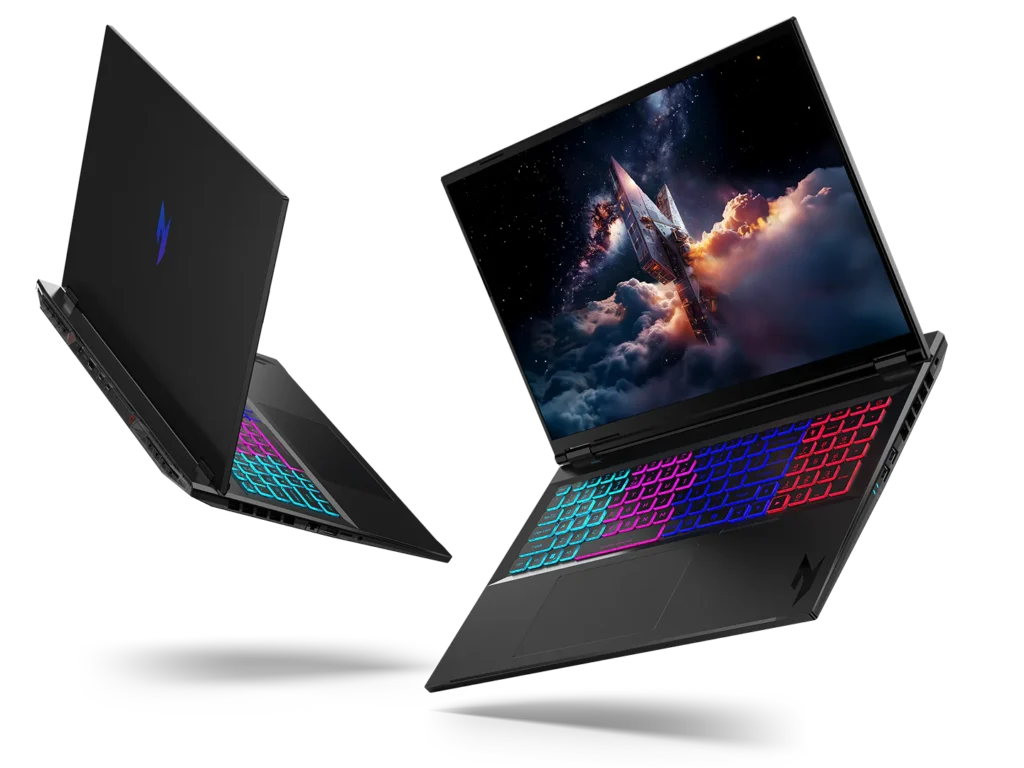
As our last tip on this laptop guide, we can assure you that one of the most exciting features of a modern laptop is to have a backlit keyboard. Although most basic models don’t have this feature, it can be very practical and it’s worth spending more money to get it. Backlit keyboards allow you to easily type in the dark. You don’t need additional light sources, just your screen, and keyboard. Most models come with standard backlighting, but some gaming laptops allow you to configure an RGB keyboard.

This means that you can assign it any color you want and even set specific colors for different groups of keys. Your laptop will look much more attractive and your gaming experience will be taken to the next level. Although you can do just fine without a backlit keyboard, why shouldn’t you have this cool feature? It adds personality to your laptop and it can increase your productivity. Be prepared to spend a little more money for a laptop with a backlit keyboard, but chances are that you won’t regret this decision.

Go Ahead and Find the Perfect Laptop Configuration for Your Computing Needs!

Now that you’ve completed a quick course on laptop configuration and basic specs, it’s time to find your ideal machine. Go online and see multiple types of laptops with different configurations. This will help you narrow down your list and find a balance between price, performance, and portability.

As a tip, write your priorities down. Do you use your laptop primarily for gaming? Are you a writer or videographer? Do you prefer to watch movies and online videos?

Based on your preferences, you’ll eventually come up with the right decision. And don’t forget to check out the other articles on our website to learn more about laptops, computing, gaming, and tech in general.

BY DALE HARRIS


Find More Technology Articles Here

Laptop Guide: What Specs Do I Need? Read More »