Best Gaming Laptops Under $1,200 (2026): What Actually Fits the Budget

Updated October 2026 (Amazon US prices checked October 12–13, 2026; our three picks rechecked October 21)
Buying for Battlefield 6 or Call of Duty: Modern Warfare 4? Both recommend a desktop RTX 3060 Ti and need Secure Boot and TPM 2.0; our laptop picks for both games cover what to buy.
Quick answer: the best gaming laptop under $1,200 right now is the Acer Nitro V 17 (ANV17-41) with an RTX 5060, which fits the budget at list price and often sells for less. Acer’s official GPU power list rates its RTX 5060 at 95 W, and it has a 17.3-inch 1080p screen. The RTX 5070 Nitro V 16 we recommended earlier in October no longer fits the budget. If you can stretch a little, the 2026 Lenovo LOQ 15 with a full-power 115 W RTX 5060 costs a little more, and the Acer Nitro V 16S AI with an RTX 5060 is a slimmer option above the budget. Skip the cheap 55 W RTX 5060 laptops listed below.Check the Acer Nitro V 17 (RTX 5060) on Amazon →
Laptop prices have risen in 2026 because memory got much more expensive, and most RTX 5060 laptops from the big brands now cost more than $1,200. So this guide is built around what actually fits a $1,200 budget today, how much graphics power each laptop really gets, and when to wait for a sale. We compare manufacturer spec sheets, the GPU wattage from our laptop GPU power database, and Amazon US listings; we haven’t tested these laptops ourselves.Comparison at a glance
| Product | Graphics | Key specifications | |
|---|---|---|---|
| Best under $1,200 Acer Nitro V 17 (ANV17-41) | RTX 5060, 95 W | Ryzen 5 240, 16GB DDR5, 512GB SSD, 17.3″ 1920×1080 165–180Hz, 6.2 lb | Check on Amazon |
| Worth $50 more Lenovo LOQ 15 (15AHP11, 2026) | RTX 5060, 115 W | Ryzen 7 250, 16GB DDR5, 512GB SSD, 15.3″ 1920×1200 165Hz, 4.6 lb | Check on Amazon |
| Slim pick Acer Nitro V 16S AI (ANV16S-61) | RTX 5060, 85 W | Ryzen AI 7 350, 16GB, 1TB SSD, 16″ | Check on Amazon |
What to buy for your budget
These are the price tiers we’d shop in, based on makers’ list prices and what these laptops typically sell for:- Under $1,000: nothing we’d recommend at full price right now. The RTX 5050 laptops near $1,000 run the GPU at only 75–85 W. Wait for a sale, and see our cheapest gaming laptops for what to look for.
- Under $1,200: the Acer Nitro V 17 (ANV17-41), an RTX 5060 at 95 W ($1,199.99 list, often less), if a big, heavy 17-inch laptop suits you.
- A little over $1,200: the 2026 Lenovo LOQ 15, an RTX 5060 at a full 115 W, if you’d rather have a lighter 15-inch laptop.
- Under $2,000: a full-power 115 W RTX 5070, in the 14.5-inch Acer Predator Helios Neo 14 AI or the 16-inch ASUS ROG Strix G16. See our best RTX 5070 laptops.
- Premium: the Lenovo Legion 5i Gen 10 with a 2.5K OLED screen and a 115 W RTX 5070, or an RTX 5070 Ti or RTX 5080 laptop.
Our picks
Best under $1,200: Acer Nitro V 17 (ANV17-41) with RTX 5060
A well-powered RTX 5060 under budget, if you don’t mind a big 17-inch laptop.
Under budget at list price and often discounted, the Nitro V 17 was the best gaming laptop we found under $1,200 in October 2026. The listing pairs an RTX 5060 with an AMD Ryzen 5 240 (6 cores), 16GB of DDR5, a 512GB Gen 4 SSD and a 17.3-inch 1920×1080 IPS screen (the listing says 180Hz in one place and 165Hz in another), and Amazon lists it at 6.2 lb.Power is what makes it a pick: Acer’s official GPU power list rates the RTX 5060 in the ANV17-41 at 95 W (80 W plus 15 W of Dynamic Boost). That’s below the LOQ 15’s full 115 W, but far above the 55 W budget models in the skip list below, and in Notebookcheck‘s first tests a 95 W RTX 5060 was “virtually on a par” with an 85 W RTX 5070.Pros
- RTX 5060 at 95 W, under $1,200
- Big 17.3-inch screen at 165Hz or faster
- Under the budget
Cons
- Heavy at 6.2 lb
- 512GB SSD fills quickly with big games
- 6-core Ryzen 5 is the weakest processor here
Worth stretching for
These two cost a little more than $1,200, but they’re the RTX 5060 laptops we’d buy today. Both are likely to drop under $1,200 for Black Friday.Lenovo LOQ 15 (15AHP11, 2026) with RTX 5060
A full-power RTX 5060 in the lightest laptop here, for a little over the budget.
Lenovo’s spec sheet for the 2026 LOQ 15 lists an RTX 5060 at a full 115 W, 20 W more than the Nitro V 17 gives the same GPU, with an AMD Ryzen 7 250 and a 15.3-inch 1920×1200 165Hz screen with 100% sRGB, in a 2.1 kg (4.6 lb) chassis. The version we recommend (model 83TN0003US) has 16GB of memory and a 512GB SSD; the 1TB version costs more.Choose it over the Nitro V 17 if you want more GPU power in a much lighter laptop: 115 W against 95 W, and 4.6 lb against 6.2 lb. Lenovo ships it with a single 16GB memory stick, so add a matching second stick for dual-channel memory.Pros
- RTX 5060 at a full 115 W
- 165Hz 16:10 screen with 100% sRGB
- Lightest laptop here at 4.6 lb
Cons
- A little over budget
- 512GB SSD and single-channel 16GB memory out of the box
Acer Nitro V 16S AI (ANV16S-61) with RTX 5060
A slimmer 16-inch with a 1TB SSD.
This Nitro V 16S AI has an AMD Ryzen AI 7 350 (8 cores), 16GB of memory and a 1TB SSD in one of Acer’s slimmer S-line chassis. Acer’s GPU power list rates its RTX 5060 at 85 W, a sensible level for a thin laptop but below the LOQ 15’s 115 W.Choose it if you want a slimmer 16-inch laptop and double the storage; for frame rates, the LOQ 15 or the cheaper Nitro V 17 is the better buy.Pros
- Slim 16-inch chassis
- 1TB SSD and an 8-core Ryzen AI 7 350
Cons
- RTX 5060 at 85 W, not full power
- Over budget
Sold out or pricier since our last update
- Acer Nitro V 16 (ANV16-72) with RTX 5070: our top pick earlier in October, with the RTX 5070 at 95 W, but it no longer fits the budget. If it comes back near $1,200, it’s the one to grab; see our best RTX 5070 laptops.
- Lenovo LOQ 15 (15IRX10) with RTX 5050: a 100 W RTX 5050 with a 14-core Core i7-13650HX and a 1TB SSD. Worth buying new if you find it at about $1,100 or less.
Cheap RTX 5060 laptops to skip
Several of the cheapest RTX 5060 laptops are MSI Cyborg models, often just under $1,200. They sound like a bargain until you check the power. On MSI’s spec pages for the Cyborg 15 and Cyborg 17 (B2RW), the RTX 5060 is limited to 55 W maximum graphics power, less than half the 115 W in the 2026 LOQ 15 above. The RTX 5060’s lead over the RTX 5050 assumes equal power, so at 55 W you’d be paying RTX 5060 money for a GPU with about half the power budget of a full-power RTX 5050.Also skip the RTX 5050 Acer Nitro V 16 (ANV16-I31) sells for under $1,200, but it comes with 8GB of memory, a 512GB SSD and a 75 W RTX 5050 (Acer’s GPU power list). We also saw an Alienware Aurora 16X with an RTX 5060 near the budget; Dell doesn’t publish GPU power for its laptops, so we can’t tell how it compares.The general rule: look up the exact model in our GPU power database before you buy. An RTX 5060 below about 85 W is not worth paying RTX 5060 money for.RTX 5060 vs RTX 5050 vs RTX 4050: which GPU tier to buy
At this budget the graphics chip decides most of what you get, so pick the tier first and the laptop second, then check its wattage.| Laptop GPU | Video memory | DLSS 4 Multi Frame Generation | Best for |
|---|---|---|---|
| RTX 5060 | 8GB GDDR7 | Yes | High settings at 1080p in new games; a few 95 W models sell for under $1,200 |
| RTX 5050 | 8GB GDDR7 | Yes | Medium-to-high 1080p settings and esports; about $1,000–$1,100 at full price |
| RTX 4050 | 6GB GDDR6 | No (DLSS 3 frame generation) | The cheapest route into dedicated graphics, mostly esports and older titles |
Can you get an RTX 5070 laptop under $1,200?
Occasionally. NVIDIA’s launch pricing put RTX 5070 laptops at $1,299 and up, and higher memory prices in 2026 have pushed many models further above that. Earlier in October the Acer Nitro V 16 (ANV16-72) briefly fit the budget with its RTX 5070 at 95 W, but no longer does, and we found no RTX 5070 laptop at $1,200 or less. Full-power 115 W RTX 5070 laptops still cost well over $1,200 outside of sales. If you can stretch further, see our best RTX 5070 laptops.The performance gap is also smaller than the name suggests. The original laptop RTX 5070 has 8GB of video memory, like the RTX 5060, so the extra spending mainly buys higher frame rates. Nvidia added a 12GB RTX 5070 in 2026, which gives more room for high texture settings.Watch: is an RTX 5070 laptop worth paying more for than an RTX 5060?
This is the main decision at this budget. Jarrod’sTech tested both laptop GPUs in 25 games at 1080p and 1440p, and also compares thermals, battery life, power draw and price. Remember that his test laptops won’t match every model: check the GPU wattage of the exact laptop you buy in our laptop GPU power database.
Gaming laptops under $1,000
At full price, there’s little worth buying under $1,000 right now. In October 2026 the cheapest new RTX 5050 laptops cost about $1,000, and some, like the Acer Nitro V 15, run the GPU at only 75 W. RTX 5050 models can drop toward $800 in sales, so under $1,000 it pays to wait. An RTX 5060 scores about 21–22% higher than an RTX 5050 in Notebookcheck’s 3DMark comparison, with the same 8GB of video memory. For the best sub-$1,000 options and the traps to avoid, see our cheapest gaming laptops guide.Best budget gaming laptop for esports
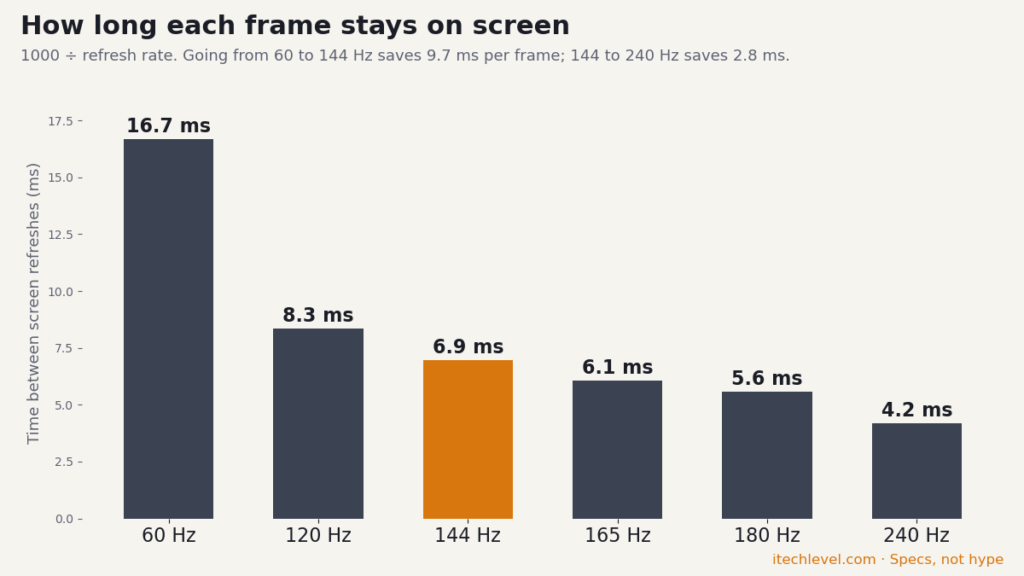
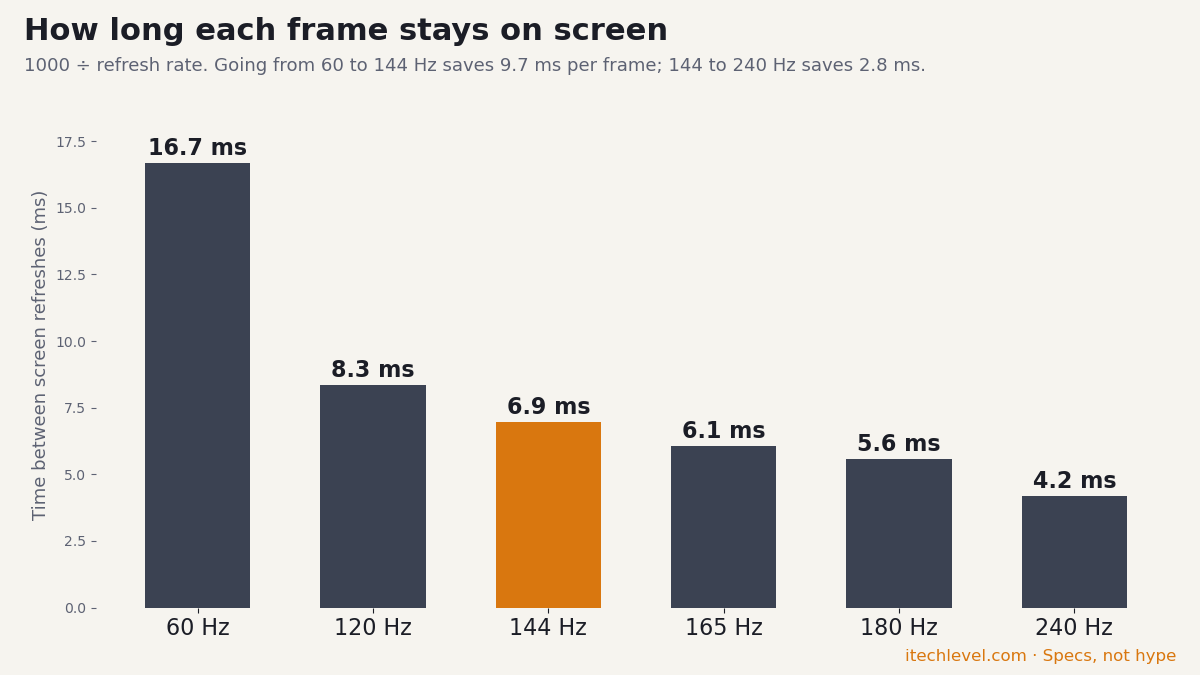
For Valorant, Counter-Strike 2, League of Legends, Fortnite, and similar games, the display matters more than the GPU. Look for a 144Hz or faster panel. All of the picks above can push high frame rates in these games at 1080p, and the Nitro V 17’s fast 17.3-inch screen and the LOQ 15’s 165Hz panel both suit fast shooters. For esports alone, an RTX 5050 laptop with a 144Hz screen is plenty, so it’s worth watching for one on sale (see the under-$1,000 section above); the money you save can go toward a good headset or mouse.Is an older (2022-era) budget gaming laptop still worth buying?
Only at a steep discount. Many older budget laptops at this price used RTX 3050 or RTX 3060 graphics with 4GB to 6GB of video memory, DDR4 memory, and no access to DLSS 3 or DLSS 4 frame generation. They still play esports titles well, but a current RTX 5050 or RTX 5060 laptop will stay usable for new releases for noticeably longer. If a used or clearance model costs about the same as one of the picks above, buy the newer laptop.What to look for under $1,200
At this price, the GPU model is only the starting point. The exact wattage, memory setup, display and storage decide how the laptop performs in practice.- GPU wattage: the same RTX name ranges from 55 W to 115 W across laptops at this price. Check the exact model in our GPU power database.
- Memory: 16GB is the practical minimum. Check whether it’s one stick or two; a single stick runs in single-channel mode, which is easy to fix if there’s a free slot.
- Display: a 144Hz to 165Hz 1080p or 1200p panel is a sensible match for budget gaming hardware. Higher resolution can reduce frame rates in demanding games.
- Storage: 512GB is still common at this price; 1TB is worth having, since modern games can take 100GB or more each, and most of these laptops have a free slot to add a second drive.
- Battery and portability: gaming performance drops sharply on battery. Weights range from about 4.6 lb (LOQ 15) to 6.2 lb (Nitro V 17) across the picks above.
Are gaming laptops under $1,200 worth it?
They can be worth it if you need portability or want one computer for gaming, school, and everyday work. A desktop usually offers more performance per dollar and easier upgrades, but a gaming laptop avoids the need for a separate monitor, keyboard, and portable computer.In late 2026, $1,200 buys a 95 W RTX 5060 laptop with money to spare; RTX 5070 laptops now cost well over $1,200. If you can wait until late November, Black Friday is the best chance to get a full-power 115 W RTX 5060 for the same money. For a broader look, see are budget gaming laptops worth it?Black Friday 2026: what a gaming laptop under $1,200 should cost
Prime Big Deal Days has ended. Black Friday is November 27, 2026, and Cyber Monday is November 30. Amazon's Black Friday deals often start a few days early. Some Amazon Black Friday deals are for Prime members only. New members can start a free Prime trial (eligible customers; it becomes paid unless you cancel). Our picks are chosen on year-round value, not just sale pricing; tap any link to see today's price.
Black Friday 2026 is November 27, and it’s the best time of year to stretch a $1,200 budget. For reference, these were some of the Black Friday 2025 prices reported by HotHardware on November 28, 2025:
| Laptop | Black Friday 2025 price | Regular price | Retailer |
|---|---|---|---|
| Lenovo LOQ 15 (RTX 5060, Core i7-13650HX, 16GB / 512GB) | $849.99 | $1,299.99 | Best Buy |
| ASUS TUF Gaming A16 (RTX 5080, Ryzen 9 270, 32GB / 1TB) | $1,199.99 | $1,699.99 | Best Buy |
Prices are higher this year. Memory shortages have pushed laptop prices up in 2026: in June, Tom’s Hardware noted that RAM had risen about 400% in price since the previous Black Friday. So treat last year’s prices as a best case, not a guarantee.
- An RTX 5060 near $850 is a strong deal; an RTX 5070 or better under $1,200 is exceptional. Last year even an RTX 5080 laptop briefly hit $1,199.99.
- The one to watch: the 2026 Lenovo LOQ 15 with a 115 W RTX 5060 costs a little over $1,200. Under $1,200, it would be our pick for a lighter 15-inch laptop.
- Check which GPU you’re getting. Many cheap listings use the RTX 5050 rather than the RTX 5060, and GPU power varies: look the model up in our laptop GPU power database.
- Check memory and storage: 16GB and 512GB are the minimum worth buying; some “deals” are 8GB versions.
- Compare against the price history, not the “was” price.
See also our gaming laptop deals guide, the cheapest gaming laptops and the best RTX 5070 laptops.
Frequently asked questions
What is the best gaming laptop under $1,200?
The Acer Nitro V 17 (ANV17-41), with an RTX 5060 at 95 W, a 17.3-inch screen and 16GB of memory, at a $1,199.99 list price that’s often discounted. For a little more, the 2026 Lenovo LOQ 15 has a full-power 115 W RTX 5060.Can you get an RTX 5060 laptop under $1,200?
Yes, but stock is thin. Yes: the Acer Nitro V 17 with a 95 W RTX 5060 lists at $1,199.99. The other well-powered RTX 5060 laptops we found, the Lenovo LOQ 15 (115 W) and Acer Nitro V 16S AI (85 W), cost a bit more. Several MSI Cyborg 15 and 17 laptops sell for just under $1,200, but MSI’s spec pages limit their RTX 5060 to 55 W, so we’d skip them. Black Friday is the best chance to get a full-power RTX 5060 under $1,200.Can you get an RTX 5070 laptop under $1,200?
Not right now. The Acer Nitro V 16 (ANV16-72) with a 95 W RTX 5070 briefly fit the budget earlier in October 2026, but no longer does. Full-power 115 W models usually cost well over $1,200, so watch for Black Friday sales.What is the best gaming laptop under $1,000?
At full price there’s very little: the cheapest current RTX 5050 laptops cost about $1,000–$1,100 in early October 2026. In sales, RTX 5050 models such as the Lenovo LOQ 15 and Acer Nitro V 15 can drop toward $800, so under $1,000 it’s worth waiting for a sale. See our cheapest gaming laptops guide for the options.Is $1,200 enough for a good gaming laptop in 2026?
Yes, but only just at full price. $1,200 buys a 95 W RTX 5060 laptop, and the full-power RTX 5060 laptops cost a little more. Sales such as Black Friday can bring full-power 115 W RTX 5060 laptops well under $1,200.Is 16GB of RAM enough for a budget gaming laptop?
Yes, 16GB is the practical minimum for current games. Check whether it’s one stick or two: the Lenovo LOQ 15 ships with a single 16GB stick, which runs in single-channel mode, so adding a matching second stick is a cheap upgrade.What is the best cheap gaming laptop for esports?
A laptop with a fast screen matters more than the GPU for esports. The Acer Nitro V 17 (165Hz or faster) and the Lenovo LOQ 15 (165Hz) both push high frame rates in games like Valorant and Counter-Strike 2 at 1080p, and an RTX 5050 laptop on sale is plenty for esports alone.Related reading
- Best laptops for video editing, including budget RTX 5060 options
- Are gaming laptops worth it in 2026?
- The smallest gaming laptops if portability matters most
- Best Lenovo laptops under $500 if you don’t need a gaming GPU
- Best RTX 5070 Ti and RTX 5080 laptops
- MSI Katana vs Cyborg
- Best gaming laptops with long battery life
- Best gaming laptops with a MUX switch
- Best laptops for GTA 5
- RTX 5060 laptop vs RTX 4070 laptop
Best Gaming Laptops Under $1,200 (2026): What Actually Fits the Budget Read More »