Audio

Are Bose Headphones Good for Gaming? QC Ultra on PC, PS5, Xbox and Switch 2 (2026)
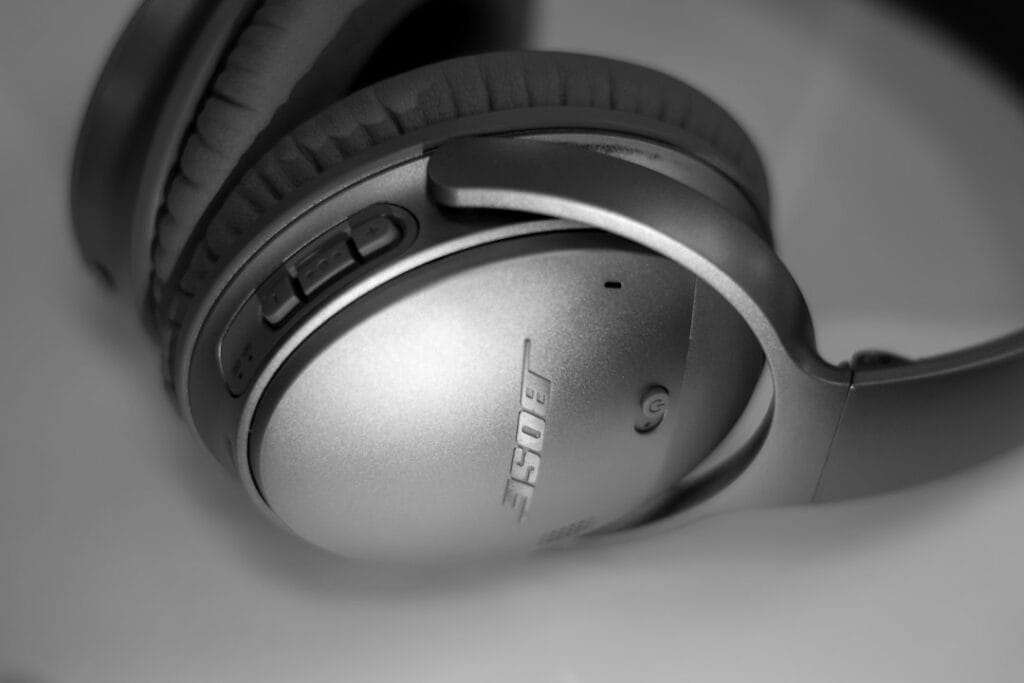
Grey Bose wireless headphones

Short answer: Bose headphones are good for relaxed gaming, such as story games, racing and single-player titles, especially plugged in. The QuietComfort Ultra Headphones (2nd Gen) are the best Bose for it, because their USB-C audio gives low-latency sound on a PC, Mac or phone. Over Bluetooth, though, every Bose model has the usual delay, and none of them connects to a PS5 or Xbox wirelessly. For competitive shooters and console chat, a gaming headset like the SteelSeries Arctis Nova 5 is the better tool.

Check the Bose QC Ultra Headphones (2nd Gen) on Amazon →

How we put this together: this guide is based on Bose’s own announcements and specifications, platform documentation from Microsoft, Sony and Nintendo, and published latency information (linked below). It is not based on hands-on testing by iTech Level. See how we choose products.

Can you use Bose headphones for gaming?

Yes, but how well they work depends on how you connect them:

  • USB-C audio (QC Ultra Headphones 2nd Gen only): Bose added wired USB-C audio to the second-generation QC Ultra Headphones and says it brings “low-latency audio for gaming on a desktop or mobile device” (Bose). This is the best way to game with Bose on a PC, Mac, tablet or phone.
  • 3.5 mm audio cable: Bose over-ear models come with an analog cable (a 3.5 mm to 2.5 mm cable on the QC Ultra Headphones 2nd Gen, per Bose’s specifications). An analog cable has no Bluetooth delay, and it’s the way to use Bose with a PS5 or Xbox: plug it into the controller’s 3.5 mm jack. Don’t count on the headphones’ own microphones over the cable; use the controller’s mic (the PS5 DualSense has one built in) or a separate mic.
  • Standard Bluetooth: roughly 150–200 ms of delay on most devices, which is fine for story and turn-based games but noticeable in shooters and rhythm games. Our Bluetooth headphones for gaming guide explains why.
  • aptX Adaptive: the QC Ultra Headphones (2nd Gen) support aptX Adaptive, which Bose says adapts to “low-latency processing” with Snapdragon Sound-certified devices (Bose). That helps on some Android phones only; iPhones, Windows PCs and consoles don’t support it.

Bose for gaming, platform by platform

PlatformBest connectionBose mic for chatVerdict
Windows PC / MacUSB-C (QC Ultra 2nd Gen) or the analog cableOver Bluetooth, with lower sound quality while it’s onGood wired
iPhone / AndroidUSB-C or Bluetooth (aptX Adaptive on Snapdragon Sound phones)YesFine for mobile games
PS5Analog cable in the DualSense jackUse the DualSense micWired only
Xbox Series X|SAnalog cable in the controller jackUse a separate micWired only
Nintendo Switch 2Analog cable, or Bluetooth for game soundNo (Bluetooth mics aren’t supported)OK

Which Bose headphones are best for gaming?

QuietComfort Ultra Headphones (2nd Gen): best Bose for gaming

The second-generation QC Ultra Headphones (October 2025) are the only current Bose headphones with USB-C audio, and Bose pitches it at gamers: lossless, low-latency sound over the included USB-C cable, while charging at the same time. They also add aptX Adaptive for lower latency on Snapdragon Sound phones, and Bose rates the battery at up to 30 hours with noise cancelling, or 45 with it off (Bose). The plush, light fit that makes them good for long flights also suits long gaming sessions.

Bose’s announcement doesn’t say whether the microphones work over USB-C. If they don’t appear as an input on your PC, use a separate mic for chat.

Check the QC Ultra Headphones (2nd Gen) on Amazon →

Older QuietComfort Ultra and QuietComfort Headphones: wired or casual only

The first-generation QC Ultra Headphones and the QuietComfort Headphones don’t have USB-C audio, so for gaming you’re choosing between Bluetooth delay and the analog cable. Plugged into a controller or a PC, they’re good-sounding, comfortable headphones for single-player games. See our QC Ultra Headphones (2nd Gen) page for how the two generations differ.

QuietComfort Ultra Earbuds (2nd Gen): mobile games only

Bose’s earbuds are Bluetooth only, with no cable or dongle option. They’re excellent for noise cancelling and fine for casual mobile games, but on a PC they have standard Bluetooth delay, and they can’t connect to a PS5 or Xbox. If you want earbuds for gaming, see the picks below.

Bose on PS5 and Xbox

Neither console supports Bluetooth audio, so Bose headphones can’t connect to a PS5 or Xbox wirelessly (What Hi-Fi?). The reliable setup is the analog cable in the controller’s 3.5 mm jack: no delay, and you talk through the DualSense’s built-in mic on a PS5, or a separate mic on Xbox. You can also join party chat from your phone in the PlayStation App or Xbox app with the headphones connected to the phone over Bluetooth, but then game sound still comes from the TV (Xbox Support).

Bose on a Windows PC

On a PC, use the USB-C cable on the QC Ultra Headphones (2nd Gen), or the analog cable on older models, for game sound without delay. Over Bluetooth, expect the usual lag, plus one more catch: when Discord or a game turns on the headphones’ microphone, Windows switches them to its “Hands-Free” profile, and game audio drops to thin, mono call quality until the mic closes (BGR, describing the same issue with AirPods). The fix is to choose the stereo “Headphones” output and set your input to a different mic.

Bose on the Nintendo Switch 2

The Switch 2 supports Bluetooth audio, so Bose headphones work for game sound. But Bluetooth microphones aren’t supported for GameChat, you can only use two wireless controllers while they’re connected, and Nintendo warns you may notice audio delay (Nintendo). In handheld mode, the analog cable in the console’s headphone jack avoids the delay. More options are in our best headphones for Switch 2.

Better options if you mainly game

PickBest forConnectionWorks withBuy
SteelSeries Arctis Nova 5 / Nova 5XOne headset for every console2.4GHz USB-C dongle, plus BluetoothPC, PS5, Switch 2, phones; Xbox on the 5XCheck price
Razer BlackShark V3PC and PS5 players2.4GHz dongle, Bluetooth, USBPC, PS5, Switch, phonesCheck price
Sony INZONE BudsGaming earbuds instead of the QC Ultra EarbudsUSB-C dongle (Sony rates under 30 ms), plus Bluetooth LE AudioPC, PS5, Switch 2, phonesCheck price

The Arctis Nova 5 (up to 60 hours of battery per SteelSeries) is the easy pick if you play on several systems; get the Nova 5X for Xbox. The Razer BlackShark V3 is our top gaming headset overall for PC and PS5. Both have low-latency wireless and a real boom mic, the two things Bose headphones lack. See our best gaming headsets for more.

Check the Arctis Nova 5 on Amazon →

Specs from the makers, side by side

Every figure below comes from the manufacturer’s own spec page, taken from our earbuds and headphones spec database. “Not stated” means the maker doesn’t publish it, not that the feature is missing.

ModelBatteryWeightLatency (maker)ConnectionMaker doesn’t state
Bose QuietComfort Ultra Headphones (2nd Gen)ANC on: 30 (23 with Immersive Audio)264 (0.583 lb)Not statedBluetooth + wired (audio cable; USB-C); Bluetooth 5.4codecs, multipoint, latency, water rating
SteelSeries Arctis Nova 5 Wireless60 h265 gNot stated2.4 GHz dongle + Bluetooth; Bluetooth 5.3latency, quick charge, Xbox
Razer BlackShark V370 h270 gas low as 10 ms (2.4 GHz)2.4 GHz HyperSpeed Wireless Gen-2 + BluetoothBluetooth version, platforms for this model
Sony INZONE Buds (WF-G700N)ANC on: 11 (dongle) / 18 (LE Audio)
ANC off: 12 (dongle) / 24 (LE Audio)
with case: 24 (dongle, NC off) / 48 (LE Audio, NC off)
6.5 gless than 30 ms (USB-C dongle)2.4 GHz USB-C dongle + Bluetooth LE Audio only (no classic Bluetooth); Bluetooth 5.3 (LE Audio only)multipoint, case weight

Our verdict

If you already own Bose headphones, plug them in and they’re good for single-player and casual gaming on any platform. The QC Ultra Headphones (2nd Gen) are the best Bose for gaming thanks to low-latency USB-C audio on a PC, Mac or phone. Over Bluetooth, Bose has the same delay as other wireless headphones, no Bose model connects to a PS5 or Xbox wirelessly, and the mic is limited for console chat. If gaming is a main reason you’re buying, get a gaming headset like the Arctis Nova 5 and keep the Bose for travel.

Frequently asked questions

Are Bose headphones good for gaming?

For relaxed and single-player games, yes, especially wired. The QC Ultra Headphones (2nd Gen) have USB-C audio that Bose says gives low-latency sound for gaming on a computer or phone. Over Bluetooth they have the usual delay, which shows in fast shooters.

Can you use Bose headphones on a PS5 or Xbox?

Only with a cable. Neither console supports Bluetooth audio, so plug the Bose analog cable into the controller’s 3.5 mm jack, and use the controller’s mic (PS5) or a separate mic for chat.

Do Bose headphones have a mic for gaming?

They have microphones for calls, which work for chat over Bluetooth on a PC or phone, but sound quality drops while the mic is in use on Windows. There’s no boom mic, and on consoles you’ll need the controller’s mic or a separate one.

Is the Bose QuietComfort Ultra good for gaming?

The second-generation QC Ultra Headphones are the best Bose for gaming, thanks to low-latency USB-C audio and aptX Adaptive on Snapdragon Sound phones. The first generation is fine wired, but has Bluetooth delay wirelessly.

Are Bose earbuds good for gaming?

For casual mobile games, yes. The QuietComfort Ultra Earbuds are Bluetooth only, with no cable or dongle option, so they have standard Bluetooth delay on a PC and can’t connect to a PS5 or Xbox. For gaming earbuds, the Sony INZONE Buds use a low-latency USB-C dongle.

Related guides

Are Bose Headphones Good for Gaming? QC Ultra on PC, PS5, Xbox and Switch 2 (2026) Read More »
Are AirPods Good for Gaming? PC, PS5, Xbox and Switch 2 Explained (2026)

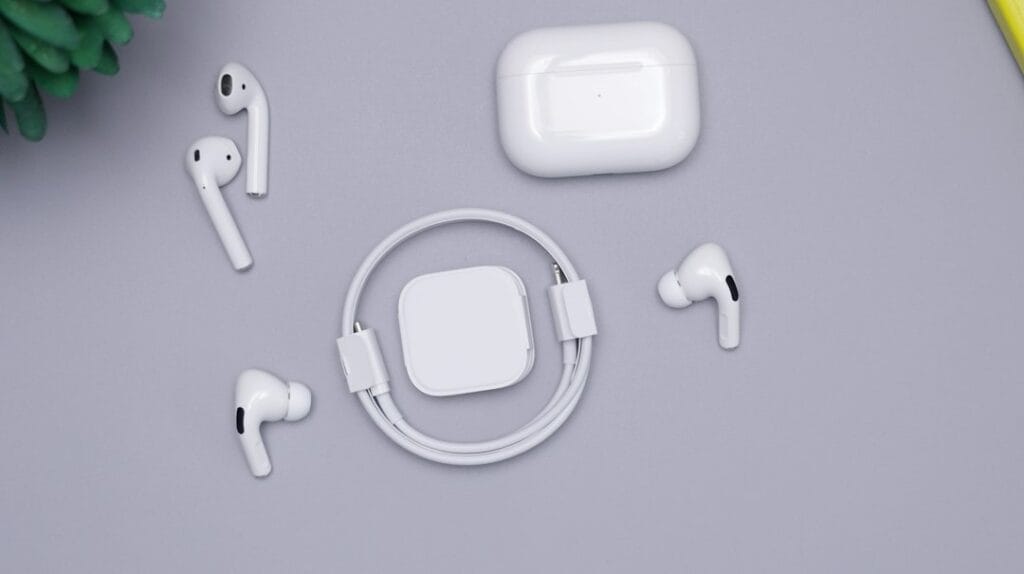
Apple AirPods and charging case

Short answer: AirPods are good for gaming on an iPhone, iPad or Mac, where Apple’s Game Mode cuts their audio delay. They’re fine for casual games on a Windows PC, but not for competitive shooters. On consoles they’re limited: they work for game sound on the Switch 2, but not on a PS5 or Xbox without workarounds, and their microphone doesn’t work for in-game chat on any of the three. If you want wireless earbuds for console or PC gaming, get a pair with its own USB-C dongle, such as the Sony INZONE Buds.

Check the Sony INZONE Buds on Amazon →

How we put this together: this guide is based on Apple’s, Microsoft’s, Sony’s and Nintendo’s own documentation and on published latency measurements (linked below). It is not based on hands-on testing by iTech Level. See how we choose products.

Can you use AirPods for gaming? Platform by platform

PlatformGame audioAirPods mic for chatDelayVerdict
iPhone / iPadYesYesLowest; Game Mode reduces itGood
Mac (Apple silicon)YesYesLow with Game ModeGood
Windows PCYes (Bluetooth)Yes, but sound quality drops while it’s onStandard BluetoothCasual games only
Nintendo Switch 2Yes (Bluetooth)NoStandard BluetoothOK for handheld play
Xbox Series X|SNo (no Bluetooth audio)Only through the Xbox app on your phonen/aWorkarounds only
PS5No (no Bluetooth audio)Only through the PlayStation App on your phonen/aWorkarounds only

How much delay do AirPods have?

Apple doesn’t publish latency figures for AirPods. The best-known independent measurement is older: developer Stephen Coyle measured the first AirPods Pro at about 144 ms on an iPhone, against 178 ms for the AirPods 2 and 274 ms for the original AirPods (MacRumors). Newer models are expected to do better on Apple devices, but no free independent measurement of the current models has been published yet.

For comparison, standard Bluetooth on other devices adds roughly 150–200 ms, while gaming headsets with a 2.4GHz USB dongle stay low enough that you won’t notice it. At 150 ms you hear footsteps and gunshots a beat after you see them, which matters in shooters and rhythm games but not in a turn-based RPG or a puzzle game. Our Bluetooth headphones for gaming guide explains the numbers in detail.

Game Mode is the reason AirPods do better on Apple devices. On an iPhone or iPad with iOS 18 or later, and on an Apple silicon Mac with macOS Sonoma or later, Game Mode turns on by itself when a game goes full screen. Apple says it “doubles the Bluetooth sampling rate, which reduces input latency and audio latency for wireless accessories like game controllers and AirPods” (Apple Support). A Windows PC, a Switch 2 or an Android phone doesn’t have it, so AirPods behave like any other Bluetooth earbuds there.

Which AirPods are best for gaming?

AirPods Max 2 and AirPods Max (USB-C): best for gaming

The AirPods Max are the only AirPods that can skip Bluetooth. Since a firmware update in April 2025, the USB-C AirPods Max play lossless audio with “ultra-low latency” over the included USB-C cable, which Apple says is on par with the built-in speakers on a Mac, iPad or iPhone and is aimed at gamers and livestreamers (Apple Newsroom). Apple also sells a USB-C to 3.5 mm cable, so you can plug them into a 3.5 mm jack, such as the one on a PS5 or Xbox controller, for game sound without Bluetooth delay. Apple doesn’t say the microphone works over that cable, so plan on game sound only.

The AirPods Max 2 (April 2026) keep the USB-C lossless audio and add lower wireless latency: Apple says “reduced wireless audio latency also makes gaming even better” in Game Mode (Apple Newsroom). They’re the AirPods to get if gaming matters to you, though the same money also buys a top gaming headset and a pair of earbuds.

Check the AirPods Max 2 on Amazon →

AirPods Pro 3: good on iPhone and Mac

The AirPods Pro 3 are Bluetooth only, so they rely on Game Mode for lower delay on Apple devices. Their sealed silicone tips and strong noise cancelling help you hear quiet sounds in a game, and the microphones are good for chat on an iPhone, iPad or Mac. On a Windows PC they’re casual-game earbuds like any others.

Check the AirPods Pro 3 on Amazon →

AirPods 5: fine for casual mobile games

The AirPods 5 (September 2026, $129, or $149 with a wireless charging case) now have noise cancelling on both models (Apple Newsroom). Apple didn’t mention gaming or latency for them, so expect the same Game Mode benefit on Apple devices and standard Bluetooth delay elsewhere. The open fit with no ear tips lets in more room noise than the Pro 3, which makes quiet game sounds harder to pick out.

AirPods on iPhone, iPad and Mac

This is where AirPods work best. They pair automatically, switch between your Apple devices, and Game Mode lowers their delay as soon as a game goes full screen. The microphone works for in-game voice chat and for Discord on all three devices. For mobile games and most Mac games, AirPods are a perfectly good choice. If you play competitive shooters on a Mac, a wired headset or one with a USB dongle is still faster.

AirPods on a Windows gaming PC

AirPods pair with Windows like any Bluetooth earbuds: put them in pairing mode (Apple’s steps for non-Apple devices), then add them under Bluetooth & devices. Two things to know:

  • Delay: Windows has no Game Mode for AirPods, so you get standard Bluetooth delay. That’s fine for strategy, story and single-player games, and noticeable in fast shooters.
  • Sound quality drops when the mic is on. Bluetooth can’t carry full-quality stereo and a live microphone at the same time, so when Discord or a game opens the AirPods’ mic, Windows switches them to the “Hands-Free” profile and the sound turns thin and mono (BGR). The fix: in Windows sound settings, set the output to “Headphones (AirPods Stereo)” and the input to your laptop’s built-in mic, a webcam mic or a USB mic.

AirPods on the Nintendo Switch 2

The Switch 2 supports Bluetooth audio, so AirPods work for game sound. You pair them under System Settings, one Bluetooth audio device at a time. But the Switch 2 doesn’t support Bluetooth microphones, so the AirPods’ mic won’t work in GameChat. While they’re connected you can only use two wireless controllers (a pair of Joy-Con 2 counts as two), Bluetooth audio disconnects during local wireless multiplayer, and Nintendo warns that you may notice audio delay (Nintendo). The console’s built-in mic can pick up your voice for GameChat instead. Our best headphones for Switch 2 guide covers options that do both.

AirPods on Xbox

Xbox consoles don’t support Bluetooth audio, so AirPods can’t connect to an Xbox directly (What Hi-Fi?). There are two partial workarounds:

  • Party chat through your phone: connect the AirPods to your phone and join your Xbox party in the Xbox mobile app, which supports voice chat with a headset paired to the phone (Xbox Support). Game sound still comes from the TV.
  • Game sound through the controller: a small Bluetooth transmitter plugged into the controller’s 3.5 mm jack can send game audio to AirPods. It adds Bluetooth delay, and most transmitters carry sound only, so you’d still need the phone for chat.

If you play on Xbox a lot, a headset made for it is simpler. See our best Xbox headsets.

AirPods on PS5

The PS5 doesn’t support Bluetooth audio either. The workarounds are the same idea as on Xbox: voice chat in a party through the PlayStation App on your phone, which supports voice chat with up to 15 friends (PlayStation Blog), or a Bluetooth transmitter in the DualSense controller’s 3.5 mm jack for game sound with added delay. AirPods Max owners can use Apple’s USB-C to 3.5 mm cable in the controller jack instead, for game sound without Bluetooth delay.

Sony’s own answer for earbuds is the PlayStation Pulse Explore. They connect to the PS5 over PlayStation Link, Sony’s low-latency wireless, and to your phone over Bluetooth at the same time (PlayStation). More picks are in our best PS5 headsets guide.

Better earbuds and headsets for gaming

If you want earbuds or a headset mainly for gaming, these avoid the problems above by using their own wireless link instead of Bluetooth:

PickBest forConnectionWorks withBuy
Sony INZONE BudsGaming earbuds for PC, PS5 and Switch 2USB-C dongle (Sony rates under 30 ms), plus Bluetooth LE AudioPC, PS5, Switch 2, phonesCheck price
PlayStation Pulse ExplorePS5 players who want earbudsPlayStation Link, plus Bluetooth at the same timePS5, PC/Mac (with the adapter), PlayStation Portal, phonesCheck price
SteelSeries Arctis Nova 5 / Nova 5XOne headset for every console2.4GHz USB-C dongle, plus BluetoothPC, PS5, Switch 2, phones; Xbox on the 5XCheck price

The Sony INZONE Buds are the closest thing to “AirPods for gaming”: small earbuds with noise cancelling, but their USB-C dongle gives low delay and a working mic on PC, PS5 and Switch 2, where AirPods fall short. The Arctis Nova 5 (up to 60 hours of battery per SteelSeries) is the easy headset pick if you play on several systems; get the Nova 5X for Xbox (SteelSeries). For more, see our best gaming headsets.

Check the Arctis Nova 5 on Amazon →

Our verdict

If you game on an iPhone, iPad or Mac, the AirPods you already own are good enough, and Game Mode keeps the delay low. On a Windows PC they’re fine for casual games once you move the mic to another device. On consoles they’re a stopgap: game sound only on the Switch 2, and workarounds on PS5 and Xbox. The AirPods Max are the exception, because their cable removes the Bluetooth delay. If you’re buying earbuds for console or PC gaming, get a pair with its own dongle, such as the Sony INZONE Buds.

Frequently asked questions

Are AirPods good for gaming?

On an iPhone, iPad or Mac, yes: Apple’s Game Mode doubles the Bluetooth sampling rate to cut their delay. On a Windows PC they’re fine for casual games but lag in fast shooters, and on consoles they’re limited: game sound only on the Switch 2, and no direct connection to a PS5 or Xbox.

Can you use AirPods on a PS5 or Xbox?

Not directly, because neither console supports Bluetooth audio. You can join voice chat through the PlayStation App or Xbox app on your phone with AirPods connected to the phone, or use a Bluetooth transmitter in the controller’s 3.5 mm jack for game sound with added delay.

Does the AirPods mic work for game chat?

On an iPhone, iPad, Mac or Windows PC, yes, though on Windows the sound quality drops while the mic is in use. On the Switch 2 it doesn’t, because the console doesn’t support Bluetooth microphones, and the PS5 and Xbox can’t connect to AirPods at all.

Are AirPods Max good for gaming?

They’re the best AirPods for it. Over the USB-C cable they play lossless audio with ultra-low latency that Apple says is on par with built-in speakers, and the AirPods Max 2 also have lower wireless latency in Game Mode.

Can I use AirPods for competitive gaming?

Not well. On a PC or console you get standard Bluetooth delay of roughly 150–200 ms, so you hear footsteps and shots a beat after you see them. Only Apple’s Game Mode on iPhone, iPad and Mac reduces it. For competitive play, use a wired headset or earbuds with a USB-C dongle, such as the Sony INZONE Buds.

Can I use AirPods for gaming on PC?

Yes. Pair them like any Bluetooth earbuds and they’re fine for strategy and story games, but you get standard Bluetooth delay, which you’ll notice in shooters. If Discord or a game turns on the AirPods mic, the sound goes thin and mono. To avoid that, set the output to ‘Headphones (AirPods Stereo)’ and use your laptop, webcam or USB mic instead.

Related guides

Are AirPods Good for Gaming? PC, PS5, Xbox and Switch 2 Explained (2026) Read More »

Best NRR-Rated Earbuds for Loud Work and Construction (2026): Bluetooth Hearing Protection

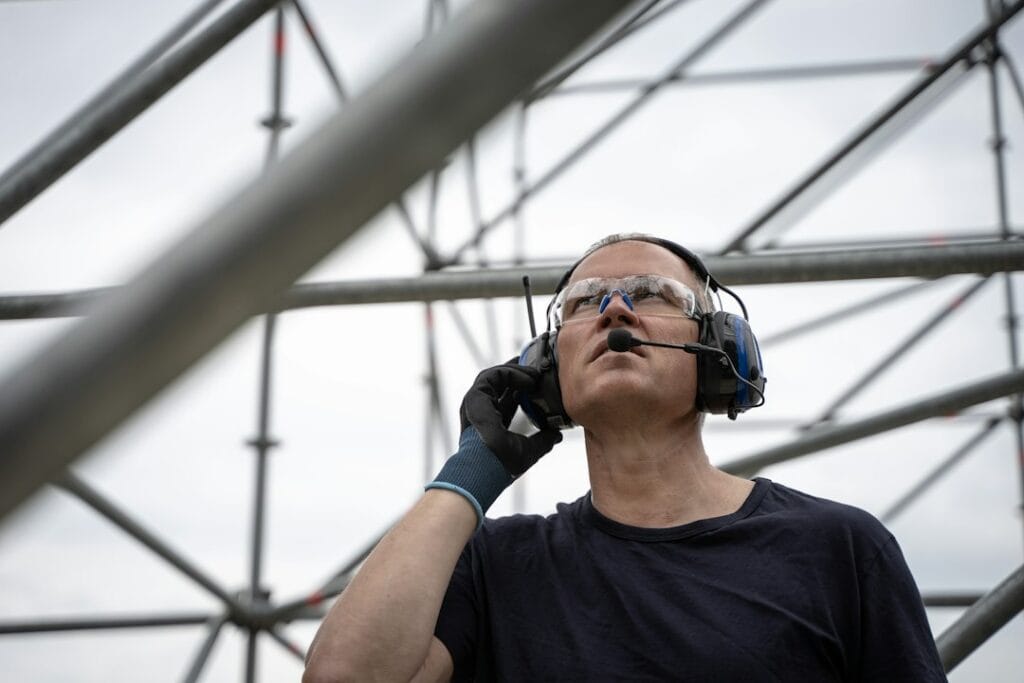
A worker wearing safety goggles and hearing protection earmuffs

On a loud job site, from construction to a machine shop, you need NRR-rated earbuds that are certified hearing protection, not just noise-cancelling earbuds. The ISOtunes PRO 2.0 are the best for most people: an ANSI-certified 27 dB Noise Reduction Rating (NRR), a volume limit of 85 dB, IP67 and up to 16 hours of battery. If you need to hear coworkers and alarms, the ISOtunes PRO Aware 2.0 let safe sounds through. Prefer earmuffs? The 3M WorkTunes Connect (NRR 24–26, depending on version) are the cheapest rated option with Bluetooth.

Check the ISOtunes PRO 2.0 on Amazon →

How we put this together: this guide is based on manufacturers’ published ratings and specifications and on guidance from OSHA (linked below). It is not based on hands-on testing by iTech Level, and it isn’t safety advice for your specific workplace: follow your employer’s hearing conservation program and the protection it requires. See how we choose products.

Noise-cancelling earbuds are not hearing protection

This is the most important point on this page. OSHA says no regulation bans headphones at work, but hearing protectors must bring a worker’s exposure down to a safe level, and their protection is shown by a Noise Reduction Rating on the packaging. OSHA warns that consumer active noise-cancelling headphones “do not offer protection from sudden, explosive sounds,” and that it is not recommended to use consumer noise-cancelling headphones in place of laboratory-tested devices if they are not designed for hearing protection (OSHA).

For context, OSHA requires employers to provide hearing protection when workers are exposed to an 8-hour average of 85 dBA or more, and to make sure it’s worn at 90 dBA (OSHA). Every pick below except the AirPods has an ANSI-certified NRR.

Best earbuds for loud work environments compared

ProductBest forNRRVolume limitBatteryBuy
ISOtunes PRO 2.0Best overall27 dB85 dBUp to 16 hrCheck price
ISOtunes PRO Aware 2.0Hearing coworkers and alarms26 dB (foam) / 25 dB (silicone)85 dB15+ hr with BluetoothCheck price
ISOtunes FREE 2.0True wireless, no cord to snag25 dB (foam) / 22 dB (silicone)85 dBWith charging caseCheck price
3M WorkTunes ConnectCheapest; earmuffs24–26 dB (by version)—30+ hrCheck price
Apple AirPods Pro 3Moderately loud places, off the job siteNo NRR (Hearing Protection feature)—Up to 8 hrCheck price

The best earbuds for loud work in 2026

1. ISOtunes PRO 2.0: best overall

ISOtunes makes Bluetooth earbuds that are certified hearing protection first. The PRO 2.0 have an ANSI-certified 27 dB NRR, IP67 dust and water protection, up to 16 hours of battery, Bluetooth 5.1 with dual pairing, and a noise-isolating microphone for calls. Their SafeMax technology limits audio to 85 dB, so music can’t add to your noise exposure. A comfort-fit ear hook keeps them in place (ISOtunes).

Check the ISOtunes PRO 2.0 on Amazon →

2. ISOtunes PRO Aware 2.0: best for hearing coworkers and alarms

Regular protective earbuds block everything, including the voice of the person next to you. The PRO Aware 2.0 use level-dependent “Aware” technology: they let you hear your surroundings, and ISOtunes says they react in about 2 milliseconds to protect you from sudden harmful noises. They’re rated NRR 26 dB with foam tips (25 dB with silicone), IP67, tested to MIL-STD 810H for shock, and last 24 hours in Aware-only mode or 15+ hours with Bluetooth. Bluetooth 5.4 supports dual pairing and two-way radios, and the volume is limited to 85 dB (ISOtunes).

Check the ISOtunes PRO Aware 2.0 on Amazon →

3. ISOtunes FREE 2.0: best true wireless

If you’d rather have nothing that could catch on machinery, the FREE 2.0 are fully wireless buds in a charging case. They’re rated NRR 25 dB with foam tips or 22 dB with the double-flange silicone tips, and limit audio to 85 dB. ISOtunes pitches them for people who work in tight spaces, in environments where noise stays below 112 dB (ISOtunes). Good to know: small separate buds are easier to lose on site than a corded pair.

Check the ISOtunes FREE 2.0 on Amazon →

4. 3M WorkTunes Connect: cheapest rated option

If earmuffs suit your work better than earbuds, the WorkTunes Connect are 3M hearing protectors with Bluetooth. They’re rated NRR 24 dB in 3M’s manual for the 90543 version, while the 90570 version listed on Amazon is rated 26 dB. They last more than 30 hours per charge and have a built-in microphone for calls (3M). They also accept a 3.5 mm cable. Good to know: earmuffs are bulkier and warmer than earbuds, and can clash with hard hats or safety glasses.

Check the 3M WorkTunes Connect on Amazon →

5. Apple AirPods Pro 3: for moderately loud places, not the job site

The AirPods Pro 2 and Pro 3 have a Hearing Protection feature, on by default, that reduces loud sounds in every listening mode. It’s useful on loud commutes, at concerts or on flights, but Apple is clear about the limits: it isn’t suitable for extremely loud impulse sounds such as gunfire, fireworks or jackhammers, or for sustained sounds above 110 dBA, and a poor fit reduces its effect (Apple). Apple’s data sheet also says it isn’t suitable for all workplaces and to check with your employer. Use AirPods only where your employer allows them; on a construction site, choose one of the rated picks above.

Check the AirPods Pro 3 on Amazon →

How to read an NRR

  • Higher is more protection. NRR is in decibels and is printed on the package of every certified hearing protector.
  • Real-world protection is lower. 3M notes that many users get less protection than the NRR because of fit and fitting skill, and recommends reducing the NRR by 50% when estimating protection, or following your local regulations (3M).
  • Fit is everything. Use the tip size that seals fully. Foam tips usually give a higher rating than silicone, as the ISOtunes figures show.
  • Keep music quiet. A volume limit such as ISOtunes’ 85 dB SafeMax stops your music from adding to the noise you’re exposed to.

Our verdict

For loud work, buy certified hearing protection that happens to play music, not consumer earbuds. The ISOtunes PRO 2.0 are the best all-rounder with a 27 dB NRR and an 85 dB volume limit; the PRO Aware 2.0 are worth the extra money if you need to hear people and alarms; the FREE 2.0 remove the cord; and the 3M WorkTunes Connect are the cheapest rated option. AirPods Pro 3 are fine for loud commutes and events, but not as a substitute for rated protection at work.

Frequently asked questions

What are the best earbuds for loud work environments?

Certified hearing protection earbuds such as the ISOtunes PRO 2.0, with an ANSI-certified 27 dB NRR and an 85 dB volume limit. The ISOtunes PRO Aware 2.0 add level-dependent hearing so you can still hear coworkers and alarms.

What are the best earbuds for construction workers?

Rated hearing protection with Bluetooth, such as the ISOtunes PRO 2.0: an ANSI-certified 27 dB NRR, IP67 dust and water protection and an 85 dB volume limit. If you need to hear coworkers, alarms or a two-way radio, the ISOtunes PRO Aware 2.0 let safe sounds through. Follow the protection your employer’s hearing conservation program requires.

Can I use noise-cancelling earbuds as hearing protection at work?

Generally no. OSHA advises against using consumer noise-cancelling headphones in place of laboratory-tested hearing protectors, because active noise cancelling doesn’t protect against sudden, explosive sounds. Look for a Noise Reduction Rating on the package.

Are ISOtunes OSHA compliant?

ISOtunes describes its PRO 2.0, PRO Aware 2.0 and FREE 2.0 as ANSI-certified hearing protection with an 85 dB volume limit, which it calls OSHA-compliant. Your employer decides what protection your job requires.

Do AirPods Pro protect your hearing at work?

The AirPods Pro 2 and Pro 3 Hearing Protection feature reduces loud sounds, but Apple says it isn’t suitable for impulse noise like jackhammers or for sustained sounds above 110 dBA, and isn’t suitable for all workplaces. Check with your employer.

What does NRR mean?

Noise Reduction Rating, a decibel figure showing how much a hearing protector reduces noise in lab tests. Real-world protection is usually lower; 3M recommends halving the NRR when estimating it.

Related guides

Best NRR-Rated Earbuds for Loud Work and Construction (2026): Bluetooth Hearing Protection Read More »

Best AirPods Alternatives (2026): 7 Picks for Android and iPhone

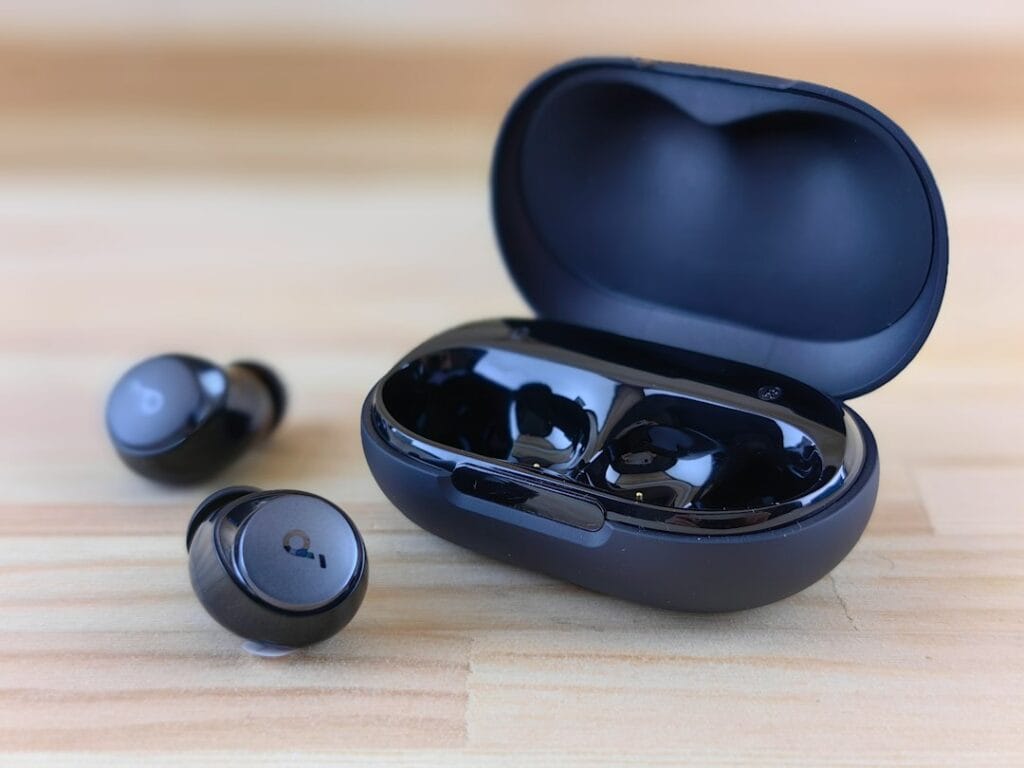
Black wireless earbuds on a wooden table

The best AirPods Pro 3 alternative is the Sony WF-1000XM6: noise cancelling that rivals Apple’s, better passive isolation, and LDAC and multipoint on Android. On a Samsung phone, get the Galaxy Buds 4 Pro; on a Pixel, the Pixel Buds Pro 2. Instead of the AirPods 5, the Beats Solo Buds work with one-tap pairing on both iPhone and Android, and the CMF Buds 2 Plus add strong noise cancelling for under $100.

Check the Sony WF-1000XM6 on Amazon →

How we put this together: this guide is based on manufacturers’ specifications and published reviews from SoundGuys, What Hi-Fi? and others (linked below). It is not based on hands-on testing by iTech Level. Prices are list prices at the time of writing. See how we choose products.

Best AirPods alternatives compared

EarbudsInstead ofBest forBattery (ANC on)Buy
Sony WF-1000XM6AirPods Pro 3Best overall alternative, Android8 hr (24 with case)Check price
Samsung Galaxy Buds 4 ProAirPods Pro 3Samsung Galaxy phonesAbout 6 hr (SoundGuys test)Check price
Google Pixel Buds Pro 2AirPods Pro 3Pixel phones8 hr (30 with case)Check price
Bose QuietComfort Ultra Earbuds (2nd Gen)AirPods Pro 3Noise cancelling and comfort6 hrCheck price
Beats Solo BudsAirPods 5One-tap pairing on iPhone and Android18 hr (no ANC)Check price
CMF Buds 2 PlusAirPods 5Best cheap noise cancellingAbout 9 hrCheck price
EarFun Air Pro 4AirPods 5Most features for the money7.5 hr (52 with case)Check price

What you gain and lose by skipping AirPods

For reference, the AirPods Pro 3 cost $249, last up to 8 hours with noise cancelling, add a heart-rate sensor and Live Translation on an iPhone, and are rated IP57 (Apple). The AirPods 5 (September 2026) cost $129, or $149 with a wireless case, and keep an open fit with no ear tips, now with noise cancelling on both models (Apple Newsroom).

  • On Android, AirPods lose most of their smarts: no automatic device switching, no easy battery checks or settings in the phone, and features like heart-rate tracking and Live Translation are tied to the iPhone. Earbuds from Sony, Samsung or Google work properly on Android, often with hi-res codecs like LDAC.
  • On an iPhone, alternatives still work well over Bluetooth (AAC), but you manage them in the maker’s app rather than in iOS Settings, and you lose Apple’s automatic switching between your iPhone, iPad and Mac.
  • Fit is the other reason to switch: the AirPods 5 have no ear tips, so they can’t seal out noise like tip-based earbuds. If AirPods fall out of your ears, see our best earbuds for small ears.

Best alternatives to the AirPods Pro 3

1. Sony WF-1000XM6: best AirPods Pro alternative

Sony’s WF-1000XM6 (February 2026) are the closest rival to the AirPods Pro 3. SoundGuys measured an 88 percent average noise reduction and found their passive isolation, the noise blocked by the fit alone, is better than Apple’s. It also praises their sound and “outstanding” call microphones. They support LDAC and multipoint on Android, are rated IPX4, and last up to 8 hours per charge (24 with the case).

Good to know: they cost more than the AirPods Pro 3, and SoundGuys notes the larger buds may not suit smaller ears.

Check the WF-1000XM6 on Amazon →

2. Samsung Galaxy Buds 4 Pro: best for Samsung phones

What AirPods are to an iPhone, the Galaxy Buds 4 Pro are to a Galaxy phone. Launched with the Galaxy S26 in February 2026, they stream at up to 24-bit/96kHz over Samsung’s Seamless Codec, add 360 Audio with head tracking, head gestures and Gemini or Bixby by voice, and are rated IP57 (SamMobile). SoundGuys rates them 8/10 and measured about 84 percent average noise reduction.

Good to know: SoundGuys got just over 6 hours per charge with noise cancelling on, and most extras disappear on non-Samsung phones. More options in our best earbuds for Samsung.

Check the Galaxy Buds 4 Pro on Amazon →

3. Google Pixel Buds Pro 2: best for Pixel phones

On a Pixel, the Pixel Buds Pro 2 get Google’s new features first: Fast Pair, Find My Device and hands-free Gemini work out of the box, and Google’s Tensor A1 chip powers adaptive noise cancelling. Google skipped a Pixel Buds Pro 3 at the Pixel 11 launch and instead gave the Pro 2 a free update with more consistent noise cancelling, Gemini EQ controls and sleep detection. They last up to 8 hours with noise cancelling (30 with the case), have multipoint, and are rated IP54. Our best earbuds for Pixel guide covers them in detail.

Good to know: the Gemini and Pixel extras matter much less on other Android phones. If you want to spend less, the Pixel Buds 2a use the same Tensor A1 chip.

Check the Pixel Buds Pro 2 on Amazon →

4. Bose QuietComfort Ultra Earbuds (2nd Gen): best for noise cancelling and comfort

If noise cancelling is your priority, the Bose QC Ultra Earbuds (2nd Gen) are the main rival to the AirPods Pro 3 on any phone. What Hi-Fi? praises their outstanding noise cancelling, design and punchy sound. Bose rates them at up to 6 hours per charge (4 with Immersive Audio), with three more charges in a wireless-charging case, plus multipoint and IPX4 (Bose).

Good to know: they have the shortest battery of the premium picks, but they’ve often been on sale for less.

Check the QC Ultra Earbuds on Amazon →

Best cheaper alternatives to the AirPods 5

5. Beats Solo Buds: best budget pick for iPhone and Android

The Beats Solo Buds come from Apple-owned Beats and cost $49 less than the cheapest AirPods. They pair with one tap on both iPhone and Android, work with Find My (or Find My Device on Android), and come with four ear-tip sizes from XS to L. Each bud weighs 5.7 g, and Beats rates them at up to 18 hours of playback (Beats).

Good to know: there’s no noise cancelling, and the small case has no battery, so you charge the buds over USB-C. TechRadar found the bass lighter than you’d expect from Beats.

Check the Beats Solo Buds on Amazon →

6. CMF Buds 2 Plus: best cheap noise cancelling

For noise cancelling on a budget, the CMF Buds 2 Plus from Nothing’s budget brand cut outside noise by 83 percent on average in SoundGuys’ testing, “comparable to earbuds that cost twice as much”. They add LDAC on Android, a custom EQ in the Nothing X app, about 9 hours per charge and an IP55 rating.

Good to know: they’re often discounted. On an iPhone you manage them in the Nothing X app.

Check the CMF Buds 2 Plus on Amazon →

7. EarFun Air Pro 4: most features for the money

The EarFun Air Pro 4 pack features you usually pay much more for: adaptive hybrid noise cancelling, LDAC and aptX Lossless, multipoint, a low-latency game mode and six microphones for calls. They last up to 7.5 hours per charge with noise cancelling (52 hours with the case) and are rated IPX5. SoundGuys liked the sound, noise cancelling, comfort and app for the money.

Good to know: the sound changes when noise cancelling is on, and the newer Air Pro 4+ means the Air Pro 4 is often discounted.

Check the EarFun Air Pro 4 on Amazon →

What about an AirPods Max alternative?

For over-ear headphones, the Sony WH-1000XM6 are the main alternative to the AirPods Max: Sony’s QN3 processor drives 12 microphones for noise cancelling, they last up to 30 hours with it on (against 20 for the AirPods Max), they fold into a compact case, and they have typically cost about $450 to $500. See our best noise-cancelling headphones for more.

Specs from the makers, side by side

Every figure below comes from the manufacturer’s own spec page, taken from our earbuds and headphones spec database. “Not stated” means the maker doesn’t publish it, not that the feature is missing.

ModelBatteryWeightWater ratingConnectionMaker doesn’t state
Sony WF-1000XM6ANC on: 8 h
ANC off: 12 h
6.5 gIPX4Bluetooth 5.3latency, total with case (not on spec page)
Samsung Galaxy Buds4 ProANC on: 6 h
ANC off: 7 h
with case: 26 (ANC on) / 30 (ANC off)
Not statedIP57Bluetooth 6.1weight, codecs, latency, multipoint
Google Pixel Buds Pro 2ANC on: 8 h
ANC off: 12 h
with case: 30 (ANC on) / 48 (ANC off)
4.7 gIP54 (earbuds), IPX4 (case)Bluetooth 5.4codecs, multipoint, latency
Beats Solo Buds18 (no battery in case)5.7 gNot statedBluetooth (Class 1); Bluetooth 5.3codecs, latency, multipoint, water rating
CMF by Nothing Buds 2 PlusANC on: 7.5 (AAC)
ANC off: 14 (AAC)
with case: 33 (ANC on) / 61.5 (ANC off), AAC
Not statedIP55 (earbuds; case not waterproof)BluetoothBluetooth version, weight, latency
Bose QuietComfort Ultra Earbuds (2nd Gen)ANC on: 6 h7.3 (0.016 lb)IPX4Bluetooth 5.3codecs, multipoint, latency, total with case
EarFun Air Pro 4ANC on: 7.5 h
ANC off: 11 h
with case: 35 (ANC on) / 52 (ANC off)
56 (page does not say what it covers)IPX5Bluetooth 5.4earbud weight

Our verdict

The Sony WF-1000XM6 are the best AirPods Pro alternative for most people, especially on Android. Choose the Galaxy Buds 4 Pro for a Samsung phone, the Pixel Buds Pro 2 for a Pixel, and the Bose QC Ultra Earbuds for the strongest noise cancelling. Instead of the AirPods 5, the Beats Solo Buds are an inexpensive option with one-tap pairing on both iPhone and Android, the CMF Buds 2 Plus add strong noise cancelling for less, and the EarFun Air Pro 4 pack the most features.

Frequently asked questions

What is the best alternative to AirPods Pro?

The Sony WF-1000XM6. SoundGuys measured 88 percent average noise reduction and better passive isolation than the AirPods Pro 3, and they add LDAC and multipoint on Android. On a Samsung or Pixel phone, the Galaxy Buds 4 Pro or Pixel Buds Pro 2 integrate best.

Are AirPods worth it on Android?

Usually not. AirPods work over Bluetooth on Android, but you lose automatic switching, easy battery and settings controls, and features like heart-rate tracking and Live Translation. Earbuds from Sony, Samsung or Google do more on Android for the same money.

What are the best cheap AirPods alternatives?

The Beats Solo Buds for one-tap pairing on iPhone and Android, the CMF Buds 2 Plus (often discounted) for strong noise cancelling, and the EarFun Air Pro 4 for the most features.

Do non-Apple earbuds work with an iPhone?

Yes. Any Bluetooth earbuds work with an iPhone, usually over the AAC codec. You manage them in the maker’s app instead of iOS Settings, and you lose Apple’s automatic switching between your iPhone, iPad and Mac.

Is there an AirPods Max alternative?

The Sony WH-1000XM6: strong noise cancelling with 12 microphones, up to 30 hours of battery with it on, a folding design, and a typical price of about $450 to $500.

Related guides

Best AirPods Alternatives (2026): 7 Picks for Android and iPhone Read More »

Best Headphones for Kids and Teens (2026): Volume-Limited Picks, Plus 6 for Teens

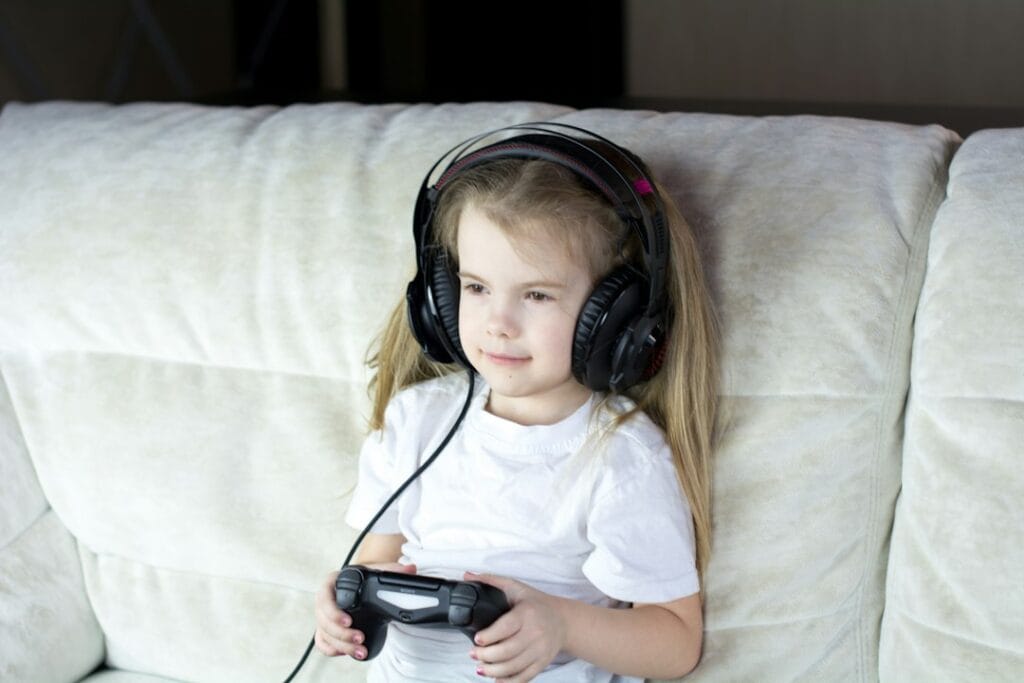
Young girl wearing headphones on a couch

The best headphones for kids are the Puro Sound Labs BT2200-Plus: wireless, capped at 85 dB, and they held that limit in independent testing. On a budget, the BuddyPhones POP Fun had the most accurate volume limiter in the same tests. For parental controls and noise cancelling, the JBL Junior 470NC lets you set the maximum volume and daily listening time from an app.

Check the Puro Sound Labs BT2200-Plus on Amazon →

How we put this together: this guide is based on manufacturers’ official specifications, the WHO’s safe-listening guidance and published independent volume tests (linked below). It is not based on hands-on testing by iTech Level, and it isn’t medical advice. Prices are list prices at the time of writing. See how we choose products.

Best headphones for kids compared

HeadphonesBest forVolume limitBatteryBuy
Puro Sound Labs BT2200-PlusBest overall85 dB (tested at 84.6 dB)Up to 20 hr, plus wiredCheck price
BuddyPhones POP FunMost accurate limiter for the money85 dB (tested at 84.4 dB) or 94 dBUp to 24 hrCheck price
JBL Junior 470NCParental controls + noise cancelling85 dB, adjustable in the app28 hr (ANC on) / 50 hrCheck price
EarFun K4NCLongest battery, budget ANC74, 85 or 94 dBUp to 120 hrCheck price
JLab JBuddies Pro WirelessCheapest wireless, ages 8+85 or 95 dB switch35+ hrCheck price

Volume limits and battery from each manufacturer. “Tested at” figures are Headphones Addict’s measurements (Bluetooth, 85 dB mode).

How loud is too loud for kids?

The World Health Organization’s safe-listening standard sets a weekly limit of 75 dB for 40 hours for children, against 80 dB for adults. Louder sound is safe for less time: by the WHO’s figures, a child can listen at 83 dB for about 6.5 hours a week, but at 92 dB for only about 45 minutes (WHO, WHO-ITU standard).

Most kids’ headphones cap volume at 85 dB. That’s a useful ceiling, not a guarantee of safe listening all day, and claims don’t always hold up. In a 2016 test of 30 kids’ headphones, Wirecutter found that half didn’t keep to their promised limit (Hearing Review), and in Headphones Addict’s 45 tests (last updated 2024), 60% went over the advertised limit. That’s why our top two picks are ones that measured at or under 85 dB.

The best headphones for kids in 2026

1. Puro Sound Labs BT2200-Plus: best headphones for kids

Puro’s kids’ headphones have been the safety benchmark for years: the original BT2200 was Wirecutter’s top pick, and Headphones Addict measured it at 84.6 dB against its 85 dB limit. The BT2200-Plus caps volume at 85 dB, is rated for up to 20 hours of wireless playback, and comes with a cable for wired listening when the battery runs out. Its earcups block 83% of outside noise at 1 kHz passively, which helps kids keep the volume down (Puro Sound Labs).

Good to know: it costs two to three times as much as the budget picks, and there’s no active noise cancelling.

Check the BT2200-Plus on Amazon →

2. BuddyPhones POP Fun: most accurate limiter for the money

For under $40, the POP Fun had the most accurate volume limiter Headphones Addict tested, at 84.4 dB in its 85 dB mode. They’re wireless, rated for 24 hours, and have a second 94 dB mode for noisy places like planes (BuddyPhones).

Good to know: leave them in the 85 dB mode for everyday use. The 94 dB mode is meant for short spells in loud surroundings: by the WHO’s figures, a child’s safe listening time at that level is well under an hour a week.

Check the POP Fun on Amazon →

3. JBL Junior 470NC: best for parental controls and noise cancelling

The Junior 470NC never goes beyond 85 dB, and the JBL Headphones app goes further: parents can set a lower maximum volume and a daily listening time, get daily or weekly listening reports, and record their own “time’s up” reminder. Active noise cancelling cuts background noise so kids can listen at lower volumes, and there’s a built-in mic for calls and school. JBL rates the battery at 28 hours with noise cancelling on and 50 hours with it off (JBL).

Good to know: the parental controls need the app on a parent’s phone, which is a small setup job before you hand them over.

Check the Junior 470NC on Amazon →

4. EarFun K4NC: longest battery, with noise cancelling

If charging is the battle in your house, EarFun rates the K4NC at up to 120 hours, with 10 hours from a 10-minute charge. It has three volume limits (74, 85 and 94 dBA), so you can pick the 74 dB setting for young children, plus active noise cancelling rated up to 39 dB and Bluetooth 5.4 (EarFun). It has sold for much less during EarFun sales.

Good to know: we haven’t found independent measurements of its volume limits, so treat the figures as the maker’s claims.

Check the K4NC on Amazon →

5. JLab JBuddies Pro Wireless: cheapest wireless pick for ages 8+

The JBuddies Pro Wireless are the cheapest pick here. JLab rates them at 35+ hours, with 4 hours from a 10-minute charge. A switch toggles the limit between 85 dB and 95 dB, a cable lets them go wired at school, and a share mode lets two kids listen together. They’re designed for ages 8 and up (JLab).

Good to know: the 95 dB setting is close to normal adult headphone volume, so check the switch is on 85 dB, especially for younger kids.

Check the JBuddies Pro on Amazon →

Set a volume limit on the device, too

Headphone limiters are a backstop. You can also limit volume on the tablet or phone itself, which works with any headphones:

  • iPhone and iPad: go to Settings > Sounds & Haptics > Headphone Safety and turn on Reduce Loud Audio, then choose a level. To stop a child changing it, set Reduce Loud Sounds to Don’t Allow in Screen Time’s Content & Privacy Restrictions (Apple).
  • Turn on noise cancelling where the headphones have it. Blocking background noise is the easiest way to stop kids turning the volume up.
  • Take breaks. Time matters as much as volume: the WHO’s weekly limits add up across every hour of listening.

Also worth a look

Best headphones for teens

Teens rarely want headphones made for small kids. These six picks are what older kids actually ask for, from Beats and AirPods to a gaming headset. None of them limit volume on their own, so set a limit on the phone or console too (see set a volume limit on the device above).

PickBest forTypeBuy
Beats Studio ProBest overall giftOver-ear, noise cancellingCheck price
AirPods 5Teens with an iPhoneEarbuds, noise cancellingCheck price
Samsung Galaxy Buds 3 FETeens with a Galaxy phoneEarbuds, noise cancellingCheck price
Sony WH-CH720NBudget over-earsOver-ear, noise cancellingCheck price
CMF Buds Pro 2Under $40 (any phone)Earbuds, noise cancellingCheck price
Skullcandy PLYRTeen gamersGaming headset with boom micCheck price

Beats Studio Pro: best overall

Beats are one of the most popular headphone gifts, and the Studio Pro back the name up with noise cancelling, up to 40 hours of battery (24 with noise cancelling on), one-touch pairing with both Apple and Android phones, and wired listening over USB-C or a 3.5 mm cable, which is handy on flights or when the battery runs out. They’re often discounted, sometimes by half. Our Beats Studio Pro guide has the full specs.

Check the Beats Studio Pro on Amazon →

AirPods 5: best for iPhone

Apple launched the AirPods 5 in September 2026, and for the first time noise cancelling comes on the cheaper AirPods too; Apple says it removes up to 50 percent more noise than the AirPods 4 with ANC (Apple Newsroom). They keep the open fit with no silicone tips, which many teens find more comfortable, and they pair instantly with an iPhone. A pricier version adds a wireless charging case. See our best earbuds for iPhone for more options.

Check the AirPods 5 on Amazon →

Samsung Galaxy Buds 3 FE: best for Android

For a teen with a Samsung phone, the Galaxy Buds 3 FE have silicone ear tips, noise cancelling and the Samsung Seamless Codec for better sound on Galaxy phones (SoundGuys). They’re often discounted. Our best earbuds for Samsung Galaxy covers the alternatives.

Check the Galaxy Buds 3 FE on Amazon →

Sony WH-CH720N: best budget over-ears

Sony calls the WH-CH720N its lightest noise-cancelling headband yet at 192 g, with up to 35 hours of battery, quick charging (3 minutes for about an hour of playback) and multipoint pairing to two devices (Sony listing). Light headphones matter for teens who wear them all day. They’re often on sale well below list price.

Check the Sony WH-CH720N on Amazon →

CMF Buds Pro 2: best under $40

For under $40 on sale, the CMF Buds Pro 2 (from Nothing’s budget brand) include noise cancelling, multipoint pairing and a mic that RTINGS found does a decent job of isolating your voice even in noisy places. They work with any phone, so they’re a safe gift if you’re not sure what phone your teen uses, and cheap enough not to worry about if they get lost. They’re bulky, so they may not suit small ears (see our best earbuds for small ears).

Check the CMF Buds Pro 2 on Amazon →

Skullcandy PLYR: best for teen gamers

If your teen games on a PC, PlayStation or Switch, a headset with a boom mic beats music headphones for party chat. The Skullcandy PLYR pairs a low-latency wireless transmitter with Bluetooth 5.2, a removable boom mic and up to 24 hours of battery (Skullcandy); on Xbox it connects by cable to the controller. It’s often discounted. For more choices, see our best gaming headsets.

Check the Skullcandy PLYR on Amazon →

Specs from the makers, side by side

Every figure below comes from the manufacturer’s own spec page, taken from our earbuds and headphones spec database. “Not stated” means the maker doesn’t publish it, not that the feature is missing.

ModelBatteryWeightVolume limitConnectionMaker doesn’t state
Puro Sound Labs BT2200-Plus20 hNot stated85 dBABluetoothBluetooth version, weight
JBL Junior 470NCANC on: 28 (spec sheet PDF: 34)
ANC off: 50 h
196 g<85 dB + parental volume and playtime controlsBluetoothBluetooth version, codecs
EarFun K4NCANC off: 120 (conditions not stated)Not stated74 / 85 / 94 dBA (adjustable)Bluetooth 5.4weight, battery with ANC on
JLab JBuddies Pro Wireless35 h165 g85 dB / 95 dB switchBluetooth + 3.5 mm (share port); Bluetooth 5—

Our verdict

The Puro Sound Labs BT2200-Plus are the best headphones for kids if you can spend a bit more, and the BuddyPhones POP Fun are the best value, with the most accurate limiter we found evidence for. Choose the JBL Junior 470NC for app controls and noise cancelling, the EarFun K4NC for the longest battery and a 74 dB setting, and the JLab JBuddies Pro Wireless as the cheapest wireless pair for kids 8 and up. Whatever you buy, set a limit on the device too. For older kids who have outgrown kids’ headphones, see our best headphones for teens.

Frequently asked questions

What are the best headphones for kids?

The Puro Sound Labs BT2200-Plus: wireless, capped at 85 dB, and measured at 84.6 dB in independent testing. The BuddyPhones POP Fun are the best budget pick, measured at 84.4 dB, and the JBL Junior 470NC add noise cancelling and app-based parental controls.

What volume is safe for kids’ headphones?

The WHO’s safe-listening standard for children is 75 dB for up to 40 hours a week. Most kids’ headphones cap volume at 85 dB, which is fine for a few hours a week. Keep total listening time down, especially at higher volumes.

Do volume-limiting headphones really work?

Many do, but not all. Independent tests have found that a large share of kids’ headphones exceed their advertised limit, so choose models with independent measurements and also limit volume on the device.

Are wireless headphones safe for kids?

For hearing, the main concerns are volume and listening time, whether the headphones are wired or wireless. Choose a volume-limited pair, set a limit on the device too, and keep an eye on how long they listen.

What age are kids’ headphones for?

It depends on the model, so check the maker’s age guidance and the headband size before buying. For example, the JLab JBuddies Pro Wireless are designed for ages 8 and up.

What are good cheap headphones for a teenager?

The Sony WH-CH720N over-ears are light at 192 g with noise cancelling and up to 35 hours of battery. For earbuds, the CMF Buds Pro 2 have noise cancelling and multipoint pairing and work with any phone.

What headphones are best for a teen gamer?

A gaming headset with a boom mic, such as the Skullcandy PLYR, which has a low-latency wireless transmitter for PC, PlayStation and Switch plus Bluetooth for a phone.

Related guides

Best Headphones for Kids and Teens (2026): Volume-Limited Picks, Plus 6 for Teens Read More »