Adam Levell is the editor of iTech Level, where he has compared laptops, headphones and earbuds since 2020. He builds each guide from manufacturer specs, independent measurements and owner reviews, and covers laptop matchups on the iTech Level YouTube channel. Adam Levell is the pen name of iTech Level's founder.
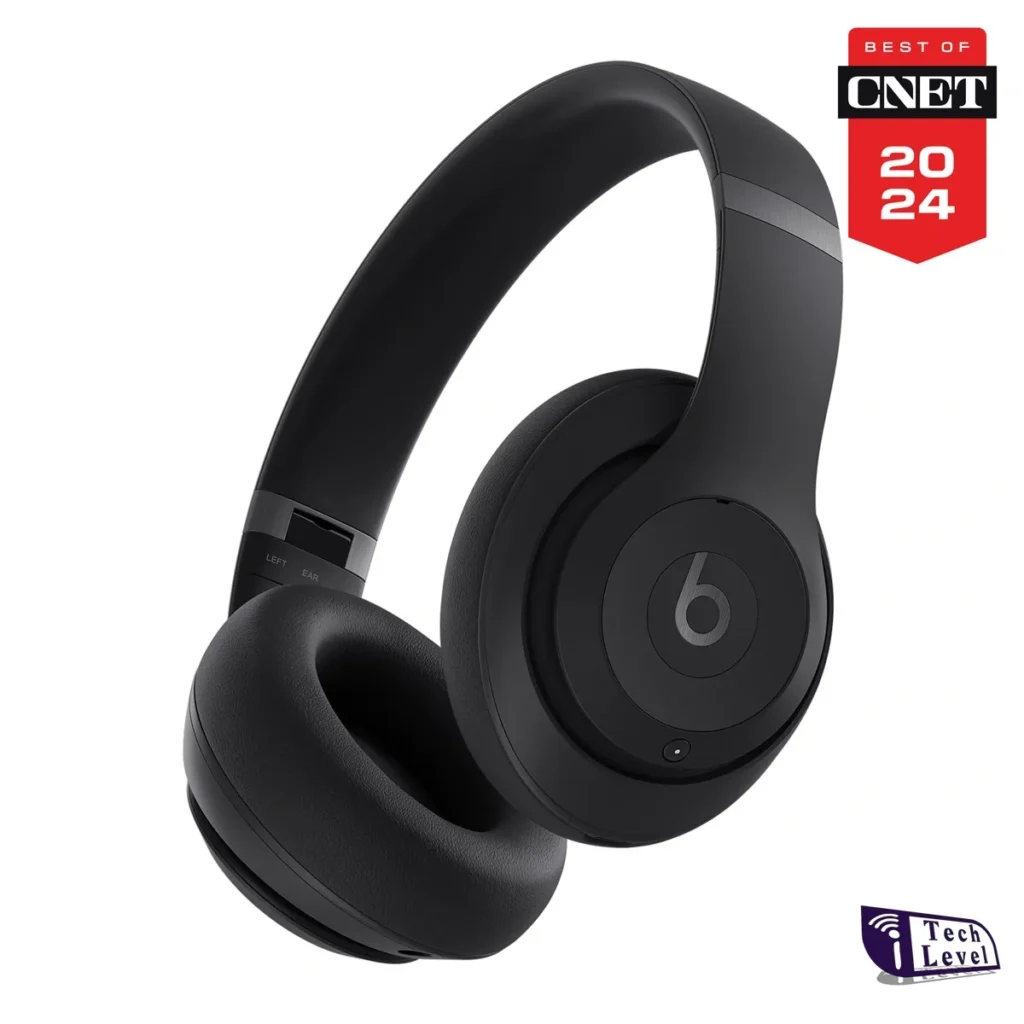
The Beats Studio Pro (2023) are still worth buying in 2026, but only at their new, lower price. After Beats launched the Beats 360 on September 22, 2026 ($349.99), Apple cut the Studio Pro to $299.99, and Amazon had them for $249.95 on October 15 (they’ve dipped to about $170 in earlier sales). Get the Studio Pro if you want wired listening (USB-C lossless or a 3.5 mm cable for flights) and a more neutral sound; get the Beats 360 for stronger noise cancelling, longer battery life with ANC on and a sweat-resistant design for the gym. The Studio Pro are also the top pick in our best headphones for teens gift guide.
How we put this together: this guide is based on Beats’ and Apple’s official specifications plus published reviews (linked below). It is not based on hands-on testing by iTech Level. Prices are list prices or recent street prices at the time of writing and change often. See how we choose products.
Trusted Reviews found “clear, neutral sound quality, strong noise-cancellation, and an excellent wireless performance”, but concluded they’re “not quite at the level to supplant the likes of Sony”, with sound and comfort bettered by Sony and Bose at the same price. That matches the wider consensus: the Studio Pro are good all-rounders rather than class leaders, which is why the price cut matters.
Their standout feature in 2026 is wired audio. Over USB-C they play lossless and hi-res audio up to 24-bit/48kHz, and the 3.5 mm input works with in-flight entertainment. As T3 points out, basic playback over the 3.5 mm cable even works when the battery is flat. Battery life is up to 40 hours, or 24 with noise cancelling on, and they pair with one tap on both iPhone and Android.
The trade-offs: no water resistance, no LDAC or other hi-res Bluetooth codecs, and none of the newer Apple features such as Adaptive Audio or Conversation Awareness.
What reviews say about the new Beats 360
The Beats 360 use a “true wireless” design, with a separate battery, antenna and processor in each ear cup, eight microphones and a custom Beats chip. Beats claims up to 1.75 times the Studio Pro’s noise cancelling and rates the battery at up to 32 hours even with noise cancelling on. They’re Beats’ first over-ear headphones rated IPX4 for sweat and water, and the ear and headband cushions can be swapped.
SoundGuys rates them 7.3/10: comfortable, water-resistant, with good call quality and battery life that beat Beats’ own figures (a nearly six-hour flight with ANC used only 14 percent). But they have no wired audio at all, no custom EQ, and the sound gets bass-heavy with noise cancelling on. Its verdict: “If sound quality matters most to you, the Studio Pro is still the smarter buy.”
Buy the Beats Studio Pro if you fly often and want to plug into the seat-back screen, you want lossless audio over USB-C, you prefer a more neutral sound, or you can get them for $250 or less.
Buy the Beats 360 if you want stronger noise cancelling, long battery life with ANC on, headphones you can wear to the gym, or the ability to swap cushions and colours.
At full price the Beats Studio Pro were hard to recommend over Sony and Bose. At $250–$300 they’re a much easier buy, especially for frequent flyers who want a wired option and for households that mix iPhones and Android phones. If you want the newest Beats with the best noise cancelling and don’t need a cable, the Beats 360 are the better headphones, as long as you’re happy to pay $349.99.
Yes, at the right price. After the Beats 360 launched in September 2026, Apple cut the Studio Pro to $299.99, and Amazon had them for $249.95 on October 15. At that price they’re good all-rounders with 40-hour battery life and wired lossless audio, though Sony and Bose offer stronger noise cancelling.
What’s the difference between the Beats Studio Pro and Beats 360?
The Beats 360 (2026, $349.99) have up to 1.75 times the Studio Pro’s noise cancelling according to Beats, up to 32 hours of battery with ANC on, IPX4 sweat resistance and swappable cushions, but no wired audio. The Studio Pro (2023) have USB-C lossless and 3.5 mm wired listening and a more neutral sound.
Do the Beats Studio Pro work with Android?
Yes. They pair with one tap on Android as well as iPhone, and the Beats app for Android adds controls and settings. Like the iPhone, Android phones stream to them over AAC or SBC rather than hi-res Bluetooth codecs.
Can you use the Beats Studio Pro with a wire?
Yes, in two ways: over USB-C, which supports lossless audio up to 24-bit/48kHz, or with the 3.5 mm cable, which works with in-flight entertainment and can play even when the battery is flat. The Beats 360 can’t be used with a wire.
How long does the Beats Studio Pro battery last?
Up to 40 hours with noise cancelling off, or up to 24 hours with noise cancelling or Transparency on, according to Beats.
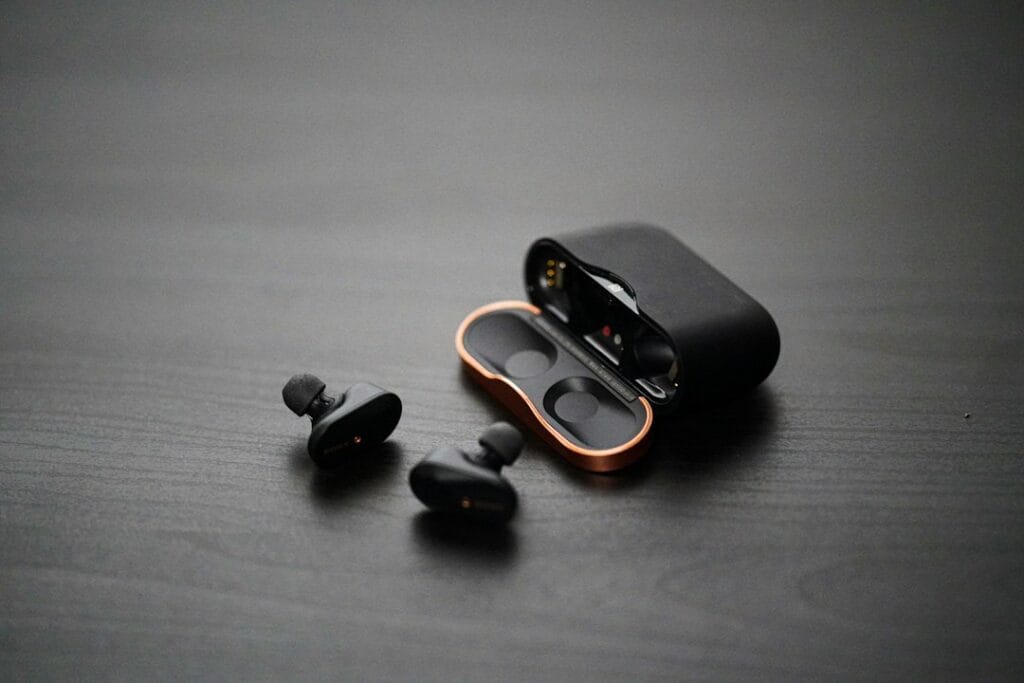
The best noise-cancelling earbuds you can buy are the Apple AirPods Pro 3 ($249): SoundGuys measured a 90 percent average reduction in outside noise, the highest it has ever recorded. On Android, get the Sony WF-1000XM6 ($329.99, 88 percent) or the Bose QuietComfort Ultra Earbuds (2nd Gen) ($299). For less, the Sony WF-C710N ($129.99 list, $78.99 on Amazon on October 15) and the CMF Buds 2 Plus (about $59–79) cancel noise far better than their prices suggest.
How we put this together: this guide ranks earbuds mainly on published noise-cancelling measurements from SoundGuys, which has measured more than 100 noise-cancelling earbuds, plus manufacturers’ specifications and other independent reviews (linked in each pick). It is not based on hands-on testing by iTech Level. Prices are list prices at the time of writing and change often. See how we choose products.
Noise-cancelling figures are SoundGuys’ lab measurements (average reduction in outside noise across frequencies) and scores out of 10. Battery figures are the makers’ ratings with noise cancelling on, unless marked as SoundGuys’ measurement. Results depend on a good ear-tip seal, so your experience can differ.
The best noise-cancelling earbuds in 2026
1. Apple AirPods Pro 3: best overall
The AirPods Pro 3 have the strongest noise cancelling SoundGuys has measured in earbuds: a 90 percent average reduction, and a 9.0/10 noise-cancelling score that earns them its best-overall pick. Apple says they remove up to twice as much noise as the AirPods Pro 2. They last up to 8 hours per charge with noise cancelling on, are rated IP57, and come with five ear-tip sizes from XXS to L, which helps get the tight seal noise cancelling depends on (Apple specs).
Good to know: they’re made for the iPhone. On Android they cancel noise just as well, but you lose most of the smart features, such as automatic switching, Live Translation and the Ear Tip Fit Test. See our best earbuds for iPhone for more.
Sony’s WF-1000XM6 (February 2026) are the closest rival to the AirPods Pro 3. SoundGuys measured an 88 percent average noise reduction, up from 87 percent on the XM5, and found their passive isolation, the noise blocked by the fit alone, is better than Apple’s. It also praises their sound and “outstanding” microphones for calls. They support LDAC hi-res audio and multipoint on Android, are rated IPX4, and last up to 8 hours per charge (24 with the case).
Good to know: at $329.99 they’re the most expensive pick, and SoundGuys notes the larger buds may not suit smaller ears. If that’s you, see our best earbuds for small ears.
3. Bose QuietComfort Ultra Earbuds (2nd Gen): most comfortable
Bose’s earbuds are SoundGuys’ pick for Android and a long-time favourite for flights and commutes. What Hi-Fi? praises their outstanding noise cancelling and design, and the stability-band fit is comfortable for long wear. Bose rates them at up to 6 hours per charge (4 with Immersive Audio), with three more charges in a wireless-charging case, plus multipoint and IPX4 (Bose).
Good to know: battery life is the shortest of the premium picks, and SoundGuys calls the second generation a modest update over the first. They’re often discounted from $299.
4. Sennheiser Momentum True Wireless 5: best sound, longest-lasting
The Momentum True Wireless 5 are for listeners who put sound first. T3 calls them comfortable and terrific to listen to, with great noise cancelling, at a fair $299.95. They have adaptive noise cancelling with automatic wind adjustment, aptX Lossless and aptX Adaptive on Snapdragon Sound Android phones, four mics per earbud, and up to 6 hours per charge with noise cancelling on (40 hours in total with the case). Unusually, the batteries in the earbuds and case are replaceable, so they should last longer than most earbuds.
Good to know: on an iPhone they stream over AAC, so the hi-res codecs don’t help, and the AirPods Pro 3 cancel more noise for less money.
On a Galaxy phone, the Buds 4 Pro are the natural choice. SoundGuys measured an 84 percent average noise reduction, 5–10 dB better than the previous model, and they add Samsung’s 24-bit/96kHz codec, head gestures and an IP57 rating. Battery life is up to 6 hours per charge with noise cancelling on.
Good to know: many of the extras only work with a Samsung phone, and there’s no true multipoint. Our best earbuds for Samsung Galaxy has more Samsung options, including the cheaper Buds 3 FE.
SoundGuys names the WF-C710N its best budget noise-cancelling earbuds, scoring the noise cancelling 8.5/10. You also get multipoint, IPX4, about 9 hours per charge in SoundGuys’ testing and up to 30 hours with the case, for $129.99 list ($78.99 on Amazon on October 15).
Good to know: they don’t have the hi-res codecs or the call quality of Sony’s flagship. For more options at this price, see our best earbuds under $150.
7. CMF Buds 2 Plus: the cheapest that are still good
The CMF Buds 2 Plus, from Nothing’s budget brand, cut outside noise by 83 percent on average in SoundGuys’ testing, “comparable to earbuds that cost twice as much”, and score 8.3/10 for noise cancelling. They add LDAC hi-res audio on Android, a custom EQ in the Nothing X app, about 9 hours per charge and an IP55 rating. The list price is $79, and they often sell for about $59.
Good to know: LDAC only helps on Android, and on an iPhone you manage them through the Nothing X app rather than iOS settings. They’re also the top noise-cancelling pick in our best earbuds under $100. For even cheaper options, see our best earbuds under $50 for Android.
Flights are where noise cancelling matters most, and earbuds can’t play for as long as over-ear headphones. So we checked each pick’s battery life per charge with noise cancelling on against two common trips: a coast-to-coast US flight of about 6 hours and a transatlantic flight of about 8 hours. These are best-case figures at moderate volume, and boarding and taxiing add time, so treat “Only just” as “probably not”.
Two things stand out. The cheapest picks, the Sony WF-C710N and CMF Buds 2 Plus, last longest per charge, though their figures come from SoundGuys’ tests rather than maker ratings, so they aren’t measured the same way. Among the premium picks, the AirPods Pro 3 and WF-1000XM6 only just cover a transatlantic flight, and the Bose, Sennheiser and Samsung won’t make it in one go. On a long-haul flight of 11 hours or more, every pair here needs at least one break in the case. The easy fix is a short top-up in the case during the meal service.
Watch: AirPods Pro 3 vs Sony WF-1000XM6
Our top two picks are close, and the right one mostly depends on your phone. SoundGuys, whose noise-cancelling measurements we use in the table above, compare them side by side in this 14-minute video.
The seal matters most. Noise cancelling works with the ear tip, not instead of it. If the tip is too small or too big, low rumble leaks in and the cancelling sounds weak. Try every tip size, and use a fit test if your earbuds have one.
Expect rumble to vanish, not voices. Noise cancelling is best at steady, low sounds like engines, trains and air conditioning. Voices and sudden noises are harder to cancel, even on the best earbuds.
Battery drops with it on. Every pick here lasts longer with noise cancelling off, often by an hour or more per charge.
For long flights, consider over-ear headphones. The best earbuds now come very close, but over-ear headphones are often more comfortable for hours at a time and last longer per charge. See our best noise-cancelling headphones.
Also worth a look
Samsung Galaxy Buds 3 FE: SoundGuys measured about 86 percent noise reduction, more than Samsung’s pricier Pro model of the same generation, for $149.99 (often less). Best on a Samsung phone; no multipoint or wireless charging.
Google Pixel Buds Pro 2: strong noise cancelling in a very small, light design; the pick for Pixel owners. See our Pixel earbuds guide.
Soundcore P30i: the cheapest way to get noise cancelling, usually well under $50, though it’s well behind every pick above.
Our verdict
For the strongest noise cancelling in earbuds, get the AirPods Pro 3, especially with an iPhone. On Android, the Sony WF-1000XM6 come within a whisker and add LDAC and excellent mics, while the Bose QC Ultra Earbuds are the most comfortable. Sound lovers should look at the Sennheiser Momentum True Wireless 5, and Samsung owners at the Galaxy Buds 4 Pro. On a budget, the Sony WF-C710N and CMF Buds 2 Plus deliver real noise cancelling for a fraction of the price.
Black Friday 2026: what to expect
Next sale: Black Friday
Prime Big Deal Days has ended. Black Friday is November 27, 2026, and Cyber Monday is November 30. Amazon's Black Friday deals often start a few days early. Our picks are chosen on year-round value, not just sale pricing; tap any link to see today's price.
Black Friday 2026 is November 27, with many deals starting the week before and running through Cyber Monday (November 30). For reference, these are the Black Friday 2025 prices of our top noise-cancelling picks.
The Sony WF-1000XM6 and Galaxy Buds 4 Pro launched in 2026, so they have no Black Friday history yet; judge them against their list prices and Prime Big Deal Days prices.
Budget picks like the CMF Buds 2 Plus are often discounted all year (about $59 against a $79 list), so don’t overpay for a “Black Friday” label.
Compare against the price history, not the “was” price.
Frequently asked questions
Which earbuds have the best noise cancelling?
The Apple AirPods Pro 3. SoundGuys measured a 90 percent average reduction in outside noise, the highest it has recorded in earbuds. The Sony WF-1000XM6 are close behind at 88 percent, with better passive isolation, and the Bose QuietComfort Ultra Earbuds (2nd Gen) are the most comfortable of the top picks.
AirPods Pro 3 or Sony WF-1000XM6 for noise cancelling?
For pure noise cancelling, the AirPods Pro 3 measure slightly better (90 vs 88 percent in SoundGuys’ tests), but most people won’t notice the difference. Choose by phone: the AirPods Pro 3 for an iPhone, the WF-1000XM6 for Android, where they add LDAC and multipoint.
What are the best cheap noise-cancelling earbuds?
The Sony WF-C710N ($129.99), which SoundGuys rates 8.5/10 for noise cancelling, and the CMF Buds 2 Plus ($79, often $59), which cut outside noise by 83 percent on average. The Soundcore P30i are cheaper still but cancel much less noise.
Are noise-cancelling earbuds as good as over-ear headphones?
The best earbuds now come very close for noise cancelling, and they’re far more portable. Over-ear headphones still tend to be more comfortable for long flights and last longer per charge, so frequent flyers may prefer them.
Why doesn’t noise cancelling work well in my earbuds?
Usually because the ear tips don’t seal. Try a different tip size in each ear and run your earbuds’ fit test if they have one. Also remember that noise cancelling is strongest on steady low sounds like engines; voices and sudden noises always get through more.
If you edit on Windows, the best laptop for video editing is the ASUS ProArt P16: a 16-inch OLED screen, an RTX 5070 and a touchpad dial built for editing apps. The Lenovo Yoga Pro 9i has one of the best screens for colour work at a lower price, and the ASUS ProArt PX13 GoPro Edition packs 128GB of memory into a 13-inch convertible. If you’re open to a Mac, the 14-inch MacBook Pro with M5 Pro is the strongest all-rounder, with hardware ProRes engines and long battery life. On a budget, an RTX 5060 gaming laptop like the Lenovo LOQ 15 handles 4K timelines for far less.
How we put this together: this guide is based on manufacturers’ official specifications plus published reviews and benchmarks from independent outlets (linked in each pick). It is not based on hands-on testing by iTech Level. Prices are list prices at the time of writing and change often. See how we choose products.
1. ASUS ProArt P16 (2025): best Windows laptop for video editing
The ProArt P16 is built for creators first. It pairs an AMD Ryzen AI 9 HX 370 with Nvidia RTX 50-series graphics (the RTX 5070 in the reviewed configuration), a 16-inch OLED screen, and ASUS’s DialPad, a touch-sensitive dial on the touchpad for scrubbing timelines and adjusting brush size or exposure in creative apps. It’s 14.9 mm thin, weighs under 2 kg and is MIL-STD 810H rated. Stuff calls it “an impressive Windows laptop for creatives with lots of power, sublime looks and a gorgeous OLED screen”.
Good to know: it’s expensive, and the same reviews question whether the faster renders justify the premium over older models. ASUS has also announced a new 2026 ProArt P16 for this fall, with up to 128GB of memory and a 4K tandem OLED option, but no price yet (Android Headlines), so the 2025 model may get cheaper.
2. Lenovo Yoga Pro 9i Aura Edition: best screen for the money
The Yoga Pro 9i is the one to get if colour and brightness matter most. Last year’s Gen 10 impressed Notebookcheck with a 1,100-nit OLED that it calls one of the best screens on the market, and in the US it came with a Core Ultra 9 285H and RTX 5060 for $2,299.99. The new Gen 11 moves to Intel’s Core Ultra 300 (Panther Lake) chips with RTX 5050 or 5060 graphics and an optional 3.2K 120Hz tandem OLED, starting at $2,799 in the US (Ubergizmo).
Good to know: the RTX 5060 is a mid-range GPU, fine for 4K editing but slower than the ProArt P16 for heavy effects and exports. GPU wattage affects export times too; our laptop GPU power database lists it for over 200 laptop configurations. With the Gen 11 now out, a discounted Gen 10 is often the better value.
3. ASUS ProArt PX13 GoPro Edition: most power in a small laptop
Tom’s Guide names the PX13 GoPro Edition the best Windows laptop for video editing. Inside a 3.1 lb, 13.3-inch convertible, it has AMD’s Ryzen AI Max+ 395 with Radeon 8060S graphics and 128GB of unified memory, up to 96GB of which can go to the GPU, plus a 3K OLED touchscreen covering 100% of DCI-P3. It costs $3,999 and comes with a pen, a carry case, a year of GoPro Premium+ and three months of Adobe Creative Cloud (The Gadgeteer).
Good to know: Tom’s Guide flags the 60Hz screen and the microSD (not full-size SD) slot, and reviewers note battery life doesn’t match a MacBook’s. It makes most sense for creators who travel and edit large projects on the road.
If you’re not tied to Windows, a MacBook Pro is still the easiest recommendation for editing: Tom’s Guide ranks the MacBook Pro first overall for video editing. The 14-inch M5 Pro model has a bright XDR display, a hardware ProRes engine, HDMI and a full-size SD card slot, 1TB of storage as standard, and much longer battery life than the Windows picks. It also runs Final Cut Pro, which is Mac-only. Our best MacBook for video editing guide compares the M5, M5 Pro and M5 Max models in detail.
Good to know: you can’t upgrade the memory or storage later, so buy the configuration you’ll need. Some Windows-only plugins and tools won’t run on a Mac.
5. Lenovo LOQ 15 Gen 10 (RTX 5060): best on a budget
Gaming laptops make capable budget editing machines, because an Nvidia RTX GPU speeds up effects and exports in Premiere Pro and DaVinci Resolve. The LOQ 15 Gen 10 with an RTX 5060, a Ryzen 7 250 and 16GB of DDR5 is our top pick in the gaming laptops under $1,200 guide, and it handles 1080p and 4K timelines for much less than a creator laptop.
Good to know: a budget gaming screen isn’t made for colour accuracy, so for client colour work pair it with a calibrated external monitor. 16GB of RAM is the minimum for 4K editing; 32GB is more comfortable, so check whether the memory can be upgraded.
Graphics and media engines. Editing apps lean on the GPU for effects, colour grading and exports. On Windows, an Nvidia RTX GPU is the safest choice for Premiere Pro and DaVinci Resolve. On a Mac, the M5 Pro and M5 Max add dedicated ProRes and video engines.
Memory. 16GB is the minimum for 1080p and light 4K work. 32GB is the sweet spot for 4K, and 64GB or more helps with 8K, heavy effects or long multicam projects.
The screen. Look for an OLED or mini-LED panel with wide DCI-P3 colour coverage if you grade colour. A 16-inch screen gives the timeline more room.
Storage and ports. Video eats storage, so 1TB is a sensible minimum. A full-size SD card slot, Thunderbolt or USB4 for fast external drives, and HDMI for a second display all save time.
Windows or Mac. Premiere Pro and DaVinci Resolve run on both. Final Cut Pro is Mac-only. Windows laptops give you more choice and upgradeable parts on some models; MacBooks win on battery life and quietness.
Also worth a look
Dell XPS 16 (2026): a beautifully made 16-inch laptop from $1,749, but this generation has no discrete GPU option, only Intel integrated graphics (Tom’s Hardware). Fine for light editing; not for heavy 4K work.
MacBook Air 15 (M5): good for light editing and short 4K projects, but it has no fan, so long exports slow down. See our MacBook video editing guide.
A gaming laptop with an RTX 5070 or above: if you also game, a higher-end gaming laptop gives you more GPU for the money than most creator laptops. See our smallest gaming laptops for compact options.
Our verdict
For Windows editors, the ASUS ProArt P16 is the best all-round video editing laptop, and the Lenovo Yoga Pro 9i gives you a superb OLED for less. The ProArt PX13 GoPro Edition is the pick if you need workstation-level memory in a small laptop. If you can switch platforms, the MacBook Pro 14 with M5 Pro is the strongest all-rounder, and on a budget an RTX 5060 gaming laptop such as the Lenovo LOQ 15 does the job for under $1,200.
Frequently asked questions
What is the best laptop for video editing in 2026?
On Windows, the ASUS ProArt P16, with a 16-inch OLED screen, RTX 50-series graphics and a DialPad for editing apps. On a Mac, the 14-inch MacBook Pro with M5 Pro, which has a hardware ProRes engine and long battery life. Tom’s Guide ranks the MacBook Pro best overall and the ASUS ProArt PX13 GoPro Edition as the best Windows option.
Is a gaming laptop good for video editing?
Yes, for the money. An Nvidia RTX GPU speeds up effects and exports in Premiere Pro and DaVinci Resolve, so an RTX 5060 gaming laptop like the Lenovo LOQ 15 handles 4K timelines well. The trade-offs are a less colour-accurate screen and louder fans than a creator laptop.
How much RAM do I need for video editing?
16GB for 1080p and light 4K editing, 32GB for comfortable 4K work, and 64GB or more for 8K, heavy effects or long multicam projects.
Is Mac or Windows better for video editing?
Both work well. Premiere Pro and DaVinci Resolve run on both; Final Cut Pro is Mac-only. MacBooks have better battery life and hardware ProRes engines, while Windows laptops offer more choice, Nvidia GPUs and, on some models, upgradeable memory and storage.
What is the best cheap laptop for video editing?
An RTX 5060 gaming laptop such as the Lenovo LOQ 15 Gen 10, usually under $1,200. Add an external monitor for colour-critical work. On a Mac, the MacBook Air with M5 handles light editing, but it slows down in long exports because it has no fan.
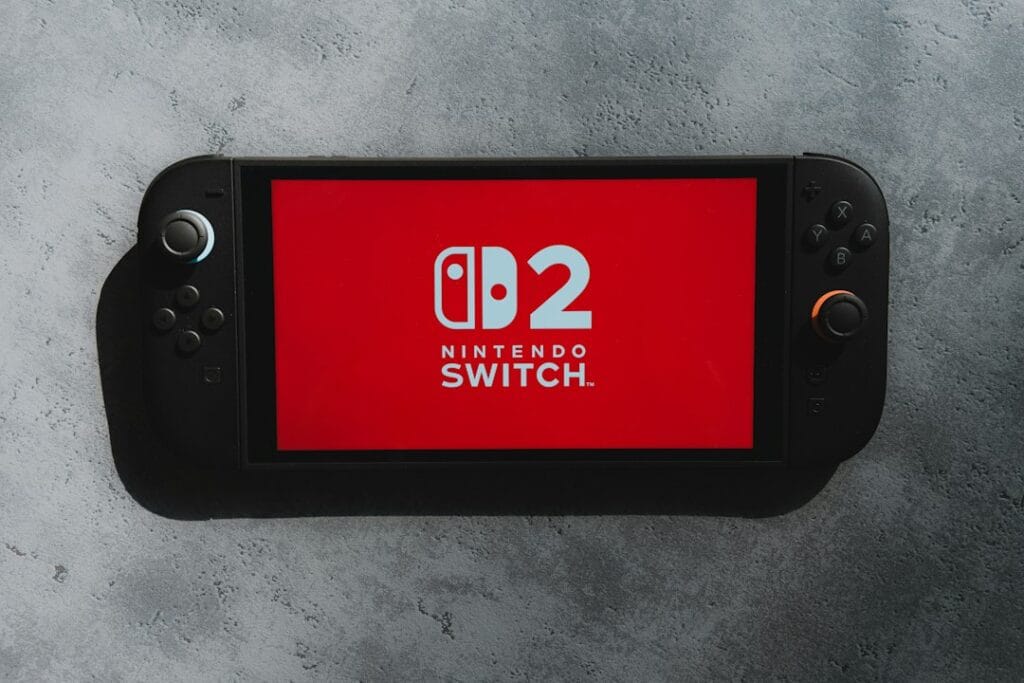
For most people the best headset for the Nintendo Switch 2 is the SteelSeries Arctis Nova 5 (about $130). Its small USB-C dongle plugs straight into the console, so you get low-latency wireless audio and a mic that works in GameChat. That matters because the Switch 2 doesn’t support Bluetooth microphones. On a budget, a wired headset such as the SteelSeries Arctis Nova 1 (about $60) plugs into the console or the Pro Controller and does everything. For earbuds, the Sony INZONE Buds use their own USB-C dongle instead of Bluetooth.
How we put this together: this guide is based on Nintendo’s official support pages for Switch 2 audio, manufacturers’ specifications and published reviews (linked below). It is not based on hands-on testing by iTech Level. Prices are list prices at the time of writing and change often. See how we choose products.
How headphones work on the Switch 2
The Switch 2 gives you three ways to connect headphones, and they don’t all do the same things:
Connection
Game audio
Mic for GameChat
Catches
USB (including USB-C dongles)
Yes, low latency with a 2.4GHz dongle
Yes
Uses the console’s top USB-C port or a dock USB port
3.5 mm wired
Yes, no lag
Yes, with a 4-pole headset plug
Jack on the console and the Switch 2 Pro Controller, not the Joy-Con 2
Bluetooth
Yes, with some delay
No
One device at a time, max two wireless controllers, disconnects during local wireless play
Nintendo’s support pages spell out the Bluetooth limits: “Microphone input via Bluetooth is not supported on Nintendo Switch 2”, so with Bluetooth headphones you can hear other players in GameChat but they can’t hear you through the headset (Nintendo). While a Bluetooth audio device is connected, you can only use two wireless controllers, and a pair of Joy-Con 2 counts as two (Nintendo). Bluetooth audio also disconnects when you start local wireless multiplayer, and Nintendo warns you may notice audio latency (Nintendo). USB headsets and 4-pole wired headsets have none of those limits, and their mics work in GameChat.
The best headphones for Nintendo Switch 2
1. SteelSeries Arctis Nova 5: best overall
The Arctis Nova 5 is the easiest way to get wireless audio and working voice chat on a Switch 2. Its small USB-C dongle plugs into the console’s top USB-C port, so it works in handheld mode and when docked, and it also works with PC, PlayStation, phones and handhelds. Bluetooth is built in as well, for your phone. It weighs 265 g, the mic retracts fully into the earcup, and SteelSeries rates the battery at up to 60 hours. It’s the “best for consoles” pick in our best gaming headsets guide.
Good to know: use the dongle, not Bluetooth, on the Switch 2, or the mic won’t work in GameChat. Xbox players need the Nova 5X version. It’s often discounted below its list price.
A wired headset is the cheapest way to get everything working on the Switch 2: no lag, no battery, and a mic that works in GameChat. The Arctis Nova 1 uses a single 3.5 mm combo plug, weighs just 235 g and has a ClearCast Gen 2 noise-cancelling mic. Tom’s Hardware found it slimmer, lighter and much more comfortable than the Arctis 1 it replaced, for about $60.
Good to know: plug it into the top of the console in handheld mode, or into the Switch 2 Pro Controller’s headphone jack when docked. The Joy-Con 2 don’t have a headphone jack, so docked players without a Pro Controller should go wireless with a USB dongle instead.
If you want a more premium wired headset, the Cloud III has large 53 mm drivers angled toward your ears, a detachable boom mic with an LED mute indicator, and a 3.5 mm plug for the console and Pro Controller. Nintendo Life recommends it for Switch 2 as a comfortable, great-sounding wired option, and Tom’s Hardware found it lighter, with better audio and a better mic, than the Cloud II, at a $99.99 list price.
Good to know: the DTS spatial audio and some extras need a PC; on the Switch 2 it works as a plain, very good stereo headset.
Earbuds are the most portable option for handheld play, and the INZONE Buds avoid Bluetooth’s problems by using a small USB-C dongle, with latency Sony rates at under 30 ms. They add active noise cancelling and Bluetooth LE Audio for your phone, and Sony’s specs list up to 12 hours of play on the dongle (11 with noise cancelling on), at about 6.5 g per bud. See our Sony gaming headphones guide for more.
Good to know: the dongle takes the console’s top USB-C port, and an earbud mic can’t match a boom mic for voice clarity. Regular Bluetooth earbuds like AirPods also work for game sound, but without the mic and with more delay.
5. SteelSeries Arctis Nova Pro Omni: best premium, multi-console
If the Switch 2 is one of several systems you play on, the Nova Pro Omni (May 2026) connects to all of them. Its GameHub base station has two USB inputs plus Bluetooth and line-in and can mix several sources at once, so you can hear a Switch 2 and a PC or another console through one headset. It adds active noise cancelling, Hi-Res certified drivers, a retractable mic and two hot-swappable batteries.
Good to know: at about $400 it’s only worth it if you really do switch between systems. It’s covered in full in our best gaming headsets guide.
Can you use AirPods or Bluetooth headphones with the Switch 2?
Yes, for game audio. Go to System Settings, then Bluetooth Audio, then Add Device, and put your headphones in pairing mode. They’re fine for single-player games where a little delay doesn’t matter. The trade-offs are the ones in the table above: no mic in GameChat, only two wireless controllers while connected, audio that drops when you start local wireless multiplayer, and some delay that shows in rhythm and fast action games. Our Bluetooth headphones for gaming guide explains the latency in detail.
If you already own good Bluetooth headphones, a workaround for GameChat is to use the Switch 2’s built-in microphone for your voice while listening through Bluetooth.
Setting up a headset: handheld vs docked
Handheld: plug a USB-C dongle into the top USB-C port, or a wired headset into the headphone jack on top of the console.
Docked: the top USB-C port is still free, so a USB-C dongle works there. A wired headset needs the Switch 2 Pro Controller’s headphone jack, since the Joy-Con 2 don’t have one. Nintendo also supports USB headsets in the dock’s USB ports.
Check the mic: System Settings has a Test Microphone option, and in GameChat your icon shows a green border when you speak.
Our verdict
For the Switch 2, choose a headset that connects by USB or a wired plug, not just Bluetooth. The SteelSeries Arctis Nova 5 is the best all-round pick, with a USB-C dongle that gives you wireless audio and a working GameChat mic in handheld and docked mode. On a budget, the wired Arctis Nova 1 does everything for about $60, and the HyperX Cloud III is the wired upgrade. For earbuds, the Sony INZONE Buds skip Bluetooth with their own dongle, and the Arctis Nova Pro Omni is the premium choice if you play on several consoles.
Frequently asked questions
What is the best headset for the Nintendo Switch 2?
The SteelSeries Arctis Nova 5 for most people. Its USB-C dongle plugs into the console for low-latency wireless audio, and because it connects over USB, its mic works in GameChat, which Bluetooth headsets can’t do on Switch 2. On a budget, a wired headset like the Arctis Nova 1 (about $60) works in the console or the Pro Controller.
Does the Switch 2 support Bluetooth headphones?
Yes, for audio. You can pair one Bluetooth audio device at a time in System Settings. But Bluetooth microphones aren’t supported, you can only use two wireless controllers while it’s connected, and Bluetooth audio disconnects during local wireless multiplayer.
Can you use AirPods with the Switch 2?
Yes, for game sound. Pair them under System Settings, then Bluetooth Audio. The AirPods’ mic won’t work in GameChat, though, so other players won’t hear you through them; the console’s built-in mic can pick up your voice instead. Expect some delay in fast games.
Why doesn’t my headset mic work in GameChat?
Most often because it’s connected by Bluetooth, which the Switch 2 doesn’t support for microphones. Use a USB headset or dongle, or a wired headset with a 4-pole 3.5 mm plug in the console or Pro Controller. Nintendo also suggests unplugging and reconnecting the headset and using the Test Microphone option in System Settings.
Do the Joy-Con 2 have a headphone jack?
No. In docked mode, plug wired headphones into the Switch 2 Pro Controller, which has a headphone jack, or use a wireless headset with a USB-C dongle in the console’s top port.
The best earbuds for small ears are the Google Pixel Buds Pro 2 ($229): each bud weighs 4.7 g, they come with four ear-tip sizes from XS to L, and a twist-to-adjust stabilizer holds them in place. iPhone owners should get the AirPods Pro 3 ($249), which include an XXS ear tip. On a budget, the Sony WF-C510 (about $60) are Sony’s smallest closed earbuds at 4.6 g, and the Soundcore Space A40 add strong noise cancelling for under $100.
How we put this together: this guide is based on manufacturers’ official specifications (earbud weight and ear-tip sizes) plus published reviews from independent outlets (linked in each pick). It is not based on hands-on testing by iTech Level, and ears differ, so fit can vary from person to person. Prices are list prices at the time of writing and change often. See how we choose products.
Weights are the makers’ or reviewers’ published figures where available. Not every brand publishes its earbud weight, so for those we describe the size as reviewers do.
The best earbuds for small ears in 2026
1. Google Pixel Buds Pro 2: best overall for small ears
Google made the Pixel Buds Pro 2 27 percent smaller than the first generation, and each bud weighs just 4.7 g (TechRadar). They come with four ear-tip sizes, from extra-small to large, and a small “twist-to-adjust” stabilizer: twist the bud one way for a looser fit, the other for a snug one when you’re moving. Reviewers consistently single out the comfort and stability, which is what matters most for small ears.
They also have strong noise cancelling, up to 8 hours per charge with it on (30 hours with the case) and an IP54 rating. Good to know: they work with any phone, but most smart features need an Android phone, and they do the most on a Pixel; see our best earbuds for Google Pixel guide. They’re often discounted well below $229.
The AirPods Pro 3 are the only earbuds here with an XXS ear tip: Apple includes five sizes, XXS, XS, S, M and L (Apple specs). That extra-small option makes them a much better fit for small ears than earlier AirPods Pro. iOS also has an Ear Tip Fit Test for AirPods Pro, which checks the seal in each ear and suggests a different size if needed.
You also get Apple’s strongest noise cancelling, up to 8 hours per charge with it on, IP57 water resistance and heart-rate sensing for workouts. Good to know: at 5.55 g per bud (Apple) they’re heavier than the Pixel Buds Pro 2 and Sony WF-C510, so if even the XXS tips feel too big, try the Pixel Buds Pro 2 or Sony WF-C510. Most features need an iPhone; see our best earbuds for iPhone guide.
3. Sony WF-C510: best cheap earbuds for small ears
Sony calls the WF-C510 its smallest closed-type earbuds ever, and at 4.6 g per bud they’re even lighter than the Pixel Buds Pro 2. What Hi-Fi? praises their compact, comfortable design and solid, musical sound, and they support multipoint, last up to 11 hours per charge (22 with the case) and are rated IPX4, for about $60.
Good to know: there’s no active noise cancelling, only an ambient sound mode that What Hi-Fi? rates as “only okay”, and the build feels cheap. For small ears on a small budget, they’re still the easiest recommendation.
4. Soundcore Space A40: best noise cancelling under $100
SoundGuys picks the Space A40 as the best noise-cancelling earbuds for small ears, scoring the noise cancelling 8.5 out of 10 and measuring about 10 hours per charge. They also support multipoint and Sony’s LDAC codec on Android phones. They list for $99.99 but often sell for $49–$79.
Good to know: they launched in 2022, so they lack some newer features, and LDAC only helps on Android (iPhones use AAC). For more cheap options, see our best earbuds under $50 for Android.
5. Google Pixel Buds 2a: small, with noise cancelling, for less
The Pixel Buds 2a are Google’s cheaper earbuds, and they’re small too: Engadget highlights their very small, comfortable fit. They’re the first A-series Pixel Buds with noise cancelling, use the same Tensor A1 chip as the Pro 2, and last up to 7 hours with noise cancelling on (10 with it off), for $129.
Good to know: there’s no wireless charging and no volume control on the buds, and like the Pro 2 they do the most with an Android phone.
SoundGuys names the JBuds Mini the smallest earbuds on its list: they’re tiny, very easy to carry and rated IP55, for $39.99. JLab now also sells the JBuds Mini ANC ($42.99), which it calls the smallest true wireless earbuds with active noise cancelling, with 25+ hours of total playtime (JLab).
Good to know: at this price, sound and call quality are basic compared with the Sony and Soundcore picks. They’re best as a cheap pair for kids, teens or the gym.
Try the smallest tips first, and test each ear separately. Most people’s ears are slightly different sizes, so you may need a different tip in each ear. If the bud pushes out or sits loose, go down a size.
Use the seal test if your earbuds have one. The Ear Tip Fit Test in iOS (AirPods Pro) and the ear-tip seal check in the Pixel Buds app both tell you when a tip isn’t sealing.
Consider foam tips. Memory-foam replacement tips squash down and expand to fill the ear canal, which helps when silicone tips are either too big or too loose. Check that the brand makes them for your model.
Lighter is usually more comfortable. Buds under about 5 g, like the Sony WF-C510 and Pixel Buds Pro 2, put less pressure on the outer ear over long sessions.
Look for a stabilizer or wing. A small fin, like the Pixel Buds Pro 2’s twist-to-adjust stabilizer, holds the bud in place without needing a bigger tip.
Also worth a look
Shokz OpenRun Pro 2: bone-conduction headphones that sit in front of the ears, so nothing goes in the ear at all. A good option if no earbud is comfortable, and SoundGuys’ pick for small ears in this style. Rated IP55, with up to 12 hours of battery. For clip-on alternatives, see our best open-ear earbuds.
Apple AirPods 5: an open fit with no ear tips. Some people with small ears find them comfortable because nothing seals the ear; others find they slip. See our iPhone earbuds guide.
Beats Flex: a neckband style with light earbuds, so a loose fit doesn’t mean losing a bud. SoundGuys’ neckband pick for small ears.
Our verdict
For small ears, the Google Pixel Buds Pro 2 are the best all-round earbuds: light at 4.7 g, four tip sizes and a stabilizer that keeps them in place. iPhone owners should get the AirPods Pro 3 for their XXS tip. On a budget, the Sony WF-C510 are tiny and comfortable for about $60, the Soundcore Space A40 add strong noise cancelling under $100, and the JLab JBuds Mini are the smallest and cheapest of all.
Frequently asked questions
What are the best earbuds for small ears?
The Google Pixel Buds Pro 2 for most people. Each bud weighs 4.7 g, they come with four ear-tip sizes from XS to L, and a twist-to-adjust stabilizer keeps them in place. iPhone owners should get the AirPods Pro 3, which include an XXS ear tip.
What are the smallest wireless earbuds?
Among popular models, the JLab JBuds Mini are among the smallest you can buy, and JLab calls the JBuds Mini ANC the smallest true wireless earbuds with noise cancelling. The Sony WF-C510 (4.6 g per bud) are Sony’s smallest closed earbuds, and the Pixel Buds Pro 2 (4.7 g) are the smallest premium pick.
Do AirPods fit small ears?
The AirPods Pro 3 usually do, because Apple includes five ear-tip sizes including XXS, and iOS can check the fit for you. The regular AirPods 5 are one size with no tips, so they fit some small ears well and slip out of others.
Why do earbuds hurt my ears?
Usually because the ear tip is too big or the bud is too heavy for your ear. Try the smallest tips, test each ear separately, and consider foam tips. If in-ear designs still hurt, open-ear or bone-conduction headphones like the Shokz OpenRun Pro 2 don’t go into the ear canal at all.
What are the best cheap earbuds for small ears?
The Sony WF-C510, at about $60. They’re Sony’s smallest closed earbuds at 4.6 g per bud, with multipoint and up to 11 hours per charge. If you want noise cancelling, the Soundcore Space A40 often sell for $49–$79, and the JLab JBuds Mini are the cheapest at $39.99.