Adam Levell

Adam Levell is the editor of iTech Level, where he has compared laptops, headphones and earbuds since 2020. He builds each guide from manufacturer specs, independent measurements and owner reviews, and covers laptop matchups on the iTech Level YouTube channel. Adam Levell is the pen name of iTech Level's founder.

Cheapest Gaming Laptops (2026): The Best Under $800, and What to Avoid
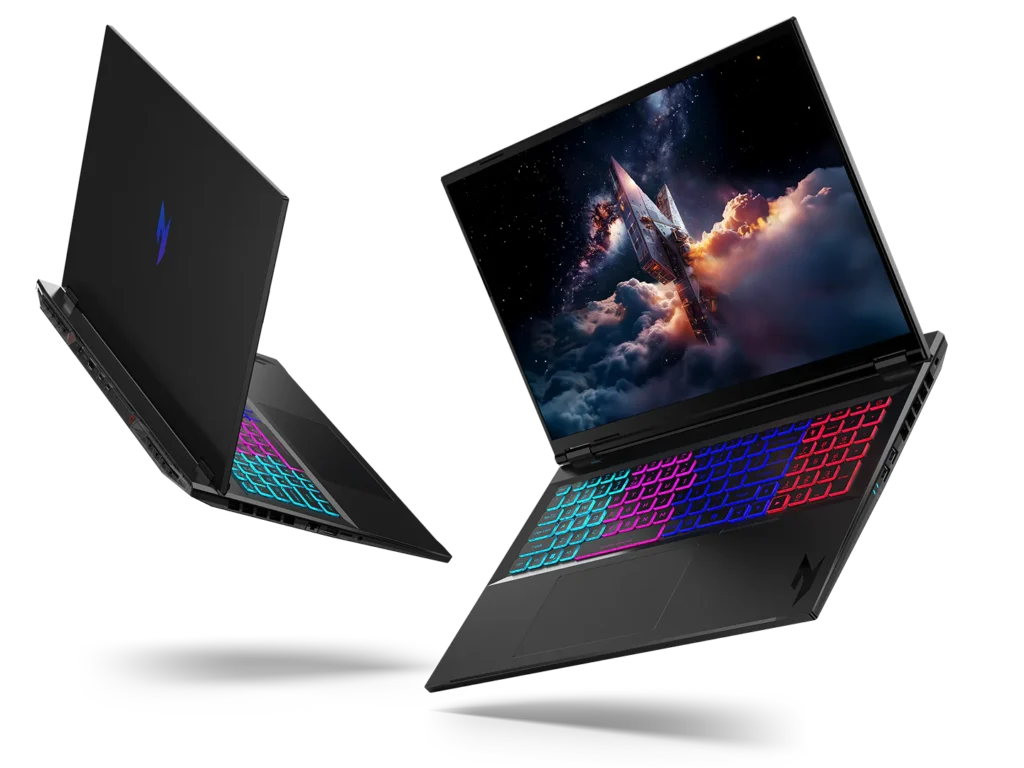
Two Acer Nitro gaming laptops with RGB-backlit keyboards

The cheapest gaming laptops worth buying in 2026 are RTX 5050 models such as the Lenovo LOQ 15, Acer Nitro V 15 and HP Victus 15. Their list prices are usually around $1,000 or more, but they regularly drop below $800 in sales: Tom’s Guide spotted the LOQ 15 with an RTX 5050 at $789, down from $1,129. Older RTX 4050 laptops are no longer the cheap fallback: in October 2026 they cost about the same as RTX 5050 models on Amazon, so only buy one on clearance. Below about $600, you’re into RTX 3050 and RTX 2050 laptops that we’d only recommend for esports and older games.

Check the Lenovo LOQ 15 (RTX 5050) on Amazon →

Our picks at a glance

PickBest forBuy
Lenovo LOQ 15 (RTX 5050)Best cheap gaming laptop overallCheck price
Acer Nitro V 15 (RTX 5050)Best screen for the moneyCheck price
HP Victus 15 (RTX 5050)Easiest to upgrade laterCheck price
HP Victus (RTX 4050)Only on clearanceCheck price
Next sale: Black Friday

Prime Big Deal Days has ended. Black Friday is November 27, 2026, and Cyber Monday is November 30. Amazon's Black Friday deals often start a few days early. Our picks are chosen on year-round value, not just sale pricing; tap any link to see today's price.

How we put this together: this guide is based on manufacturers’ official specifications plus published reviews, benchmarks and deal reports from independent outlets (linked in each pick). It is not based on hands-on testing by iTech Level. Prices change constantly, especially at the cheap end, so treat the prices here as examples and check the exact listing. See how we choose products.

Why cheap gaming laptops got more expensive

Rising component costs have pushed laptop prices up. Tom’s Hardware says the market below $1,000 “has effectively been decimated” and that most gaming laptops under $1,500 now use an RTX 5050 or RTX 5060. In practice, that means two things for a tight budget: the cheapest current-generation gaming laptops are RTX 5050 models, and the best prices on them come from sales rather than list prices.

What your money gets you

BudgetGraphics you’ll findWhat it playsOur take
Around $1,000–$1,200RTX 5060New games at 1080p, high settingsThe sweet spot if you can stretch. See our gaming laptops under $1,200.
Under $800 (on sale)RTX 5050New games at 1080p, medium settings; esports at high frame ratesThe cheapest current-generation option. Wait for a sale.
Cheapest older stockRTX 40501080p at medium-to-low settings in new gamesOK if it’s clearly cheaper than an RTX 5050 laptop on sale.
Under about $600RTX 3050, RTX 2050, integratedEsports and older gamesAvoid for new releases; 4GB of video memory is the main limit.

The cheapest gaming laptops worth buying

1. Lenovo LOQ 15 (RTX 5050): best cheap gaming laptop overall

The RTX 5050 version of the LOQ 15 is the cheapest way into the laptop family we rate highest under $1,200. It usually pairs the RTX 5050 with an Intel Core i5-13450HX, a 15.6-inch 1080p 144Hz screen, 16GB of RAM and a 512GB SSD. The HX processor is a step up from the H-series chips in most cheap gaming laptops. Its list price has been around $1,129, but Tom’s Guide spotted it at $789 on Lenovo’s site, and says it’s good for playing the latest games at medium settings.

Good to know: many Amazon listings are third-party bundles with “upgraded” RAM or storage at a markup, so compare them with the standard 16GB / 512GB configuration. At full price, the LOQ 15 with an RTX 5050 and an i7 was $1,099.99 on Amazon in October; our under-$1,200 guide covers it and the 115 W RTX 5060 version to watch for a sale.

See LOQ 15 RTX 5050 listings on Amazon →

2. Acer Nitro V 15 (RTX 5050): best screen for the money

The Nitro V 15 is the 15.6-inch member of Acer’s Nitro V family. In the US, Acer’s RTX 5050 version (ANV15-52-778V) comes with an Intel Core i7-13620H, a 1080p 165Hz screen, 16GB of RAM (up to 32GB) and a 512GB SSD, at a list price of $1,049.99 (Acer); some other regions sell it with an i5-13420H instead. The 165Hz panel is the fastest of the picks here, which helps in esports games where the RTX 5050 can push high frame rates. Like the LOQ 15, it’s often discounted, so wait for a sale price.

Good to know: Acer runs the RTX 5050 at up to 75 W in this model, below some rivals (see our GPU power database), and Acer sells several Nitro V 15 versions with different processors and graphics, including older RTX 2050 and RTX 3050 models. Check that the listing says RTX 5050.

See Nitro V 15 RTX 5050 listings on Amazon →

3. HP Victus 15 (RTX 5050): easiest to upgrade later

The Victus 15 is a sensible budget pick if you plan to add memory or storage later: Notebookcheck found two RAM slots and two SSD slots, consistent performance and fairly moderate fan noise under load. It has a 15.6-inch 1080p 144Hz screen.

Good to know: HP limits the RTX 5050 to 80 watts in this model, while some rivals run it at up to 115 watts, so it’s a little slower in games. Notebookcheck also notes an older processor, a screen with limited color, and no card reader. Only buy it when it’s priced below the LOQ 15 and Nitro V 15.

See Victus 15 RTX 5050 listings on Amazon →

4. HP Victus (RTX 4050): only on clearance

An RTX 4050 laptop used to be the cheapest way to play new games at 1080p when no RTX 5050 model was on sale. That has changed: when we checked Amazon on October 6, 2026, new RTX 4050 laptops, such as the HP Victus 15 with a Ryzen 7 7445HS, 16GB of memory and a 15.6-inch 144Hz screen, cost about $950–$1,160, and the cheapest of those had only 8GB of memory and came from a third-party seller. That’s close to the $1,099.99 RTX 5050 Lenovo LOQ 15. In Notebookcheck’s testing, the RTX 4050 is about 15 percent behind the RTX 5050 in 3DMark, and it has 6GB of video memory rather than 8GB.

Good to know: it’s a generation older, so it misses DLSS 4 Multi Frame Generation. Only buy one on clearance, clearly below the cheapest RTX 5050 laptop you can find.

See HP Victus RTX 4050 listings on Amazon →

Best gaming laptops under $800

Under $800 is the price where a current RTX 5050 gaming laptop becomes possible, but usually only on sale: their list prices are around $1,000 or more. The best example is the Lenovo LOQ 15 with an RTX 5050, which Tom’s Guide spotted at $789 on Lenovo’s site. At Black Friday 2025, the closest deals landed just above the line: HotHardware listed the RTX 5060 LOQ 15 at $849.99 (regularly $1,299.99) and an RTX 5050 Alienware Aurora 16 at $899.99. Memory prices have risen sharply since then, about 400% by June 2026 according to Tom’s Hardware, so this year’s sale prices may not drop as far.

What to buy for $800 or less:

  • Lenovo LOQ 15 (RTX 5050) whenever it’s at or under $800. It’s our top pick above, with the faster HX processor.
  • Acer Nitro V 15 (RTX 5050) if it’s cheaper, for its 165Hz screen; check that the listing really says RTX 5050.
  • An RTX 4050 laptop such as the HP Victus only on clearance below the RTX 5050 models: a generation older, with 6GB of video memory instead of 8GB.

Checklist for an under-$800 gaming laptop: an RTX 5050 with 8GB of video memory (skip RTX 3050 and RTX 2050 models with 4GB), 16GB of memory, a 144Hz or faster screen, and a graphics chip that isn’t heavily power-limited; our GPU power database lists the wattage for each model. Avoid third-party listings with “upgraded” memory or storage at a markup, and compare against the maker’s standard 16GB / 512GB configuration.

See RTX 5050 gaming laptops on Amazon →

Is an RTX 5050 laptop good enough?

For most people on a budget, yes. Tom’s Hardware says the RTX 5050 “can provide reasonably smooth performance at 1080p” but isn’t one to buy for ray tracing. It has 8GB of GDDR7 video memory and supports DLSS 4 Multi Frame Generation, the same features as the RTX 5060. The RTX 5060 is about 21–22 percent faster in 3DMark at the same power level (Notebookcheck), so expect medium rather than high settings in new games.

For esports games like Valorant, Counter-Strike 2, League of Legends and Fortnite, an RTX 5050 laptop is plenty. There, a fast 144Hz or 165Hz screen matters more than the graphics chip.

RTX 5050 laptops: 45 W to 115 W

How fast an RTX 5050 laptop is depends a lot on how much power the maker gives the chip. Our laptop GPU power database lists 44 RTX 5050 configurations, from 45 W to 115 W:

Max GPU powerConfigurationsExamples
115 W (full power)16 of 44Lenovo LOQ 15 Gen 11 (AMD), LOQ 17 Gen 10, Legion 5 and Legion Pro 5, MSI Katana 15 HX, ASUS ROG Strix G16/G18 and TUF A16/F16, Acer Nitro 16 AI
95–110 W10ASUS TUF A14 (110 W), Lenovo LOQ 15 Gen 10 and ASUS Zephyrus G14/G16 (100 W), Acer Nitro V 16 (2025) and Nitro V 17 AI (95 W)
85 W11Acer Nitro V 16 AI (2026) and Nitro V 16S, Gigabyte Gaming A16 and AERO X16
45–75 W7Acer Nitro V 15 (75 W), MSI Cyborg 15 C13WX (70 W), Acer Nitro V 14 AI (60 W), MSI Cyborg 15 and 17 B2RW (45 W)

Our picks sit in the middle: the Core i5-13450HX LOQ 15 (Gen 10) runs its RTX 5050 at 100 W, the Victus 15 at 80 W and the Nitro V 15 at 75 W. That’s a fair trade at their prices, and it’s why the Nitro V 15 is our screen pick rather than our performance pick. The full-power 115 W models mostly cost more, so if you see one, such as the LOQ 15 Gen 11, at a cheap-laptop price, it’s the better buy. Avoid the MSI Cyborg 15 and Cyborg 17 B2RW, which run the RTX 5050 at just 45 W, well under half of full power.

Can you get a good gaming laptop for under $600?

New, not really. Below about $600 you’ll mostly find laptops with an RTX 3050 or RTX 2050, often with only 4GB of video memory, or with no dedicated graphics at all. They play esports and older games, but new releases will struggle or need the lowest settings, and they’ll age quickly. If that’s your budget, you’re usually better off saving for an RTX 5050 laptop on sale, or looking at a refurbished RTX 4050 or RTX 4060 laptop from a reputable seller with a warranty.

Cheap gaming laptop traps to avoid

  • The wrong graphics chip under the right name. Nitro V, LOQ and Victus each come with several GPUs. A “Nitro V 15” deal may be an RTX 2050 or 3050 model. Check the listing for the exact RTX number.
  • 8GB of RAM. 16GB is the practical minimum for a gaming laptop today. An 8GB model is only a deal if you add memory straight away, and only if it has a free RAM slot.
  • Bundles with “upgraded” parts. Third-party sellers often add RAM and storage at a markup and still call it a discount. Compare against the standard configuration.
  • Low graphics power. The same GPU can run at very different wattages. A lower limit, like the Victus 15’s 80 W, means fewer frames than the same chip at 115 W. Check a model in our laptop GPU power database.
  • Inflated “was” prices. A big percentage off a made-up list price isn’t a deal. Compare with the price history and with the other picks here.

Because the best prices on cheap gaming laptops come from sales, it’s worth timing your purchase. See our gaming laptop deals guide for what to watch and how to spot a real discount.

Our verdict

The cheapest gaming laptop worth buying in 2026 is an RTX 5050 model on sale: the Lenovo LOQ 15 for the best all-round package, the Acer Nitro V 15 for its 165Hz screen, or the HP Victus 15 if you want room to upgrade. If none is on sale, wait: RTX 4050 laptops now cost about the same as RTX 5050 ones, so they’re only worth it on clearance. If you can stretch to around $1,000–$1,200, an RTX 5060 laptop from our under-$1,200 guide will last noticeably longer.

Frequently asked questions

What is the cheapest gaming laptop worth buying?

An RTX 5050 laptop on sale, such as the Lenovo LOQ 15, Acer Nitro V 15 or HP Victus 15. Their list prices are usually around $1,000 or more, but they often drop below $800 in sales; Tom’s Guide saw the LOQ 15 with an RTX 5050 at $789. If none is on sale, wait for one: older RTX 4050 laptops now cost about as much as RTX 5050 models, so they’re only worth it on clearance.

Can you get a gaming laptop for under $500?

Not a new one that handles current games well. Under $500 you’ll find laptops with an RTX 2050, RTX 3050 or integrated graphics, which are fine for esports and older games but struggle with new releases. A refurbished RTX 4050 or RTX 4060 laptop with a warranty is usually a better use of a small budget. If you don’t need a gaming GPU, see our best Lenovo laptops under $500 for school and everyday work.

Is an RTX 5050 laptop good for gaming?

Yes, at 1080p. Tom’s Hardware says the RTX 5050 provides reasonably smooth performance at 1080p, though it isn’t one for ray tracing. It has 8GB of video memory and supports DLSS 4 Multi Frame Generation. The RTX 5060 is about 21–22 percent faster, so expect medium rather than high settings in new games.

What wattage should an RTX 5050 laptop have?

115 W (including Dynamic Boost) is full power, and 16 of the 44 RTX 5050 configurations in our GPU power database run at it. Most cheap models run it at 75 to 100 W; avoid 45 W models such as the MSI Cyborg 15 and 17 B2RW.

Is an RTX 3050 laptop still worth buying in 2026?

Only for esports and older games, and only at a very low price. Many RTX 3050 laptops have just 4GB of video memory, which limits them in new games. An RTX 4050 or RTX 5050 laptop will stay usable for much longer.

What is the best gaming laptop under $800?

An RTX 5050 laptop on sale, such as the Lenovo LOQ 15, which Tom’s Guide saw at $789. List prices are around $1,000, so wait for a sale; an RTX 4050 laptop is only a fallback on clearance below that, since new ones now cost about as much as RTX 5050 models.

When is the best time to buy a cheap gaming laptop?

During big sales such as Black Friday and Cyber Monday, Amazon’s Prime Day events, and back-to-school season. Cheap gaming laptops see some of their biggest cuts then, which is often the only time RTX 5050 models drop below $800.

Related guides

Cheapest Gaming Laptops (2026): The Best Under $800, and What to Avoid Read More »
Best Earbuds for Samsung Galaxy S26 (2026): 6 Picks for S26, S26 Ultra and Z Fold8

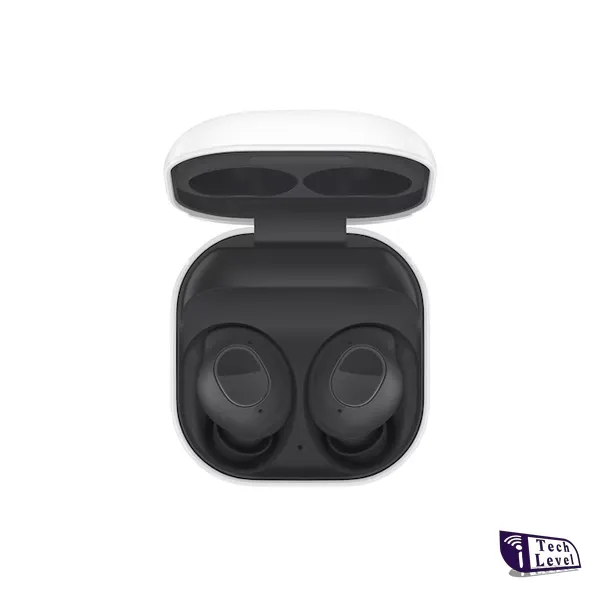
Samsung Galaxy Buds FE True Wireless Earbuds product photo iTech Level

For a Galaxy S26, S26+ or S26 Ultra, the best earbuds are Samsung’s own Galaxy Buds 4 Pro ($249.99): strong noise cancelling, IP57, and 24-bit/96kHz audio over the Samsung Seamless Codec, which only Galaxy phones support. For less money, the Galaxy Buds 3 FE ($149.99, often discounted) cancel noise just as well. If you want the best sound and use more than one brand of device, get the Sony WF-1000XM6, which use LDAC on Galaxy phones. On a budget, the EarFun Air Pro 4 and Soundcore P30i are the picks.

Check the Samsung Galaxy Buds 4 Pro on Amazon →

Every pick works with any recent Galaxy phone, including the Galaxy Z Fold8 and Z Flip8 and older S-series models. The Samsung-only extras need a Galaxy phone or tablet; we point them out in each pick.

How we put this together: this guide is based on manufacturers’ official specifications plus published reviews and measurements from independent outlets (linked in each pick). It is not based on hands-on testing by iTech Level. Prices are list prices at the time of writing and change often. See how we choose products.

Best earbuds for Samsung Galaxy compared

EarbudsBest forHi-res on GalaxyBattery (per charge)Water resistanceList price
Samsung Galaxy Buds 4 ProBest overallSSC UHQ, 24-bit/96kHzUp to 6 hr with ANC (7 off)IP57$249.99Check Price
Samsung Galaxy Buds 3 FEBest value SamsungSamsung Seamless CodecUp to 6 hr with ANC (8.5 off)IP54$149.99Check Price
Sony WF-1000XM6Best soundLDAC, up to 24-bit/96kHzUp to 8 hrIPX4$329.99Check Price
Bose QuietComfort Ultra Earbuds (2nd Gen)Best for multipoint and comfortNoUp to 6 hr (4 with Immersive Audio)IPX4$299Check Price
EarFun Air Pro 4Most features for the moneyLDACUp to 7.5 hr with ANC (11 off)IPX5$89.99Check Price
Soundcore P30iCheapest noise cancellingNoUp to 6 hr with ANC (10 off)IP54$27–$50Check Price

Battery and water-resistance figures are the makers’ ratings. Battery life drops with noise cancelling, 360 Audio or hi-res codecs switched on.

The best earbuds for Samsung Galaxy phones in 2026

1. Samsung Galaxy Buds 4 Pro: best overall

Samsung launched the Galaxy Buds 4 Pro alongside the Galaxy S26 in February 2026, and they’re the earbuds that get the most out of it. On a Galaxy phone they stream at up to 24-bit/96kHz over Samsung’s Seamless Codec (SSC UHQ), and you get 360 Audio with head tracking, head gestures for answering calls, Auracast and Gemini or Bixby by voice. They have silicone ear tips, are rated IP57, and the case charges over USB-C or Qi wireless chargers (SamMobile).

SoundGuys rates them 8/10, measured strong noise cancelling (about 84 percent average attenuation), and got just over 6 hours per charge with ANC on. Good to know: battery life is shorter than Sony’s or Apple’s flagships, there’s no true multipoint (they auto-switch between Galaxy devices instead), and most of the extras disappear on a non-Samsung phone.

Check the Galaxy Buds 4 Pro on Amazon →

2. Samsung Galaxy Buds 3 FE: best value Samsung earbuds

The Galaxy Buds 3 FE (September 2025) borrow the stem design of Samsung’s Pro earbuds and, unlike the regular Buds 4, they seal with silicone ear tips. That pays off: SoundGuys measured about 86 percent noise reduction, slightly better than Samsung’s pricier Pro model of the same generation, and concludes that “Samsung’s best earbuds aren’t necessarily the most expensive ones.” They support the Samsung Seamless Codec and Galaxy AI features, and they’re rated IP54. They’re also the Samsung pick in our best headphones for teens.

Good to know: there’s no multipoint and no wireless charging, and SoundGuys measured under 4.5 hours per charge with ANC on, below Samsung’s 6-hour rating. List price is $149.99, but they’re often discounted.

Check the Galaxy Buds 3 FE on Amazon →

3. Sony WF-1000XM6: best sound

Galaxy phones support Sony’s LDAC codec (Android Central), so the WF-1000XM6 (February 2026) can stream hi-res audio at up to 24-bit/96kHz from a Galaxy S26, just as they would from a Sony phone. SoundGuys calls them Sony’s best earbuds so far, with great sound, excellent noise cancelling and much-improved microphones for calls. They also support true multipoint, are rated IPX4, and last up to 8 hours per charge (24 with the case).

Good to know: at $329.99 they’re the most expensive pick, LDAC at its highest quality uses more battery, and you manage them in Sony’s app rather than in the Galaxy Wearable app. If you also use a Windows laptop or a non-Samsung tablet, they’re the better choice over the Buds 4 Pro.

Check the WF-1000XM6 on Amazon →

4. Bose QuietComfort Ultra Earbuds (2nd Gen): best for multipoint and comfort

The Bose QC Ultra Earbuds (2nd Gen) are for people who want top-tier noise cancelling and switch between a phone and a laptop all day. What Hi-Fi? praises their outstanding noise cancelling, design and punchy, entertaining sound. Bose rates them at up to 6 hours per charge (4 with Immersive Audio), with three more charges in a wireless-charging case, plus multipoint and IPX4 (Bose).

Good to know: there’s no hi-res codec advantage on a Galaxy phone, battery life is on the short side, and the $299 list price is high, though they’re often on sale for less.

Check the Bose QC Ultra Earbuds on Amazon →

5. EarFun Air Pro 4: most features for the money

The EarFun Air Pro 4 pack features you usually pay much more for: adaptive hybrid noise cancelling, LDAC (which Galaxy phones support) and aptX Lossless, multipoint, a low-latency game mode and six microphones for calls. Battery life is up to 11 hours per charge (7.5 with ANC) and 52 hours with the case, and they’re rated IPX5. SoundGuys liked the sound, noise cancelling, comfort and feature-packed app at $89.99.

Good to know: on a Galaxy phone you’d use LDAC rather than aptX Lossless, and SoundGuys notes that turning noise cancelling on changes the sound. EarFun has since released the Air Pro 4+ ($99.99), so the Air Pro 4 is often discounted.

Check the EarFun Air Pro 4 on Amazon →

6. Soundcore P30i: cheapest noise cancelling

If you want noise cancelling for as little as possible, the Soundcore P30i usually sell for well under $50. They last up to 10 hours per charge (6 with noise cancelling) and up to 45 hours with the case, support Bluetooth 5.4 multipoint, are rated IP54, and the case doubles as a phone stand. The Soundcore app adds a custom EQ.

Good to know: the noise cancelling is well behind the Samsung, Sony and Bose picks, there’s no wireless charging, and there’s no hi-res codec. For more cheap options, see our best earbuds under $50 for Android.

Check the Soundcore P30i on Amazon →

What matters when you buy earbuds for a Galaxy phone

  • Samsung’s codec only works with Samsung earbuds. The Samsung Seamless Codec, including the 24-bit/96kHz UHQ mode on the Buds 4 Pro, needs Galaxy Buds and a Galaxy phone. Other earbuds connect over AAC, SBC or, if they support it, LDAC.
  • LDAC is the hi-res option for other brands. Galaxy phones support LDAC, so Sony and EarFun earbuds can stream hi-res audio too. Check a pair’s codec list before paying extra for other hi-res codecs.
  • Galaxy Buds extras need a Galaxy device. 360 Audio with head tracking, head gestures, Auto Switch between your Galaxy phone, tablet and watch, and Galaxy AI voice features work best, or only, on Samsung phones.
  • Multipoint isn’t the same as Auto Switch. Galaxy Buds hand off between Samsung devices signed in to the same account. If you need to stay connected to a Galaxy phone and a Windows laptop or MacBook at once, pick earbuds with true multipoint, like the Sony, Bose, EarFun or Soundcore.
  • Fit decides noise cancelling. Earbuds with silicone tips (Buds 4 Pro, Buds 3 FE, Sony, Bose) block much more noise than open-fit earbuds like the regular Galaxy Buds 4.

Using a Pixel or another Android phone too? See our best earbuds for Google Pixel and our guide to wireless earbuds for Android. Have an iPhone in the house? We cover that in best earbuds for iPhone.

Also worth a look

  • Samsung Galaxy Buds 4 ($179.99): the open-fit version, with no silicone tips. SoundGuys found that the fit doesn’t stay put for many people and noise cancelling can only do so much without a seal. Only consider them if you know you prefer AirPods-style earbuds.
  • Samsung Galaxy Buds FE: the older, cheaper FE model with noise cancelling and wing tips for a secure fit. Worth it only at a clear discount below the Buds 3 FE.
  • For workouts: the Beats Powerbeats Pro 2 (ear hooks, IPX4, a Beats app for Android) or, for much less, the JLab Go Sport+.

Our verdict

On a Galaxy S26, the Galaxy Buds 4 Pro are the best all-round earbuds: strong noise cancelling, IP57, and 24-bit hi-res audio and features that only Samsung earbuds get. The Galaxy Buds 3 FE give you most of that, with noise cancelling that’s just as good, for much less. If you care most about sound or use non-Samsung devices too, get the Sony WF-1000XM6; for multipoint and comfort, the Bose QC Ultra Earbuds. On a budget, the EarFun Air Pro 4 bring LDAC and 52 hours of battery for under $100, and the Soundcore P30i is the cheapest way to get noise cancelling.

Frequently asked questions

What are the best earbuds for the Galaxy S26 Ultra?

The Samsung Galaxy Buds 4 Pro. They launched with the Galaxy S26 series and are the only earbuds that get Samsung’s 24-bit/96kHz Seamless Codec, 360 Audio and head gestures on an S26 Ultra. They have strong noise cancelling, IP57 water resistance and cost $249.99.

Are Galaxy Buds better than AirPods on a Samsung phone?

Yes. AirPods work on Android only as basic Bluetooth earbuds, without most of their smart features. Galaxy Buds get one-tap pairing, Auto Switch, Samsung’s hi-res codec and Galaxy AI features on a Samsung phone.

Do Sony earbuds work with Samsung phones?

Yes. Galaxy phones support Sony’s LDAC codec, so earbuds like the WF-1000XM6 can stream hi-res audio from a Galaxy S26. You manage them in the Sony app instead of the Galaxy Wearable app.

Should I get the Galaxy Buds 4 or Buds 4 Pro?

For most people, the Buds 4 Pro. They seal with silicone ear tips, so the noise cancelling works far better. The regular Buds 4 have an open fit with no tips, which some people find more comfortable but which blocks much less noise and doesn’t stay in every ear.

What are the best cheap earbuds for a Samsung phone?

The Galaxy Buds 3 FE if you want Samsung’s features and strong noise cancelling at a lower price, the EarFun Air Pro 4 ($89.99) for LDAC, multipoint and long battery life, or the Soundcore P30i (usually under $50) for the cheapest noise cancelling.

Related guides

Best Earbuds for Samsung Galaxy S26 (2026): 6 Picks for S26, S26 Ultra and Z Fold8 Read More »

Best Earbuds for iPhone (2026): 7 Picks for iPhone 18 Pro, 17 and Air

Apple AirPods 4 wireless earbuds with Adaptive Audio and USB-C charging case

For most iPhone owners the AirPods Pro 3 are the best earbuds you can buy: Apple’s strongest noise cancelling, a sealed fit, heart-rate sensing for workouts and up to 8 hours per charge, for $249. If you’d rather spend less, the new AirPods 5 ($129, or $149 with wireless charging) now have noise cancelling too. For workouts, get the Powerbeats Pro 2; on a tight budget, the Beats Solo Buds keep the one-tap iPhone pairing for about $80.

Check the Apple AirPods Pro 3 on Amazon →

Every pick here works with the iPhone 18 Pro and Pro Max, the iPhone Duo, the iPhone 17, iPhone Air and 17e, and older iPhones. Where a feature needs a newer iPhone or a recent iOS version, we say so.

How we put this together: this guide is based on manufacturers’ official specifications plus published reviews from independent outlets (linked in each pick). It is not based on hands-on testing by iTech Level. Prices are list prices at the time of writing and change often. See how we choose products.

Best earbuds for iPhone compared

EarbudsBest forNoise cancellingBattery (per charge)Water resistanceList price
Apple AirPods Pro 3Best overallYes (Apple’s strongest)Up to 8 hr with ANCIP57$249 ($199 on Amazon, Oct 15)Check Price
Apple AirPods 5Best value AirPodsYes (open fit)Up to 5 hr with ANCImproved (no IP rating published)$129 / $149 (wireless case)Check Price
Beats Powerbeats Pro 2Best for workoutsYesUp to 8 hr with ANC (10 off)IPX4$249 ($199 on Amazon, Oct 15)Check Price
Bose QuietComfort Ultra Earbuds (2nd Gen)Best non-Apple noise cancellingYesUp to 6 hr (4 with Immersive Audio)IPX4$299Check Price
Sony WF-1000XM6Best for calls and soundYesUp to 8 hrIPX4$329.99 ($328 on Amazon, Oct 15)Check Price
Beats Solo BudsCheapest with iPhone pairingNoUp to 18 hr (case has no battery)IPX4$79.99 ($69.95 on Amazon, Oct 15)Check Price
Soundcore P30iCheapest noise cancellingYesUp to 6 hr with ANC (10 off)IP54$27–$50Check Price

Battery and water-resistance figures are the makers’ ratings. Battery life drops with noise cancelling, Spatial or Immersive Audio switched on.

The best earbuds for iPhone in 2026

1. Apple AirPods Pro 3: best overall

The AirPods Pro 3 are the easiest recommendation for an iPhone. Apple says they remove up to twice as much noise as the AirPods Pro 2 (Apple Newsroom), and they last up to 8 hours per charge with noise cancelling on, or 24 hours with the case. They’re rated IP57 for dust, sweat and water, come with five ear-tip sizes from XXS to L, and the case charges on MagSafe, Qi, an Apple Watch charger or USB-C (Apple specs).

Two extras matter on an iPhone. A built-in heart-rate sensor tracks workouts in the Fitness app, so you can leave the Apple Watch at home, and Live Translation works on an Apple Intelligence iPhone. They also support Apple’s Hearing Aid feature. What Hi-Fi? gives them five stars. Good to know: at $249 they’re the priciest AirPods earbuds, and most of the smart features don’t work on Android.

Check the AirPods Pro 3 on Amazon →

2. Apple AirPods 5: best value AirPods

Apple announced the AirPods 5 in September 2026 at $129, or $149 with a wireless charging case, and noise cancelling now comes on both models (Apple Newsroom). They keep the open fit of the AirPods 4, with no silicone ear tips, and Apple says the new noise cancelling removes up to 50 percent more noise than the AirPods 4 with ANC. The ear-tip-free fit is one reason they’re the iPhone pick in our headphones for teens guide.

The $149 version adds a case that charges on Qi and Apple Watch chargers as well as USB-C, plus a volume swipe on the stem. Battery life is up to 5 hours per charge with noise cancelling, or 22 hours with the case. Good to know: an open fit can’t seal out noise like the AirPods Pro 3, so frequent flyers and train commuters should spend the extra $100. If you don’t like silicone tips in your ears, these are the ones to get.

Check the AirPods 5 on Amazon →

3. Beats Powerbeats Pro 2: best for workouts

Beats is owned by Apple, and the Powerbeats Pro 2 run on the same H2 chip as the AirPods Pro, so you get one-tap pairing, automatic switching between your Apple devices, hands-free Siri and Find My. The ear hooks keep them in place on runs and in the gym, they’re rated IPX4, and they last up to 10 hours per charge (8 with noise cancelling) with about 3.5 more charges in the case, which also charges wirelessly on Qi (Macworld).

Macworld calls them its favorite earbuds for exercise. They also have heart-rate sensors, but if you wear an Apple Watch the iPhone uses the watch’s reading instead. Good to know: they skip some AirPods Pro features, such as Conversation Awareness, Adaptive Audio and the hearing-health tools, and the hooks make the case bigger. Unlike AirPods, they also have a Beats app for Android.

Check the Powerbeats Pro 2 on Amazon →

4. Bose QuietComfort Ultra Earbuds (2nd Gen): best non-Apple noise cancelling

If noise cancelling is your top priority and you don’t need Apple’s extras, the Bose QC Ultra Earbuds (2nd Gen) are the main rival to the AirPods Pro 3. What Hi-Fi? praises their outstanding noise cancelling, design and punchy, entertaining sound. Bose rates them at up to 6 hours per charge (4 with Immersive Audio), with three more charges in a wireless-charging case, plus multipoint and IPX4 (Bose).

Good to know: they cost $299, battery life is the shortest of the premium picks, and on an iPhone you manage them in the Bose app rather than in iOS Settings. They have often been on sale for less.

Check the Bose QC Ultra Earbuds on Amazon →

5. Sony WF-1000XM6: best for calls and sound

Sony’s WF-1000XM6 (February 2026) are the pick for people who also use a Mac, a Windows laptop or an Android phone. SoundGuys calls them Sony’s best earbuds so far, with great sound, excellent noise cancelling and much-improved microphones for calls. They support multipoint, are rated IPX4, and last up to 8 hours per charge (24 with the case).

Good to know: their headline LDAC hi-res codec doesn’t work on an iPhone, which streams over AAC, so on iOS you’re paying for the noise cancelling, microphones and tuning rather than hi-res audio. At $329.99 they’re the most expensive pick here. Sony’s app has a detailed EQ.

Check the WF-1000XM6 on Amazon →

6. Beats Solo Buds: cheapest with one-tap iPhone pairing

At $79.99 list ($69.95 on Amazon on October 15), the Solo Buds are the cheapest earbuds that pair with an iPhone the way AirPods do: one tap to connect, synced to every device on your iCloud account, Find My for the last connected location, and audio sharing (MacRumors). They’re rated IPX4 for sweat and splashes (Apple). The earbuds themselves hold up to 18 hours, and the tiny case has no battery of its own: it’s just for storage and charging over USB-C.

Good to know: to hit that price they drop noise cancelling, Transparency mode, “Hey Siri” and in-ear detection, and TechRadar found the bass lighter than you might expect from Beats. They’re a good spare pair, or a first pair for a teen’s iPhone.

Check the Beats Solo Buds on Amazon →

7. Soundcore P30i: cheapest noise cancelling

If you want noise cancelling for as little as possible, the Soundcore P30i usually sell for well under $50. They last up to 10 hours per charge (6 with noise cancelling) and up to 45 hours with the case, support Bluetooth 5.4 multipoint, are rated IP54, and the case doubles as a phone stand. The Soundcore app works on iPhone and adds a custom EQ.

Good to know: the noise cancelling is well behind the AirPods and Bose, there’s no wireless charging, and you don’t get Apple’s one-tap pairing or automatic switching. For more budget picks, see our best earbuds under $150 guide.

Check the Soundcore P30i on Amazon →

What matters when you buy earbuds for an iPhone

  • The codec doesn’t matter much. iPhones stream Bluetooth audio over AAC. Hi-res codecs such as LDAC and aptX, which many Android-first earbuds advertise, aren’t supported, so don’t pay extra for them if you only use an iPhone.
  • Apple’s chips add the conveniences. AirPods and recent Beats use Apple’s own chips, which give one-tap pairing, automatic switching between your iPhone, iPad and Mac, hands-free Siri and Find My. Other brands connect like any Bluetooth device and use their own app.
  • Some features need a newer iPhone. Live Translation needs an Apple Intelligence iPhone and a recent iOS version, and AirPods Pro 3 heart-rate tracking works through the Fitness app in iOS 26 and later.
  • Fit matters more than specs. Sealed earbuds with silicone tips (AirPods Pro 3, Bose, Sony) block the most noise. Open-fit AirPods 5 are more comfortable for some people but block less. Hooks (Powerbeats Pro 2) are the most secure for sport.
  • One cable for everything. Every current iPhone and every pick here charges over USB-C, and the AirPods Pro 3, AirPods 5 ($149 model), Powerbeats Pro 2 and Bose cases also charge wirelessly.

Want over-ear headphones instead? See our best noise-cancelling headphones. Using an Android phone too? Our best earbuds for Google Pixel guide covers the Android side.

Also worth a look

  • AirPods Pro 2: replaced by the AirPods Pro 3, but still good if you find them at a clear discount.
  • AirPods 4: replaced by the AirPods 5; only worth it on a big sale.
  • Beats Studio Buds+: a middle option with noise cancelling and one-tap pairing on both iPhone and Android, for people who want Beats without ear hooks.

Our verdict

For an iPhone, the AirPods Pro 3 are the best all-round earbuds: Apple’s strongest noise cancelling, a secure sealed fit, IP57 and heart-rate tracking. If $249 is too much, the AirPods 5 give you noise cancelling and the same easy iPhone pairing from $129. Athletes should get the Powerbeats Pro 2. If you also use non-Apple devices, the Bose QC Ultra Earbuds and Sony WF-1000XM6 are the best alternatives, and on a budget the Beats Solo Buds and Soundcore P30i cover the basics for under $100.

Black Friday 2026: AirPods and iPhone earbud deals

Next sale: Black Friday

Prime Big Deal Days has ended. Black Friday is November 27, 2026, and Cyber Monday is November 30. Amazon's Black Friday deals often start a few days early. Our picks are chosen on year-round value, not just sale pricing; tap any link to see today's price.

Black Friday 2026 is November 27, with many deals starting the week before and running through Cyber Monday (November 30). Here’s what the main picks sold for at Black Friday 2025, so you can tell a real deal.

ModelBlack Friday 2025 priceList price thenSource
Apple AirPods Pro 3$219.99 (then $199 in December)$249MacRumors, MacRumors
Bose QuietComfort Ultra Earbuds (2nd Gen)$216$2999to5Toys
  • The AirPods 5 are new (September 2026), so discounts on them may be small this year; the AirPods Pro 3 have a full year of deal history.
  • Watch after Black Friday too: the AirPods Pro 3 reached their lowest price, $199, in December 2025.
  • Check the model name: listings for older AirPods Pro 2 and AirPods 4 will also be discounted.

Frequently asked questions

What are the best earbuds for iPhone in 2026?

The AirPods Pro 3 for most people. They have Apple’s strongest noise cancelling, up to 8 hours per charge with ANC, IP57 water resistance, heart-rate sensing and one-tap iPhone pairing, for $249. The AirPods 5 are the best cheaper option at $129.

What are the best earbuds for the iPhone 18 Pro?

The same as for any recent iPhone: the AirPods Pro 3. The iPhone 18 Pro doesn’t need special earbuds; it streams Bluetooth audio over AAC like earlier iPhones, and it supports Apple Intelligence features such as Live Translation with the AirPods Pro 3.

Are AirPods worth it over other earbuds on an iPhone?

Usually yes. AirPods add one-tap pairing, automatic switching between Apple devices, Find My and features like Live Translation that other brands can’t offer on iOS. Bose and Sony earbuds are worth it if you also use Android or Windows, or prefer their sound or fit.

Do Sony or Samsung earbuds work well with an iPhone?

Yes, any Bluetooth earbuds work with an iPhone. You lose the brand’s hi-res codecs (an iPhone only streams AAC, not LDAC or the Samsung Seamless Codec) and Apple’s one-tap pairing, and you control them through the maker’s app.

What are the best cheap earbuds for iPhone?

The Beats Solo Buds ($79.99) if you want AirPods-style one-tap pairing and Find My, or the Soundcore P30i (usually under $50) if you want noise cancelling. Neither matches the AirPods 5 for noise cancelling or iPhone features.

Related guides

Best Earbuds for iPhone (2026): 7 Picks for iPhone 18 Pro, 17 and Air Read More »

Best Gaming Headsets (2026): 7 Picks for PC, PS5 and Xbox

Gamer wearing a headset in front of a PC

For most PC and PS5 players the Razer BlackShark V3 is the best gaming headset right now: light, low-latency wireless, a strong mic and around 70 hours of battery for about $150. If you play on Xbox or move between consoles, get the SteelSeries Arctis Nova 5 (the Nova 5X for Xbox). On a tight budget, the LucidSound LS500 is wireless for about $70. For the best sound, the Audeze Maxwell 2; for one headset that connects to everything at once, the Arctis Nova Pro Omni.

Check the Razer BlackShark V3 on Amazon →

Check the BlackShark V3 at Razer.com →

How we put this together: this guide is based on manufacturers’ official specifications plus published reviews and measurements from independent outlets (linked in each pick). It is not based on hands-on testing by iTech Level. Prices are list prices at the time of writing and change often. See how we choose products.

Next sale: Black Friday

Prime Big Deal Days has ended. Black Friday is November 27, 2026, and Cyber Monday is November 30. Amazon's Black Friday deals often start a few days early. Our picks are chosen on year-round value, not just sale pricing; tap any link to see today's price.

Best gaming headsets compared

HeadsetBest forConnectionPlatformsBatteryWeightList priceBuy
Razer BlackShark V3Best overall2.4GHz, Bluetooth, USBPC, PS5, Switch, mobileUp to 70 hr270 gAbout $150Check price
SteelSeries Arctis Nova 5 / 5XBest for consoles2.4GHz (USB-C), BluetoothPC, PS5, Switch 2, mobile; Xbox on the 5XUp to 60 hr265 gAbout $130 ($113.99 on Amazon, Oct 15)Check price
LucidSound LS500Best budget wireless2.4GHz, BluetoothPC, PS5, mobile; Xbox on the LS500XUp to 50 hr (2.4GHz), 70 hr (Bluetooth)265 gAbout $70Check price
HyperX Cloud AlphaBest wired, punchy bass3.5 mmAnything with a 3.5 mm jackNone neededAbout 300 gUnder $100—
HyperX Cloud Alpha WirelessBest battery life2.4GHzPC, PS5Up to 300 hrAbout 320 gAbout $200—
Audeze Maxwell 2Best sound quality2.4GHz, Bluetooth, USB-C, 3.5 mmPC, PS5, Switch, mobile; Xbox versionUp to 80 hr560 g$329 (PS) / $349 (Xbox)Check price
SteelSeries Arctis Nova Pro OmniBest premium, multi-platform2.4GHz, Bluetooth, USB, line-inPC, PS5, Xbox, Switch 2, mobile2 swappable batteries339 gAbout $400 ($359.99 on Amazon, Oct 15)Check price

Specs from each manufacturer’s product page. Battery figures are the maker’s ratings and drop with RGB, noise cancelling or low-latency modes switched on.

The best gaming headsets in 2026

1. Razer BlackShark V3: best overall

The BlackShark V3 gets the basics right at a fair price. It weighs 270 g, connects over Razer’s 2.4GHz HyperSpeed dongle, Bluetooth or USB, and can play both wireless sources at once, so you can hear your game and a phone call together. A low-latency mode cuts wireless delay to as little as 10 ms, according to Razer. The battery is rated at up to 70 hours, and 15 minutes of charging gives about 6 hours. The 50 mm drivers and a detachable super-wideband mic round it out.

PC Gamer rates it the best gaming headset overall, praising its clear mids for picking out in-game detail and an improved bass over the last generation. Good to know: the 10 ms mode drains the battery faster, and the standard V3 doesn’t work wirelessly with Xbox. The V3 Pro adds noise cancelling and an Xbox version, but costs much more.

Check the BlackShark V3 on Amazon →

Check the BlackShark V3 at Razer.com →

2. SteelSeries Arctis Nova 5 / Nova 5X: best for consoles

The Arctis Nova 5 is the easy pick if you play on more than one system. Its small USB-C dongle works with PC, PlayStation, Switch and Switch 2, Steam Deck-style handhelds and USB-C phones, and Bluetooth covers everything else. The Nova 5X version adds Xbox support with the same specs and price. It weighs 265 g, the mic retracts fully into the earcup, and SteelSeries rates the battery at up to 60 hours. The companion phone app has audio presets for more than 100 games, which is handy on consoles where you can’t run PC software.

Good to know: there’s no active noise cancelling, and ChatMix (the game/chat balance dial) doesn’t work on PlayStation. Tom’s Hardware’s review calls it a cheaper Nova 7, which is a fair summary.

Check the Arctis Nova 5 on Amazon →

Check the Nova 5X (Xbox) on Amazon →

3. LucidSound LS500: best budget wireless

At about $70, the LS500 from PowerA’s LucidSound brand is wireless, light and long-lasting for the money. It connects to PlayStation and PC through a USB dongle or to other devices over Bluetooth, weighs 265 g, has a glasses-friendly fit, and PowerA rates the battery at up to 50 hours on the dongle or 70 hours over Bluetooth. The 50 mm drivers have three EQ modes (Signature, Bass Boost and FPS), and the boom mic flips up to mute. Xbox players need the LS500X version.

Good to know: PC Gamer, which picks it as the best budget headset, notes a plasticky feel and that its reviewer could only get the mic working over the dongle, not Bluetooth. There’s no noise cancelling at this price.

Check the LucidSound LS500 on Amazon →

4. HyperX Cloud Alpha: best wired headset (and great bass)

If you don’t need wireless, the HyperX Cloud Alpha is still the one to beat years after launch. Its 50 mm dual-chamber drivers separate the bass from the mids and highs, which gives it a hearty low end without muddying footsteps and voices. It plugs into anything with a 3.5 mm jack, including PS5 and Xbox controllers, the Switch and phones with a headphone port, so there’s no battery or wireless lag to think about. The mic detaches when you don’t need it.

Good to know: the mic doesn’t flip up to mute, so you mute with the in-line control. It’s often discounted well below list price. PC Gamer names it the best wired gaming headset.

Check the Cloud Alpha on Amazon →

5. HyperX Cloud Alpha Wireless: best battery life

The wireless Cloud Alpha keeps the same dual-chamber drivers and adds a battery that HyperX rates at up to 300 hours, so most people charge it every few weeks rather than every few days. It connects to PC and PS5 over a 2.4GHz USB dongle and weighs about 320 g. The detachable mic has an LED that shows when you’re muted.

Good to know: there’s no Bluetooth and no Xbox support, and it costs more than the BlackShark V3. GamesRadar+ picks it as the best headset for battery life.

Check the Cloud Alpha Wireless on Amazon →

6. Audeze Maxwell 2: best sound quality

If sound quality matters most, the Maxwell 2 is the headset reviewers keep pointing to. It uses 90 mm planar magnetic drivers, the kind found in high-end hi-fi headphones, and adds Audeze’s SLAM design for deeper bass that doesn’t cover up detail. It connects over a 2.4GHz dongle, Bluetooth, USB-C or 3.5 mm, the battery is rated at up to 80 hours, and the detachable boom mic uses AI noise reduction. RTINGS and PC Gamer both rank it their top wireless pick for audio.

Good to know: at 560 g it’s very heavy, and some reviewers found it uncomfortable over long sessions. It can’t mix the dongle and Bluetooth audio at the same time. The PlayStation version (about $329) works with PC, PS5 and Switch; the Xbox version (about $349) also works with PC.

Check the Maxwell 2 on Amazon →

7. SteelSeries Arctis Nova Pro Omni: best premium, multi-platform headset

The Nova Pro Omni, launched in May 2026, is for people who play on several systems and want one headset for all of them. Its GameHub base station has two USB inputs plus Bluetooth and line-in, and can mix up to four sources at once, for example Discord on your PC with game audio from a PS5 or Xbox. It adds active noise cancelling with a transparency mode, Hi-Res certified drivers, a retractable mic, and two hot-swappable batteries: one charges in the base while you use the other, so you never wait on a charge (SteelSeries specs).

Good to know: at about $400 list ($359.99 on Amazon on October 15) it’s the most expensive pick here, and you only get the most out of it if you really do switch between systems. GamesRadar+ currently ranks it the best gaming headset overall.

Check the Arctis Nova Pro Omni on Amazon →

Best gaming headsets for bass and sound quality

More bass makes explosions and engines feel bigger, but too much of it can mask footsteps in competitive shooters. The best headsets for bass keep the low end separate from the mids:

  • Most bass without losing detail: Audeze Maxwell 2, whose SLAM design was built to deepen the bass of its planar drivers.
  • Best bass for the money: HyperX Cloud Alpha (wired) or Cloud Alpha Wireless, thanks to the dual-chamber drivers.
  • Bass on a budget: LucidSound LS500, using its Bass Boost EQ mode.
  • Clearest footsteps: Razer BlackShark V3, which is tuned for clear mids and positional audio.

Every wireless pick here has an EQ in its app, so you can add or remove bass yourself. For competitive games, an FPS or footsteps preset usually helps more than a bass boost.

Which gaming headset for your platform?

  • PC: Razer BlackShark V3 for most people; Audeze Maxwell 2 for the best sound; Cloud Alpha Wireless if you hate charging.
  • PS5: BlackShark V3, Arctis Nova 5 or LucidSound LS500. The PS5 doesn’t send game audio over Bluetooth, so use the dongle or a cable. See our best PS5 headsets for more, including the new PlayStation Pulse. Sony’s own INZONE and Pulse headsets are covered in our best Sony headphones for gaming guide.
  • Xbox: wireless headsets need an Xbox-specific version (Arctis Nova 5X, LucidSound LS500X, the Maxwell 2 Xbox edition), or the Arctis Nova Pro Omni. Any headset works wired through the controller’s 3.5 mm jack, which makes the HyperX Cloud Alpha a safe choice.
  • Switch, Switch 2 and handhelds: the Arctis Nova 5’s USB-C dongle is the neatest option; any wired headset works too. See our best headphones for Switch 2.
  • Mixing PC and console: the Arctis Nova Pro Omni is built for exactly this.

Thinking of using regular Bluetooth headphones instead? Read can you use Bluetooth headphones for gaming first: Bluetooth adds noticeable lag, which is why gaming headsets use a 2.4GHz dongle.

Gaming headset deals: Prime Big Deal Days and Black Friday 2026

Gaming headsets are some of the most heavily discounted products in Amazon’s October sale and over Black Friday. Use last year’s sale prices below as a yardstick: at or below them, it’s a good deal. If a headset is only a few dollars under its list price, it’s usually worth waiting for the next sale.

HeadsetList priceBlack Friday 2025 sale priceSource
Razer BlackShark V3$149.99$129.99 at AmazonPC Gamer
SteelSeries Arctis Nova 5About $130 (was $149.99)$104.99 at AmazonTechRadar
HyperX Cloud Alpha (wired)$99.99$59.99 at AmazonPC Gamer
HyperX Cloud Alpha Wireless$199.99$125.63 at AmazonPC Gamer

Past prices don’t guarantee this year’s deals, but they show how far these headsets tend to drop. The Arctis Nova 5 has also dipped just under $100 in an earlier sale (TechRadar). The LucidSound LS500 (already about $70), Audeze Maxwell 2 ($329 / $349) and Arctis Nova Pro Omni (about $400, launched May 2026) have no Black Friday history yet, so treat any real cut below list as a bonus.

How to tell a real headset deal

  • Check the exact model. Sales often land on a different version: the BlackShark V3 X instead of the V3, the Nova 5P or 5X instead of the Nova 5, the LS500X instead of the LS500. On Xbox, only the Xbox versions work wirelessly.
  • Compare with the list price, not the “was” price. Some listings show an inflated “was” price to make the discount look bigger.
  • Look at the price history. A tracker such as camelcamelcamel or Keepa shows whether today’s price is really a low.
  • Check who sells it. Buy from Amazon itself or the brand’s official store; third-party listings can be older stock or a different region’s version.

Shopping for a gaming laptop too? See our October Prime Day gaming laptop deals and the best laptops to buy on Black Friday.

Also worth a look

  • Logitech G Pro X 2 Lightspeed: graphene drivers with precise directional audio that competitive players like, though GamesRadar+ notes a weaker mic and a USB-A receiver.
  • Turtle Beach Atlas Air: a rare open-back wireless gaming headset, with 2.4GHz and Bluetooth, for a more spacious sound if you play in a quiet room.
  • Sony INZONE H9 II and H5: strong options for PC and PS5; see our Sony gaming headphones guide.
  • Earbuds instead of a headset: the EarFun Air Pro 4 has a low-latency game mode over Bluetooth; PC Gamer picks the Air Pro 4+ as its best gaming earbuds.

Frequently asked questions

What is the best gaming headset in 2026?

For most PC and PS5 players, the Razer BlackShark V3: it weighs 270 g, has low-latency 2.4GHz wireless plus Bluetooth, a detachable mic and up to 70 hours of battery for about $150. For Xbox or several consoles, the SteelSeries Arctis Nova 5 (Nova 5X for Xbox) is the better fit.

Which gaming headset has the best sound quality?

The Audeze Maxwell 2. Its 90 mm planar magnetic drivers give it clearer, deeper sound than typical gaming headsets, and RTINGS and PC Gamer both rate it their top wireless pick for audio. The trade-off is weight: it’s 560 g.

What is the best gaming headset for bass?

The Audeze Maxwell 2 has the most bass without losing detail. For less money, the HyperX Cloud Alpha (wired or wireless) has dual-chamber drivers that give a strong low end while keeping footsteps and voices clear. On a budget, the LucidSound LS500 has a Bass Boost EQ mode.

What is the best cheap wireless gaming headset?

The PowerA LucidSound LS500, at about $70. It connects over a low-latency USB dongle or Bluetooth, weighs 265 g, has a flip-to-mute boom mic and is rated for up to 50 hours on the dongle. Xbox players need the LS500X version.

Do wireless gaming headsets work on Xbox?

Only models made for Xbox. Xbox uses its own wireless standard, so you need an Xbox version such as the Arctis Nova 5X, LucidSound LS500X or Maxwell 2 Xbox edition, or a multi-platform base station like the Arctis Nova Pro Omni. Any headset with a 3.5 mm plug works through the Xbox controller.

When is the best time to buy a gaming headset?

During the big sales: Amazon’s Prime Big Deal Days in October and Black Friday through Cyber Monday. On Black Friday 2025 the SteelSeries Arctis Nova 5 dropped to $104.99, the HyperX Cloud Alpha Wireless to about $126 and the Razer BlackShark V3 to $129.99, all well below their list prices.

Related guides

Best Gaming Headsets (2026): 7 Picks for PC, PS5 and Xbox Read More »

Best Lenovo Laptop Under $500 (2026): 5 Picks Worth Buying

Hands typing on a Lenovo laptop keyboard

The best Lenovo laptop under $500 in 2026 is the IdeaPad Slim 3x when it’s on sale: a Snapdragon X chip, 16GB of memory, a 15.3-inch touchscreen and 16 hours 29 minutes in Tom’s Guide’s battery test. It has sold for $449, but on October 14 the cheapest new one on Amazon US was $620, so wait for Black Friday. The best Lenovo you can buy under $500 today is the Chromebook Plus i 15 ($435 on Amazon), if you mostly use Google Docs and Chrome. For Windows at this price, the IdeaPad Slim 3i with an Intel N150 (about $390) handles browsing and schoolwork, but its 8GB of memory and 128GB of storage fill up fast. For a tablet you can type on, get the Chromebook Duet 11 with 8GB of memory.

Next sale: Black Friday

Prime Big Deal Days has ended. Black Friday is November 27, 2026, and Cyber Monday is November 30. Amazon's Black Friday deals often start a few days early. Our picks are chosen on year-round value, not just sale pricing; tap any link to see today's price.

How we put this together: this guide is based on Lenovo’s published specs and independent reviews (linked below). It is not based on hands-on testing by iTech Level. Prices are list or launch prices, or the prices reviewers reported, unless we say they come from our Amazon US check on October 14, 2026. Prices change often; check the current listing. See how we choose products.

Best Lenovo laptops under $500 compared

ModelBest forKey specsBatteryPrice guide
IdeaPad Slim 3xMost people (Windows)Snapdragon X, 16GB, 15.3″ 1920×1200 touch, 3.4 lb16 h 29 min (Tom’s Guide test)List $749; seen at $449 on sale, $620+ on Oct 14
Chromebook Plus i 15School and web workCore i3-N355, 8GB, 15.3″ 1920×1200, 400 nitsUp to 11 h (Lenovo)From $469.99; $435 on Oct 14
Chromebook Duet 11 (2024)Tablet + keyboardKompanio 838, 10.95″ 2K touch, keyboard includedVery efficient (Notebookcheck)About $340–$400 at launch
Chromebook Plus 2-in-1Convertible on saleCore 3 N355, 8GB, 128GB, 360° hinge, pen inputAbout 7 h (Chrome Unboxed)MSRP $579; seen at $429, $524 on Oct 14
IdeaPad Slim 3i (Intel N150)Cheapest Windows laptopIntel N150 (4 cores), 8GB, 128GB, 15.6″ 1920×1080Up to 12 h (retailer listings)About $390–$450 on Oct 14
IdeaPad Slim 3 (Intel/AMD)Windows app compatibilityCore 5 210H or Ryzen, 8–16GB, 15.3″ 1920×12004 h or less (Thurrott)Varies widely by configuration

What Lenovo sells under $500 on Amazon right now (checked October 14, 2026)

We checked new listings on Amazon US (delivery to New York) on October 14. Of the models we checked, only two were under $500 that day, and the Slim 3x was not one of them.

ModelMemory / storageAmazon price, Oct 14Under $500?
IdeaPad Slim 3i (Intel N150)8GB / 128GB$389.99–$449.99 ($289.99 renewed)Yes
Chromebook Plus i 158GB / 128GB$435Yes
Chromebook Plus 2-in-1 (14″)8GB / 128GB$524Just over
IdeaPad Slim 3 (Ryzen 5)16GB / 512GB$569.95–$599.99No
IdeaPad Slim 3x (Snapdragon X)16GB / 512GB$620–$700No (wait for a sale)

1. Lenovo IdeaPad Slim 3x: best Lenovo laptop under $500

The IdeaPad Slim 3x is the one to buy for most people, and Tom’s Guide ranks it as the best laptop under $500 overall, from any brand. It runs Windows 11 on a Qualcomm Snapdragon X (X1-26-100) with 16GB of memory, and it has a 15.3-inch 1920×1200 touchscreen in a 3.4 lb body. The standout is battery life: 16 hours 29 minutes in Tom’s Guide’s review, far longer than Intel and AMD laptops at this price. Expert Reviews calls it the “king of the cheap laptops”.

  • Good for: students, remote work, browsing, Office and streaming, and anyone who wants to leave the charger at home.
  • Skip it if: you play games, or you rely on older Windows software or drivers that don’t support Arm chips. Check your key apps first. Reviewers also call the screen and speakers underwhelming.
  • Buying tip: the list price is $749 and it has sold for $449, but on October 14 the cheapest new Slim 3x on Amazon US was $620 and most listings were $650–$700. Black Friday (November 27) is the likeliest time to see it under $500 again. Look for the 16GB / 512GB version; the 256GB model fills up quickly.

Check the IdeaPad Slim 3x on Amazon →

2. Lenovo Chromebook Plus i 15: best for school and web work

Announced at CES 2026 for a spring 2026 launch, the Chromebook Plus i 15 starts at $469.99 (Notebookcheck). It pairs an Intel Core i3-N355 with 8GB of memory, 128GB or 256GB of storage and a 15.3-inch 1920×1200 display rated at 400 nits, with an optional 120Hz touchscreen. Lenovo rates the 65Wh battery at up to 11 hours. You also get a full keyboard with a number pad, a fingerprint reader, a 5MP webcam with a privacy shutter, HDMI, a microSD slot and MIL-STD-810H durability testing.

  • Good for: Google Docs, Classroom, web apps and Android apps, with Google’s built-in AI features.
  • Skip it if: you need Windows software such as full desktop Office apps, specialist school software or PC games.

Check the Chromebook Plus i 15 on Amazon →

3. Lenovo Chromebook Duet 11 (2024): best tablet you can type on

The Duet 11 is a 10.95-inch 2K tablet with a detachable keyboard in the box, powered by a MediaTek Kompanio 838. It launched at about $340 with 4GB of memory and 64GB of storage, or about $400 with 8GB and 128GB. Get the 8GB model: 9to5Google’s review is titled “Ruined by RAM” because 4GB isn’t enough for a modern Chromebook. Notebookcheck calls it a “mobile energy-saving champion”.

  • Good for: reading, streaming, notes and light schoolwork on the couch or on the go.
  • Skip it if: you type for hours; a small detachable keyboard is no substitute for a laptop keyboard.

Check the Chromebook Duet 11 on Amazon →

4. Lenovo Chromebook Plus 2-in-1: best convertible, if it’s on sale

At its $579 list price this 2-in-1 is over budget, but Chrome Unboxed reports it has dropped to $429 several times since launch. At that price it’s a well-made convertible: a rigid chassis, what the review calls a fantastic keyboard and trackpad, a responsive touch and pen screen, lots of ports and a fingerprint reader. The trade-offs are an Intel Core 3 N355 that is “only fine”, 8GB of memory with 128GB of storage, a fan, and about 7 hours of real-world battery life.

Check the Chromebook Plus 2-in-1 on Amazon →

5. Lenovo IdeaPad Slim 3 (Intel or AMD): only if you need full Windows compatibility

The regular IdeaPad Slim 3 is the Lenovo most people find when they search for a cheap laptop, and it’s the one to be careful with. Prices vary widely by processor, memory and storage, and reviews are weak. Thurrott’s review of an Intel Core 5 210H model found slow performance, constant fan noise and “4 hours or less” of real-world battery life, and PCWorld called it “a rare miss from Lenovo”. On the plus side, you can open it up to upgrade the memory and SSD.

Choose it only if you need Windows software or hardware that doesn’t support Snapdragon, and then buy a 16GB model; avoid 8GB versions. If you don’t need a Lenovo specifically, the Acer Aspire Go 15 (Ryzen 7 7730U, 16GB, 512GB) is a budget Windows alternative worth comparing.

Check IdeaPad Slim 3 configurations on Amazon →

The $270–$450 IdeaPad Slim 3i (Intel N150): fine for basics, nothing more

This is the Lenovo you’ll see most often under $500: Google’s own shopping results lead with it, and Best Buy has sold it for $269.99. On Amazon it was $389.99 to $449.99 new on October 14, often bundled with a year of Microsoft 365. It has a 15.6-inch 1920×1080 screen and Windows 11, but the parts are entry level. The Intel N150 has 4 cores and 4 threads at 6 W, and Intel lists one memory channel with a 16GB maximum. The usual configuration has 8GB of memory and 128GB of UFS storage.

  • Good for: web browsing, streaming, email, Google Docs and Word, and a child’s first laptop.
  • Skip it if: you keep many tabs and apps open, edit photos, or store files locally. After Windows updates, 128GB leaves little free space, and the chip itself tops out at 16GB of memory.
  • Buying tip: at these specs, the Chromebook Plus i 15 at $435 is the better buy if you can live without Windows. ChromeOS runs well on 8GB, and it has the faster Core i3-N355 chip.

Check the IdeaPad Slim 3i (N150) on Amazon →

Is there a Lenovo gaming laptop under $500?

Not a new one. None of the laptops above has a dedicated graphics card, so they only handle light or cloud gaming. Lenovo’s cheapest current gaming laptop, the LOQ 15, costs more; the RTX 5050 versions are the closest to $1,000. See the cheapest gaming laptops worth buying for those options. Older IdeaPad Gaming 3 models sometimes turn up used or refurbished; check the GPU, battery health and warranty before buying.

Still seeing the IdeaPad 3 with a Ryzen 5 5500U?

That’s a 2021 model. It was a good budget laptop in its day, and it still turns up under $500, often refurbished. In 2026 it’s only worth buying at a clear discount compared with the IdeaPad Slim 3x, which has far longer battery life and more memory as standard. Check whether the listing is new or refurbished, and how much memory and storage it has.

What to check before buying a laptop under $500

  • Memory: 16GB for Windows, 8GB for ChromeOS. 4GB and 8GB Windows laptops slow down quickly.
  • Storage: 512GB for Windows if you keep files locally; Chromebooks work with less because most files live in the cloud.
  • Chip: Snapdragon laptops last much longer on battery, but a few older Windows apps and games don’t run on them. Intel and AMD run everything but drain the battery faster.
  • Screen: look for 1920×1080 or 1920×1200. Avoid 1366×768 panels.
  • The exact model: the same name can cover very different configurations, so compare the model number and specs, not just “IdeaPad”.

Frequently asked questions

What is the best Lenovo laptop under $500?

The Lenovo IdeaPad Slim 3x is the best Lenovo laptop under $500 in 2026 when it’s on sale: it has a Snapdragon X chip, 16GB of memory and a 15.3-inch touchscreen, and it lasted 16 hours 29 minutes in Tom’s Guide’s battery test. It has sold for $449, but it was $620 or more on Amazon US on October 14, 2026. Under $500 that day, the best choice was the Chromebook Plus i 15 at $435.

Is the Lenovo IdeaPad Slim 3i with an Intel N150 good?

It’s fine for browsing, streaming and schoolwork, and it often sells for $270 to $450. The Intel N150 is a 4-core, 6 W chip, and the usual configuration has 8GB of memory and 128GB of storage, which fills up quickly on Windows. If you don’t need Windows, the Chromebook Plus i 15 is the better buy at a similar price.

Is the Lenovo IdeaPad Slim 3 good?

It’s fine for basic tasks, but reviews are mixed. Thurrott found slow performance and 4 hours or less of battery life on an Intel Core 5 model, and PCWorld called it a rare miss. The Snapdragon-based IdeaPad Slim 3x is the better choice unless you need software that only runs on Intel or AMD.

Should I get a Lenovo Chromebook or a Windows laptop under $500?

Get a Chromebook if you mostly use Google Docs, a browser and web apps: the Chromebook Plus i 15 starts at $469.99. Get a Windows laptop such as the IdeaPad Slim 3x if you need desktop software like full Microsoft Office or specialist school apps. If you’d rather have a Mac, Apple’s cheapest, the MacBook Neo, costs $599 with education pricing ($699 otherwise). For more Chromebooks, including OLED models, see our best Chromebooks.

Can a Lenovo laptop under $500 play games?

Only light, older or cloud-streamed games. Lenovo laptops under $500 have integrated graphics. For real gaming, Lenovo’s LOQ 15 with an RTX 5050 costs closer to $1,000.

When is the best time to buy a cheap Lenovo laptop?

Black Friday (November 27, 2026) and Cyber Monday (November 30) usually bring the widest discounts, and back-to-school season is another good time. The IdeaPad Slim 3x and Chromebook Plus 2-in-1 have both sold well below list price outside those events too.

Related guides

Best Lenovo Laptop Under $500 (2026): 5 Picks Worth Buying Read More »