Adam Levell

Adam Levell is the editor of iTech Level, where he has compared laptops, headphones and earbuds since 2020. He builds each guide from manufacturer specs, independent measurements and owner reviews, and covers laptop matchups on the iTech Level YouTube channel. Adam Levell is the pen name of iTech Level's founder.

Best Workout Earbuds (2026): 7 Picks That Stay Put

Runner putting in wireless earbuds

The best workout earbuds are the Beats Powerbeats Pro 2 ($249.95): earhooks that don’t budge, noise cancelling, a built-in heart rate sensor and 10 hours of battery. They’re Tom’s Guide’s top running pick. If you prefer smaller buds, the Beats Powerbeats Fit ($199.95) are NBC Select’s top pick. iPhone owners should look at the AirPods Pro 3, runners who want to hear traffic at the Shokz OpenRun Pro 2, and the JBL Endurance Race 2 are the best value under $100.

Check the Beats Powerbeats Pro 2 on Amazon →

How we put this together: this guide is based on manufacturers’ specifications and published reviews from testers who run and train in these earbuds (linked below). It is not based on hands-on testing by iTech Level. Prices are list prices at the time of writing and change often. See how we choose products.

Best workout earbuds compared

EarbudsBest forFitBattery (buds)Water / sweatList priceBuy
Beats Powerbeats Pro 2Best overallEarhookUp to 10 hrIPX4$249.95Check price
Beats Powerbeats FitCompact and secureBuilt-in wing tipUp to 7 hrIPX4$199.95Check price
Apple AirPods Pro 3Best for iPhoneIn-earUp to 8 hr (ANC on)IP57$249Check price
Google Pixel Buds Pro 2Best for AndroidMini wing tip8 hr (ANC on), 12 hr offIP54$229Check price
Shokz OpenRun Pro 2Outdoor running, hear trafficOpen-ear bandUp to 12 hrIP55$179.95Check price
JBL Endurance Race 2Best under $100Wing tipUp to 12 hrIP68 (buds)$89.95 (Amazon, Oct 15)Check price
JLab Go Sport+Cheapest earhookEarhook8–9+ hrIP55About $30Check price

Specs from the manufacturers, NBC Select and Tom’s Guide. Battery figures are rated, not measured.

How to choose workout earbuds

  • Fit first: earhooks (Powerbeats Pro 2, JLab) are the most secure for running and HIIT. Wing tips (Powerbeats Fit, Pixel Buds Pro 2, JBL) are smaller and still stable. Plain in-ear buds like the AirPods Pro 3 work if they fit your ears well.
  • Sweat and water rating: IPX4 handles sweat and splashes. A rating like IP55 or IP57 adds dust protection and stronger water resistance, and IP68 is the toughest here. None of these are made for swimming.
  • Hear the world or block it out: noise cancelling helps in a loud gym, but outdoors you want a transparency mode or open-ear headphones so you can hear traffic. See our best open-ear earbuds for more.
  • Heart rate: the Powerbeats Pro 2 and AirPods Pro 3 have built-in heart rate sensors, useful if you don’t wear a fitness tracker.
  • Buttons vs touch: physical buttons, like those on the Powerbeats Fit, are easier with sweaty fingers or gloves than touch controls.

The best workout earbuds in 2026

1. Beats Powerbeats Pro 2: best workout earbuds

Tom’s Guide‘s running writer, a 13-time marathoner, ran 150 miles in the Powerbeats Pro 2 before launch and names them the best running headphones, praising their comfortable, secure fit, good battery life and “dynamic, pulsing bass”. NBC Select calls them some of the most secure workout headphones it has tested. They’re slimmer and lighter than the originals, and add active noise cancelling, a transparency mode, physical controls, heart rate sensors in the earbuds and a wireless charging case. Battery life is up to 10 hours, or 45 with the case, and they’re rated IPX4.

Good to know: the charging case is large, and both reviewers found the heart rate sensor a little finicky to sync with workout apps.

Check the Powerbeats Pro 2 on Amazon →

2. Beats Powerbeats Fit: best compact workout earbuds

The Powerbeats Fit are the updated version of the popular Beats Fit Pro, and they’re NBC Select‘s top pick because they’re “supremely comfortable, secure and easy to use”. A small built-in wing tip holds them in place during runs, rides and gym sessions, and they’re far more compact than earhook models. You get noise cancelling and a transparency mode, physical buttons that work with gloves on, IPX4 sweat resistance and four ear tip sizes.

Good to know: battery life is shorter, rated at up to 7 hours, and there’s no wireless charging or multipoint.

Check the Powerbeats Fit on Amazon →

3. Apple AirPods Pro 3: best for iPhone

The AirPods Pro 3 aren’t sports earbuds, but they’re excellent for the gym if you have an iPhone. They added built-in heart rate sensors, so you can start a workout on your iPhone and track heart rate and calories without a watch, and an IP57 rating for dust, sweat and water. NBC Select praises their noise cancelling and a transparency mode good enough for full conversations, and Tom’s Guide picks them as the best everyday running headphones. Battery life is up to 8 hours with ANC on.

Good to know: they work best with Apple devices, and there are no wings or hooks, so try the fit before relying on them for hard runs. They also top our best noise-cancelling earbuds guide.

Check the AirPods Pro 3 on Amazon →

4. Google Pixel Buds Pro 2: best for Android

The Pixel Buds Pro 2 added mini wing-tip stabilisers that make them far better for exercise than the originals, according to NBC Select, which picks them as the best workout earbuds for Android. They have strong noise cancelling and transparency, multipoint, wireless charging and an IP54 rating, and the longest battery on NBC’s list: up to 8 hours with ANC on, 12 hours with it off.

Good to know: they’re usually priced at $229, and IP54 is a lower rating than the AirPods Pro 3 or JBL. See our best earbuds for Google Pixel for more Android picks.

Check the Pixel Buds Pro 2 on Amazon →

5. Shokz OpenRun Pro 2: best for outdoor running

The OpenRun Pro 2 sit outside your ears instead of in them, using a mix of bone-conduction vibrations and directional speakers, so you can hear cars, bikes and other runners. NBC Select‘s editorial director uses Shokz for marathon training and races because she feels safer with her ears open. Tom’s Guide names them the best bone-conduction running headphones and notes improved sound quality. They’re rated IP55, last up to 12 hours and support multipoint.

Good to know: they don’t block any noise, so they’re a poor fit for a loud gym. The cheaper Shokz OpenRun has lesser sound and battery life.

Check the Shokz OpenRun Pro 2 on Amazon →

6. JBL Endurance Race 2: best workout earbuds under $100

Tom’s Guide says the Endurance Race 2 “exceeded my expectations”, with a reliable, comfortable wing-tip fit on runs of any length and excellent battery life, all for under $100 ($89.95 on Amazon on October 15). JBL rates them at up to 12 hours, or 48 with the case, and the buds are IP68-rated, the toughest rating on this list.

Good to know: the noise cancelling is weak, the sound isn’t as good as pricier buds, and Tom’s Guide had issues with the ambient mode. The case is only IPX2, so keep it out of the rain.

Check the JBL Endurance Race 2 on Amazon →

7. JLab Go Sport+: cheapest earhook earbuds

For about $30, the Go Sport+ wrap securely around your ears and are rated IP55 for sweat and dust. NBC Select, which names them its best budget earhook pick, was surprised by their quality for quick outdoor runs, and the snug-but-not-sealed fit still lets you hear traffic. JLab rates the battery at 9+ hours (NBC lists up to 8), and the JLab app lets you adjust the sound.

Good to know: there’s no noise cancelling or wireless charging, and NBC found the sound quality only so-so.

Check the JLab Go Sport+ on Amazon →

Our verdict

The Beats Powerbeats Pro 2 are the best workout earbuds for most people: an earhook fit that stays put, noise cancelling, heart rate tracking and long battery life. Choose the Powerbeats Fit for a smaller, lighter fit, the AirPods Pro 3 or Pixel Buds Pro 2 for one pair that also works all day with your phone, the Shokz OpenRun Pro 2 for outdoor running, the JBL Endurance Race 2 under $100 and the JLab Go Sport+ for the lowest price.

Frequently asked questions

What are the best earbuds for working out?

The Beats Powerbeats Pro 2 for most people. Their earhooks keep them secure during runs and workouts, and they add noise cancelling, built-in heart rate sensors and up to 10 hours of battery. Tom’s Guide names them the best running headphones.

What are the best workout earbuds that won’t fall out?

Earhook designs like the Beats Powerbeats Pro 2 and JLab Go Sport+ are the most secure. Wing-tip earbuds such as the Beats Powerbeats Fit, Pixel Buds Pro 2 and JBL Endurance Race 2 are smaller and still stay put for most people. Trying the right ear tip size matters as much as the design.

Are AirPods good for working out?

The AirPods Pro 3 are, especially with an iPhone. They’re rated IP57, have built-in heart rate sensors and excellent noise cancelling. They don’t have hooks or wings, though, so if they slip during runs, an earhook or wing-tip model is more secure.

What are the best earbuds for running outside?

Open-ear headphones like the Shokz OpenRun Pro 2 let you hear cars, bikes and people around you, which is safer on roads. If you prefer in-ear buds, use a transparency mode outdoors.

What water resistance do workout earbuds need?

IPX4 is enough for sweat and splashes. IP55, IP57 or IP68 ratings add dust protection and stronger water resistance, which helps in rain or with heavy sweat. None of the earbuds here are designed for swimming.

Related guides

Best Workout Earbuds (2026): 7 Picks That Stay Put Read More »

Best Earbuds for Sleeping (2026): 5 Picks for Side Sleepers and Snoring

Person sleeping in bed under a blanket

The best earbuds for sleeping are the Soundcore Sleep A30: tiny buds that sit flush in your ear for side sleeping, with active noise cancelling and snore masking, and Tom’s Guide’s top pick. If comfort matters more than blocking noise, the Ozlo Sleepbuds 2 ($279) are the most comfortable sleep earbuds you can buy, according to SoundGuys, and last 14 hours. On a budget, the Soundcore Sleep A20 ($99.99 on Amazon on October 15) or a sleep mask with built-in headphones will do the job.

Check the Soundcore Sleep A30 on Amazon →

How we put this together: this guide is based on manufacturers’ specifications and published reviews (linked below). It is not based on hands-on testing by iTech Level. Prices are list prices at the time of writing and change often. See how we choose products.

Best earbuds for sleeping compared

Sleep earbudsBest forNoise blockingBattery per nightList priceBuy
Soundcore Sleep A30Best overall, snoring partnersActive noise cancelling + snore maskingAbout 9 hr with ANC (Tom’s Guide)$229.99 (often about $180)Check price
Ozlo Sleepbuds 2Most comfortable, sleep trackingNoise masking (no ANC)Up to 14 hr$279Check price
Soundcore Sleep A20Budget side sleepersPassive seal + masking sounds10 hr streaming, 14 hr with built-in sounds$99.99 (Amazon, Oct 15)Check price
MUSICOZY Sleep HeadphonesCheapest, blocks light tooPassive (padded mask)About 14 hrBudgetCheck price
Bose QuietComfort HeadphonesBack sleepers and flightsActive noise cancellingUp to 24 hr$359 on Amazon (Oct 15)Check price

What makes good sleep earbuds

  • A flush, tiny fit: side sleepers need buds that don’t stick out of the ear, or the pillow pushes them in. Dedicated sleep earbuds are much smaller than normal earbuds.
  • Noise cancelling vs noise masking: active noise cancelling (ANC) is best against low, constant sounds like traffic, fans and snoring. Noise masking plays soothing sound over disturbances instead. Ozlo deliberately skips ANC; Soundcore’s A30 combines both.
  • Battery that lasts a full night: look for at least 8 hours per charge with your settings on.
  • Sleep features: built-in sleep sounds that keep playing without your phone, in-ear alarms that won’t wake a partner, and sleep tracking.

The best earbuds for sleeping in 2026

1. Soundcore Sleep A30: best earbuds for sleeping

The Sleep A30 are small enough to sit flush in your ear whether you lie on your side, back or front, and they combine active noise cancelling with adaptive snore masking, which adds soothing sound when they detect snoring. Tom’s Guide names them the best sleep headphones overall, calling them “an incredibly thoughtful pair of sleep-focused buds”, and says they could be the answer for light sleepers or anyone with a snoring partner. The box includes four silicone tips, three memory foam tips and three sizes of stabilising wings.

Good to know: battery is the main weakness: Tom’s Guide got about nine hours per charge with ANC on, with about 45 more from the case. They list at $229.99 (SoundGuys) and often sell for about $180. They’re for sleep only, not everyday listening.

Check the Soundcore Sleep A30 on Amazon →

2. Ozlo Sleepbuds 2: most comfortable, with sleep tracking

Ozlo was founded by former Bose engineers, and the Sleepbuds 2 (July 2026) are among the smallest earbuds made for sleep. SoundGuys calls them “the most comfortable sleep earbuds you can buy, with battery life that lasts a full night”. Ozlo rates them at up to 14 hours per charge, up from 10 on the originals. They detect when you’ve fallen asleep and switch from your podcast or music to noise masking, track your sleep, and the case measures room noise, light and temperature. There’s also an in-ear alarm and an airplane mode.

Good to know: there’s no active noise cancelling, which Ozlo leaves out on purpose, and no wireless charging, at $279. If snoring or traffic is the problem, the Sleep A30’s ANC does more for less. Tom’s Guide found them comfortable in all sleep positions.

Check the Ozlo Sleepbuds 2 on Amazon →

3. Soundcore Sleep A20: best budget sleep earbuds

The Sleep A20 were $99.99 on Amazon on October 15 (list $149.99) and, according to SoundGuys, are comfortable and stay in place for side sleepers, with several ear tip and wing sizes. Battery life is excellent: Soundcore claims 14 hours playing the built-in sleep sounds or 10 hours streaming over Bluetooth, with up to 80 more hours from the case.

Good to know: they have no active noise cancelling, and SoundGuys found the sound quality mediocre. They block noise with a passive seal and masking sounds, which is fine for a quiet bedroom but not for loud snoring.

Check the Soundcore Sleep A20 on Amazon →

4. MUSICOZY Sleep Headphones: cheapest option, blocks light too

If you don’t want anything in your ears, a sleep mask with thin headphones built in is a cheap alternative. Tom’s Guide picks the MUSICOZY as its best budget sleep headphones, at “a tenth of the cost” of the other picks: the padded eye cups block light, the thick material dulls some noise, and the battery lasts about 14 hours.

Good to know: there’s no noise cancelling, and the sound is best for white noise, ambient sounds and quiet meditations rather than music.

Check the MUSICOZY Sleep Headphones on Amazon →

5. Bose QuietComfort Headphones: best for back sleepers and flights

Over-ear headphones only work if you sleep on your back, but for back sleepers and travellers they’re very comfortable. Tom’s Guide’s reviewer describes wearing the Bose QuietComfort Headphones “like a gentle head hug”, praises their reliable noise cancelling and warm, smooth sound, and got about 26 hours of battery with ANC on, enough for three nights.

Good to know: they’re no good for side sleeping. For more over-ear options, see our best noise-cancelling headphones.

Check the Bose QuietComfort Headphones on Amazon →

Can you sleep with regular earbuds?

You can, especially on your back, but most regular earbuds stick out far enough to press into your ear when you lie on your side, and their batteries may not last the night with noise cancelling on. If you want one pair for day and night, choose the smallest earbuds you can find. Our best earbuds for small ears guide lists the most compact options, and our best noise-cancelling earbuds ranks the strongest ANC.

Sleeping with earbuds safely

  • Keep the volume low. Sleep sounds work at quiet levels, and hours of loud audio can harm your hearing.
  • Think about alarms. Noise-blocking earbuds can make it harder to hear a phone alarm or a smoke alarm. Use the in-ear alarm features, and don’t rely on earbuds if you need to hear a baby monitor or an emergency alarm.
  • Keep them clean. Wipe the tips regularly and let your ears breathe; stop if you get soreness or irritation.

Our verdict

The Soundcore Sleep A30 are the best earbuds for sleeping for most people, especially if a snoring partner or traffic keeps you up, thanks to their noise cancelling and snore masking. Choose the Ozlo Sleepbuds 2 for the most comfortable fit, the longest battery and sleep tracking, the Soundcore Sleep A20 on a budget, a MUSICOZY sleep mask for the lowest price, and the Bose QuietComfort Headphones if you sleep on your back or on planes.

Frequently asked questions

What are the best earbuds for sleeping?

The Soundcore Sleep A30 for most people. They sit flush in the ear for side sleeping and combine active noise cancelling with snore masking, and Tom’s Guide picks them as the best sleep headphones overall. The Ozlo Sleepbuds 2 are the most comfortable, according to SoundGuys, but have no ANC.

What are the best sleep earbuds for side sleepers?

The Ozlo Sleepbuds 2 and Soundcore Sleep A30, which are small enough to sit flush in the ear. The cheaper Soundcore Sleep A20 also works well for side sleepers, according to SoundGuys. Avoid regular earbuds that stick out of the ear.

Do sleep earbuds block snoring?

Earbuds with active noise cancelling help most with snoring. The Soundcore Sleep A30 add snore masking, which plays soothing sound when they detect snoring. Earbuds without ANC, such as the Ozlo Sleepbuds 2, rely on their seal and masking sounds instead.

Is it safe to sleep with earbuds in?

Generally yes, if you keep the volume low, keep the tips clean and stop if your ears get sore. Noise-blocking earbuds can make alarms harder to hear, so use in-ear alarms and don’t rely on them if you need to hear a smoke alarm or baby monitor.

How long do sleep earbuds last on a charge?

Enough for a night: Ozlo rates the Sleepbuds 2 at up to 14 hours, Tom’s Guide got about nine hours from the Soundcore Sleep A30 with ANC on, and the Sleep A20 last 10 to 14 hours. Their cases hold several more nights of charge.

Related guides

Best Earbuds for Sleeping (2026): 5 Picks for Side Sleepers and Snoring Read More »

Best Googlebook (2026): All 5 Models Compared, and Which to Buy

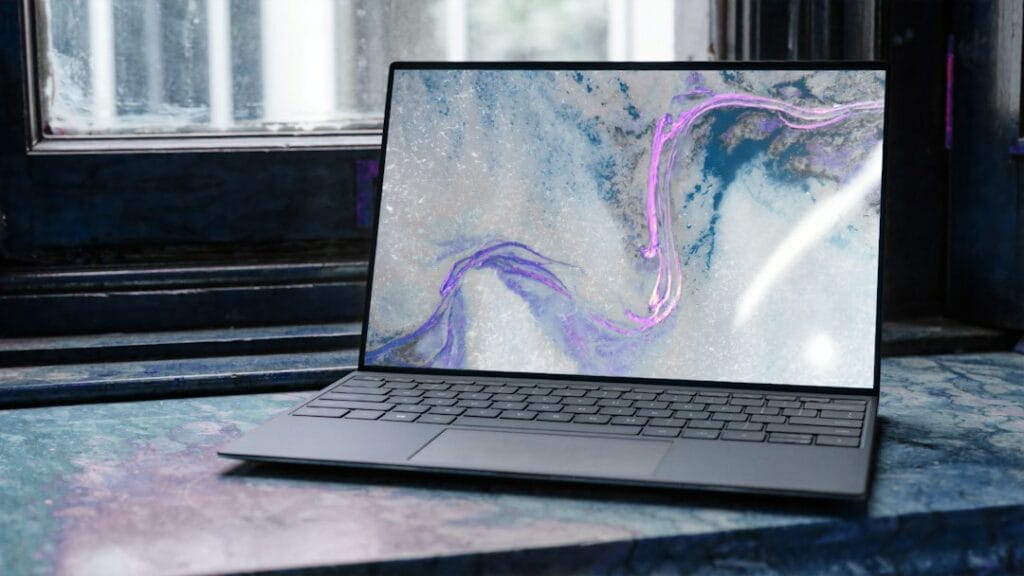
Thin laptop with a colourful screen

Googlebooks are Google’s new premium laptops, on sale in the US from October 4, 2026. They run Googlebook OS, which combines ChromeOS and Android, and they’re built to work closely with Android phones. Five models launched, from $899 to $1,299. Based on early hands-on coverage, the ASUS Googlebook 14 ($1,299, 2.2 pounds) is the standout, the Acer Googlebook 14 ($899) is the best value and the only 2-in-1, and the Dell XPS Googlebook ($999) is the compact pick. Full lab reviews aren’t out yet, so we’ll update this guide as they arrive.

How we put this together: this guide is based on Google’s announcement, manufacturers’ specifications and published hands-on coverage (linked below). It is not based on hands-on testing by iTech Level. Prices are US launch prices as listed at Best Buy and may change. See how we choose products.

All 5 Googlebooks compared

GooglebookBest forScreenChipWeightStarting price
ASUS Googlebook 14Lightest, best screen14″ 3K OLED, anti-glareIntel Core Ultra 5/7 (Panther Lake)2.2 lb$1,299
Acer Googlebook 14Best value, only 2-in-114″ 2.8K OLED, 500 nitsIntel Core Ultra 5/7 (Panther Lake)Thin and light$899
Dell XPS GooglebookCompact, Snapdragon13.4″ 2.5K, 500 nitsSnapdragon X Elite2.2 lb$999
Lenovo Googlebook 15Biggest screen15.3″ 2.8K OLEDIntel Core Ultra 5 (Panther Lake)2.8 lb$1,099
HP Googlebook 14Snapdragon with OLED14″ 2.8K OLED, 500 nitsSnapdragon X Elite2.74 lb$1,299

Specs from Google, Android Authority and Tom’s Guide. Prices are Best Buy launch prices reported by Tom’s Guide; some early reports listed the Dell at $1,199 and the Lenovo at $1,299, so check the current price and configuration.

What is a Googlebook?

A Googlebook is a premium laptop that runs Googlebook OS (codenamed Aluminium during development), Google’s new operating system built on Android with desktop foundations from ChromeOS. Google sets minimum hardware for the name: at least 16GB of memory, a touchscreen, a haptic glass trackpad, a backlit keyboard, premium materials and an Intel or Qualcomm chip with an AI processor rated above 45 TOPS. Every model has a “Glowbar” on the lid that lights up at startup, shows the battery level and animates when you talk to Gemini (Google).

  • Works with your Android phone: signing in brings over your phone’s settings, saved passwords, Wi-Fi networks and messages. “Continue On” picks up tasks from your phone, the Files app shows your phone’s files and photos, and “Cast My Apps” runs phone apps in a desktop window.
  • Gemini built in: wiggle the cursor (“Magic Pointer”) to ask Gemini about what’s on screen, dictate notes with Rambler, or create desktop widgets by describing them.
  • Apps: the full desktop Chrome browser with extensions, Android apps from the Play Store, native Adobe Photoshop, Lightroom and CapCut, and a Linux terminal for developers.
  • Updates: 10 years of automatic updates with quarterly feature drops (9to5Google).
  • Extras with every Googlebook: 12 months of Google AI Pro with 5TB of storage and a year of GeForce Now cloud gaming, plus trials of YouTube Premium, Photoshop and CapCut.

The 5 Googlebooks: which to buy

1. ASUS Googlebook 14: the standout

Tom’s Guide, which went hands-on with all five, picked the ASUS as the standout, saying it was “astonished by how light this 2.2-pound laptop feels”. It’s 0.43 inches thin, with a magnesium-aluminium chassis, a 14-inch 3K OLED touchscreen with anti-glare treatment (ASUS quotes up to 1,000 nits peak HDR brightness), six speakers and a large haptic touchpad. The base model has an Intel Core Ultra 5, 16GB of memory and 256GB of storage, and ASUS claims up to 18 hours from its 70Wh battery.

Good to know: at $1,299 it’s one of the two most expensive Googlebooks, and 256GB of storage is modest at that price. Battery claims are ASUS’s own until lab reviews arrive.

2. Acer Googlebook 14: best value, and the only 2-in-1

The Acer is the cheapest Googlebook at $899 and the only convertible at launch, so it folds into a tablet. It has a 14-inch 2.8K OLED touchscreen (500 nits), an Intel Core Ultra 5 or 7 (Panther Lake), 16GB of memory, at least 256GB of storage, an aluminium-and-magnesium chassis and a 71Wh battery (Android Authority). Tom’s Guide calls it the one to get for a premium laptop that doubles as a tablet for under $1,000.

Good to know: the base model’s 256GB of storage fills up faster than you’d think with offline video and Android apps. If you mostly need a laptop for the web and Google Docs, a Chromebook costs far less (see below).

3. Dell XPS Googlebook: the compact pick

The Dell is the smallest Googlebook, with a 13.4-inch 2.5K touchscreen (500 nits) in a machined aluminium body that weighs 2.2 pounds. It uses a Qualcomm Snapdragon X Elite with 16GB or 32GB of memory and starts with 512GB of storage, double the other base models. It adds face unlock and a haptic touchpad. Android Headlines went hands-on with all five and called Dell “the clear winner”.

Good to know: Tom’s Guide lists it at $999 at Best Buy, but some launch coverage listed $1,199, so check which configuration you’re getting. The Snapdragon X Elite launched in 2024, so it’s an older chip than the Intel Panther Lake in the Acer, ASUS and Lenovo, though Arm chips are usually efficient.

4. Lenovo Googlebook 15: the big-screen pick

The Lenovo has the largest screen at launch, a 15.3-inch 2.8K OLED touchscreen, with Dolby Atmos audio, which suits video and side-by-side work. It has an Intel Core Ultra 5 (Panther Lake), 16GB of memory, 256GB of storage, a magnesium-alloy and carbon-fibre chassis, face unlock and a fingerprint reader. Tom’s Guide describes its boxier design as reminiscent of a MacBook Pro.

Good to know: at 2.8 pounds it’s the heaviest Googlebook, though still light for a 15-inch laptop. Tom’s Guide lists it at $1,099 at Best Buy; other launch coverage said $1,299.

5. HP Googlebook 14: Snapdragon with an OLED

HP pairs a Qualcomm Snapdragon X Elite with a 14-inch 2.8K OLED touchscreen (500 nits), 16GB or 32GB of memory and 256GB of storage, in an all-aluminium body. It has both a fingerprint reader and face unlock, and Tom’s Guide liked its lattice-less keyboard, saying the keys have excellent travel.

Good to know: at $1,299 and 2.74 pounds, it costs as much as the lighter ASUS. Choose it if you prefer a Snapdragon chip with an OLED screen in a 14-inch size.

Googlebook vs Chromebook

  • Price: Googlebooks start at $899. Good Chromebooks cost $400–$700, such as the $649 Lenovo Chromebook Plus 14 with an OLED screen.
  • Software: Googlebooks run the new Googlebook OS with deeper Android phone integration and newer Gemini features. Chromebooks run ChromeOS, which Google will keep updating through mid-2034.
  • Hardware: every Googlebook has at least 16GB of memory, an AI chip and a premium build. Chromebooks range from basic to premium.
  • Who should buy which: a Googlebook if you have an Android phone and want a premium laptop; a Chromebook if you want a capable, simple laptop for the web, school or Google Docs for less.

See our best Chromebooks guide for the cheaper alternatives, including which current Chromebooks might move to Googlebook OS.

Should you buy a Googlebook now?

  • Yes, if you use an Android phone, live in Google’s apps, and want a premium, light laptop with a long update promise.
  • Wait, if you want independent lab tests of battery life and performance first. These are first-generation devices running a brand-new operating system, and full reviews are only starting to arrive.
  • Look elsewhere, if you need Windows-only software, or you use an iPhone: the headline phone features are built around Android. A MacBook Air or a Windows laptop is the better fit.

Where to buy a Googlebook

In the US, Googlebooks are sold at the Google Store, Best Buy and the manufacturers’ own stores. The Google Store sold out of several models during pre-orders, while Best Buy had the most consistent stock (PC Guide). They’re also sold in the UK and Canada, from £999 and C$1,299. Black Friday (November 27, 2026) will be their first big sale, but as brand-new products, don’t count on deep discounts.

Our verdict

From the early hands-on coverage, the ASUS Googlebook 14 is the Googlebook to get if you want the lightest, best-looking one, and the Acer Googlebook 14 is the best value at $899, with a 2-in-1 design. Choose the Dell XPS Googlebook for a compact laptop with 512GB of storage, the Lenovo Googlebook 15 for a bigger screen, and the HP Googlebook 14 if you want Snapdragon with an OLED. We’ll update these picks when full reviews are in.

Frequently asked questions

What is a Googlebook?

A Googlebook is a new type of premium laptop from Google’s partners Acer, ASUS, Dell, HP and Lenovo. It runs Googlebook OS, which combines Android and ChromeOS, works closely with Android phones and has Gemini built in. Googlebooks went on sale in the US on October 4, 2026, from $899.

Which Googlebook is the best?

Early hands-on coverage from Tom’s Guide picks the ASUS Googlebook 14 ($1,299) as the standout for its 2.2-pound design and anti-glare OLED. The Acer Googlebook 14 ($899) is the best value and the only 2-in-1. Full lab reviews are still to come.

How much does a Googlebook cost?

Googlebooks start at $899 for the Acer Googlebook 14. Best Buy launch prices reported by Tom’s Guide are $999 for the Dell XPS Googlebook, $1,099 for the Lenovo Googlebook 15, and $1,299 for the ASUS and HP Googlebook 14.

Is a Googlebook the same as a Chromebook?

No. Googlebooks run the new Android-based Googlebook OS and must meet premium hardware rules, such as at least 16GB of memory and an AI chip. Chromebooks run ChromeOS, cost less, and Google will keep updating ChromeOS through mid-2034.

Can you use a Googlebook with an iPhone?

You can use one as a regular laptop with Chrome, web apps and Android apps, but the headline features, such as syncing settings and messages, Continue On and Cast My Apps, are built around Android phones. iPhone owners will usually be better served by a MacBook.

Related guides

Best Googlebook (2026): All 5 Models Compared, and Which to Buy Read More »

RTX 50 Laptop GPU Power (TGP) Database: 239 Configurations Compared (2026)

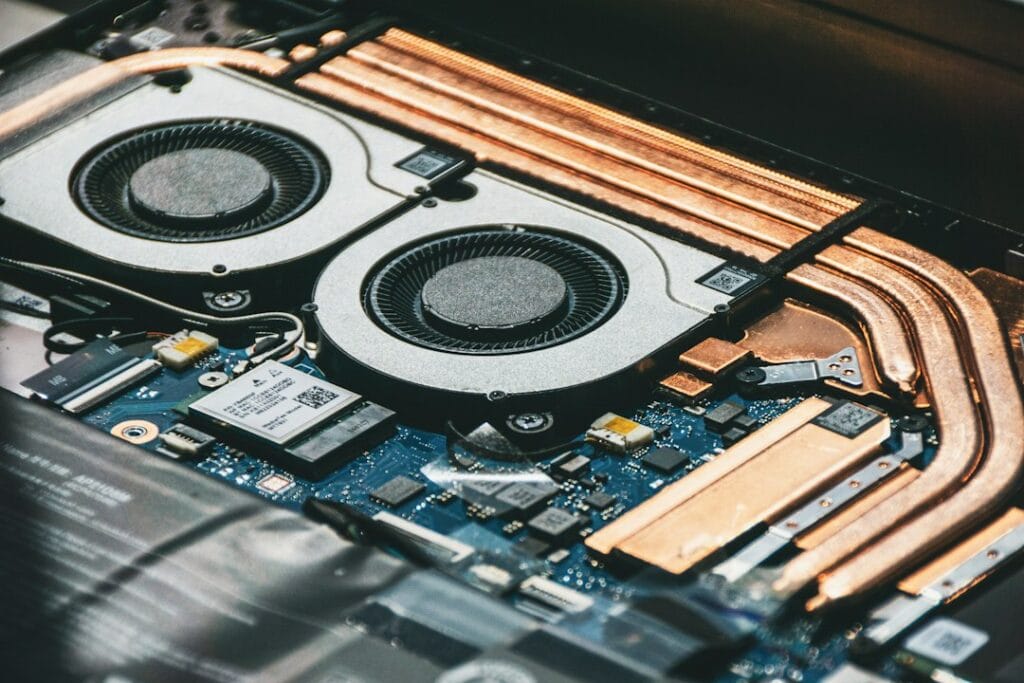
Close-up of computer cooling fans and heat pipes

Two laptops with the same RTX GPU can run it at very different power levels, and that changes performance. This database lists the maximum GPU power (TGP) for 239 RTX 50-series laptop configurations across 114 models from ASUS, Acer, Gigabyte, Lenovo, MSI and Razer, taken from the manufacturers’ own spec sheets. Most RTX 5060 and RTX 5070 laptops here are rated at up to 115 W, but thin models such as the ASUS Zephyrus G14 and Lenovo Yoga Pro 9 stop at 100 W, budget Acer Nitro V and Gigabyte models run the RTX 5070 at 75 to 95 W, and the RTX 5080 ranges from 115 W to 175 W depending on the laptop.

How we put this together: every figure comes from a manufacturer source (the official GPU power lists from ASUS and Acer, Lenovo’s PSREF spec sheets, and Razer’s, MSI’s and Gigabyte’s product pages), linked in each row. It is not based on hands-on testing by iTech Level. Last updated October 7, 2026. Dell and HP don’t publish GPU-only power figures, so they aren’t included; see the methodology and update log below. Free to reuse with a link to this page (CC BY 4.0); download the data as CSV.

What is TGP? TGP (total graphics power) is the power budget a laptop maker gives the graphics chip, in watts. The same GPU name, such as RTX 5070, can be set anywhere from about 60 W to 115 W in the laptops below, and more power usually means higher frame rates. “Max GPU power” includes Dynamic Boost, extra power borrowed from the processor.

On this page: Power range by GPU · The database · What the data shows · How much TGP matters · How to check before you buy · Methodology · FAQ

GPU power range by GPU

GPULowest max powerHighest max powerGapConfigurations
RTX 505045 W115 W70 W44
RTX 506055 W115 W60 W64
RTX 507060 W115 W55 W63
RTX 5070 Ti115 W140 W25 W28
RTX 5080115 W175 W60 W24
RTX 5090130 W175 W45 W16

Ranges cover the laptops in this database only; some laptops outside it may go lower. See our best RTX 5070 laptops for full-power picks.

The database

Filter by GPU or brand, search for a model, or click a column heading to sort. “Max GPU power” includes Dynamic Boost where the manufacturer states it. A figure marked * is one “up to” number the maker gives for the whole model, not for each GPU.

LaptopModel codeGPUVideo memoryMax GPU power ▾Base + Dynamic BoostSource
ASUS ROG Strix G16/G18 (2025)G615JH G615LG G614FH G614PH G814PHRTX 50508GB115 W100 W + 15 WASUS official TGP list
ASUS TUF Gaming A16 (2025)FA608JHRTX 50508GB115 W100 W + 15 WASUS official TGP list
ASUS TUF Gaming A18 (2025)FA808UHRTX 50508GB115 W100 W + 15 WASUS official TGP list
ASUS TUF Gaming F16 (2025)FX608-TBDRTX 50508GB115 W100 W + 15 WASUS official TGP list
Acer Nitro 16 AI (2025)AN16-61RTX 50508GB115 W100 W + 15 WAcer official GPU power list
Acer Nitro 16S AI (2025)AN16S-61RTX 50508GB115 W100 W + 15 WAcer official GPU power list
Acer Nitro 18 AI (2025)AN18-61RTX 50508GB115 W100 W + 15 WAcer official GPU power list
Acer Predator Helios Neo 16 (2026)PHN16-I31RTX 50508GB115 W100 W + 15 WAcer official GPU power list
Lenovo LOQ 15 Gen 11 (AMD, 2026)15AHP11RTX 50508GB115 W—Lenovo PSREF spec sheet
Lenovo LOQ 17 Gen 10 (Intel, 2025)17IRX10RTX 50508GB115 W—Lenovo PSREF spec sheet
Lenovo Legion 5 15 Gen 10 (AMD, 2025)15AHP10RTX 50508GB115 W—Lenovo PSREF spec sheet
Lenovo Legion 5 15 Gen 10 (Intel, 2025)15IAX10RTX 50508GB115 W—Lenovo PSREF spec sheet
Lenovo Legion 5 15 Gen 10 (Intel, 2025)15IRX10RTX 50508GB115 W—Lenovo PSREF spec sheet
Lenovo Legion Pro 5 16 Gen 10 (AMD, 2025)16ADR10RTX 50508GB115 W—Lenovo PSREF spec sheet
Lenovo Legion Pro 5 16 Gen 10 (Intel, 2025)16IRX10RTX 50508GB115 W—Lenovo PSREF spec sheet
MSI Katana 15 HXC14WXRTX 50508GB115 W—MSI spec page
ASUS TUF Gaming A14 (2025)FA401KH FA401UHRTX 50508GB110 W90 W + 15 WASUS official TGP list
ASUS ROG Zephyrus G14 (2025)GA403UHRTX 50508GB100 W75 W + 15 WASUS official TGP list
ASUS ROG Zephyrus G16 (2025)GA605KHRTX 50508GB100 W85 W + 15 WASUS official TGP list
Lenovo LOQ 15 Gen 10 (AMD, 2025)15AHP10RTX 50508GB100 W—Lenovo PSREF spec sheet
Lenovo LOQ 15 Gen 10 (Intel, 2025)15IRX10RTX 50508GB100 W—Lenovo PSREF spec sheet
Lenovo Yoga Pro 9 16 Gen 10 (Intel, 2025)16IAH10RTX 50508GB100 W—Lenovo PSREF spec sheet
MSI Cyborg 15 MAXC2WXRTX 50508GB100 W—MSI spec page
Acer Nitro V 16 (2025)ANV16-72RTX 50508GB95 W80 W + 15 WAcer official GPU power list
Acer Nitro V 16 AI (2025)ANV16-61/42RTX 50508GB95 W80 W + 15 WAcer official GPU power list
Acer Nitro V 17 AI (2025)ANV17-61/41RTX 50508GB95 W80 W + 15 WAcer official GPU power list
Acer Nitro V 16 AI (2026)ANV16-I51RTX 50508GB85 W70 W + 15 WAcer official GPU power list
Acer Nitro V 16 AI (2026)ANV16-A71RTX 50508GB85 W70 W + 15 WAcer official GPU power list
Acer Nitro V 16 AI (2026)ANV16-A31RTX 50508GB85 W70 W + 15 WAcer official GPU power list
Acer Nitro V 16S (2025)ANV16S-71RTX 50508GB85 W70 W + 15 WAcer official GPU power list
Acer Nitro V 16S AI (2025)ANV16S-61/41RTX 50508GB85 W70 W + 15 WAcer official GPU power list
GIGABYTE AERO X16EG64HRTX 50508GBup to 85 W*—Gigabyte product page
GIGABYTE AERO X16EG61HRTX 50508GBup to 85 W*—Gigabyte product page
GIGABYTE Gaming A16GA65HRTX 50508GBup to 85 W*—Gigabyte product page
GIGABYTE Gaming A16GA63HRTX 50508GBup to 85 W*—Gigabyte product page
GIGABYTE Gaming A16GA6HRTX 50508GBup to 85 W*—Gigabyte product page
GIGABYTE Gaming A18GA83HRTX 50508GBup to 85 W*—Gigabyte product page
Acer Nitro V 15 (2025)ANV15-52RTX 50508GB75 W60 W + 15 WAcer official GPU power list
Acer Nitro V 15 (2026)ANV15-A31RTX 50508GB75 W60 W + 15 WAcer official GPU power list
Acer Nitro V 16 (2026)ANV16-I31RTX 50508GB75 W60 W + 15 WAcer official GPU power list
MSI Cyborg 15C13WXRTX 50508GB70 W—MSI spec page
Acer Nitro V 14 AI (2025)AN14-62RTX 50508GB60 W50 W + 10 WAcer official GPU power list
MSI Cyborg 15B2RWRTX 50508GB45 W—MSI spec page
MSI Cyborg 17B2RWRTX 50508GB45 W—MSI spec page
ASUS ROG Strix G16/G18 (2025)G615LM G815LM G615JM G615JM G815JM G614FM G814FM G614PM G814PMRTX 50608GB115 W100 W + 15 WASUS official TGP list
ASUS TUF Gaming A16 (2025)FA608WM FA608PMRTX 50608GB115 W100 W + 15 WASUS official TGP list
ASUS TUF Gaming A18 (2025)FA808UMRTX 50608GB115 W100 W + 15 WASUS official TGP list
ASUS TUF Gaming F16 (2025)FX608LM FX608JPRTX 50608GB115 W100 W + 15 WASUS official TGP list
Acer Nitro 16 AI (2025)AN16-61RTX 50608GB115 W100 W + 15 WAcer official GPU power list
Acer Nitro 16S AI (2025)AN16S-61RTX 50608GB115 W100 W + 15 WAcer official GPU power list
Acer Nitro 18 AI (2025)AN18-61RTX 50608GB115 W100 W + 15 WAcer official GPU power list
Acer Predator Helios Neo 14 AI (2025)PHN14-71RTX 50608GB115 W100 W + 15 WAcer official GPU power list
Acer Predator Helios Neo 16 (2026)PHN16-I31RTX 50608GB115 W100 W + 15 WAcer official GPU power list
Acer Predator Helios Neo 16 AI (2025)PHN16-73RTX 50608GB115 W100 W + 15 WAcer official GPU power list
Acer Predator Helios Neo 16 AI (2026)PHN16-I71RTX 50608GB115 W100 W + 15 WAcer official GPU power list
Acer Predator Helios Neo 16S AI (2025)PHN16S-71RTX 50608GB115 W100 W + 15 WAcer official GPU power list
Acer Predator Helios Neo 16S AI (2026)PHN16S-I51RTX 50608GB115 W100 W + 15 WAcer official GPU power list
Acer Predator Helios Neo 18 AI (2025)PHN18-72RTX 50608GB115 W100 W + 15 WAcer official GPU power list
Acer Predator Helios Neo 18 AI (2026)PHN18-I71RTX 50608GB115 W100 W + 15 WAcer official GPU power list
GIGABYTE Gaming A16GA6EHRTX 50608GBup to 115 W*—Gigabyte product page
Lenovo LOQ 15 Gen 11 (AMD, 2026)15AHP11RTX 50608GB115 W—Lenovo PSREF spec sheet
Lenovo LOQ 17 Gen 10 (Intel, 2025)17IRX10RTX 50608GB115 W—Lenovo PSREF spec sheet
Lenovo Legion 5 15 Gen 10 (AMD, 2025)15AHP10RTX 50608GB115 W—Lenovo PSREF spec sheet
Lenovo Legion 5 15 Gen 10 (Intel, 2025)15IAX10RTX 50608GB115 W—Lenovo PSREF spec sheet
Lenovo Legion 5 15 Gen 10 (Intel, 2025)15IRX10RTX 50608GB115 W—Lenovo PSREF spec sheet
Lenovo Legion 5 15 Gen 11 (Intel, 2026)15IAX11RTX 50608GB115 W—Lenovo PSREF spec sheet
Lenovo Legion 7 16 Gen 10 (Intel, 2025)16IAX10RTX 50608GB115 W—Lenovo PSREF spec sheet
Lenovo Legion Pro 5 16 Gen 10 (AMD, 2025)16ADR10RTX 50608GB115 W—Lenovo PSREF spec sheet
Lenovo Legion Pro 5 16 Gen 10 (AMD, 2025)16AFR10RTX 50608GB115 W—Lenovo PSREF spec sheet
Lenovo Legion Pro 5 16 Gen 10 (Intel, 2025)16IAX10RTX 50608GB115 W—Lenovo PSREF spec sheet
Lenovo Legion Pro 5 16 Gen 10 (Intel, 2025)16IRX10RTX 50608GB115 W—Lenovo PSREF spec sheet
MSI Crosshair 16 HXE14WXRTX 50608GB115 W—MSI spec page
MSI Crosshair 16 Max HXE2WXRTX 50608GB115 W—MSI spec page
MSI Crosshair A16 HXE8WXRTX 50608GB115 W—MSI spec page
MSI Katana 15 HXC14WXRTX 50608GB115 W—MSI spec page
MSI Stealth 16 AI PlusB3WXRTX 50608GB115 W—MSI spec page
Razer Blade 14 (2025)—RTX 50608GBup to 115 W*—Razer product page
Razer Blade 16 (2026)—RTX 50608GBup to 115 W*—Razer product page
ASUS ROG Zephyrus G16 (2025)GU605CMRTX 50608GB110 W90 W + 15 WASUS official TGP list
ASUS TUF Gaming A14 (2025)FA401KM FA401UMRTX 50608GB110 W90 W + 15 WASUS official TGP list
ASUS ROG Zephyrus G16 (2025)GA605KMRTX 50608GB105 W90 W + 15 WASUS official TGP list
ASUS ROG Zephyrus G14 (2025)GA403WM GA403UMRTX 50608GB100 W75 W + 15 WASUS official TGP list
Lenovo LOQ 15 Gen 10 (AMD, 2025)15AHP10RTX 50608GB100 W—Lenovo PSREF spec sheet
Lenovo LOQ 15 Gen 10 (Intel, 2025)15IRX10RTX 50608GB100 W—Lenovo PSREF spec sheet
Lenovo Yoga Pro 9 16 Gen 10 (Intel, 2025)16IAH10RTX 50608GB100 W—Lenovo PSREF spec sheet
MSI Cyborg 15 MAXC2WXRTX 50608GB100 W—MSI spec page
Acer Nitro V 16 (2025)ANV16-72RTX 50608GB95 W80 W + 15 WAcer official GPU power list
Acer Nitro V 16 AI (2025)ANV16-61/42RTX 50608GB95 W80 W + 15 WAcer official GPU power list
Acer Nitro V 17 AI (2025)ANV17-61/41RTX 50608GB95 W80 W + 15 WAcer official GPU power list
Acer Nitro V 16 AI (2026)ANV16-I51RTX 50608GB85 W70 W + 15 WAcer official GPU power list
Acer Nitro V 16 AI (2026)ANV16-A71RTX 50608GB85 W70 W + 15 WAcer official GPU power list
Acer Nitro V 16 AI (2026)ANV16-A31RTX 50608GB85 W70 W + 15 WAcer official GPU power list
Acer Nitro V 16S (2025)ANV16S-71RTX 50608GB85 W70 W + 15 WAcer official GPU power list
Acer Nitro V 16S AI (2025)ANV16S-61/41RTX 50608GB85 W70 W + 15 WAcer official GPU power list
Acer Nitro V 16S AI (2026)ANV16S-I51RTX 50608GB85 W70 W + 15 WAcer official GPU power list
GIGABYTE AERO X16EG64HRTX 50608GBup to 85 W*—Gigabyte product page
GIGABYTE AERO X16EG61HRTX 50608GBup to 85 W*—Gigabyte product page
GIGABYTE Gaming A16GA65HRTX 50608GBup to 85 W*—Gigabyte product page
GIGABYTE Gaming A16GA63HRTX 50608GBup to 85 W*—Gigabyte product page
GIGABYTE Gaming A16GA6HRTX 50608GBup to 85 W*—Gigabyte product page
GIGABYTE Gaming A18GA83HRTX 50608GBup to 85 W*—Gigabyte product page
Acer Nitro V 15 (2025)ANV15-52RTX 50608GB75 W60 W + 15 WAcer official GPU power list
Acer Nitro V 15 (2026)ANV15-A31RTX 50608GB75 W60 W + 15 WAcer official GPU power list
Acer Nitro V 16 (2026)ANV16-I31RTX 50608GB75 W60 W + 15 WAcer official GPU power list
MSI Cyborg 15C2WXRTX 50608GB70 W—MSI spec page
Acer Nitro V 14 AI (2025)AN14-62RTX 50608GB60 W50 W + 10 WAcer official GPU power list
MSI Cyborg 15B2RWRTX 50608GB55 W—MSI spec page
MSI Cyborg 17B2RWRTX 50608GB55 W—MSI spec page
ASUS ROG Strix G16/G18 (2025)G615LP G615JP G815LP G614FP G814FP G814PPRTX 50708GB or 12GB115 W100 W + 15 WASUS official TGP list
ASUS TUF Gaming A16 (2025)FA608UP FA608PPRTX 50708GB or 12GB115 W100 W + 15 WASUS official TGP list
ASUS TUF Gaming A18 (2025)FA808UPRTX 50708GB or 12GB115 W100 W + 15 WASUS official TGP list
ASUS TUF Gaming F16 (2025)FX608LP FX608JPRTX 50708GB or 12GB115 W100 W + 15 WASUS official TGP list
Acer Nitro 16 (2026)AN16-A91RTX 50708GB or 12GB115 W100 W + 15 WAcer official GPU power list
Acer Nitro 16 AI (2025)AN16-61RTX 50708GB or 12GB115 W100 W + 15 WAcer official GPU power list
Acer Nitro 16S AI (2025)AN16S-61RTX 50708GB or 12GB115 W100 W + 15 WAcer official GPU power list
Acer Nitro 18 AI (2025)AN18-61RTX 50708GB or 12GB115 W100 W + 15 WAcer official GPU power list
Acer Predator Helios Neo 14 AI (2025)PHN14-71RTX 50708GB or 12GB115 W100 W + 15 WAcer official GPU power list
Acer Predator Helios Neo 16 (2026)PHN16-I31RTX 50708GB or 12GB115 W100 W + 15 WAcer official GPU power list
Acer Predator Helios Neo 16 AI (2025)PHN16-73RTX 50708GB or 12GB115 W100 W + 15 WAcer official GPU power list
Acer Predator Helios Neo 16 AI (2026)PHN16-I71RTX 50708GB or 12GB115 W100 W + 15 WAcer official GPU power list
Acer Predator Helios Neo 16S AI (2025)PHN16S-71RTX 50708GB or 12GB115 W100 W + 15 WAcer official GPU power list
Acer Predator Helios Neo 16S AI (2026)PHN16S-I71RTX 50708GB or 12GB115 W100 W + 15 WAcer official GPU power list
Acer Predator Helios Neo 16S AI (2026)PHN16S-I51RTX 50708GB or 12GB115 W100 W + 15 WAcer official GPU power list
Acer Predator Helios Neo 18 AI (2025)PHN18-72RTX 50708GB or 12GB115 W100 W + 15 WAcer official GPU power list
Acer Predator Helios Neo 18 AI (2026)PHN18-I71RTX 50708GB or 12GB115 W100 W + 15 WAcer official GPU power list
AORUS Elite 16AE6HRTX 50708GB115 W—Gigabyte spec page
GIGABYTE Gaming A16GA6EHRTX 50708GBup to 115 W*—Gigabyte product page
Lenovo LOQ 15 Gen 10 (Intel, 2025)15IRX10RTX 50708GB or 12GB115 W—Lenovo PSREF spec sheet
Lenovo LOQ 15 Gen 11 (AMD, 2026)15AHP11RTX 50708GB115 W—Lenovo PSREF spec sheet
Lenovo LOQ 17 Gen 10 (Intel, 2025)17IRX10RTX 50708GB or 12GB115 W—Lenovo PSREF spec sheet
Lenovo Legion 5 15 Gen 10 (Intel, 2025)15IAX10RTX 50708GB115 W—Lenovo PSREF spec sheet
Lenovo Legion 5 15 Gen 10 (Intel, 2025)15IRX10RTX 50708GB115 W—Lenovo PSREF spec sheet
Lenovo Legion 5 15 Gen 11 (Intel, 2026)15IAX11RTX 507012GB115 W—Lenovo PSREF spec sheet
Lenovo Legion 7 16 Gen 10 (Intel, 2025)16IAX10RTX 50708GB or 12GB115 W—Lenovo PSREF spec sheet
Lenovo Legion Pro 5 16 Gen 10 (AMD, 2025)16ADR10RTX 50708GB or 12GB115 W—Lenovo PSREF spec sheet
Lenovo Legion Pro 5 16 Gen 10 (AMD, 2025)16AFR10RTX 50708GB or 12GB115 W—Lenovo PSREF spec sheet
Lenovo Legion Pro 5 16 Gen 10 (Intel, 2025)16IAX10RTX 50708GB or 12GB115 W—Lenovo PSREF spec sheet
Lenovo Legion Pro 5 16 Gen 10 (Intel, 2025)16IRX10RTX 50708GB or 12GB115 W—Lenovo PSREF spec sheet
MSI Crosshair 16 HXE14WXRTX 50708GB115 W—MSI spec page
MSI Crosshair 16 Max HXE2WXRTX 50708GB115 W—MSI spec page
MSI Crosshair A16 HXE8WXRTX 50708GB115 W—MSI spec page
MSI Crosshair A16 HX MLG EditionE8WXRTX 50708GB115 W—MSI spec page
MSI Katana 15 HXC14WXRTX 50708GB115 W—MSI spec page
MSI Raider 16 HXB2WXRTX 50708GB115 W—MSI spec page
MSI Stealth 16 AI PlusB3WXRTX 50708GB115 W—MSI spec page
Razer Blade 14 (2025)—RTX 50708GBup to 115 W*—Razer product page
Razer Blade 16 (2026)—RTX 50708GB or 12GBup to 115 W*—Razer product page
ASUS ROG Zephyrus G16 (2025)GU605CPRTX 50708GB or 12GB110 W90 W + 15 WASUS official TGP list
Acer Predator Triton 14 AI (2025)PT14-52TRTX 50708GB or 12GB110 W95 W + 15 WAcer official GPU power list
ASUS ROG Zephyrus G16 (2025)GA605KPRTX 50708GB or 12GB105 W90 W + 15 WASUS official TGP list
ASUS ROG Zephyrus G14 (2025)GA403WP GA403UPRTX 50708GB or 12GB100 W75 W + 15 WASUS official TGP list
Lenovo Yoga Pro 9 16 Gen 10 (Intel, 2025)16IAH10RTX 50708GB100 W—Lenovo PSREF spec sheet
MSI Cyborg 15 MAXC2WXRTX 50708GB100 W—MSI spec page
Acer Nitro V 16 (2025)ANV16-72RTX 50708GB or 12GB95 W80 W + 15 WAcer official GPU power list
Acer Nitro V 16 AI (2025)ANV16-61/42RTX 50708GB or 12GB95 W80 W + 15 WAcer official GPU power list
Acer Nitro V 17 AI (2025)ANV17-61/41RTX 50708GB or 12GB95 W80 W + 15 WAcer official GPU power list
Acer Nitro V 16 AI (2026)ANV16-I51RTX 50708GB or 12GB85 W70 W + 15 WAcer official GPU power list
Acer Nitro V 16 AI (2026)ANV16-A71RTX 50708GB or 12GB85 W70 W + 15 WAcer official GPU power list
Acer Nitro V 16 AI (2026)ANV16-A31RTX 50708GB or 12GB85 W70 W + 15 WAcer official GPU power list
Acer Nitro V 16S (2025)ANV16S-71RTX 50708GB or 12GB85 W70 W + 15 WAcer official GPU power list
Acer Nitro V 16S AI (2025)ANV16S-61/41RTX 50708GB or 12GB85 W70 W + 15 WAcer official GPU power list
Acer Nitro V 16S AI (2026)ANV16S-I51RTX 50708GB or 12GB85 W70 W + 15 WAcer official GPU power list
GIGABYTE AERO X16EG64HRTX 50708GBup to 85 W*—Gigabyte product page
GIGABYTE AERO X16EG61HRTX 50708GBup to 85 W*—Gigabyte product page
GIGABYTE Gaming A16GA63HRTX 50708GBup to 85 W*—Gigabyte product page
GIGABYTE Gaming A16GA6HRTX 50708GBup to 85 W*—Gigabyte product page
GIGABYTE Gaming A18GA83HRTX 50708GBup to 85 W*—Gigabyte product page
Acer Nitro V 15 (2026)ANV15-A31RTX 50708GB or 12GB75 W60 W + 15 WAcer official GPU power list
Acer Nitro V 16 (2026)ANV16-I31RTX 50708GB or 12GB75 W60 W + 15 WAcer official GPU power list
MSI Cyborg 15B2RWRTX 50708GB60 W—MSI spec page
MSI Cyborg 17B2RWRTX 50708GB60 W—MSI spec page
ASUS ROG Strix G16/G18 (2025)G615LR G815LR G614FR G614PRRTX 5070 Ti12GB140 W115 W + 25 WASUS official TGP list
ASUS ROG Strix SCAR 16/18 (2025)G635LR G835LRRTX 5070 Ti12GB140 W115 W + 25 WASUS official TGP list
Acer Nitro 16 (2026)AN16-A91RTX 5070 Ti12GB140 W115 W + 25 WAcer official GPU power list
Acer Predator Helios 16 AI (2025)PH16-73RTX 5070 Ti12GB140 W115 W + 25 WAcer official GPU power list
Acer Predator Helios Neo 16 AI (2025)PHN16-73RTX 5070 Ti12GB140 W115 W + 25 WAcer official GPU power list
Acer Predator Helios Neo 16 AI (2026)PHN16-I71RTX 5070 Ti12GB140 W115 W + 25 WAcer official GPU power list
Acer Predator Helios Neo 18 AI (2025)PHN18-72RTX 5070 Ti12GB140 W115 W + 25 WAcer official GPU power list
Acer Predator Helios Neo 18 AI (2026)PHN18-I71RTX 5070 Ti12GB140 W115 W + 25 WAcer official GPU power list
AORUS Master 16AM6JRTX 5070 Ti12GB140 W—Gigabyte spec page
AORUS Master 16AM6HRTX 5070 Ti12GB140 W—Gigabyte spec page
Lenovo Legion Pro 5 16 Gen 10 (Intel, 2025)16IAX10HRTX 5070 Ti12GB140 W—Lenovo PSREF spec sheet
Lenovo Legion Pro 7 16 Gen 10 (AMD, 2025)16AFR10HRTX 5070 Ti12GB140 W—Lenovo PSREF spec sheet
Lenovo Legion Pro 7 16 Gen 10 (Intel, 2025)16IAX10HRTX 5070 Ti12GB140 W—Lenovo PSREF spec sheet
MSI Raider 16 HXB2WXRTX 5070 Ti12GB140 W—MSI spec page
MSI Raider 16 Max HXB2WXRTX 5070 Ti12GB140 W—MSI spec page
MSI Raider 18 HXA2WXRTX 5070 Ti12GB140 W—MSI spec page
MSI Stealth 18 HXA2WXRTX 5070 Ti12GB140 W—MSI spec page
ASUS ROG Zephyrus G16 (2025)GU605CRRTX 5070 Ti12GB125 W95 W + 20 WASUS official TGP list
MSI Stealth 16 AI PlusB3WXRTX 5070 Ti12GB125 W—MSI spec page
ASUS ROG Zephyrus G14 (2025)GA403WRRTX 5070 Ti12GB120 W85 W + 25 WASUS official TGP list
Acer Nitro 16 AI (2025)AN16-61RTX 5070 Ti12GB115 W100 W + 15 WAcer official GPU power list
Acer Nitro 16S AI (2025)AN16S-61RTX 5070 Ti12GB115 W100 W + 15 WAcer official GPU power list
Acer Nitro 18 AI (2025)AN18-61RTX 5070 Ti12GB115 W100 W + 15 WAcer official GPU power list
Acer Predator Helios Neo 16S AI (2025)PHN16S-71RTX 5070 Ti12GB115 W100 W + 15 WAcer official GPU power list
Acer Predator Helios Neo 16S AI (2026)PHN16S-I71RTX 5070 Ti12GB115 W100 W + 15 WAcer official GPU power list
GIGABYTE Gaming A16 PROGA6DHRTX 5070 Ti12GBup to 115 W*—Gigabyte product page
GIGABYTE Gaming A18 PROGA8JRTX 5070 Ti12GBup to 115 W*—Gigabyte product page
Razer Blade 18 (2026)—RTX 5070 Ti12GBNot stated—Razer product page
ASUS ROG Strix G16/G18 (2025)G615LW G815LWRTX 508016GB175 W150 W + 25 WASUS official TGP list
ASUS ROG Strix SCAR 16/18 (2025)G635LW G835LWRTX 508016GB175 W150 W + 25 WASUS official TGP list
Acer Predator Helios 18 AI (2025)PH18-73RTX 508016GB175 W150 W + 25 WAcer official GPU power list
Acer Predator Helios 18 AI (2026)PH18-I71RTX 508016GB175 W150 W + 25 WAcer official GPU power list
Acer Predator Helios Neo 16 AI (2026)PHN16-I71RTX 508016GB175 W150 W + 25 WAcer official GPU power list
Acer Predator Helios Neo 18 AI (2026)PHN18-I71RTX 508016GB175 W150 W + 25 WAcer official GPU power list
AORUS Master 16AM6JRTX 508016GB175 W—Gigabyte spec page
AORUS Master 16AM6HRTX 508016GB175 W—Gigabyte spec page
AORUS Master 18AM8HRTX 508016GB175 W—Gigabyte spec page
Lenovo Legion Pro 7 16 Gen 10 (AMD, 2025)16AFR10HRTX 508016GB175 W—Lenovo PSREF spec sheet
Lenovo Legion Pro 7 16 Gen 10 (Intel, 2025)16IAX10HRTX 508016GB175 W—Lenovo PSREF spec sheet
MSI Raider 16 HXB2WXRTX 508016GB175 W—MSI spec page
MSI Raider 16 Max HXB2WXRTX 508016GB175 W—MSI spec page
MSI Raider 18 HXA2WXRTX 508016GB175 W—MSI spec page
MSI Raider 18 Max HXA2WXRTX 508016GB175 W—MSI spec page
MSI Raider A16 HXB8WXRTX 508016GB175 W—MSI spec page
Razer Blade 16 (2026)—RTX 508016GBup to 165 W*—Razer product page
MSI Stealth 18 HXA2WXRTX 508016GB150 W—MSI spec page
ASUS ROG Zephyrus G16 (2025)GU605CWRTX 508016GB130 W100 W + 20 WASUS official TGP list
MSI Stealth 16 AI PlusB3WXRTX 508016GB125 W—MSI spec page
ASUS ROG Zephyrus G14 (2025)GA403WWRTX 508016GB120 W85 W + 25 WASUS official TGP list
Acer Predator Helios Neo 16S AI (2026)PHN16S-I71RTX 508016GB115 W100 W + 15 WAcer official GPU power list
GIGABYTE Gaming A16 PROGA6DHRTX 508016GBup to 115 W*—Gigabyte product page
GIGABYTE Gaming A18 PROGA8JRTX 508016GBup to 115 W*—Gigabyte product page
ASUS ROG Strix SCAR 16/18 (2025)G635LX G835LXRTX 509024GB175 W150 W + 25 WASUS official TGP list
Acer Predator Helios 16 AI (2025)PH16-73RTX 509024GB175 W150 W + 25 WAcer official GPU power list
Acer Predator Helios 18 AI (2025)PH18-73RTX 509024GB175 W150 W + 25 WAcer official GPU power list
Acer Predator Helios 18 AI (2026)PH18-I71RTX 509024GB175 W150 W + 25 WAcer official GPU power list
AORUS Master 16AM6JRTX 509024GB175 W—Gigabyte spec page
AORUS Master 16AM6HRTX 509024GB175 W—Gigabyte spec page
AORUS Master 18AM8HRTX 509024GB175 W—Gigabyte spec page
Lenovo Legion Pro 7 16 Gen 10 (Intel, 2025)16IAX10HRTX 509024GB175 W—Lenovo PSREF spec sheet
MSI Raider 16 Max HXB2WXRTX 509024GB175 W—MSI spec page
MSI Raider 18 HXA2WXRTX 509024GB175 W—MSI spec page
MSI Titan 18 HXA2WXRTX 509024GB175 W—MSI spec page
MSI Titan 18 HX Dragon Edition Draco EpicA2WXRTX 509024GB175 W—MSI spec page
Razer Blade 18 (2026)—RTX 509024GBup to 175 W*—Razer product page
Razer Blade 16 (2026)—RTX 509024GBup to 165 W*—Razer product page
MSI Stealth 18 HXA2WXRTX 509024GB150 W—MSI spec page
ASUS ROG Zephyrus G16 (2025)GU605CXRTX 509024GB130 W100 W + 20 WASUS official TGP list

Download the full database (CSV): free to reuse with a link to this page (CC BY 4.0).

What the data shows

  • Thin laptops trade power for size. The 14-inch ASUS Zephyrus G14 runs the RTX 5070 at up to 100 W, against 115 W in the cheaper ASUS TUF Gaming A16 and F16. Acer’s 14-inch Nitro V 14 AI runs its RTX 5050 and RTX 5060 at 60 W.
  • Budget laptops split in two. ASUS’s TUF Gaming A16, F16 and A18 and Lenovo’s LOQ 17 run the RTX 5050, 5060 and 5070 at up to 115 W, the same as pricier models. Acer’s Nitro V range runs them at 60 to 95 W, and Gigabyte rates most of its Gaming A16 and A18 models and the AERO X16 at up to 85 W. MSI’s Cyborg range has the widest spread: the Cyborg 15 and 17 B2RW run the RTX 5050, 5060 and 5070 at just 45, 55 and 60 W, the lowest figures in the database, the Cyborg 15 C13WX and C2WX at 70 W, and the Cyborg 15 MAX at 100 W. All 18 RTX 5070 configurations below 100 W in the database are Acer Nitro V, Gigabyte or MSI Cyborg models.
  • Newer isn’t always more powerful. Acer’s 2026 Nitro V models are rated lower than the 2025 ones: the RTX 5070 in the Nitro V 16 drops from 95 W (ANV16-72) to 75 W (ANV16-I31), and in the Nitro V 16 AI from 95 W to 85 W.
  • Check the exact model code. Lenovo’s 2025 LOQ 15 (15IRX10 and 15AHP10) runs the RTX 5050 and 5060 at 100 W, though the Intel 15IRX10’s RTX 5070 option gets 115 W, while the 2026 LOQ 15AHP11 runs all three at 115 W.
  • Creator laptops are tuned for quiet. Lenovo’s Yoga Pro 9 caps the RTX 5050, 5060 and 5070 at 100 W.
  • The RTX 5080 varies most. Sixteen configurations run it at up to 175 W, including MSI’s Raider and Titan models, the AORUS Master 16 and the Acer Predator Helios Neo 16 AI. MSI’s thinner Stealth 18 HX gets 150 W, its Stealth 16 AI+ 125 W, the Zephyrus G14 120 W, and Acer’s slim Predator Helios Neo 16S AI and Gigabyte’s Gaming A16 PRO and A18 PRO 115 W: a 60 W gap for the same GPU name.
  • Same chip, more memory. Lenovo lists 8GB and 12GB versions of the RTX 5070 in several Legion and LOQ models, both at 115 W. Nvidia added the 12GB RTX 5070 laptop GPU in April 2026 (Notebookcheck).

Watch: same GPU, different power, in 5 minutes

Prefer video? Our 5-minute walkthrough shows what these numbers mean in practice, using the database as it stood on October 8, 2026 (239 configurations). The table above is the up-to-date version.

Video by iTech Level. Watch on YouTube.

What is TGP, and how much does it matter?

TGP (total graphics power) is the power budget a laptop maker gives the graphics chip. Nvidia lets makers set it within a range for each GPU and add Dynamic Boost, which shifts extra power from the processor to the GPU when the processor isn’t busy. For example, the RTX 5070 laptop GPU can be configured up to 100 W plus Dynamic Boost, and the RTX 5070 Ti between 60 and 115 W plus up to 25 W of Dynamic Boost (Notebookcheck).

More power generally means higher frame rates, especially at 1440p, but the gain shrinks as you go up, and cooling matters too. A 10–15 W difference is modest; a heavily limited GPU is a bigger deal. In Notebookcheck’s first tests, an 85 W RTX 5070 was only slightly ahead of the previous RTX 4070 laptop GPU. Lower power isn’t all bad: it usually means a quieter, cooler and lighter laptop.

How to check a laptop’s GPU power before you buy

  • Look up the exact model code (for example 16IRX10 or GA403UP), not just the series name. Different versions of the same laptop can have different power limits.
  • Use the manufacturer’s spec sheet: ASUS and Acer publish complete GPU power lists, and Lenovo’s PSREF sheets are just as detailed; Razer, MSI and Gigabyte list it on product pages. Dell doesn’t publish it, and HP lists only total platform power (CPU and GPU combined), which isn’t the same thing.
  • Retail listings rarely show it. If a listing doesn’t mention TGP or “maximum graphics power”, check the model code here or on the maker’s site.
  • On a laptop you own, the NVIDIA Control Panel’s System Information panel shows the GPU’s maximum graphics power.

Methodology and update log

  • Sources: ASUS’s “complete list of GeForce GPU power specifications for 2025 ROG and TUF Gaming laptops”; Acer’s “Predator and Nitro Gaming Laptop GPU Power Specifications” (2025 and 2026 models); Lenovo PSREF spec sheets for 2025–2026 Legion, LOQ and Yoga Pro models; Razer, MSI and Gigabyte US product and spec pages. Each row links to its source.
  • What “max GPU power” means: the highest GPU power the maker states, including Dynamic Boost. ASUS also publishes base TGP and Dynamic Boost separately, shown in their own column. Where ASUS lists different figures for Turbo and Manual modes, we use the higher, Manual-mode figure. Acer’s figures are with Turbo Mode on, and Acer also lists base TGP and Dynamic Boost.
  • Model-wide figures (*): for some Gigabyte laptops the only official figure is one “up to X W Max TGP” for the whole model. We show it for each GPU option and mark it with *; the lower GPU options may run below it.
  • Video memory: taken from the source where stated; otherwise Nvidia’s standard for that GPU. The RTX 5070 exists with 8GB or 12GB.
  • Not stated: where a maker gives one figure for a group of GPUs that can’t apply to all of them (Razer Blade 18’s RTX 5070 Ti), we leave it blank rather than guess.
  • Coverage: MSI states GPU power on the US spec pages of 17 of its 38 current RTX 50 models. For the Cyborg 15 and 17 B2RW, sold in the US, the figures come from MSI’s global spec pages, since the US pages list none. The rest show only the GPU (or total CPU+GPU power), so they aren’t included. ASUS hasn’t published a 2026 list yet. Dell/Alienware and HP aren’t included because they don’t publish GPU-only power figures (we checked Dell’s owner’s manuals and store pages, and HP’s spec sheets and product pages).
  • October 4, 2026: first version: 207 configurations across 98 models from ASUS, Acer, Lenovo, Gigabyte/AORUS, Razer and MSI.
  • October 5, 2026: added MSI’s US lineup (35 configurations from 17 models, including the Cyborg, Crosshair, Raider, Stealth and Titan ranges), for 233 configurations across 112 models.
  • October 6, 2026: added MSI’s Cyborg 15 and Cyborg 17 B2RW (+6 configurations), which run the RTX 5060 at 55 W, for 239 configurations across 114 models.
  • October 7, 2026: added a CSV download (CC BY 4.0), a sort menu, a shorter mobile view and a TGP definition. No data changes.

Spotted an error or a missing laptop? Let us know, ideally with a link to the manufacturer’s spec sheet.

Frequently asked questions

What is TGP on a gaming laptop?

TGP (total graphics power) is how much power the laptop maker lets the graphics chip use. The same GPU name, such as RTX 5070, can run at different power levels in different laptops, and more power usually means higher frame rates.

Which laptops run the RTX 5070 at full power?

In our database, most RTX 5070 laptops from Lenovo (Legion and LOQ), the ASUS TUF and ROG Strix models, the Razer Blade 14 and 16, Acer's Predator Helios Neo and Nitro 16 models, and the AORUS Elite 16 are rated at up to 115 W including Dynamic Boost. The ASUS Zephyrus G14 and Lenovo Yoga Pro 9 are rated at up to 100 W, Acer's Nitro V and several Gigabyte models at 75 to 95 W, and MSI's Cyborg 15 and 17 B2RW at just 60 W.

Is a lower-wattage GPU much slower?

It depends on the gap. A 10 to 15 W difference is modest, while a heavily limited GPU, such as an 85 W RTX 5070 in some budget laptops, can be noticeably slower than a full-power one, especially at higher resolutions. Lower power also means less heat and noise.

What is Dynamic Boost?

Dynamic Boost lets the laptop shift extra power from the processor to the GPU when the processor isn't busy, typically 15 to 25 W. Maximum figures in our table include it where the manufacturer states it.

How can I check my laptop's GPU power?

Before buying, check the manufacturer's spec sheet or this database. On an NVIDIA laptop you own, the System Information panel in the NVIDIA Control Panel lists the GPU's maximum graphics power.

Related guides

RTX 50 Laptop GPU Power (TGP) Database: 239 Configurations Compared (2026) Read More »

Best Chromebooks (2026): 7 Picks, Plus Chromebook vs Googlebook

Lenovo laptop on a desk

The best Chromebook for most people is the Lenovo Chromebook Plus 14 ($649): a 14-inch OLED screen, a fast and efficient MediaTek Kompanio Ultra chip and an aluminium build, and Tom’s Guide calls it “the best Chromebook you can buy right now”. For a thinner laptop with a bigger OLED, look at the Samsung Galaxy Chromebook Plus. On a budget, the Lenovo Chromebook Plus i 15 ($469.99) and Acer Chromebook 315 cover school and web work. Google’s new Googlebooks went on sale in October 2026, and Chromebooks are still worth buying: Google will keep updating ChromeOS until mid-2034.

Check the Lenovo Chromebook Plus 14 on Amazon →

How we put this together: this guide is based on manufacturers’ specifications, Google’s support statements and published reviews (linked below). It is not based on hands-on testing by iTech Level. Prices are list or launch prices at the time of writing and change often. See how we choose products.

Best Chromebooks compared

ChromebookBest forScreenChip / memoryPrice guideBuy
Lenovo Chromebook Plus 14Best overall14″ 1920×1200 OLEDMediaTek Kompanio Ultra 910, 12–16GB$649 ($749 touch)Check price
Samsung Galaxy Chromebook PlusThinnest, biggest OLED15.6″ AMOLEDIntel Core 5 120UPremium; check current priceCheck price
Acer Chromebook Plus Spin 514 (2026)Best premium 2-in-114″ 3K IPS touch, 60HzMediaTek Kompanio Ultra 910, 12GBPremium for a ChromebookCheck price
Lenovo Chromebook Plus i 15Big screen under $50015.3″ 1920×1200, 400 nitsIntel Core i3-N355, 8GBFrom $469.99Check price
Lenovo Chromebook Plus 2-in-1Budget convertible (on sale)Touch and penIntel Core 3 N355, 8GB$579 list, often $429Check price
Lenovo Chromebook Duet 11 (2024)Tablet with a keyboard10.95″ 2KMediaTek Kompanio 838, 4–8GBAbout $340–$400Check price
Acer Chromebook 315Cheapest for school15.6″ Full HD touchIntel N100, 8GBBudgetCheck price

Chromebook or Googlebook?

Google launched Googlebooks in the US on October 4, 2026. They run Googlebook OS, a new Android-based operating system that combines ChromeOS and Android, and come from Acer, ASUS, Dell, HP and Lenovo, starting at $899. Every launch model has at least 16GB of memory, a touchscreen and an AI chip, and Google says they’re built to work closely with Android phones (Android Authority). Our Googlebook buying guide compares all five launch models.

Chromebooks aren’t going away. Google says the Chromebooks you buy today will keep getting updates through their supported lifetime, and ChromeOS will get regular updates and security patches through mid-2034. It also says “many” of its newest Chromebooks, which a later note describes as newer commercial models, will be able to move to Googlebook OS, and that qualifying Chromebooks whose 10-year support runs past 2034 will get a transition path. It hasn’t yet published which models qualify (9to5Google).

  • Buy a Chromebook if you want a capable laptop for the web, Google Docs and school for well under $900. Most Chromebooks cost far less than the cheapest Googlebook.
  • Consider a Googlebook if you’re spending $900 or more, use an Android phone, and want the newest hardware and Google’s newest software.
  • Don’t buy a Chromebook expecting Googlebook OS. Google has only said “many” of its newest models will be eligible, and a later note refers to newer commercial (business) Chromebooks. Until it publishes the list, judge a Chromebook on what it does today.

The best Chromebooks in 2026

1. Lenovo Chromebook Plus 14: best Chromebook

The Chromebook Plus 14 was the first Chromebook with a built-in AI chip (NPU), in its MediaTek Kompanio Ultra 910. It pairs that with a 14-inch 1920×1200 OLED, 12GB or 16GB of memory, Wi-Fi 7 and a fanless aluminium body weighing 2.58 pounds. Tom’s Guide calls it “simply put, the best Chromebook you can buy right now”, praising the premium build, “mesmerizing” OLED, speakers and battery life, and PCWorld found it surprisingly strong for a fanless Chromebook.

Good to know: it costs $649, or $749 for the touchscreen with 16GB and 256GB. Tom’s Guide notes that’s pricey for a Chromebook, and PCWorld found the function keys hard to read. There are no HDMI ports, just two USB-C and one USB-A.

Check the Chromebook Plus 14 on Amazon →

2. Samsung Galaxy Chromebook Plus: thinnest, with the biggest OLED

Samsung’s Chromebook looks more like a MacBook than any other here: 11.8 mm thin and 1.17 kg, with a 15.6-inch AMOLED screen. Trusted Reviews, which names it the best Chromebook overall, found its Intel Core 5 120U fast in everyday use and measured 15 hours 25 minutes of battery life, which it says is up to two days of real use.

Good to know: Trusted Reviews found the speakers a little thin. It’s one of the more expensive Chromebooks, so compare its price with the Chromebook Plus 14 before buying.

Check the Galaxy Chromebook Plus on Amazon →

3. Acer Chromebook Plus Spin 514 (2026): best premium 2-in-1

The 2026 Spin 514 uses the same Kompanio Ultra 910 chip as the Chromebook Plus 14, with 12GB of memory, and adds a 360-degree hinge so it folds into a tablet. Trusted Reviews praises its 14-inch 3K screen, keyboard and solid performance, and its battery lasted over 13 hours in testing.

Good to know: it’s expensive for a Chromebook, the screen is only 60Hz, and there’s no HDMI port, so you’ll need a USB-C adapter for an external monitor.

Check the Chromebook Plus Spin 514 on Amazon →

4. Lenovo Chromebook Plus i 15: best big-screen Chromebook under $500

Announced at CES 2026, the Chromebook Plus i 15 starts at $469.99 (Notebookcheck). It pairs an Intel Core i3-N355 with 8GB of memory and a 15.3-inch 1920×1200 screen rated at 400 nits, with an optional 120Hz touchscreen. Lenovo rates its 65Wh battery at up to 11 hours, and you get a number pad, a fingerprint reader, a 5MP webcam with a privacy shutter, HDMI and a microSD slot.

Good to know: it’s the pick for Google Docs, Classroom and web apps on a big screen. If you need Windows software, see our best Lenovo laptops under $500, which compares it with Windows options.

Check the Chromebook Plus i 15 on Amazon →

5. Lenovo Chromebook Plus 2-in-1: best budget convertible, on sale

At its $579 list price this 2-in-1 is hard to recommend, but Chrome Unboxed reports it has dropped to $429 several times. At that price it’s a well-made convertible with a rigid chassis, what the review calls a fantastic keyboard and trackpad, a responsive touch and pen screen, plenty of ports and a fingerprint reader.

Good to know: the Intel Core 3 N355 is “only fine”, it comes with 8GB of memory and 128GB of storage, it has a fan, and real-world battery life is about 7 hours.

Check the Chromebook Plus 2-in-1 on Amazon →

6. Lenovo Chromebook Duet 11 (2024): best Chromebook tablet

The Duet 11 is a 10.95-inch 2K tablet with a detachable keyboard in the box, powered by a MediaTek Kompanio 838. Notebookcheck calls it a “mobile energy-saving champion”. It launched at about $340 with 4GB of memory or about $400 with 8GB and 128GB.

Good to know: get the 8GB model. 9to5Google’s review is titled “Ruined by RAM” because 4GB isn’t enough for a modern Chromebook. The small keyboard isn’t made for long typing sessions.

Check the Chromebook Duet 11 on Amazon →

7. Acer Chromebook 315: cheapest Chromebook for school

If most of the work happens in a browser, Google Docs or Classroom, the Chromebook 315 is a sensible low-cost pick: a 15.6-inch Full HD touchscreen, an Intel N100, 8GB of memory and up to 12 hours of battery. Trusted Reviews names the 2026 Chromebook 315 its best Chromebook for students.

Good to know: configurations with only 64GB of storage fill up quickly, and like every Chromebook it can’t run Windows apps or most PC games. Check the exact model year and memory in the listing.

Check the Acer Chromebook 315 on Amazon →

Are Chromebooks good for gaming?

Only through cloud gaming. Chromebooks can’t install PC games, and the one way they could, Google and Valve’s Steam for Chromebook beta, ended on January 1, 2026; games installed through it stopped working (Tom’s Hardware). What’s left works well, though:

  • Cloud gaming (the best option): NVIDIA GeForce NOW and Xbox Cloud Gaming run games on remote servers and stream them to the Chromebook, so the laptop’s own chip barely matters. GeForce NOW plays games you own on Steam and other stores; its Ultimate tier streams at up to 2560×1600 and 120 FPS on Chromebooks. NVIDIA asks for 35 Mbps for that, a 5 GHz Wi-Fi or wired connection, and under 80 ms of latency to its servers (NVIDIA). Xbox Cloud Gaming needs a Game Pass plan that includes cloud play.
  • Android games: most Chromebooks run games from the Google Play Store, and the faster Chromebook Plus models above handle them easily. Some phone games don’t fit a laptop screen or keyboard well.
  • What you can’t play: Windows PC games installed from Steam, Epic or other stores, unless the game is also available on a cloud service.

For cloud gaming, the screen and Wi-Fi matter more than the processor: a Chromebook Plus with a sharp screen and a recent Wi-Fi chip is a good fit. If you want to install and play PC games, buy a Windows gaming laptop instead; see our cheapest gaming laptops worth buying.

What to look for in a Chromebook

  • Chromebook Plus: Google’s badge for Chromebooks that meet higher minimum specs and get Google’s AI features. Every pick here except the Duet 11 and Chromebook 315 is a Chromebook Plus.
  • 8GB of memory or more: 4GB isn’t enough for modern ChromeOS, as 9to5Google found with the 4GB Duet 11.
  • Update date: every Chromebook has an auto-update expiration date. Newer models get updates for longer, so avoid old stock sold cheaply.
  • Know the limits: Chromebooks run web apps, Android apps and Linux apps, but not Windows software such as full desktop Office or most PC games.

Our verdict

The Lenovo Chromebook Plus 14 is the best Chromebook for most people, with an OLED screen, strong performance and long battery life for $649. Choose the Samsung Galaxy Chromebook Plus for the thinnest design and biggest OLED, the Acer Chromebook Plus Spin 514 for a premium 2-in-1, the Chromebook Plus i 15 for a big screen under $500, the Chromebook Plus 2-in-1 on sale, the Duet 11 as a tablet, and the Acer Chromebook 315 for the lowest price.

Frequently asked questions

What is the best Chromebook in 2026?

The Lenovo Chromebook Plus 14 for most people. It has a 14-inch OLED screen, a MediaTek Kompanio Ultra 910 chip with a built-in AI processor, up to 16GB of memory and an aluminium build for $649. Tom’s Guide calls it the best Chromebook you can buy.

Is it still worth buying a Chromebook now that Googlebooks are out?

Yes, if you want a capable laptop for well under $900. Google says current Chromebooks keep getting updates through their supported lifetime, and ChromeOS will get regular updates and security patches through mid-2034. Googlebooks start at $899 and are aimed at the premium end of the market.

Will my Chromebook get Googlebook OS?

Possibly, if it’s a newer model. Google says many of its newest Chromebooks will be eligible to move to Googlebook OS, but it hasn’t published the list of qualifying models yet. Older Chromebooks will keep running ChromeOS with updates through their supported lifetime.

How long do Chromebooks get updates?

Each Chromebook has an auto-update expiration date, and newer models get updates for longer. Google says ChromeOS will receive regular updates and security patches through mid-2034, and qualifying devices whose support runs past 2034 will be offered a move to Googlebook OS.

Should I get a Chromebook or a Windows laptop?

Get a Chromebook if you mostly use a browser, Google Docs and web apps: they’re simple, secure and usually cheaper. Get a Windows laptop if you need desktop software such as full Microsoft Office, specialist school or work apps, or PC games.

Can you play games on a Chromebook?

Yes, through cloud gaming services such as NVIDIA GeForce NOW and Xbox Cloud Gaming, and Android games from the Play Store. Chromebooks can’t install PC games: the Steam for Chromebook beta ended on January 1, 2026.

Related guides

Best Chromebooks (2026): 7 Picks, Plus Chromebook vs Googlebook Read More »