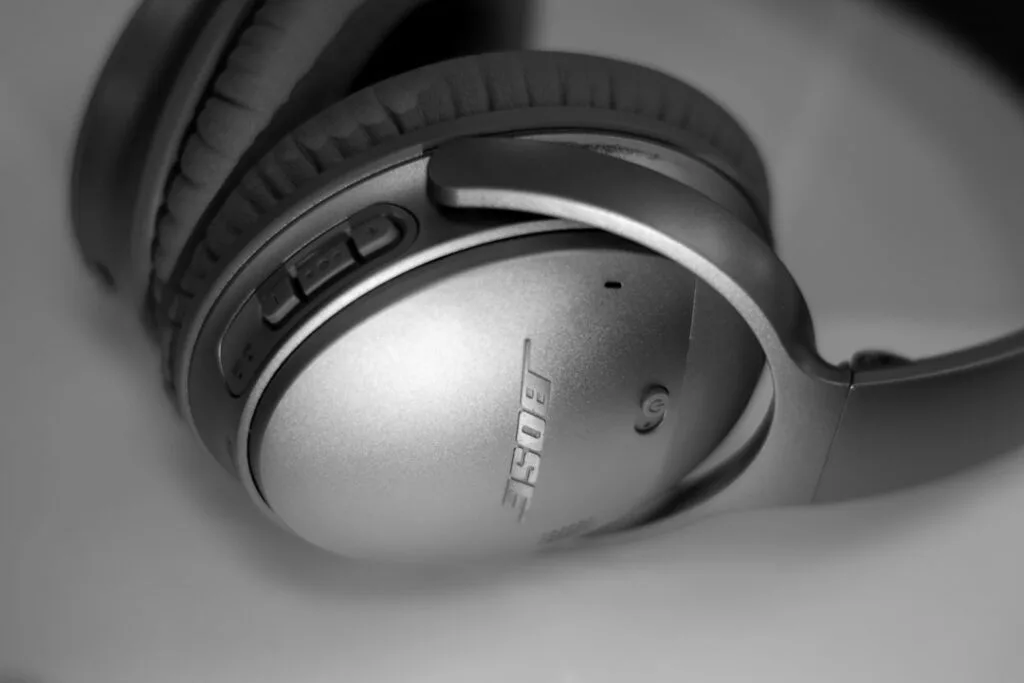
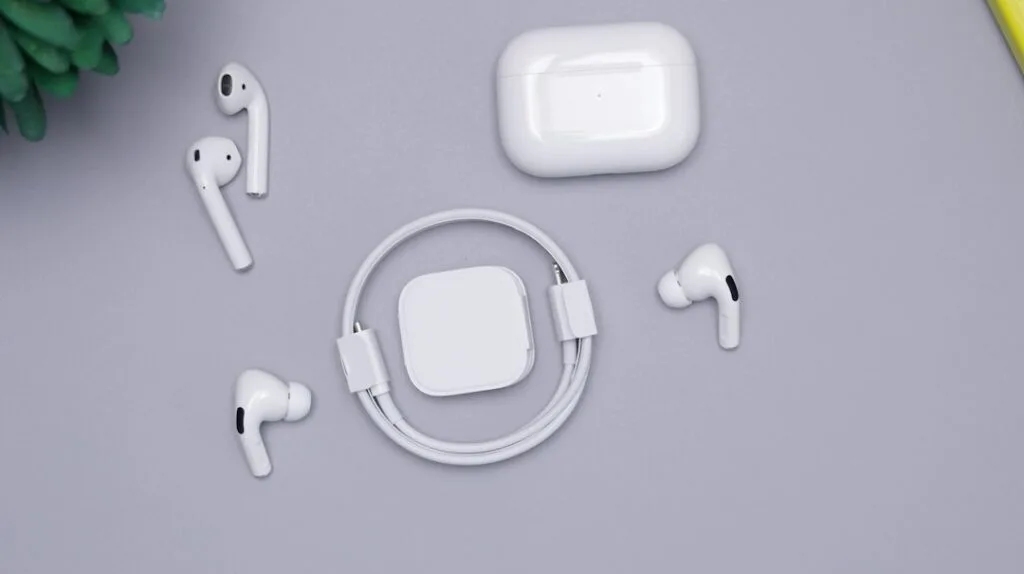
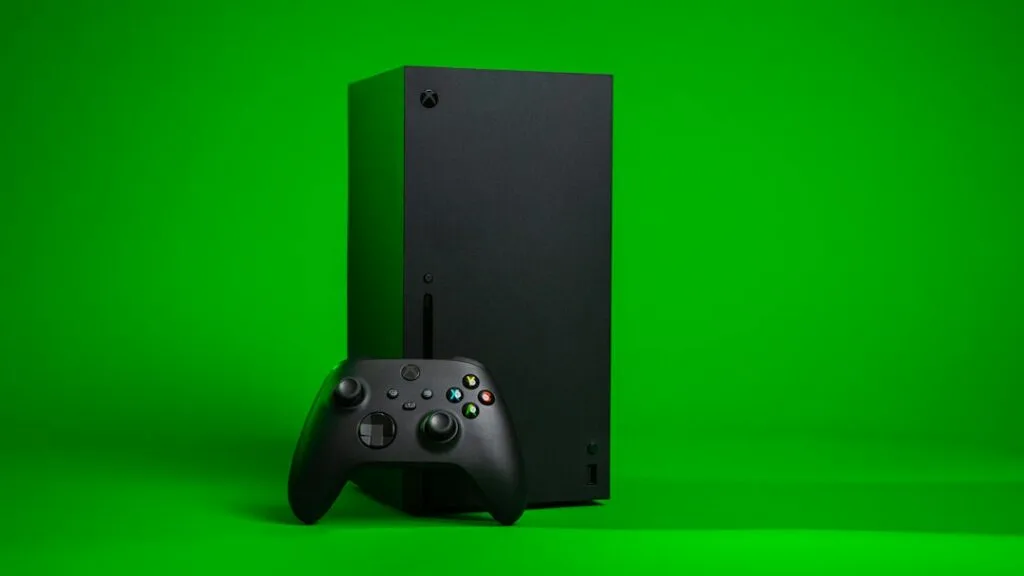
Headphones

Best Headphones for Hearing Footsteps in Games (2026): 6 Picks for FPS
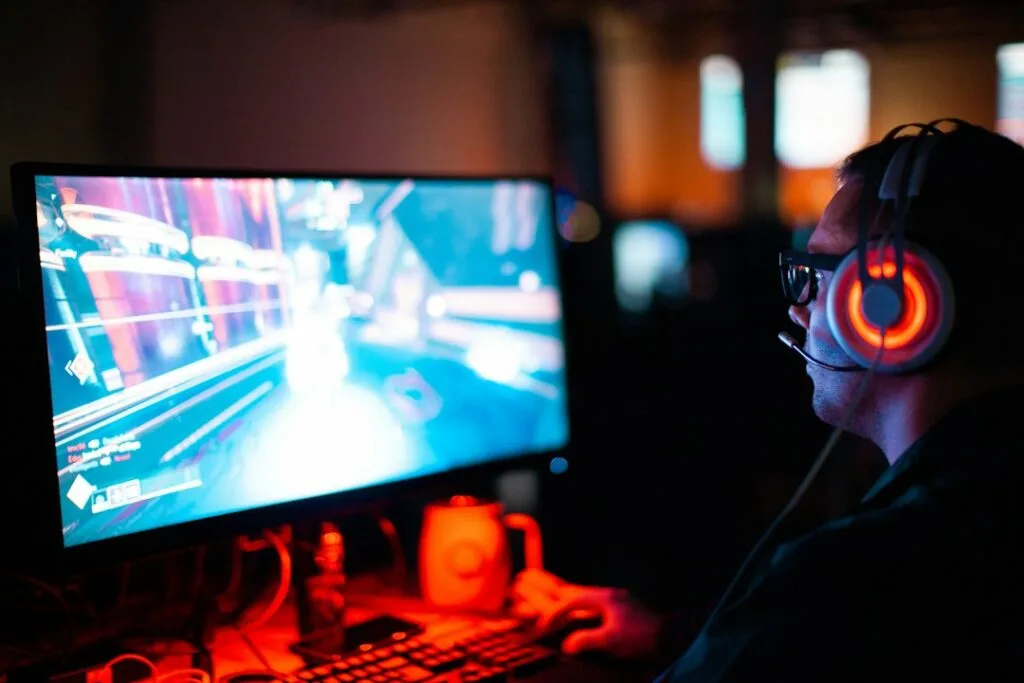
Person playing an FPS game on a PC

To hear footsteps clearly in shooters, the best all-round headset is the Razer BlackShark V3: PC Gamer praises its clear mids for picking out in-game detail, and its low-latency wireless works on PC and PS5. If you play at a quiet desk, an open-back headset gives a wider, more natural soundstage: the Drop PC38X is the value pick and the ASUS ROG Kithara the premium one. Settings matter as much as hardware, so read the setup section below too.

Check the Razer BlackShark V3 on Amazon →

Check the BlackShark V3 at Razer.com →

How we put this together: this guide is based on manufacturers’ specifications and published reviews from PC Gamer, SoundGuys, Hardware Canucks and others (linked below). It is not based on hands-on testing by iTech Level. Prices are list or typical street prices at the time of writing. See how we choose products.

Best headphones for footsteps compared

HeadsetBest forDesignConnectionBuy
Razer BlackShark V3Best overall, PC and PS5Closed-back, 270 g2.4GHz, Bluetooth, USBCheck price
Drop PC38XBest open-back valueOpen-back, boom micWired 3.5 mmCheck price
ASUS ROG KitharaPremium open-backOpen-back planar, 420 gWired (3.5 mm, balanced, 6.3 mm, USB-C)Check price
Audeze Maxwell 2Best wireless soundClosed-back planar, 560 g2.4GHz, Bluetooth, USB-C, 3.5 mmCheck price
HyperX Cloud AlphaBest budget (wired)Closed-back, dual-chamber driversWired 3.5 mmCheck price
SteelSeries Arctis Nova 5 / 5XConsoles, with game presetsClosed-back, 265 g2.4GHz USB-C, BluetoothCheck price

What makes headphones good for hearing footsteps?

  • Clear mids and highs, controlled bass. Footsteps, reloads and doors sit mostly above the bass range. Heavy bass sounds exciting but can mask them, so a headset that keeps its bass separate from the mids helps more than one that simply booms.
  • Imaging and soundstage. Imaging is how precisely you can place a sound; soundstage is how wide and spacious it feels. Open-back headphones let sound escape behind the drivers instead of bouncing inside a sealed cup, which SoundGuys says avoids “unwanted reflections and resonances” (SoundGuys).
  • Low latency. A wired connection or a 2.4GHz dongle; regular Bluetooth adds a delay you can hear (see our Bluetooth headphones for gaming guide).
  • Comfort for long sessions, since you’ll wear them for hours.

Open-back vs closed-back: open-back headphones usually sound wider and more natural, but they block no outside noise and leak sound into the room, so they suit a quiet desk, not a shared room or a noisy LAN. Closed-back headsets isolate you and work anywhere, with a slightly narrower presentation.

The best headphones for footsteps in 2026

1. Razer BlackShark V3: best overall

The BlackShark V3 is our top gaming headset overall, and it’s well suited to competitive shooters. PC Gamer rates it the best gaming headset overall, praising its clear mids for picking out in-game detail (PC Gamer). It weighs 270 g, connects over Razer’s 2.4GHz HyperSpeed dongle, Bluetooth or USB, and has a low-latency mode that Razer says cuts wireless delay to as little as 10 ms; the battery is rated at up to 70 hours (Razer).

Good to know: the 10 ms mode drains the battery faster, and the standard V3 doesn’t work wirelessly with Xbox. More in our best gaming headsets.

Check the BlackShark V3 on Amazon →

Check the BlackShark V3 at Razer.com →

2. Drop PC38X: best open-back value

The PC38X is an open-back gaming headset made with Sennheiser-derived drivers, sold by Drop, with a boom mic that mutes when you flip it up. Hardware Canucks praised its “beautiful soundstage expansion” and comfort, saying “you can wear this headset for 8 hours a day without any pressure fatigue,” and its low 28-ohm impedance means it doesn’t need an amplifier (Hardware Canucks). It plugs into a PC, a controller or any 3.5 mm jack.

Good to know: it’s wired only, and as an open-back design it leaks sound and lets room noise in.

Check the Drop PC38X on Amazon →

3. ASUS ROG Kithara: best premium open-back

The Kithara is a gaming headset built with HiFiMAN around 100 mm planar magnetic drivers, with a detachable full-band MEMS boom mic. SoundGuys notes that the drivers’ speed “should allow critical audio cues, such as footsteps and weapon reloads, to remain well-defined,” and that the open design avoids the reflections of sealed cups (SoundGuys). It comes with a gaming cable with the mic and a hi-fi cable with 3.5 mm, balanced, 6.3 mm and USB-C connections.

Good to know: at 420 g it’s heavier than most gaming headsets, it’s wired only, and SoundGuys points out the trade-off of open-back: “environmental sounds enter freely and audio leaks out.”

Check the ROG Kithara on Amazon →

4. Audeze Maxwell 2: best wireless sound quality

If you want the detail of planar magnetic drivers without a cable, the Maxwell 2 uses 90 mm planars with Audeze’s SLAM design for deeper bass that doesn’t cover up detail. It connects over a 2.4GHz dongle, Bluetooth, USB-C or 3.5 mm, with up to 80 hours of battery and an AI noise-reducing boom mic. RTINGS and PC Gamer both rank it their top wireless pick for audio (RTINGS). Good to know: at 560 g it’s very heavy, and some reviewers found it uncomfortable over long sessions.

Check the Maxwell 2 on Amazon →

5. HyperX Cloud Alpha: best on a budget

The wired Cloud Alpha uses dual-chamber drivers that separate the bass from the mids and highs, giving a full low end without muddying footsteps and voices. It plugs into anything with a 3.5 mm jack, including PS5 and Xbox controllers, so there’s no wireless delay, and it’s often discounted well below list price. PC Gamer names it the best wired gaming headset (PC Gamer).

Check the Cloud Alpha on Amazon →

6. SteelSeries Arctis Nova 5 / Nova 5X: best for consoles

On a console you can’t run PC audio software, which is where the Nova 5 helps: its companion phone app has audio presets for more than 100 games, so you can load a shooter’s preset without a PC. Its USB-C dongle works with PS5, PC, Switch 2 and handhelds, the Nova 5X adds Xbox, and SteelSeries rates the battery at up to 60 hours (SteelSeries).

Check the Arctis Nova 5 on Amazon →

How to hear footsteps better: settings that matter

  • Pick the game’s headphone mode. Many shooters have an audio output setting for headphones; use it instead of a speaker or TV mode, so the game mixes positional sound for two ears.
  • Use one virtual surround layer, not two. Windows can add spatial sound (Settings > System > Sound > your headphones > Spatial sound > Windows Sonic for Headphones), and Dolby Atmos and DTS are available from the Microsoft Store (Microsoft). If the game already does its own 3D audio, stacking another layer on top can blur positions, so try each and keep what sounds clearest.
  • Use an FPS or footsteps EQ preset rather than a bass boost. The LucidSound LS500, for example, has an FPS mode, and SteelSeries’ app has presets for more than 100 games.
  • Turn down music and voice chat, and avoid “loudness” or “bass enhancement” effects that compress quiet sounds.
  • Go wired or use the dongle, never regular Bluetooth, for competitive play.

Specs from the makers, side by side

Every figure below comes from the manufacturer’s own spec page, taken from our earbuds and headphones spec database. “Not stated” means the maker doesn’t publish it, not that the feature is missing.

ModelBatteryWeightLatency (maker)ConnectionMaker doesn’t state
Razer BlackShark V370 h270 gas low as 10 ms (2.4 GHz)2.4 GHz HyperSpeed Wireless Gen-2 + BluetoothBluetooth version, platforms for this model
Drop + EPOS PC38XNot stated253 (EPOS fact sheet; layout ambiguous)Not statedwired 3.5 mm—
ASUS ROG KitharaNot stated420 gNot statedwired (4.4 mm / 3.5 mm / 6.3 mm plugs + USB-C to dual 3.5 mm)—
Audeze Maxwell 280+ (at 80 dBA)560 gNot stated2.4 GHz dongle + Bluetooth; Bluetooth 5.3latency figure
HyperX Cloud Alpha (wired)Not stated298 gNot statedwired 3.5 mm—
SteelSeries Arctis Nova 5 Wireless60 h265 gNot stated2.4 GHz dongle + Bluetooth; Bluetooth 5.3latency, quick charge, Xbox

Our verdict

The Razer BlackShark V3 is the best headset for hearing footsteps for most players: clear mids, low-latency wireless and a fair price. If you play at a quiet desk and want the widest soundstage, an open-back headset is the upgrade, with the Drop PC38X as the value pick and the ASUS ROG Kithara as the premium one. On a budget, the wired HyperX Cloud Alpha keeps bass and footsteps separate, and on consoles, the Arctis Nova 5’s game presets help. Whichever you choose, set the game to headphone mode and skip the bass boost.

Frequently asked questions

What are the best headphones for hearing footsteps?

The Razer BlackShark V3 for most players, praised by PC Gamer for clear mids. For the widest soundstage at a quiet desk, an open-back headset such as the Drop PC38X or ASUS ROG Kithara.

Are open-back headphones better for footsteps?

They usually give a wider, more natural soundstage, which helps place sounds. The trade-off is that they block no outside noise and leak sound, so they suit a quiet room rather than a shared space.

Does virtual surround help you hear footsteps?

Sometimes. Windows Sonic, Dolby Atmos or DTS can help in games without their own 3D audio, but stacking them on top of a game’s built-in spatial audio can blur positions. Try each and keep what sounds clearest.

Should I use a bass boost for gaming?

Not for competitive shooters. Heavy bass can mask footsteps, which sit mostly in the mids and highs. An FPS or footsteps EQ preset is usually better.

Can I hear footsteps better with wireless headphones?

Use a headset with a 2.4GHz dongle or a cable. Regular Bluetooth adds a delay you can notice in fast games, so sounds arrive slightly after the action.

Related guides

Best Headphones for Hearing Footsteps in Games (2026): 6 Picks for FPS Read More »
Are Beats Good for Gaming? Studio Pro, Beats 360 and Earbuds on PC, PS5 and Xbox (2026)

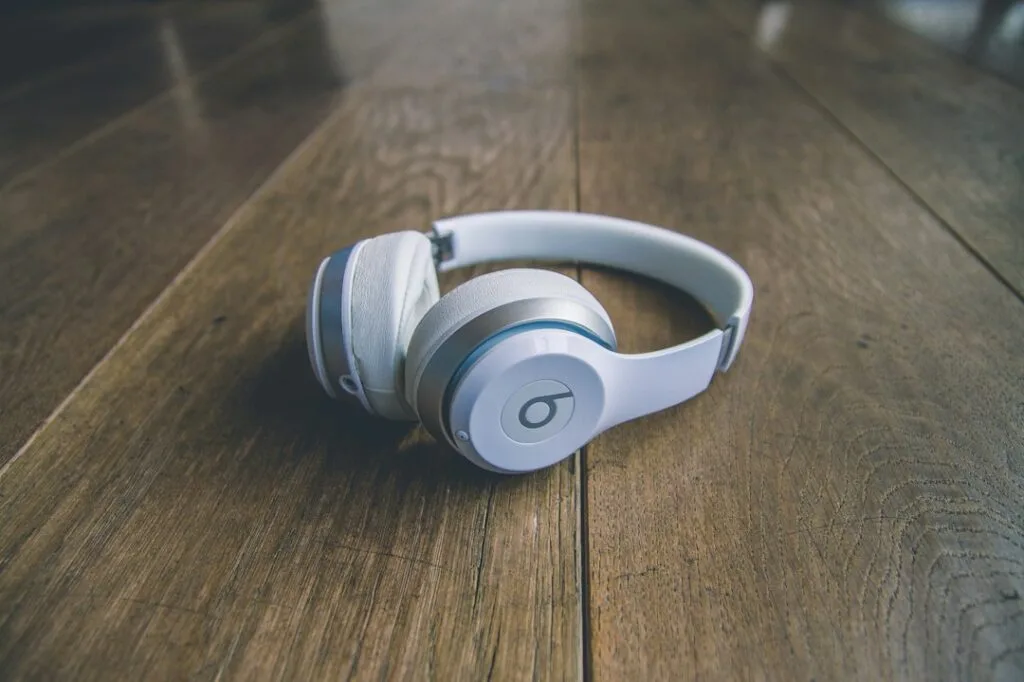
White Beats by Dr. Dre wireless headphones

Short answer: Beats are fine for casual gaming, and the Beats Studio Pro are the best Beats for it: plug in the USB-C cable and you get wired audio and a working mic for calls, with no Bluetooth delay. Over Bluetooth, every Beats model has the usual lag, which shows in fast shooters, and none of them connects to a PS5 or Xbox wirelessly. On an iPhone, iPad or Mac, Apple’s Game Mode helps. For competitive or console gaming, a gaming headset such as the SteelSeries Arctis Nova 5 is the better buy.

Check the Beats Studio Pro on Amazon →

How we put this together: this guide is based on Apple’s and Beats’ own documentation, platform documentation from Microsoft, Sony and Nintendo, and published reviews (linked below). It is not based on hands-on testing by iTech Level. See how we choose products.

Can you use Beats for gaming?

Yes. How well they work depends on the model and how you connect:

  • USB-C audio (Beats Studio Pro and Solo 4): both headphones play audio over the included USB-C cable when connected to a supported iPhone, iPad, Mac or Android device (Apple, Apple). Beats says the Studio Pro can “stream audio or take phone calls” over USB-C, so their mic works wired too (Beats). A wired connection avoids Bluetooth delay.
  • 3.5 mm cable (Studio Pro and Solo 4): plugs into any headphone jack, including a PS5 or Xbox controller, for game sound with no Bluetooth delay. The Studio Pro even work this way with a flat battery (Apple). Apple describes the 3.5 mm cable for listening only, so use the controller’s mic or a separate one for chat.
  • Bluetooth (all Beats): roughly 150–200 ms of delay on most devices: fine for story and turn-based games, noticeable in shooters and rhythm games. See our Bluetooth headphones for gaming guide.
  • Apple’s Game Mode: on an iPhone or iPad with iOS 18 or later, or an Apple silicon Mac with macOS Sonoma or later, Game Mode turns on when a game goes full screen and “doubles the Bluetooth sampling rate, which reduces input latency and audio latency for wireless accessories” (Apple Support). Apple’s examples are controllers and AirPods, so Bluetooth Beats should benefit too.

Beats for gaming, platform by platform

PlatformBest connectionBeats mic for chatVerdict
iPhone / iPad / MacUSB-C (Studio Pro, Solo 4) or Bluetooth with Game ModeYesGood
AndroidUSB-C (Studio Pro, Solo 4) or BluetoothYesFine for mobile games
Windows PC3.5 mm cable or BluetoothOver Bluetooth, with lower sound quality while it’s onCasual games
PS5 / Xbox3.5 mm cable in the controller jack (Studio Pro, Solo 4)Use the controller mic (PS5) or a separate micWired only
Nintendo Switch 23.5 mm cable, or Bluetooth for game soundNo (Bluetooth mics aren’t supported)OK

Which Beats are best for gaming?

Beats Studio Pro: best Beats for gaming

The Studio Pro (2023) are the most flexible Beats for gaming: USB-C audio with a working mic for phones, tablets and Macs, a 3.5 mm cable for controllers and handhelds, and up to 40 hours of battery (24 with noise cancelling). After the Beats 360 launched in September 2026, Apple cut the Studio Pro’s list price, and they’re often discounted further. See our full Beats Studio Pro vs Beats 360 comparison.

Check the Beats Studio Pro on Amazon →

Beats Solo 4: the on-ear option

The Solo 4 also play audio over USB-C and a 3.5 mm cable (Apple), so they can be used wired in the same ways. They sit on the ear rather than around it and don’t have noise cancelling, which matters less at a desk than on a plane.

Beats 360: wireless only

Beats’ newest headphones (September 2026, $349.99) have stronger noise cancelling, but their USB-C port is for charging only and there’s no 3.5 mm jack (T3). With no wired option, they can’t avoid Bluetooth delay on any platform and can’t be used with a PS5 or Xbox at all. If gaming matters, the cheaper Studio Pro are the better Beats.

Beats earbuds: casual mobile games

Beats earbuds, such as the Powerbeats Pro 2 and the Solo Buds, are Bluetooth only. On an iPhone, Game Mode keeps the delay down for mobile games; elsewhere they behave like any Bluetooth earbuds. See our best earbuds for iPhone for how they compare with AirPods.

Beats on PS5 and Xbox

Neither console supports Bluetooth audio, so Beats can’t connect wirelessly (What Hi-Fi?). With the Studio Pro or Solo 4, plug the 3.5 mm cable into the controller’s headphone jack for game sound, and talk through the DualSense’s built-in mic on a PS5 or a separate mic on Xbox. You can also join party voice chat from your phone in the PlayStation App or the Xbox app with the Beats connected to the phone (Xbox Support), but game sound stays on the TV.

Beats on a Windows PC

Apple lists iPhone, iPad, Mac and Android as supported sources for USB-C audio, not Windows, so on a PC the 3.5 mm cable is the dependable wired option. Over Bluetooth, expect the usual delay, plus a catch with chat: when Discord or a game turns on the headphones’ mic, Windows switches to its “Hands-Free” profile and game audio drops to mono call quality (BGR, describing the same issue with AirPods). Choose the stereo “Headphones” output and use a different mic to avoid it.

Beats on the Nintendo Switch 2

The Switch 2 supports Bluetooth audio, so any Beats work for game sound, but Bluetooth microphones aren’t supported for GameChat, you can only use two wireless controllers while they’re connected, and Nintendo warns of possible audio delay (Nintendo). In handheld mode, the Studio Pro or Solo 4 on a 3.5 mm cable avoid the delay. See our best headphones for Switch 2.

Better options if you mainly game

PickBest forConnectionWorks withBuy
SteelSeries Arctis Nova 5 / Nova 5XOne headset for every console2.4GHz USB-C dongle, plus BluetoothPC, PS5, Switch 2, phones; Xbox on the 5XCheck price
Razer BlackShark V3PC and PS5 players2.4GHz dongle, Bluetooth, USBPC, PS5, Switch, phonesCheck price
Sony INZONE BudsGaming earbudsUSB-C dongle (Sony rates under 30 ms), plus Bluetooth LE AudioPC, PS5, Switch 2, phonesCheck price

The Arctis Nova 5 (up to 60 hours per SteelSeries) works on almost every system; get the Nova 5X for Xbox. The Razer BlackShark V3 is our top pick for PC and PS5. Both cost less than the Beats 360 and add low-latency wireless and a boom mic. For earbuds, the Sony INZONE Buds use a USB-C dongle instead of Bluetooth. More picks are in our best gaming headsets.

Check the Arctis Nova 5 on Amazon →

Our verdict

Beats are fine for casual gaming, especially on Apple devices, where Game Mode cuts Bluetooth delay. The Beats Studio Pro are the best Beats for gaming because they can go wired over USB-C (with the mic) or a 3.5 mm cable (for controllers). The Beats 360 are a poor gaming choice since they’re wireless only. If you’re buying mainly for gaming, a gaming headset like the Arctis Nova 5 costs less and does the job better.

Frequently asked questions

Are Beats good for gaming?

For casual games, yes. Over Bluetooth they have the usual delay, which shows in fast shooters, though Apple’s Game Mode reduces it on iPhone, iPad and Mac. The Beats Studio Pro are the best Beats for gaming because they also work wired.

Can you use Beats on a PS5 or Xbox?

Only wired. Neither console supports Bluetooth audio, so plug the 3.5 mm cable of the Beats Studio Pro or Solo 4 into the controller’s headphone jack, and use the controller’s mic (PS5) or a separate mic for chat.

Does the Beats mic work for gaming?

Over Bluetooth on a phone or PC, yes, though on Windows sound quality drops while the mic is on. The Studio Pro also take calls over USB-C. Apple describes the 3.5 mm cable for listening only, and the Switch 2 doesn’t support Bluetooth mics.

Are the Beats Studio Pro good for gaming?

They’re the best Beats for it: wired USB-C audio with a working mic on phones, tablets and Macs, a 3.5 mm cable for controllers, and up to 40 hours of battery. They don’t have a boom mic or a low-latency wireless dongle like a gaming headset.

Are the Beats 360 good for gaming?

Not especially. Their USB-C port is for charging only and there’s no headphone jack, so they’re Bluetooth only, with the delay that brings, and they can’t connect to a PS5 or Xbox.

Related guides

Are Beats Good for Gaming? Studio Pro, Beats 360 and Earbuds on PC, PS5 and Xbox (2026) Read More »

Are Bose Headphones Good for Gaming? QC Ultra on PC, PS5, Xbox and Switch 2 (2026)

Grey Bose wireless headphones

Short answer: Bose headphones are good for relaxed gaming, such as story games, racing and single-player titles, especially plugged in. The QuietComfort Ultra Headphones (2nd Gen) are the best Bose for it, because their USB-C audio gives low-latency sound on a PC, Mac or phone. Over Bluetooth, though, every Bose model has the usual delay, and none of them connects to a PS5 or Xbox wirelessly. For competitive shooters and console chat, a gaming headset like the SteelSeries Arctis Nova 5 is the better tool.

Check the Bose QC Ultra Headphones (2nd Gen) on Amazon →

How we put this together: this guide is based on Bose’s own announcements and specifications, platform documentation from Microsoft, Sony and Nintendo, and published latency information (linked below). It is not based on hands-on testing by iTech Level. See how we choose products.

Can you use Bose headphones for gaming?

Yes, but how well they work depends on how you connect them:

  • USB-C audio (QC Ultra Headphones 2nd Gen only): Bose added wired USB-C audio to the second-generation QC Ultra Headphones and says it brings “low-latency audio for gaming on a desktop or mobile device” (Bose). This is the best way to game with Bose on a PC, Mac, tablet or phone.
  • 3.5 mm audio cable: Bose over-ear models come with an analog cable (a 3.5 mm to 2.5 mm cable on the QC Ultra Headphones 2nd Gen, per Bose’s specifications). An analog cable has no Bluetooth delay, and it’s the way to use Bose with a PS5 or Xbox: plug it into the controller’s 3.5 mm jack. Don’t count on the headphones’ own microphones over the cable; use the controller’s mic (the PS5 DualSense has one built in) or a separate mic.
  • Standard Bluetooth: roughly 150–200 ms of delay on most devices, which is fine for story and turn-based games but noticeable in shooters and rhythm games. Our Bluetooth headphones for gaming guide explains why.
  • aptX Adaptive: the QC Ultra Headphones (2nd Gen) support aptX Adaptive, which Bose says adapts to “low-latency processing” with Snapdragon Sound-certified devices (Bose). That helps on some Android phones only; iPhones, Windows PCs and consoles don’t support it.

Bose for gaming, platform by platform

PlatformBest connectionBose mic for chatVerdict
Windows PC / MacUSB-C (QC Ultra 2nd Gen) or the analog cableOver Bluetooth, with lower sound quality while it’s onGood wired
iPhone / AndroidUSB-C or Bluetooth (aptX Adaptive on Snapdragon Sound phones)YesFine for mobile games
PS5Analog cable in the DualSense jackUse the DualSense micWired only
Xbox Series X|SAnalog cable in the controller jackUse a separate micWired only
Nintendo Switch 2Analog cable, or Bluetooth for game soundNo (Bluetooth mics aren’t supported)OK

Which Bose headphones are best for gaming?

QuietComfort Ultra Headphones (2nd Gen): best Bose for gaming

The second-generation QC Ultra Headphones (October 2025) are the only current Bose headphones with USB-C audio, and Bose pitches it at gamers: lossless, low-latency sound over the included USB-C cable, while charging at the same time. They also add aptX Adaptive for lower latency on Snapdragon Sound phones, and Bose rates the battery at up to 30 hours with noise cancelling, or 45 with it off (Bose). The plush, light fit that makes them good for long flights also suits long gaming sessions.

Bose’s announcement doesn’t say whether the microphones work over USB-C. If they don’t appear as an input on your PC, use a separate mic for chat.

Check the QC Ultra Headphones (2nd Gen) on Amazon →

Older QuietComfort Ultra and QuietComfort Headphones: wired or casual only

The first-generation QC Ultra Headphones and the QuietComfort Headphones don’t have USB-C audio, so for gaming you’re choosing between Bluetooth delay and the analog cable. Plugged into a controller or a PC, they’re good-sounding, comfortable headphones for single-player games. See our QC Ultra Headphones (2nd Gen) page for how the two generations differ.

QuietComfort Ultra Earbuds (2nd Gen): mobile games only

Bose’s earbuds are Bluetooth only, with no cable or dongle option. They’re excellent for noise cancelling and fine for casual mobile games, but on a PC they have standard Bluetooth delay, and they can’t connect to a PS5 or Xbox. If you want earbuds for gaming, see the picks below.

Bose on PS5 and Xbox

Neither console supports Bluetooth audio, so Bose headphones can’t connect to a PS5 or Xbox wirelessly (What Hi-Fi?). The reliable setup is the analog cable in the controller’s 3.5 mm jack: no delay, and you talk through the DualSense’s built-in mic on a PS5, or a separate mic on Xbox. You can also join party chat from your phone in the PlayStation App or Xbox app with the headphones connected to the phone over Bluetooth, but then game sound still comes from the TV (Xbox Support).

Bose on a Windows PC

On a PC, use the USB-C cable on the QC Ultra Headphones (2nd Gen), or the analog cable on older models, for game sound without delay. Over Bluetooth, expect the usual lag, plus one more catch: when Discord or a game turns on the headphones’ microphone, Windows switches them to its “Hands-Free” profile, and game audio drops to thin, mono call quality until the mic closes (BGR, describing the same issue with AirPods). The fix is to choose the stereo “Headphones” output and set your input to a different mic.

Bose on the Nintendo Switch 2

The Switch 2 supports Bluetooth audio, so Bose headphones work for game sound. But Bluetooth microphones aren’t supported for GameChat, you can only use two wireless controllers while they’re connected, and Nintendo warns you may notice audio delay (Nintendo). In handheld mode, the analog cable in the console’s headphone jack avoids the delay. More options are in our best headphones for Switch 2.

Better options if you mainly game

PickBest forConnectionWorks withBuy
SteelSeries Arctis Nova 5 / Nova 5XOne headset for every console2.4GHz USB-C dongle, plus BluetoothPC, PS5, Switch 2, phones; Xbox on the 5XCheck price
Razer BlackShark V3PC and PS5 players2.4GHz dongle, Bluetooth, USBPC, PS5, Switch, phonesCheck price
Sony INZONE BudsGaming earbuds instead of the QC Ultra EarbudsUSB-C dongle (Sony rates under 30 ms), plus Bluetooth LE AudioPC, PS5, Switch 2, phonesCheck price

The Arctis Nova 5 (up to 60 hours of battery per SteelSeries) is the easy pick if you play on several systems; get the Nova 5X for Xbox. The Razer BlackShark V3 is our top gaming headset overall for PC and PS5. Both have low-latency wireless and a real boom mic, the two things Bose headphones lack. See our best gaming headsets for more.

Check the Arctis Nova 5 on Amazon →

Specs from the makers, side by side

Every figure below comes from the manufacturer’s own spec page, taken from our earbuds and headphones spec database. “Not stated” means the maker doesn’t publish it, not that the feature is missing.

ModelBatteryWeightLatency (maker)ConnectionMaker doesn’t state
Bose QuietComfort Ultra Headphones (2nd Gen)ANC on: 30 (23 with Immersive Audio)264 (0.583 lb)Not statedBluetooth + wired (audio cable; USB-C); Bluetooth 5.4codecs, multipoint, latency, water rating
SteelSeries Arctis Nova 5 Wireless60 h265 gNot stated2.4 GHz dongle + Bluetooth; Bluetooth 5.3latency, quick charge, Xbox
Razer BlackShark V370 h270 gas low as 10 ms (2.4 GHz)2.4 GHz HyperSpeed Wireless Gen-2 + BluetoothBluetooth version, platforms for this model
Sony INZONE Buds (WF-G700N)ANC on: 11 (dongle) / 18 (LE Audio)
ANC off: 12 (dongle) / 24 (LE Audio)
with case: 24 (dongle, NC off) / 48 (LE Audio, NC off)
6.5 gless than 30 ms (USB-C dongle)2.4 GHz USB-C dongle + Bluetooth LE Audio only (no classic Bluetooth); Bluetooth 5.3 (LE Audio only)multipoint, case weight

Our verdict

If you already own Bose headphones, plug them in and they’re good for single-player and casual gaming on any platform. The QC Ultra Headphones (2nd Gen) are the best Bose for gaming thanks to low-latency USB-C audio on a PC, Mac or phone. Over Bluetooth, Bose has the same delay as other wireless headphones, no Bose model connects to a PS5 or Xbox wirelessly, and the mic is limited for console chat. If gaming is a main reason you’re buying, get a gaming headset like the Arctis Nova 5 and keep the Bose for travel.

Frequently asked questions

Are Bose headphones good for gaming?

For relaxed and single-player games, yes, especially wired. The QC Ultra Headphones (2nd Gen) have USB-C audio that Bose says gives low-latency sound for gaming on a computer or phone. Over Bluetooth they have the usual delay, which shows in fast shooters.

Can you use Bose headphones on a PS5 or Xbox?

Only with a cable. Neither console supports Bluetooth audio, so plug the Bose analog cable into the controller’s 3.5 mm jack, and use the controller’s mic (PS5) or a separate mic for chat.

Do Bose headphones have a mic for gaming?

They have microphones for calls, which work for chat over Bluetooth on a PC or phone, but sound quality drops while the mic is in use on Windows. There’s no boom mic, and on consoles you’ll need the controller’s mic or a separate one.

Is the Bose QuietComfort Ultra good for gaming?

The second-generation QC Ultra Headphones are the best Bose for gaming, thanks to low-latency USB-C audio and aptX Adaptive on Snapdragon Sound phones. The first generation is fine wired, but has Bluetooth delay wirelessly.

Are Bose earbuds good for gaming?

For casual mobile games, yes. The QuietComfort Ultra Earbuds are Bluetooth only, with no cable or dongle option, so they have standard Bluetooth delay on a PC and can’t connect to a PS5 or Xbox. For gaming earbuds, the Sony INZONE Buds use a low-latency USB-C dongle.

Related guides

Are Bose Headphones Good for Gaming? QC Ultra on PC, PS5, Xbox and Switch 2 (2026) Read More »

Are AirPods Good for Gaming? PC, PS5, Xbox and Switch 2 Explained (2026)

Apple AirPods and charging case

Short answer: AirPods are good for gaming on an iPhone, iPad or Mac, where Apple’s Game Mode cuts their audio delay. They’re fine for casual games on a Windows PC, but not for competitive shooters. On consoles they’re limited: they work for game sound on the Switch 2, but not on a PS5 or Xbox without workarounds, and their microphone doesn’t work for in-game chat on any of the three. If you want wireless earbuds for console or PC gaming, get a pair with its own USB-C dongle, such as the Sony INZONE Buds.

Check the Sony INZONE Buds on Amazon →

How we put this together: this guide is based on Apple’s, Microsoft’s, Sony’s and Nintendo’s own documentation and on published latency measurements (linked below). It is not based on hands-on testing by iTech Level. See how we choose products.

Can you use AirPods for gaming? Platform by platform

PlatformGame audioAirPods mic for chatDelayVerdict
iPhone / iPadYesYesLowest; Game Mode reduces itGood
Mac (Apple silicon)YesYesLow with Game ModeGood
Windows PCYes (Bluetooth)Yes, but sound quality drops while it’s onStandard BluetoothCasual games only
Nintendo Switch 2Yes (Bluetooth)NoStandard BluetoothOK for handheld play
Xbox Series X|SNo (no Bluetooth audio)Only through the Xbox app on your phonen/aWorkarounds only
PS5No (no Bluetooth audio)Only through the PlayStation App on your phonen/aWorkarounds only

How much delay do AirPods have?

Apple doesn’t publish latency figures for AirPods. The best-known independent measurement is older: developer Stephen Coyle measured the first AirPods Pro at about 144 ms on an iPhone, against 178 ms for the AirPods 2 and 274 ms for the original AirPods (MacRumors). Newer models are expected to do better on Apple devices, but no free independent measurement of the current models has been published yet.

For comparison, standard Bluetooth on other devices adds roughly 150–200 ms, while gaming headsets with a 2.4GHz USB dongle stay low enough that you won’t notice it. At 150 ms you hear footsteps and gunshots a beat after you see them, which matters in shooters and rhythm games but not in a turn-based RPG or a puzzle game. Our Bluetooth headphones for gaming guide explains the numbers in detail.

Game Mode is the reason AirPods do better on Apple devices. On an iPhone or iPad with iOS 18 or later, and on an Apple silicon Mac with macOS Sonoma or later, Game Mode turns on by itself when a game goes full screen. Apple says it “doubles the Bluetooth sampling rate, which reduces input latency and audio latency for wireless accessories like game controllers and AirPods” (Apple Support). A Windows PC, a Switch 2 or an Android phone doesn’t have it, so AirPods behave like any other Bluetooth earbuds there.

Which AirPods are best for gaming?

AirPods Max 2 and AirPods Max (USB-C): best for gaming

The AirPods Max are the only AirPods that can skip Bluetooth. Since a firmware update in April 2025, the USB-C AirPods Max play lossless audio with “ultra-low latency” over the included USB-C cable, which Apple says is on par with the built-in speakers on a Mac, iPad or iPhone and is aimed at gamers and livestreamers (Apple Newsroom). Apple also sells a USB-C to 3.5 mm cable, so you can plug them into a 3.5 mm jack, such as the one on a PS5 or Xbox controller, for game sound without Bluetooth delay. Apple doesn’t say the microphone works over that cable, so plan on game sound only.

The AirPods Max 2 (April 2026) keep the USB-C lossless audio and add lower wireless latency: Apple says “reduced wireless audio latency also makes gaming even better” in Game Mode (Apple Newsroom). They’re the AirPods to get if gaming matters to you, though the same money also buys a top gaming headset and a pair of earbuds.

Check the AirPods Max 2 on Amazon →

AirPods Pro 3: good on iPhone and Mac

The AirPods Pro 3 are Bluetooth only, so they rely on Game Mode for lower delay on Apple devices. Their sealed silicone tips and strong noise cancelling help you hear quiet sounds in a game, and the microphones are good for chat on an iPhone, iPad or Mac. On a Windows PC they’re casual-game earbuds like any others.

Check the AirPods Pro 3 on Amazon →

AirPods 5: fine for casual mobile games

The AirPods 5 (September 2026, $129, or $149 with a wireless charging case) now have noise cancelling on both models (Apple Newsroom). Apple didn’t mention gaming or latency for them, so expect the same Game Mode benefit on Apple devices and standard Bluetooth delay elsewhere. The open fit with no ear tips lets in more room noise than the Pro 3, which makes quiet game sounds harder to pick out.

AirPods on iPhone, iPad and Mac

This is where AirPods work best. They pair automatically, switch between your Apple devices, and Game Mode lowers their delay as soon as a game goes full screen. The microphone works for in-game voice chat and for Discord on all three devices. For mobile games and most Mac games, AirPods are a perfectly good choice. If you play competitive shooters on a Mac, a wired headset or one with a USB dongle is still faster.

AirPods on a Windows gaming PC

AirPods pair with Windows like any Bluetooth earbuds: put them in pairing mode (Apple’s steps for non-Apple devices), then add them under Bluetooth & devices. Two things to know:

  • Delay: Windows has no Game Mode for AirPods, so you get standard Bluetooth delay. That’s fine for strategy, story and single-player games, and noticeable in fast shooters.
  • Sound quality drops when the mic is on. Bluetooth can’t carry full-quality stereo and a live microphone at the same time, so when Discord or a game opens the AirPods’ mic, Windows switches them to the “Hands-Free” profile and the sound turns thin and mono (BGR). The fix: in Windows sound settings, set the output to “Headphones (AirPods Stereo)” and the input to your laptop’s built-in mic, a webcam mic or a USB mic.

AirPods on the Nintendo Switch 2

The Switch 2 supports Bluetooth audio, so AirPods work for game sound. You pair them under System Settings, one Bluetooth audio device at a time. But the Switch 2 doesn’t support Bluetooth microphones, so the AirPods’ mic won’t work in GameChat. While they’re connected you can only use two wireless controllers (a pair of Joy-Con 2 counts as two), Bluetooth audio disconnects during local wireless multiplayer, and Nintendo warns that you may notice audio delay (Nintendo). The console’s built-in mic can pick up your voice for GameChat instead. Our best headphones for Switch 2 guide covers options that do both.

AirPods on Xbox

Xbox consoles don’t support Bluetooth audio, so AirPods can’t connect to an Xbox directly (What Hi-Fi?). There are two partial workarounds:

  • Party chat through your phone: connect the AirPods to your phone and join your Xbox party in the Xbox mobile app, which supports voice chat with a headset paired to the phone (Xbox Support). Game sound still comes from the TV.
  • Game sound through the controller: a small Bluetooth transmitter plugged into the controller’s 3.5 mm jack can send game audio to AirPods. It adds Bluetooth delay, and most transmitters carry sound only, so you’d still need the phone for chat.

If you play on Xbox a lot, a headset made for it is simpler. See our best Xbox headsets.

AirPods on PS5

The PS5 doesn’t support Bluetooth audio either. The workarounds are the same idea as on Xbox: voice chat in a party through the PlayStation App on your phone, which supports voice chat with up to 15 friends (PlayStation Blog), or a Bluetooth transmitter in the DualSense controller’s 3.5 mm jack for game sound with added delay. AirPods Max owners can use Apple’s USB-C to 3.5 mm cable in the controller jack instead, for game sound without Bluetooth delay.

Sony’s own answer for earbuds is the PlayStation Pulse Explore. They connect to the PS5 over PlayStation Link, Sony’s low-latency wireless, and to your phone over Bluetooth at the same time (PlayStation). More picks are in our best PS5 headsets guide.

Better earbuds and headsets for gaming

If you want earbuds or a headset mainly for gaming, these avoid the problems above by using their own wireless link instead of Bluetooth:

PickBest forConnectionWorks withBuy
Sony INZONE BudsGaming earbuds for PC, PS5 and Switch 2USB-C dongle (Sony rates under 30 ms), plus Bluetooth LE AudioPC, PS5, Switch 2, phonesCheck price
PlayStation Pulse ExplorePS5 players who want earbudsPlayStation Link, plus Bluetooth at the same timePS5, PC/Mac (with the adapter), PlayStation Portal, phonesCheck price
SteelSeries Arctis Nova 5 / Nova 5XOne headset for every console2.4GHz USB-C dongle, plus BluetoothPC, PS5, Switch 2, phones; Xbox on the 5XCheck price

The Sony INZONE Buds are the closest thing to “AirPods for gaming”: small earbuds with noise cancelling, but their USB-C dongle gives low delay and a working mic on PC, PS5 and Switch 2, where AirPods fall short. The Arctis Nova 5 (up to 60 hours of battery per SteelSeries) is the easy headset pick if you play on several systems; get the Nova 5X for Xbox (SteelSeries). For more, see our best gaming headsets.

Check the Arctis Nova 5 on Amazon →

Our verdict

If you game on an iPhone, iPad or Mac, the AirPods you already own are good enough, and Game Mode keeps the delay low. On a Windows PC they’re fine for casual games once you move the mic to another device. On consoles they’re a stopgap: game sound only on the Switch 2, and workarounds on PS5 and Xbox. The AirPods Max are the exception, because their cable removes the Bluetooth delay. If you’re buying earbuds for console or PC gaming, get a pair with its own dongle, such as the Sony INZONE Buds.

Frequently asked questions

Are AirPods good for gaming?

On an iPhone, iPad or Mac, yes: Apple’s Game Mode doubles the Bluetooth sampling rate to cut their delay. On a Windows PC they’re fine for casual games but lag in fast shooters, and on consoles they’re limited: game sound only on the Switch 2, and no direct connection to a PS5 or Xbox.

Can you use AirPods on a PS5 or Xbox?

Not directly, because neither console supports Bluetooth audio. You can join voice chat through the PlayStation App or Xbox app on your phone with AirPods connected to the phone, or use a Bluetooth transmitter in the controller’s 3.5 mm jack for game sound with added delay.

Does the AirPods mic work for game chat?

On an iPhone, iPad, Mac or Windows PC, yes, though on Windows the sound quality drops while the mic is in use. On the Switch 2 it doesn’t, because the console doesn’t support Bluetooth microphones, and the PS5 and Xbox can’t connect to AirPods at all.

Are AirPods Max good for gaming?

They’re the best AirPods for it. Over the USB-C cable they play lossless audio with ultra-low latency that Apple says is on par with built-in speakers, and the AirPods Max 2 also have lower wireless latency in Game Mode.

Can I use AirPods for competitive gaming?

Not well. On a PC or console you get standard Bluetooth delay of roughly 150–200 ms, so you hear footsteps and shots a beat after you see them. Only Apple’s Game Mode on iPhone, iPad and Mac reduces it. For competitive play, use a wired headset or earbuds with a USB-C dongle, such as the Sony INZONE Buds.

Can I use AirPods for gaming on PC?

Yes. Pair them like any Bluetooth earbuds and they’re fine for strategy and story games, but you get standard Bluetooth delay, which you’ll notice in shooters. If Discord or a game turns on the AirPods mic, the sound goes thin and mono. To avoid that, set the output to ‘Headphones (AirPods Stereo)’ and use your laptop, webcam or USB mic instead.

Related guides

Are AirPods Good for Gaming? PC, PS5, Xbox and Switch 2 Explained (2026) Read More »

Best Xbox Headsets (2026): 7 Picks for Xbox Series X|S and Xbox One

Xbox console with a controller

For most people the best Xbox headset is the SteelSeries Arctis Nova 7X Gen 2: its dongle works with an Xbox, PlayStation, PC and Switch, it mixes in Bluetooth from your phone at the same time, and the battery is rated at 54 hours. If you want the simplest setup, the official Xbox Wireless Headset connects straight to the console with no dongle and includes Dolby Atmos. For the longest battery for the money, the Turtle Beach Stealth 600 Gen 3 is rated at 80 hours. On an Xbox One, the Xbox Wireless Headset and the Stealth 600 Gen 3 are both listed as compatible.

Hoping to use your Bose, Beats or AirPods instead? Xbox consoles don’t support Bluetooth audio at all; our guide to using Bluetooth headphones on Xbox covers the workarounds.

Check the SteelSeries Arctis Nova 7X Gen 2 on Amazon →

How we put this together: this guide is based on Xbox’s and manufacturers’ official specifications and published reviews (linked below). It is not based on hands-on testing by iTech Level. Prices change often. See how we choose products.

Best Xbox headsets compared

HeadsetBest forConnection on XboxBatteryBuy
SteelSeries Arctis Nova 7X Gen 2Best overall2.4GHz USB-C dongle, plus Bluetooth at the same timeUp to 54 hrCheck price
Xbox Wireless Headset (2024)Official headset, no dongleXbox Wireless (built in), plus BluetoothUp to 20 hrCheck price
Turtle Beach Stealth 600 Gen 3Best battery for the money2.4GHz dongle, or Bluetooth (switchable)Up to 80 hrCheck price
Turtle Beach Stealth 700 Gen 3Xbox plus PC or PlayStationTwo dongles (Xbox and USB), plus BluetoothUp to 80 hrCheck price
HyperX Cloud AlphaWired, through the controller3.5 mm (controller jack)None neededCheck price
Audeze Maxwell 2 (Xbox)Best sound quality2.4GHz dongle (plus Bluetooth)Up to 80 hrCheck price
SteelSeries Arctis Nova Pro OmniPremium, noise cancellingGameHub base station, plus BluetoothTwo swappable batteriesCheck price

Specs from each manufacturer’s product page or announcement. Battery figures are the maker’s ratings.

How headsets connect to an Xbox

An Xbox Series X|S doesn’t send game audio to ordinary Bluetooth headphones (Turtle Beach, Xbox Support), so an Xbox headset connects in one of three ways:

  • Xbox Wireless: Microsoft’s own wireless, built into the console. The Xbox Wireless Headset pairs directly, like a controller, with no dongle.
  • USB dongle (2.4GHz): most third-party wireless headsets, such as the Arctis Nova 7X, Stealth 600 Gen 3 and Maxwell 2. Buy the Xbox version. Many headsets come in separate Xbox and PlayStation versions with different transmitters, and the PlayStation version won’t connect wirelessly to an Xbox. The Stealth 700 Gen 3 avoids this by shipping with two transmitters.
  • 3.5 mm wired: any wired headset plugs into the headphone jack on the Xbox controller. Audio and the mic work automatically, with no battery and no lag.

For surround sound, the Xbox supports Windows Sonic, Dolby Atmos and DTS Headphone:X. The Xbox Wireless Headset includes Dolby Atmos at no extra cost; DTS Headphone:X may need a separate purchase (Xbox).

The best Xbox headsets in 2026

1. SteelSeries Arctis Nova 7X Gen 2: best Xbox headset overall

The Arctis Nova 7X is the headset reviewers keep recommending for Xbox: RTINGS picks it as the best mid-range Xbox headset. The Gen 2 model raises the battery rating to 54 hours (about 40% more than before), with 6 hours from a 15-minute charge, and it can play your Xbox and your phone over Bluetooth at the same time. The same dongle also works with PC, PlayStation and Switch, so it follows you between devices. The Arctis app has more than 200 audio presets (SteelSeries).

Good to know: there’s no active noise cancelling. The first-generation Nova 7X (38-hour battery) is still sold and is often cheaper, if you don’t need the extra battery life.

Check the Arctis Nova 7X Gen 2 on Amazon →

2. Xbox Wireless Headset (2024): best official Xbox headset

Microsoft’s own headset is the easiest to live with: it pairs straight to the console over Xbox Wireless, so there’s no dongle to lose, and it can stay connected to your phone over Bluetooth at the same time. The 2024 model is rated for up to 20 hours (30 minutes of charging gives about 4 hours), has dual mics with auto-mute and voice isolation, and includes Dolby Atmos. It weighs 320 g and works with Xbox Series X|S, Xbox One and Windows PCs (Xbox).

Good to know: 20 hours is short next to the 54 to 80 hours of the third-party picks here, and it doesn’t work wirelessly with a PlayStation.

Check the Xbox Wireless Headset on Amazon →

3. Turtle Beach Stealth 600 Gen 3: best battery for the money

For the same price as Microsoft’s headset, the Stealth 600 Gen 3 is rated at up to 80 hours. It uses a 2.4GHz dongle for low-lag game audio and Bluetooth 5.2 for your phone, with a QuickSwitch button to flip between them, 50 mm drivers, a flip-to-mute mic with AI noise reduction and a 10-band EQ in Turtle Beach’s app (Turtle Beach). RTINGS names it the best lower mid-range Xbox headset.

Good to know: it switches between the dongle and Bluetooth rather than mixing them, so you can’t hear your phone and the game at once. Choose the Xbox version.

Check the Stealth 600 Gen 3 on Amazon →

4. Turtle Beach Stealth 700 Gen 3: best for Xbox plus PC or PlayStation

If you also play on a PC or PlayStation, the Stealth 700 Gen 3 ships with two USB transmitters, one for Xbox and one for PlayStation and PC, and a CrossPlay button on the headset to switch between them. It adds 60 mm drivers, simultaneous Bluetooth, glasses-friendly memory foam cushions and an 80-hour battery rating, with 3 hours from a 15-minute charge (Turtle Beach).

Good to know: its list price is the same as the Nova 7X Gen 2’s, and Turtle Beach’s own store sometimes discounts it.

Check the Stealth 700 Gen 3 on Amazon →

5. HyperX Cloud Alpha: best wired Xbox headset

A wired headset is the cheapest way to get everything working on an Xbox: plug it into the controller’s 3.5 mm jack and you get game audio and a working mic, with no battery and no lag. The Cloud Alpha’s 50 mm dual-chamber drivers keep its strong bass separate from footsteps and voices, and the mic detaches when you don’t need it. PC Gamer names it the best wired gaming headset.

Good to know: the mic doesn’t flip up to mute, so you mute with the in-line control. It’s often cheaper around Black Friday.

Check the Cloud Alpha on Amazon →

6. Audeze Maxwell 2: best sound quality

If sound quality matters most, the Maxwell 2 uses 90 mm planar magnetic drivers, the kind found in high-end hi-fi headphones, with low-latency wireless audio up to 24-bit/96kHz. The Xbox version includes Dolby Atmos, the battery is rated at 80+ hours with 24 hours from a 20-minute charge, and the detachable boom mic uses AI noise reduction (Audeze). RTINGS picks the original Maxwell as its best Xbox headset overall.

Good to know: at 560 g it’s very heavy, and some reviewers found it uncomfortable over long sessions. Buy the Xbox version for an Xbox, not the PlayStation one.

Check the Maxwell 2 on Amazon →

7. SteelSeries Arctis Nova Pro Omni: best premium Xbox headset

Launched in May 2026, the Nova Pro Omni is one headset for Xbox, PlayStation, PC and Bluetooth. Its GameHub base station has an OLED screen and a control dial, it can connect up to five devices and mix up to four audio sources at once, and it has active noise cancelling and a new ClearCast Pro mic. Two swappable batteries mean you can charge one while using the other (SteelSeries).

Good to know: it’s the most expensive pick here. The older Arctis Nova Pro Wireless for Xbox has the same swappable batteries and noise cancelling, and GamesRadar+ still rates it the best Xbox Series X headset.

Check the Arctis Nova Pro Omni on Amazon →

Best earbuds for Xbox

The Xbox doesn’t support Bluetooth audio, so regular earbuds like AirPods or Galaxy Buds can’t play Xbox game sound. That leaves two options: earbuds made for Xbox with their own 2.4 GHz wireless, or wired earbuds plugged into the controller’s 3.5 mm jack.

EarbudsConnects byBatteryNoise cancellingBuy
Razer Hammerhead V3 X (Xbox Edition)2.4 GHz (the case is the receiver) + Bluetooth 5.310 hr (35 hr with case)Not listedCheck price
SteelSeries Arctis GameBuds (Xbox version)2.4 GHz USB-C dongle + Bluetooth 5.310 hr (40 hr with case)Yes, hybridCheck price
HyperX Cloud Earbuds IIWired, 3.5 mm into the controllerNo batteryNoCheck price

Razer Hammerhead V3 X (Xbox Edition): best value

These are officially licensed for Xbox. The charging case doubles as the 2.4 GHz receiver: plug it into the console and the earbuds connect to it, while Bluetooth 5.3 handles your phone. Razer rates them at up to 10 hours per charge and 35 hours with the case, with an IPX4 rating, and the case passes USB-C power through so you can charge while you play. Razer lists them for Xbox, PS5, PC, Steam Deck and phones. Good to know: unlike Razer’s pricier Hammerhead V3, the listing doesn’t mention noise cancelling.

Check the Hammerhead V3 X (Xbox Edition) on Amazon →

SteelSeries Arctis GameBuds (Xbox version): best overall

The Xbox version of SteelSeries’ gaming earbuds connects to the console through a 2.4 GHz USB-C dongle and to your phone over Bluetooth 5.3. You get 4-mic hybrid noise cancelling with a transparency mode, 10 hours per charge (up to 40 with the Qi charging case) and 100+ game audio presets in the Arctis Companion app. Good to know: SteelSeries also sells a PlayStation version, so buy the black Xbox one for an Xbox. At list price, it costs about twice as much as the Hammerhead V3 X.

Check the Arctis GameBuds (Xbox) on Amazon →

HyperX Cloud Earbuds II: cheapest option

Any wired earbuds with a mic and a 3.5 mm plug work through the Xbox controller’s headset jack, with no delay and no charging. The Cloud Earbuds II add a built-in mic, a multi-function button and a low-profile 90° plug that suits a controller. Good to know: the in-line mic is basic compared with a headset boom mic. For more options, see our best earbuds for gaming guide.

Check the HyperX Cloud Earbuds II on Amazon →

Can you use AirPods or Bluetooth headphones with an Xbox?

Not directly: the Xbox doesn’t support Bluetooth audio. You can plug wired earbuds or headphones into the controller, or use the Xbox app on your phone for party chat while the game plays on the TV. Headsets such as the Xbox Wireless Headset and Arctis Nova 7X Gen 2 connect to your phone over Bluetooth while also playing the game, which covers most of what people want AirPods for. Our guide to Bluetooth headphones for gaming explains why Bluetooth lag is a problem in games.

Xbox headset deals: Black Friday 2026

Black Friday 2026 is November 27, and older headset models usually get the biggest cuts. Before you buy, check three things:

  • The platform: a cheap “PS5” or “PlayStation” listing won’t work wirelessly on an Xbox. Look for “Xbox” or “Designed for Xbox” on the box.
  • The generation: the Nova 7X Gen 2 has a 54-hour battery against 38 hours for the original, and the Stealth 600 Gen 3 is rated at 80 hours. Older generations are fine if the price reflects it.
  • The price history: a tracker such as camelcamelcamel or Keepa shows whether a deal is really a low; the wired HyperX Cloud Alpha has dropped well below its list price in past Black Friday sales.

Our verdict

The SteelSeries Arctis Nova 7X Gen 2 is the best Xbox headset for most people: long battery life, Bluetooth at the same time and a dongle that works on every other system too. Get the Xbox Wireless Headset for the simplest setup, the Stealth 600 Gen 3 for the most battery for the money, the Stealth 700 Gen 3 if you switch between Xbox and PC or PlayStation, the wired HyperX Cloud Alpha on a budget, the Maxwell 2 for sound quality, and the Arctis Nova Pro Omni if you want noise cancelling and never-ending battery.

Frequently asked questions

What is the best headset for Xbox Series X?

The SteelSeries Arctis Nova 7X Gen 2 for most people. Its dongle works on Xbox, PC, PlayStation and Switch, it plays Bluetooth from your phone at the same time, and the battery is rated at 54 hours. The official Xbox Wireless Headset is the simplest option, with no dongle.

Do these headsets work on an Xbox One?

Some are confirmed. Xbox lists its Xbox Wireless Headset for Xbox Series X|S, Xbox One and Windows PCs, and Turtle Beach lists the Stealth 600 Gen 3 for Xbox Series X|S and Xbox One. SteelSeries only says the Arctis Nova 7X Gen 2 works with “Xbox,” so check the listing if you have an Xbox One. A wired headset such as the HyperX Cloud Alpha works with any Xbox controller that has a 3.5 mm headset jack.

Does the Xbox Series X support Bluetooth headphones?

No, not for game audio. Use a headset with Xbox Wireless or an Xbox USB dongle, or plug wired headphones into the controller’s 3.5 mm jack.

Do PlayStation headsets work on Xbox?

Wired ones do, through the controller’s 3.5 mm jack. Wireless PlayStation versions usually don’t, because their transmitters aren’t licensed for Xbox. Buy the Xbox version, or a headset that ships with both transmitters, such as the Turtle Beach Stealth 700 Gen 3.

Is the Xbox Wireless Headset worth it?

Yes, if you want the easiest setup. It connects without a dongle, includes Dolby Atmos and stays connected to your phone over Bluetooth. Its 20-hour battery is shorter than most rivals, and it doesn’t work wirelessly with a PlayStation.

Can I use AirPods on an Xbox?

Not directly, because the Xbox doesn’t support Bluetooth audio. You can use them for party chat through the Xbox app on your phone, but for game audio you need a wired headset or an Xbox wireless headset.

Related guides

Best Xbox Headsets (2026): 7 Picks for Xbox Series X|S and Xbox One Read More »