iTech Gaming

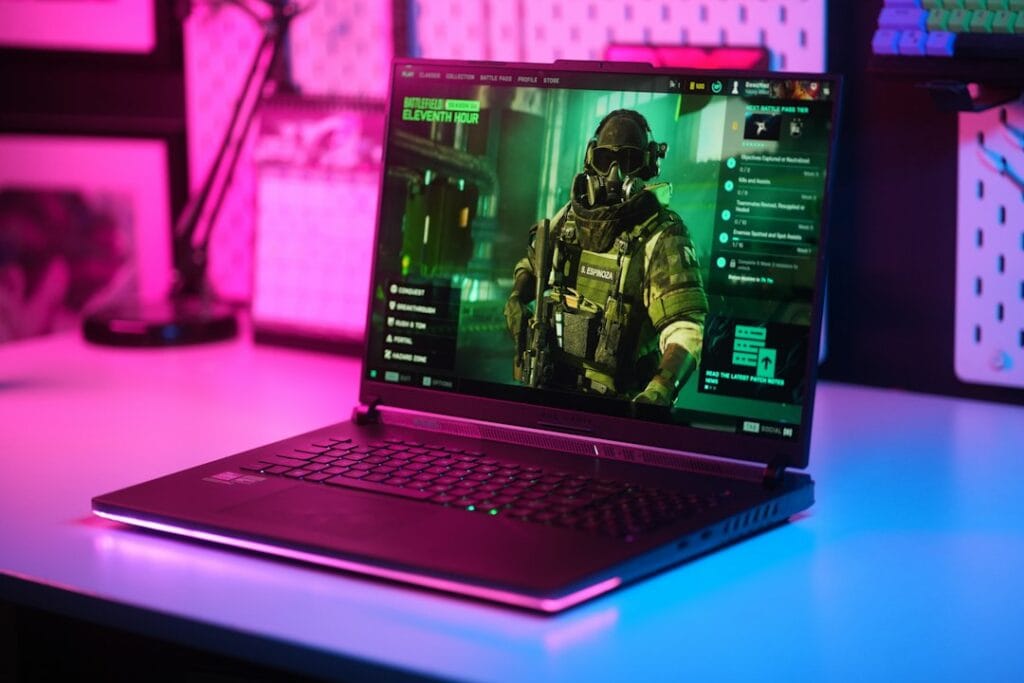
Be ready with iTech Gaming for your next battle & choose your next Console For your gaming center at home, or a gaming laptop for go-anywhere excitement. Either way the right gaming accessories can mean the difference between a happy good win, and a “hard luck” to losers.

Now, if you already have a gaming desktop, then adding a Larger monitor with high resolution and refresh rates, a keyboard and a Gaming mouse is a great start to see & feel the world around you.

October Prime Day Gaming Laptop Deals 2026: What’s Worth Buying

package, delivery, amazon, amazon parcel, 3d, 3d rendering, online shopping, mobile shopping, e commerce, amazon prime, parcel carrier, order, buy, shopping, online order, amazon prime, amazon prime, amazon prime, amazon prime, amazon prime
Prime Big Deal Days: Oct 6–7

Amazon's October sale, Prime Big Deal Days, runs October 6–7, 2026. Deals are for Prime members and start at 12:01 a.m. PT on October 6. The picks below are chosen on year-round value, not just sale pricing; tap any link to see today's price.

Amazon’s second Prime Day of 2026, Prime Big Deal Days, runs October 6–7. Deals are for Prime members and start at 12:01 a.m. PT on October 6. Gaming laptops are one of the categories that get real discounts, and plenty of fake ones. This guide shows how to tell them apart and which compact gaming laptops are worth watching. If you miss it, Black Friday follows on November 27.

This guide isn’t a live price ticker (those go stale the moment the sale ends). Instead, it’s the framework we use to judge whether an October Prime Day laptop deal is actually worth it, plus the specific compact gaming laptops we think are worth watching when the discounts land. For the full breakdown of these models, see our smallest gaming laptops guide. On a tighter budget, start with our best budget gaming laptops under $1,200.

How to tell a real Prime Day laptop deal from a fake one

Retailers lean hard on Prime Day urgency, and gaming laptops are prime territory for misleading discounts. Before you buy, run any deal through these checks.

  • Check the GPU generation, not just the model name. A laptop with last-generation graphics (an RTX 4060 when current models ship the RTX 5060) may be discounted simply because it’s old stock. Sometimes that’s a genuine bargain; sometimes you’re paying for yesterday’s performance. Know which generation you’re getting.
  • Look at the exact configuration. The same laptop name covers wildly different specs — RAM, storage, GPU wattage, and screen all vary. A “deal” on a 8GB-RAM base model isn’t the same product as the 32GB version reviewers praised.
  • Compare against the non-sale price history. A laptop “40% off” from an inflated list price may be no cheaper than its normal street price. Tools like price-history trackers tell you whether the Prime Day price is genuinely the lowest it’s been.
  • Decide your needs before the sale, not during it. Prime Day’s countdown timers are designed to make you buy fast. Know your screen size, GPU tier, and budget in advance so you’re matching a deal to a plan — not rationalizing a purchase because the clock is ticking.
  • Factor in the things that don’t go on sale. Build quality, thermals, keyboard, and display are the same whether or not the laptop is discounted. A cheap deal on a laptop that thermal-throttles is still a compromised laptop.

Compact gaming laptops worth watching this October Prime Day

These are the small-form-factor (14–16 inch) gaming laptops we’d keep an eye on when the Prime Big Deal Days discounts go live on October 6. We’ve covered each in depth in our smallest gaming laptops guide — here’s the short version of why each is worth watching, and who it suits.

ASUS ROG Zephyrus G14 — the one to watch first

The most-requested compact gaming laptop, and the one we’d prioritize if it sees a Prime Day cut. The 14-inch 3K OLED display, RTX 5060, and Ryzen 9 in a genuinely portable chassis make it the best all-rounder for gaming on the move. Already premium-priced, so even a modest Prime Day discount is meaningful here.

Check today’s Zephyrus G14 price on Amazon →

ASUS TUF Gaming A14 — the budget watch

The most affordable true-14-inch pick. If you want compact gaming without flagship pricing, watch this one — an RTX 4060 and a 165Hz screen at a Prime Day discount would make it a strong entry point. Last-gen GPU, so check the discount is real and not just clearing old stock at the usual price.

Check today’s TUF Gaming A14 price on Amazon →

ASUS ROG Strix G16 — the value watch

The lowest starting price in our compact lineup, with a 16-inch 165Hz screen and RTX 5060. If you’ll trade some portability for a bigger display and don’t want to overspend, a Prime Day cut here is worth jumping on.

Check today’s ROG Strix G16 price on Amazon →

Razer Blade 14 — the premium watch (if it ever discounts)

The most powerful 14-inch option (RTX 5070) with the best build quality — and the least likely to see a deep discount, since Razer rarely cuts hard. But if you’ve wanted a Blade, Prime Day is one of the few times it might dip, so it’s worth a price check.

Check today’s Razer Blade 14 price on Amazon →

ASUS ROG Flow Z13 (2025) — the smallest watch

The smallest gaming machine we cover: a 13.4-inch gaming tablet that weighs 1.20 kg, with a detachable keyboard and integrated Radeon 8060S graphics that Notebookcheck found close to a laptop RTX 4070. It’s expensive for its gaming performance at full price, so it only makes sense if the discount is substantial and you want the smallest footprint possible.

Check today’s ROG Flow Z13 price on Amazon →

Should you wait for October Prime Day to buy a gaming laptop?

Honestly: it depends on whether you need one now. If your current machine works and you can wait, Prime Day (and the October Prime Big Deal Days) are among the better windows for laptop discounts each year, alongside Black Friday. Prime Big Deal Days is only days away, so if you can wait until October 6–7 it costs you little. If you miss it, Black Friday (November 27) and Cyber Monday (November 30) are the next windows. If you need a laptop today, don’t force yourself to wait for a discount that might not come on the specific model you want.

The smartest approach: decide which laptop fits your needs and budget now — using our full smallest gaming laptops guide — then watch its price on October 6–7. If it drops, buy. If it doesn’t, you haven’t lost anything by being ready.

Frequently asked questions

When is October Prime Day 2026?

Amazon’s October Prime Day, officially called Prime Big Deal Days, runs October 6–7, 2026. Deals start at 12:01 a.m. PT on October 6 and are for Prime members. The summer Prime Day 2026 ran June 23–26.

Are gaming laptops actually cheaper on Prime Day?

Often, yes — gaming laptops are a category that sees genuine discounts during Prime Day, alongside Amazon’s own devices. But not every “deal” is a real bargain. Check the GPU generation, the exact configuration, and the price history before buying, since some discounts are on older or overpriced models.

Is it better to wait for Prime Day or Black Friday for a gaming laptop?

Both are strong windows for laptop discounts. Prime Day (June) and Prime Big Deal Days (October) tend to clear current-generation stock, while Black Friday (November) often has the broadest selection. If you need a laptop now, buy when you find the right model at a fair price; if you can wait, watch your target model across all three events.

Do I need Amazon Prime to get Prime Day gaming laptop deals?

Yes — Prime Day pricing is exclusive to Amazon Prime members. If you’re not a member, a free 30-day Prime trial lets you access the deals during the event, which you can cancel afterward if you don’t want to keep it.

Prime Big Deal Days 2026 runs October 6–7. This guide focuses on how to judge a deal and which models to watch rather than specific prices, since Prime Day pricing changes throughout the event — tap any link to see current pricing.

October Prime Day Gaming Laptop Deals 2026: What’s Worth Buying Read More »

The Complete Guide to Wireless Earbuds for Android in 2026

Close-up of levitating black wireless earbuds above an open palm.

The Complete Guide to Wireless Earbuds for Android in 2026

Most “best wireless earbuds” guides quietly test on iPhone. That’s a problem if you’re one of the roughly 71% of smartphone users worldwide running Android. This guide answers the questions other reviewers skip — and helps you pick the earbuds actually worth your money for your specific Android phone. Whether you call them wireless earbuds or Bluetooth earbuds, the goal is the same: finding a pair that actually works well with your Android phone — not one designed for an iPhone first.

Prime Big Deal Days: Oct 6–7

Amazon's October sale, Prime Big Deal Days, runs October 6–7, 2026. Deals are for Prime members and start at 12:01 a.m. PT on October 6. The picks below are chosen on year-round value, not just sale pricing; tap any link to see today's price.

About iTech Level — We help mainstream tech buyers answer the question that actually matters: is this worth it? Every roundup and review on this site weighs price against performance for everyday use — commuting, working from home, gaming, family life — so you can decide whether to spend more or save your money. We don’t chase audiophile measurements or fringe benchmarks. We focus on the practical trade-offs real buyers face when comparing products in 2026. Learn more about how we evaluate products →

Quick recommendations: skip ahead to your pick

If you only have 30 seconds, here are the four earbuds we recommend most often to Android users, organized by what you actually care about. We explain why each won its category further down — but if you trust our reasoning and want to buy, start here.

What you wantOur pickWhyPrice
Best overall for AndroidGoogle Pixel Buds ProLDAC codec, native Google Assistant, multipoint, 31-hour battery$129–$199
Best for Samsung GalaxySamsung Galaxy Buds FENative Galaxy integration, Auto Switch across Samsung devices, SmartThings support$76–$100
Best budget for AndroidSoundcore P30i by AnkerANC under $30, 45-hour battery, polished Android companion app$27–$50
Best for workoutsJLab Go Sport+IP55 sweat resistance, secure ear-hook fit, under $50$25–$45

If you want to know why these are the picks — and which one matches your specific Android phone, use case, and budget — keep reading. The rest of this guide is the framework we used to choose them.

What makes earbuds “good for Android”?

Most premium wireless Bluetooth earbuds were designed with iPhone integration in mind. The AirPods, the Beats lineup, and even some Bose and Sony models lean on Apple’s ecosystem for their best features. On Android, those same earbuds technically work — they just lose most of what makes them special.

“Good for Android” means something specific. It comes down to four practical factors that other reviewers rarely test.

1. Audio codecs that actually work on Android

Wireless earbuds transmit audio through a Bluetooth codec — a compression standard that affects sound quality and latency. Android phones support a wider range of codecs than iPhones, but you only benefit if your earbuds support the same ones.

The codecs that matter for Android in 2026:

  • LDAC — Sony’s high-resolution codec, also adopted by Google. Transmits up to 990 kbps for genuinely high-quality streaming. The Pixel Buds Pro and Sony WF-1000XM5 use LDAC. iPhones don’t support it at all.
  • aptX Adaptive — Qualcomm’s adaptive codec that scales quality with connection strength. Common on premium Android phones (Samsung, OnePlus, Sony). Excellent for stable connections.
  • AAC — Apple’s preferred codec, also supported on Android but with inconsistent results. Quality varies depending on the Android phone manufacturer’s implementation.
  • SBC — The basic universal codec. Every Bluetooth device supports it, but it’s the lowest quality tier. Avoid earbuds that only support SBC if you care about sound.

If you have a Pixel, Samsung Galaxy, OnePlus, or other premium Android phone, prioritize earbuds that support LDAC or aptX Adaptive. The difference is genuinely audible on hi-res music.

2. Multipoint Bluetooth — more important than you think

Multipoint lets your earbuds connect to two devices simultaneously. You’re listening to a podcast on your laptop, your phone rings, and the earbuds switch automatically. No re-pairing, no menu diving.

This matters more for Android users than iPhone users because Apple’s ecosystem handles device switching natively for AirPods. On Android, multipoint is the only way to get the same experience. Most flagship Android-friendly earbuds support it in 2026, including the Pixel Buds Pro, Galaxy Buds FE, Soundcore Liberty line, and Sony’s WF-1000XM5.

3. Companion app quality

Android earbud apps vary wildly in quality. Some manufacturers ship genuinely polished apps with custom EQ, ANC tuning, and firmware updates. Others ship buggy software that crashes every other launch.

Apps that consistently deliver a good Android experience:

  • Soundcore (Anker) — custom EQ, app-based ANC modes, regular firmware updates
  • JLab — simple but functional, EQ presets work as expected
  • Pixel Buds app (Google) — clean integration, native Assistant settings
  • Samsung Galaxy Wearable — exclusive to Samsung phones, but excellent when you have one
  • Sony Headphones Connect — feature-rich, occasionally complex, well-maintained

If you’ve ever bought “no-name” budget earbuds and discovered the app crashes constantly or asks for invasive permissions, you know why this matters. Stick to brands with proven Android app quality.

4. Native voice assistant support

Android phones default to Google Assistant or Gemini. Samsung phones add Bixby. Whether your earbuds let you summon the assistant hands-free — or whether you have to tap your phone — comes down to how the earbuds were designed.

Pixel Buds Pro have the deepest Google Assistant integration. Samsung’s Galaxy Buds support Bixby natively. Beyond those, support varies: some earbuds let you map a touch gesture to “summon assistant” but won’t trigger from voice alone. Check before you buy if hands-free voice control is important to you.

Android-specific compatibility considerations

Beyond codecs and apps, a few Android-specific quirks affect which earbuds work best for you.

Bluetooth version on your phone

Most Android phones sold since 2020 support Bluetooth 5.0 or newer, which handles modern multipoint and energy-efficient audio well. If your phone is older — Bluetooth 4.2 or earlier — some premium earbud features won’t work properly. To check: Settings → Bluetooth → Advanced (the exact menu varies by manufacturer).

Volume sync issues

Older Android versions (Android 9 and below) had inconsistent absolute volume control with Bluetooth earbuds. You’d adjust volume on your phone and the earbuds wouldn’t respond, or vice versa. Modern Android handles this correctly, but if you’re running Android 10 or older, look for earbuds explicitly listed as having reliable Android volume sync.

USB-C charging

Every Android phone sold today uses USB-C. Most modern earbud cases also use USB-C — but some budget models and older designs still ship with micro-USB. If you’ve already gone all-USB-C with your other devices, double-check your earbuds match. It’s a small thing that becomes annoying fast.

Find My Device support

Google’s Find My Device network now supports compatible Bluetooth earbuds for location tracking when lost. As of 2026, only some earbuds participate — including newer Pixel Buds and certain Samsung models. If losing an earbud is a real fear, this feature matters.

Budget tiers: what you actually get at each price

Wireless earbuds for Android span $20 to $500. Here’s what you realistically get at each tier, with honest expectations.

Under $50 — entry-level wireless audio

At this price, you get functional wireless earbuds with basic features. Sound quality is decent but not impressive. Active noise cancellation, if present, is more “noise reduction” than true ANC. Battery life is often the headline feature — some budget models advertise 30+ hours of total battery with the case, which is genuinely impressive.

What you usually compromise on: codec support (often SBC and AAC only), companion app polish, build quality, microphone clarity on calls. The earbuds will pair with any Android phone and play music — they won’t impress anyone.

Best uses at this tier: secondary earbuds for the gym, backup pair for travel, replacement for lost AirPods Pro, kids’ devices. Our top picks under $50: Soundcore P30i for ANC under $30, and the JLab Go Sport+ for workout-specific use.

$50–$150 — the sweet spot for most buyers

This is where most Android users should shop. You get genuine ANC, multipoint Bluetooth, real codec support (usually LDAC or aptX Adaptive), polished apps, and 30+ hours of total battery. The earbuds feel like products you’d actually recommend to a friend.

Notable picks in this range: the Samsung Galaxy Buds FE ($76–$100) for Samsung users specifically, the Pixel Buds Pro when on sale (often about $100–$150), and a wide range of mid-tier Soundcore and JBL options.

$150–$300 — premium territory

At this price, you’re paying for the best ANC available, audiophile-grade codecs, premium build materials, and ecosystem integration. The Pixel Buds Pro at full price (about $150–$200), the Sony WF-1000XM5 (about $250–$300), and certain higher-tier Galaxy Buds models live here.

The question at this tier isn’t “is this good?” — it’s “are the upgrades worth the price gap?” For most Android users, the answer is yes only if you listen for hours daily, work in noisy environments where premium ANC matters, or value the specific ecosystem features.

$300+ — diminishing returns for most Android users

Earbuds above $300 exist, but few make sense for Android users. The AirPods Pro 3, Apple AirPods Max, and similar flagship Apple products lose most of their value when paired with Android — you’re paying premium prices for features you can’t fully access.

If you have $300+ to spend on audio for Android, consider over-ear noise-cancelling headphones instead. The Sony WH-1000XM5 and Bose QuietComfort Ultra both deliver better sound and ANC than any earbuds at any price, and they’re Android-friendly. See our over-ear noise-cancelling headphones guide for the comparison.

On a tight budget? Our best wireless earbuds under $50 for Android guide narrows the picks to earbuds with LDAC or aptX support.

Picks by phone brand

Your specific Android phone changes which earbuds make the most sense. Here’s what to choose based on what you carry.

For Google Pixel users

The Pixel Buds Pro are the obvious pick. Built by Google to pair seamlessly with Pixel phones, they offer fast pairing, native Google Assistant, Silent Seal ANC, and LDAC support. The combination of Pixel-first features and genuinely good audio quality makes them hard to beat for Pixel owners.

If you want better sound quality at a similar price, the Sony WF-C700N is the alternative. Sony’s audio tuning consistently beats Google’s, but you give up native Assistant integration. Worth the trade-off if you stream a lot of music and use the Assistant less.

See our Best wireless earbuds for Google Pixel.

For Samsung Galaxy users

Samsung’s Galaxy Buds FE are the easy mid-range recommendation. Auto Switch across Samsung devices, SmartThings integration, native Bixby support, and decent ANC at a fair price. If you have multiple Galaxy devices (phone, tablet, watch), the seamless switching is worth real money.

For higher-end Samsung pairs, the Galaxy Buds 3 Pro bring better sound and stronger ANC. But unless you’re a Galaxy power user, the FE gives you 80% of the experience at half the price.

Want cross-platform flexibility instead? The Pixel Buds Pro actually work well on Samsung phones too — you lose Bixby integration but keep multipoint, LDAC, and the better sound. A reasonable alternative if you might switch phone brands later.

For OnePlus, Xiaomi, Motorola, and other Android phones

If your phone isn’t a Pixel or Samsung, “best earbuds for [brand]” guides barely exist. The good news: cross-platform picks work well for you. The Soundcore P30i (budget), Pixel Buds Pro (premium), and Sony WF-C700N all pair cleanly with any modern Android phone and deliver consistent experiences.

OnePlus owners specifically should consider OnePlus Buds 3 if you want maximum integration. Motorola users might consider Moto Buds+ for the same reason. But honestly? The cross-platform picks above will serve you better than most brand-specific earbuds from non-flagship manufacturers.

For older Android phones (3+ years old)

If your phone is older — Android 11 or earlier, Bluetooth 4.2 — be cautious with premium earbuds. Features like multipoint and high-resolution codecs may not work as advertised. Budget picks like the Soundcore P30i and JLab Go Sport+ work reliably on older phones and don’t expect features your phone can’t deliver.

Picks by use case

What you’ll actually do with your earbuds matters as much as your phone brand. Here are the picks for the most common Android user scenarios.

For workouts and running

Look for IP rating (IP55 or better), secure ear-hook or wing-tip design, and durable build. The JLab Go Sport+ is the budget champion — IP55 rated, ear-hook design that won’t fall out during runs, under $50. For a step up, the Shokz OpenRun uses bone conduction so you stay aware of your surroundings (essential for road running).

For long phone calls and video meetings

Microphone quality matters more than audio quality here. The Pixel Buds Pro have beamforming mics that handle calls cleanly. The Galaxy Buds FE also do well, especially when paired with Samsung phones that handle echo cancellation natively.

Avoid budget earbuds for serious call duty — the mic compression and background noise rejection at sub-$50 prices isn’t reliable enough for daily work calls.

For commuting (train, bus, plane)

You need active noise cancellation. Real ANC, not “noise reduction.” The Pixel Buds Pro with Silent Seal handle train and bus noise well. The Galaxy Buds FE ANC is good enough for most commutes. For the absolute best ANC available, you’d step up to over-ear options — see our over-ear ANC headphones guide.

For sleeping or quiet listening

Look for low-profile earbuds you can lie on your side with. The JLab JBuds Mini are remarkably small and unobtrusive. ANC isn’t essential for sleeping use — passive isolation matters more, which means a good seal with the right ear tips.

What to skip

Not every popular earbud is right for Android users. We considered these alternatives and recommend skipping them for Android-specific reasons.

Apple AirPods (all models)

AirPods technically pair with Android via Bluetooth, but you lose almost everything that makes them special: H1/H2 chip features, Spatial Audio, automatic device switching, Find My, Siri integration, battery status, and case interactions. You’re paying premium prices for features you can’t use. Skip unless you’re switching back to iPhone soon.

Beats Studio Buds (and most Beats earbuds)

Beats actually work better on Android than AirPods do — Apple built Android support intentionally. But the standout Beats features (Apple ecosystem integration, Spatial Audio) still require iPhone. On Android, you’re getting decent earbuds at premium prices when better alternatives exist. The Pixel Buds Pro or Galaxy Buds FE beat them on every Android-specific metric.

Most sub-$20 “AirPods clones”

These flood Amazon search results. The pattern: knockoff design, exaggerated battery claims, no companion app, mystery brand names that change weekly. Battery degrades fast, Bluetooth connections drop unpredictably, and warranty support doesn’t exist. The Soundcore P30i exists at $20–$30 — pay the extra few dollars for genuine quality and an actual warranty.

Older Beats Powerbeats Pro models

Once excellent workout earbuds, the original Powerbeats Pro are now several generations old. Battery cells have degraded for most units still in circulation. Buy newer alternatives — the JLab Go Sport+ at half the price is more reliable in 2026.

How we evaluate earbuds for Android

iTech Level focuses specifically on the Android wireless audio market because mainstream tech reviewers don’t. We judge each pick against the questions Android users actually ask: Does the companion app work without crashing? Is multipoint reliable? Does the codec actually deliver the quality the manufacturer claims? Will it work with my specific phone brand?

Every recommendation here is based on four practical factors:

  • Real-world performance on Android specifically — not iPhone-first feature comparisons
  • Price-to-value at multiple budget tiers — what you actually get for what you pay
  • Who the product is for (and who should skip it) — every earbud has a target user; we name that user clearly
  • Honest trade-offs — no earbuds are perfect; we name the flaws that matter and explain when they’re not deal-breakers

We update this guide as new products launch and older recommendations stop being available. The companion roundups (linked throughout) go deeper on specific tiers and use cases.

Frequently asked questions

Are AirPods worth using with an Android phone?

No, generally. AirPods will pair with Android phones via standard Bluetooth and play music, but you lose almost all the features that justify their premium price — H2 chip integration, Spatial Audio, automatic device switching, Find My, Siri, case interactions, and battery status. For the same money, Pixel Buds Pro or Galaxy Buds FE deliver dramatically better Android experiences.

What’s the best wireless earbud codec for Android?

LDAC is currently the best codec for Android. It transmits up to 990 kbps for genuinely high-resolution audio — significantly better than the SBC or AAC defaults. The Pixel Buds Pro, Sony WF-1000XM5, and Sony WF-C700N all support LDAC. For Qualcomm-equipped Android phones, aptX Adaptive is the next-best alternative.

Do Google Pixel Buds work with Samsung phones?

Yes. Pixel Buds Pro work well with any modern Android phone, including Samsung Galaxy devices. You get multipoint, LDAC codec, and most touch controls. The features you lose are Pixel-specific: Conversation Detection automatic pause, hands-free Google Assistant calling, and Pixel Stand integration. For most users, the Android-first design makes them a strong cross-brand pick.

Can I use Wear OS smartwatches with non-Pixel earbuds?

Yes, with caveats. Wear OS watches handle Bluetooth audio output to any standard Bluetooth earbuds. What you lose is brand-specific integration — for example, controlling Pixel Buds from a Galaxy Watch works but won’t show battery status, while Galaxy Buds on a Galaxy Watch show full status. Most workout and music control features work universally.

What’s the difference between LDAC and aptX?

Both are high-quality Bluetooth codecs, but they’re owned by different companies. LDAC was developed by Sony and is now an open standard supported by Google and most premium Android phones — it can transmit up to 990 kbps. aptX (and its successor aptX Adaptive) is owned by Qualcomm and is built into most Snapdragon-powered Android phones — it caps at 420 kbps but adjusts dynamically to connection strength. For most listeners, both sound great. LDAC has higher peak quality; aptX has more reliable streaming.

Why don’t most reviewers test Android compatibility?

Most major tech reviewers — Wirecutter, RTINGS, MKBHD, The Verge — primarily test on iPhone. Multiple factors drive this: iPhones are dominant in the US tech press market, Apple controls test units more tightly, and Apple-first reviews drive more affiliate revenue from premium AirPods sales. Android users are left with information gaps on which earbuds actually work well with their specific phones.

Are budget Android earbuds actually good in 2026?

Yes, surprisingly. The Soundcore P30i delivers genuine active noise cancellation, multipoint Bluetooth, and 45-hour battery life for under $30. The JLab Go Sport+ provides workout-grade build quality at similar prices. Budget earbuds in 2026 deliver features that cost $200+ five years ago. The trade-offs (sound quality, companion app polish, premium materials) are real but often acceptable.

Do I need a Bluetooth 5.0 phone for modern earbuds?

Most modern earbuds work best with Bluetooth 5.0 or newer phones. Bluetooth 4.2 connections still work but lose features like reliable multipoint, advanced codecs, and energy-efficient pairing. If your Android phone is from 2020 or later, you almost certainly have Bluetooth 5.0+. Check your phone’s settings if unsure.

Are Bluetooth earbuds and wireless earbuds the same thing for Android?

Yes — for Android phones, “wireless earbuds” and “Bluetooth earbuds” mean the same thing. All true wireless earbuds connect to your Android phone over Bluetooth. The terms are used interchangeably, so when you search for wireless Bluetooth earbuds for Android, you’re looking at the same products. What actually matters is which Bluetooth codec they support (LDAC or aptX Adaptive for the best quality), whether they offer multipoint, and how well their companion app works on Android — covered in detail above.

The bottom line

Android users have been underserved by mainstream wireless earbud reviews for years. The good news in 2026: products genuinely built for Android are excellent at every price point.

If you want the best overall earbuds for Android, get the Pixel Buds Pro. If you have a Samsung Galaxy phone, get the Galaxy Buds FE. If you’re on a tight budget, get the Soundcore P30i. If you’ll use them for workouts, get the JLab Go Sport+.

For deeper dives into specific tiers and use cases, see our supporting guides:

This guide is updated as new products launch and older recommendations stop being available. Last updated: May 2026.


Find My Earbuds

Want a personalized recommendation? Try our 30-second earbuds finder.

Related guide

New to choosing audio gear? Start with our complete framework on how to choose wireless earbuds and headphones — it covers codecs, noise cancellation, and fit, with special attention to what matters for Android users.

The Complete Guide to Wireless Earbuds for Android in 2026 Read More »

Top 5 Laptops – Black Friday 2025

Top 10 laptops on Black Friday sale, featuring popular brands like MacBook Pro, HP, and Dell

Apple MacBook Pro 16‑inch (M4 Pro):

View on Amazon

The new Apple MacBook Pro M4 Pro 16-inch sets a new benchmark for creative professionals and power users. Powered by Apple’s latest M4 Pro chip, this premium laptop delivers lightning-fast performance—scoring an impressive 22 ,822 on Geekbench 6 and transcoding a 4 K video in just 2 minutes 38 seconds, over twice as fast as most high-end Windows laptops. Despite its exceptional power, the MacBook Pro maintains up to 20 hours 46 minutes of battery life, making it the best laptop for creators who need long battery life and unmatched efficiency. Its only downsides are its premium price and macOS-only ecosystem—but for designers, developers and professionals who value time savings and performance, this is the ultimate laptop to buy on Black Friday 2025 deals.

Dell XPS 13 9345 (Snapdragon X Elite):

View on Amazon

The Dell XPS 13 2025 powered by Qualcomm’s Snapdragon X Elite chip redefines efficiency and endurance for ultrabooks. Its sleek 13.4-inch thin-and-light design combines portability with premium build quality. According to Laptop Mag, after a BIOS update this machine achieved an incredible 20 hours 51 minutes of battery life, outperforming nearly every other premium Windows laptop. The Snapdragon X Elite delivers a Geekbench 6 multi-core score of 14 635, ensuring smooth multitasking, AI-powered performance, and excellent thermal efficiency. While it offers only two ports and a modest color gamut, it remains one of the best Windows laptops for battery life—a perfect pick for students, remote workers, and professionals seeking all-day productivity and value during Black Friday 2025 laptop deals.

Microsoft Surface Laptop 4:

View on Amazon

The Microsoft Surface Laptop 4 is an elegant, lightweight notebook that balances portability with premium performance. According to Live Science, this ultra-portable laptop features a stunning PixelSense display and delivers up to 19 hours of battery life, making it one of the best long battery life laptops for everyday use. Reviewers highlight its comfortable keyboard, responsive touch controls, and sleek aluminum design. While the higher-spec configurations can be expensive and port selection is limited, the Surface Laptop 4 remains a top pick for students, travelers, and professionals who need all-day productivity without sacrificing style. Look out for Surface Laptop 4 Black Friday 2025 deals to save big on this ultra-portable performer.

Lenovo ThinkPad X1 Carbon Gen 12:

View on Amazon

The Lenovo ThinkPad X1 Carbon Gen 12 stands out as a premium business ultrabook that combines durability, power, and sleek design. As noted by Ultrabook Review, it features a refined lightweight carbon-fiber chassis, an exceptional keyboard and trackpad, and a stunning 120 Hz OLED display for vibrant visuals. Security-focused users will appreciate the built-in fingerprint reader and IR webcam for seamless Windows Hello login. While its battery life is slightly shorter than previous generations and the CPU may throttle under heavy workloads, its corporate-friendly features and professional-grade build quality make it the best business laptop for executives and professionals. Don’t miss upcoming ThinkPad X1 Carbon Gen 12 Black Friday 2025 deals to get premium performance at a discount.

HP Spectre x360:

View on Amazon

The HP Spectre x360 14 is a stunning 2-in-1 convertible laptop that blends elegance with high-end performance. Featuring a vibrant OLED touchscreen, this laptop delivers crisp visuals and deep contrast for creative work and entertainment. With up to 11 hours of battery life during web browsing, it’s perfect for all-day productivity. The Spectre x360 14 supports multiple modes — tent, tablet, and laptop — offering flexibility for any task. Its premium aluminum chassis and efficient thermals make it one of the best 2-in-1 laptops available. While it lacks a dedicated GPU for intensive gaming, it’s an outstanding choice for professionals, students, and content creators seeking a stylish, portable powerhouse. Look for HP Spectre x360 14 Black Friday 2025 deals to grab premium performance at a great price.

Top 5 Laptops – Black Friday 2025 Read More »

Are Gaming Laptops Worth It in 2026? An Honest Answer

A gaming laptop with a sleek design and colorful lighting

Short answer: gaming laptops are worth it in 2026 if you need to game in more than one place — and they’re a waste of money if you don’t. That’s the honest version most “are gaming laptops worth it” articles dance around. The real question isn’t whether gaming laptops are good (they are, and they’ve never been better); it’s whether you are the person a gaming laptop makes sense for.

This guide walks through exactly that: when a gaming laptop is the right call, when a desktop quietly wins, what you should actually spend, and which models are worth your money if you decide to buy. Jump to quick answers by situation if you’re short on time. No hype, no “it depends” cop-out without explaining what it depends on.

Is a gaming laptop worth it for you? Quick answers by situation

  • Student living in a dorm or shared space: yes, usually the right call — space is limited, the machine does double duty for coursework, and it moves home over breaks.
  • Working from home with a fixed desk setup: probably not — a desktop plus your existing work laptop delivers more gaming performance for the money.
  • Frequent traveller who games: yes, this is exactly the use case the category exists for.
  • Playing mainly esports titles (Valorant, CS2, League): you may not need a dedicated gaming laptop at all — a well-specified regular laptop handles these comfortably for less.
  • Chasing maximum settings at 1440p or 4K: a desktop, unless portability is non-negotiable; the laptop tier that manages this comfortably is expensive.

When a gaming laptop IS worth it

A gaming laptop earns its premium in specific situations. If two or more of these describe you, it’s likely the right choice:

  • You game in more than one place. Dorm and home, couch and desk, or you travel. Portability is the entire reason gaming laptops exist — if you never move your setup, you’re paying for a feature you won’t use.
  • You have limited space. A laptop replaces a tower, monitor, and peripherals with one closeable device. For small apartments or shared rooms, that consolidation is worth real money.
  • You need one device for gaming AND work/school. A modern gaming laptop is also a capable productivity and creative machine. If it pulls double duty, the cost is split across two jobs.
  • You value plug-and-play simplicity. No building, no cable management, no compatibility research. It works out of the box.

When a gaming laptop is NOT worth it

Just as honestly — here’s when you should skip it and buy a desktop (or a console) instead:

  • Your setup never moves. If the laptop will live permanently on one desk plugged into one monitor, a desktop gives you more performance per dollar and lasts longer (see are desktops better than laptops?). You’re paying a portability tax for nothing.
  • You want maximum performance per dollar. A desktop with the same-named GPU is faster (laptop GPUs run at lower power) and cheaper. Dollar for dollar, towers win on raw power.
  • You want to upgrade over time. Desktops let you swap the GPU, add storage, and upgrade the CPU for years. Most gaming laptops let you upgrade RAM and storage at best — the GPU is soldered. When it’s outdated, you replace the whole machine.
  • You only play lightweight or older games. If you’re playing indie titles, esports games (Valorant, CS2, League), or older catalog games, you may not need a dedicated gaming laptop at all — a regular laptop with decent integrated graphics can handle them.

Are gaming laptops good in 2026? The state of the art

Setting aside whether they’re worth your money for a moment — are gaming laptops actually good machines now? Honestly, yes, and more so than at any point previously. The gap that used to define the category has narrowed in three specific ways worth understanding before you buy.

The performance gap narrowed, but didn’t close. A modern RTX 50-series laptop GPU delivers genuinely strong 1080p and 1440p gaming. What changed most is the software: DLSS 4 multi-frame generation uses AI to insert additional frames, which stretches what mid-range laptop hardware can do far beyond what its raw silicon suggests. A laptop RTX 5060 in 2026 plays current titles at settings that would have required a much pricier machine two years ago. That said, a desktop card of the same name still wins — laptop GPUs run at lower power limits, so the name on the box never tells the whole story.

Thermals and build quality improved across the board. The cheap gaming laptops of a few years ago throttled badly under sustained load. Cooling design has genuinely improved, and mid-range machines now hold performance through long sessions far better than they used to. This remains the single biggest quality differentiator between two laptops with identical spec sheets — which is why sustained-load reviews matter more than opening benchmark numbers.

They became credible everyday computers. A 2026 gaming laptop is a capable machine for work, study, and creative software, not just games. That dual-purpose reality changes the value calculation substantially, because the cost gets split across two roles rather than charged entirely to gaming.

Are gaming laptops worth it yet? What changed, and what didn’t

If you’ve held off in previous years waiting for the category to mature, here’s the honest assessment of what the wait actually bought you.

What genuinely improved: current-generation graphics with AI frame generation, meaningfully better cooling, high-refresh and OLED displays becoming standard rather than premium, and battery life on non-gaming tasks that no longer feels like a compromise.

What has not changed, and won’t: the GPU is still soldered, so it still sets the machine’s expiry date at roughly three to five years of comfortable modern gaming. A desktop still delivers more performance per dollar and stays upgradeable for years. Gaming still drains the battery in one to two hours, and most laptops still throttle performance when unplugged. These are consequences of physics and engineering, not features waiting on a future generation — if they’re dealbreakers for you, waiting longer won’t fix them.

The 2026 wrinkle nobody expected: a global memory shortage has pushed component costs up, raising gaming laptop prices across the board this year. The practical effect is that the budget floor moved. Finding a capable current-generation machine under $1,000 has become difficult, and the realistic entry point now sits closer to $1,100. So in one narrow sense, waiting made things slightly worse rather than better — which is worth weighing if your plan is to keep waiting.

Are gaming laptops worth the money? Running the actual numbers

The clearest way to answer the money question is to compare what your budget buys in each direction, then decide which set of trade-offs matches your life.

  • Around $1,100–$1,400 buys a current-generation RTX 5060 gaming laptop that handles 1080p gaming at high settings, doubles as a work and study machine, and goes wherever you go. The same money spent on a desktop buys noticeably more raw performance, plus the ability to upgrade the graphics card in two or three years instead of replacing everything.
  • The portability premium is real and quantifiable. You’re paying roughly 20–30% more for equivalent-name hardware, and accepting lower sustained performance, in exchange for a machine that closes and travels. If you’ll genuinely use that portability, it’s money well spent. If the laptop will live permanently on one desk, you are paying that premium for nothing — this is the single most common way people waste money in this category.
  • The dual-purpose discount. If the machine replaces both a gaming device and a work or school computer, the effective cost drops sharply. For students especially, a single machine that handles coursework and games is often better value than a desktop plus a separate laptop.

Our honest rule: a gaming laptop is worth the money when portability or space constraints are real requirements rather than nice-to-haves, and when the machine will do more than one job. Outside those conditions, a desktop stretches the same budget considerably further.

The honest trade-offs nobody mentions

Even when a gaming laptop is the right call, go in with eyes open about what you’re accepting:

  • Performance per watt, not per name. An “RTX 5070” in a laptop is not the same as a desktop RTX 5070 — laptop GPUs run at lower power limits and deliver less performance. Always check reviews for the specific laptop’s real-world benchmarks, not just the GPU name on the box.
  • Thermals are the real differentiator. Two laptops with identical specs can perform very differently depending on cooling. A laptop that thermal-throttles loses performance under sustained load. This is why build quality matters more than the spec sheet.
  • Battery life and gaming don’t mix. Gaming drains a laptop battery in 1-2 hours, and most run at reduced performance unplugged. A gaming laptop is portable to locations, not portable to use untethered for long sessions.
  • The GPU is the expiry date. Because you can’t upgrade it, the GPU determines how long the laptop stays relevant — typically 3-5 years for modern gaming before you’re turning settings down (more in how long gaming laptops last).

How much should you actually spend?

Gaming laptop pricing maps roughly to what you can play. As of 2026, here’s the honest breakdown:

  • Entry (~$1,000–$1,300): RTX 4060/5060-class GPUs. Solid 1080p gaming at high settings, good for esports and most AAA titles with some settings turned down. The best value tier for most buyers.
  • Mid (~$1,400–$1,900): RTX 5060/5070-class, often with better screens (QHD, OLED, high refresh) and stronger build quality. The sweet spot for serious gamers who want headroom.
  • Premium ($2,000+): RTX 5070/5080-class, premium chassis, top-tier displays. Worth it only if you genuinely need the performance or want the best portable machine money can buy.

For most people, the entry-to-mid range delivers the best value — you rarely need to spend $2,000+ unless portability-plus-power is a hard requirement.

Decided to buy? Our top picks under $1,200

PickGraphics
Best overall
Lenovo LOQ 15 Gen 10
RTX 5060View on Amazon
Bigger screen
Acer Nitro V 16 AI
RTX 5060View on Amazon
Lowest price
HP Victus 16
RTX 4050View on Amazon

Why these three, and what to check before buying: see our best budget gaming laptops under $1,200 comparison.

Which gaming laptops are actually worth buying?

If you’ve decided a gaming laptop is right for you, the next question is which one. We’ve done the work of comparing the best compact options — the form factor that best justifies a gaming laptop’s portability premium — in our best mini gaming laptops guide. A few highlights:

  • Best all-rounder: the ASUS ROG Zephyrus G14 balances portability, a stunning OLED display, and strong performance — the closest thing to a do-everything gaming laptop.
  • Best value: the ASUS ROG Strix G16 offers the most performance for the money if you’ll accept a slightly larger 16-inch chassis.
  • Best budget: the ASUS TUF Gaming A14 gets you into true compact gaming without flagship pricing.

See the full comparison with specs, prices, and honest pros and cons for the complete picture.

The bottom line

Are gaming laptops worth it? Yes — if you need to game in multiple places, have limited space, or want one machine for gaming and work. No — if your setup never moves, you want maximum performance per dollar, or you plan to upgrade components over time. A desktop wins on raw value and longevity; a gaming laptop wins on flexibility. Decide which one your life actually needs, set a realistic budget, and buy the best-built machine in that range rather than the one with the flashiest spec sheet.

Frequently asked questions

Are gaming laptops good?

Yes. 2026 gaming laptops with RTX 50-series graphics handle current games well at 1080p and 1440p, cooling is much better than a few years ago, and they double as capable work and study machines. The trade-offs are cost, a GPU you can’t upgrade, and short battery life while gaming.

Should I buy a gaming laptop or a desktop?

Buy a gaming laptop if you need to game in more than one place, have limited space, or want one machine for gaming and work or school. Buy a desktop if your setup never moves: it gives more performance per dollar and can be upgraded for years.

Are gaming laptops worth it for casual gamers?

For casual gamers who play lightweight or older titles, a dedicated gaming laptop is often overkill — a regular laptop with modern integrated graphics can handle esports and indie games. A gaming laptop becomes worth it when you want to play current AAA titles at good settings, or you need one machine that handles both gaming and demanding work.

Is a gaming laptop or desktop better value?

A desktop offers more performance per dollar and can be upgraded over time, making it the better pure-value choice for a setup that stays in one place. A gaming laptop costs more for the same-named GPU because of its portability and compact engineering — you’re paying for the ability to game anywhere. The “better value” depends entirely on whether you need to move your setup.

How long do gaming laptops last?

A well-maintained gaming laptop typically lasts 3-5 years (full breakdown here) for modern gaming before you’ll need to lower settings on new titles. The limiting factor is the GPU, which usually can’t be upgraded. RAM and storage can often be upgraded to extend usable life for everyday tasks beyond that window.

How much should I spend on a gaming laptop in 2026?

Most buyers get the best value in the $1,000-$1,900 range. Around $1,000-$1,300 gets solid 1080p gaming with an RTX 4060/5060-class GPU; $1,400-$1,900 adds better displays, build quality, and headroom. Spending $2,000+ only makes sense if you need top-tier performance or the best portable machine available.

Related reading

Are Gaming Laptops Worth It in 2026? An Honest Answer Read More »

How Long Do Gaming Laptops Last? Understanding the Lifespan of Your Device

A classic arcade space shooter game displayed on a laptop with illuminated keyboard, showing retro graphics.

When it comes to gaming laptops, one of the most important factors to consider is lifespan. As a gamer, you want to know that your investment will last for a long time, and you won’t have to replace your device soon. So, how long do gaming laptops last?

See Also our best mini gaming laptops guide.

Lifespan of a Gaming Laptop

The lifespan of a gaming laptop depends on a variety of factors such as usage, maintenance, and the quality of components. A gaming laptop that is well-maintained and used for moderate gaming can last for 3-5 years. However, if a laptop is used for heavy gaming or for other demanding tasks, such as video editing or 3D rendering, it may have a shorter lifespan of 2-3 years.

Lifespan of Hardware Components

It’s important to note that the lifespan of a gaming laptop’s hardware may be shorter than that of the device itself. The graphics card and the processor are two of the most critical components of a gaming laptop, and they are also the components that are most likely to need replacement. A high-end graphics card, for example, may last for 2-3 years before it needs to be replaced.

Extending the Lifespan of Your Gaming Laptop

Keeping Your Laptop Cool

One way to extend the lifespan of your gaming laptop is to keep it cool. Overheating can cause damage to the internal components, which can shorten the lifespan of the device.

Make sure that your laptop has adequate cooling and that the ventilation ports are kept clean. You should also avoid using your laptop on soft surfaces, such as a bed or couch, as they can block the ventilation ports.

Updating Drivers and Software

Another way to extend the lifespan of your gaming laptop is to update the drivers and software. This ensures that your device is running the latest software, which can improve performance and stability. Additionally, you should keep your anti-virus software updated, and make sure that your laptop is free from malware and other security threats.

Maintaining Your Laptop

Regular maintenance is also crucial in extending the lifespan of your gaming laptop. This includes cleaning the dust and debris from the ventilation ports, keeping the keyboard and touchpad clean, and checking for any hardware or software issues.

In conclusion, the lifespan of a gaming laptop depends on a variety of factors such as usage, maintenance, and the quality of components. A well-maintained gaming laptop used for moderate gaming can last for 3-5 years, while a laptop used for heavy gaming or other demanding tasks may have a shorter lifespan of 2-3 years. To extend the lifespan of your gaming laptop, make sure to keep it cool, update drivers and software, maintain it regularly, and keep it free from malware and security threats.

When yours does reach the end of its useful life, here’s what to do with an old laptop.

How Long Do Gaming Laptops Last? Understanding the Lifespan of Your Device Read More »