Laptops

Are Gaming Laptops Worth it? A Comprehensive Guide

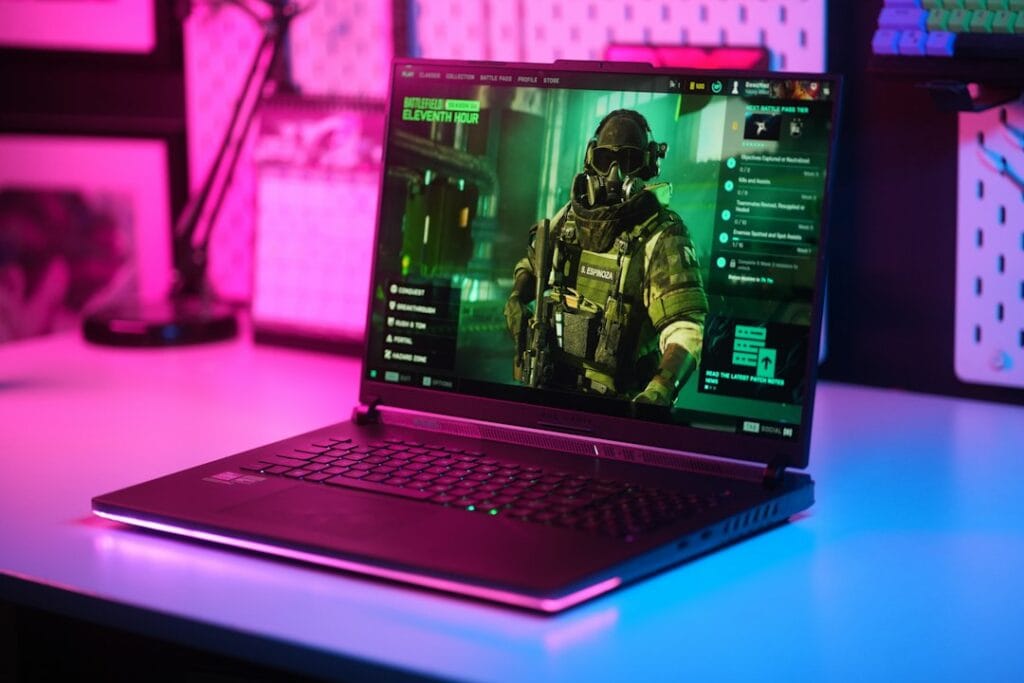
A gaming laptop with a sleek design and colorful lighting

Short answer: gaming laptops are worth it in 2026 if you need to game in more than one place — and they’re a waste of money if you don’t. That’s the honest version most “are gaming laptops worth it” articles dance around. The real question isn’t whether gaming laptops are good (they are, and they’ve never been better); it’s whether you are the person a gaming laptop makes sense for.

This guide walks through exactly that: when a gaming laptop is the right call, when a desktop quietly wins, what you should actually spend, and which models are worth your money if you decide to buy. No hype, no “it depends” cop-out without explaining what it depends on.

When a gaming laptop IS worth it

A gaming laptop earns its premium in specific situations. If two or more of these describe you, it’s likely the right choice:

  • You game in more than one place. Dorm and home, couch and desk, or you travel. Portability is the entire reason gaming laptops exist — if you never move your setup, you’re paying for a feature you won’t use.
  • You have limited space. A laptop replaces a tower, monitor, and peripherals with one closeable device. For small apartments or shared rooms, that consolidation is worth real money.
  • You need one device for gaming AND work/school. A modern gaming laptop is also a capable productivity and creative machine. If it pulls double duty, the cost is split across two jobs.
  • You value plug-and-play simplicity. No building, no cable management, no compatibility research. It works out of the box.

When a gaming laptop is NOT worth it

Just as honestly — here’s when you should skip it and buy a desktop (or a console) instead:

  • Your setup never moves. If the laptop will live permanently on one desk plugged into one monitor, a desktop gives you more performance per dollar and lasts longer. You’re paying a portability tax for nothing.
  • You want maximum performance per dollar. A desktop with the same-named GPU is faster (laptop GPUs run at lower power) and cheaper. Dollar for dollar, towers win on raw power.
  • You want to upgrade over time. Desktops let you swap the GPU, add storage, and upgrade the CPU for years. Most gaming laptops let you upgrade RAM and storage at best — the GPU is soldered. When it’s outdated, you replace the whole machine.
  • You only play lightweight or older games. If you’re playing indie titles, esports games (Valorant, CS2, League), or older catalog games, you may not need a dedicated gaming laptop at all — a regular laptop with decent integrated graphics can handle them.

The honest trade-offs nobody mentions

Even when a gaming laptop is the right call, go in with eyes open about what you’re accepting:

  • Performance per watt, not per name. An “RTX 5070” in a laptop is not the same as a desktop RTX 5070 — laptop GPUs run at lower power limits and deliver less performance. Always check reviews for the specific laptop’s real-world benchmarks, not just the GPU name on the box.
  • Thermals are the real differentiator. Two laptops with identical specs can perform very differently depending on cooling. A laptop that thermal-throttles loses performance under sustained load. This is why build quality matters more than the spec sheet.
  • Battery life and gaming don’t mix. Gaming drains a laptop battery in 1-2 hours, and most run at reduced performance unplugged. A gaming laptop is portable to locations, not portable to use untethered for long sessions.
  • The GPU is the expiry date. Because you can’t upgrade it, the GPU determines how long the laptop stays relevant — typically 3-5 years for modern gaming before you’re turning settings down.

How much should you actually spend?

Gaming laptop pricing maps roughly to what you can play. As of 2026, here’s the honest breakdown:

  • Entry (~$1,000–$1,300): RTX 4060/5060-class GPUs. Solid 1080p gaming at high settings, good for esports and most AAA titles with some settings turned down. The best value tier for most buyers.
  • Mid (~$1,400–$1,900): RTX 5060/5070-class, often with better screens (QHD, OLED, high refresh) and stronger build quality. The sweet spot for serious gamers who want headroom.
  • Premium ($2,000+): RTX 5070/5080-class, premium chassis, top-tier displays. Worth it only if you genuinely need the performance or want the best portable machine money can buy.

For most people, the entry-to-mid range delivers the best value — you rarely need to spend $2,000+ unless portability-plus-power is a hard requirement.

Which gaming laptops are actually worth buying?

If you’ve decided a gaming laptop is right for you, the next question is which one. We’ve done the work of comparing the best compact options — the form factor that best justifies a gaming laptop’s portability premium — in our best mini gaming laptops guide. A few highlights:

  • Best all-rounder: the ASUS ROG Zephyrus G14 balances portability, a stunning OLED display, and strong performance — the closest thing to a do-everything gaming laptop.
  • Best value: the ASUS ROG Strix G16 offers the most performance for the money if you’ll accept a slightly larger 16-inch chassis.
  • Best budget: the ASUS TUF Gaming A14 gets you into true compact gaming without flagship pricing.

See the full comparison with specs, prices, and honest pros and cons for the complete picture.

The bottom line

Are gaming laptops worth it? Yes — if you need to game in multiple places, have limited space, or want one machine for gaming and work. No — if your setup never moves, you want maximum performance per dollar, or you plan to upgrade components over time. A desktop wins on raw value and longevity; a gaming laptop wins on flexibility. Decide which one your life actually needs, set a realistic budget, and buy the best-built machine in that range rather than the one with the flashiest spec sheet.

Frequently asked questions

Are gaming laptops worth it for casual gamers?

For casual gamers who play lightweight or older titles, a dedicated gaming laptop is often overkill — a regular laptop with modern integrated graphics can handle esports and indie games. A gaming laptop becomes worth it when you want to play current AAA titles at good settings, or you need one machine that handles both gaming and demanding work.

Is a gaming laptop or desktop better value?

A desktop offers more performance per dollar and can be upgraded over time, making it the better pure-value choice for a setup that stays in one place. A gaming laptop costs more for the same-named GPU because of its portability and compact engineering — you’re paying for the ability to game anywhere. The “better value” depends entirely on whether you need to move your setup.

How long do gaming laptops last?

A well-maintained gaming laptop typically lasts 3-5 years for modern gaming before you’ll need to lower settings on new titles. The limiting factor is the GPU, which usually can’t be upgraded. RAM and storage can often be upgraded to extend usable life for everyday tasks beyond that window.

How much should I spend on a gaming laptop in 2026?

Most buyers get the best value in the $1,000-$1,900 range. Around $1,000-$1,300 gets solid 1080p gaming with an RTX 4060/5060-class GPU; $1,400-$1,900 adds better displays, build quality, and headroom. Spending $2,000+ only makes sense if you need top-tier performance or the best portable machine available.

Related reading

On a tighter budget? See our picks for the best budget gaming laptops under $1,200, and whether budget gaming laptops are worth it in 2026.

Are gaming laptops good in 2026? The state of the art

Setting aside whether they’re worth your money for a moment — are gaming laptops actually good machines now? Honestly, yes, and more so than at any point previously. The gap that used to define the category has narrowed in three specific ways worth understanding before you buy.

The performance gap narrowed, but didn’t close. A modern RTX 50-series laptop GPU delivers genuinely strong 1080p and 1440p gaming. What changed most is the software: DLSS 4 multi-frame generation uses AI to insert additional frames, which stretches what mid-range laptop hardware can do far beyond what its raw silicon suggests. A laptop RTX 5060 in 2026 plays current titles at settings that would have required a much pricier machine two years ago. That said, a desktop card of the same name still wins — laptop GPUs run at lower power limits, so the name on the box never tells the whole story.

Thermals and build quality improved across the board. The cheap gaming laptops of a few years ago throttled badly under sustained load. Cooling design has genuinely improved, and mid-range machines now hold performance through long sessions far better than they used to. This remains the single biggest quality differentiator between two laptops with identical spec sheets — which is why sustained-load reviews matter more than opening benchmark numbers.

They became credible everyday computers. A 2026 gaming laptop is a capable machine for work, study, and creative software, not just games. That dual-purpose reality changes the value calculation substantially, because the cost gets split across two roles rather than charged entirely to gaming.

Are gaming laptops worth it yet? What changed, and what didn’t

If you’ve held off in previous years waiting for the category to mature, here’s the honest assessment of what the wait actually bought you.

What genuinely improved: current-generation graphics with AI frame generation, meaningfully better cooling, high-refresh and OLED displays becoming standard rather than premium, and battery life on non-gaming tasks that no longer feels like a compromise.

What has not changed, and won’t: the GPU is still soldered, so it still sets the machine’s expiry date at roughly three to five years of comfortable modern gaming. A desktop still delivers more performance per dollar and stays upgradeable for years. Gaming still drains the battery in one to two hours, and most laptops still throttle performance when unplugged. These are consequences of physics and engineering, not features waiting on a future generation — if they’re dealbreakers for you, waiting longer won’t fix them.

The 2026 wrinkle nobody expected: a global memory shortage has pushed component costs up, raising gaming laptop prices across the board this year. The practical effect is that the budget floor moved. Finding a capable current-generation machine under $1,000 has become difficult, and the realistic entry point now sits closer to $1,100. So in one narrow sense, waiting made things slightly worse rather than better — which is worth weighing if your plan is to keep waiting.

Are gaming laptops worth the money? Running the actual numbers

The clearest way to answer the money question is to compare what your budget buys in each direction, then decide which set of trade-offs matches your life.

  • Around $1,100–$1,400 buys a current-generation RTX 5060 gaming laptop that handles 1080p gaming at high settings, doubles as a work and study machine, and goes wherever you go. The same money spent on a desktop buys noticeably more raw performance, plus the ability to upgrade the graphics card in two or three years instead of replacing everything.
  • The portability premium is real and quantifiable. You’re paying roughly 20–30% more for equivalent-name hardware, and accepting lower sustained performance, in exchange for a machine that closes and travels. If you’ll genuinely use that portability, it’s money well spent. If the laptop will live permanently on one desk, you are paying that premium for nothing — this is the single most common way people waste money in this category.
  • The dual-purpose discount. If the machine replaces both a gaming device and a work or school computer, the effective cost drops sharply. For students especially, a single machine that handles coursework and games is often better value than a desktop plus a separate laptop.

Our honest rule: a gaming laptop is worth the money when portability or space constraints are real requirements rather than nice-to-haves, and when the machine will do more than one job. Outside those conditions, a desktop stretches the same budget considerably further.

Quick answers by situation

  • Student living in a dorm or shared space: yes, usually the right call — space is limited, the machine does double duty for coursework, and it moves home over breaks.
  • Working from home with a fixed desk setup: probably not — a desktop plus your existing work laptop delivers more gaming performance for the money.
  • Frequent traveller who games: yes, this is exactly the use case the category exists for.
  • Playing mainly esports titles (Valorant, CS2, League): you may not need a dedicated gaming laptop at all — a well-specified regular laptop handles these comfortably for less.
  • Chasing maximum settings at 1440p or 4K: a desktop, unless portability is non-negotiable; the laptop tier that manages this comfortably is expensive.

If you’ve decided a gaming laptop makes sense, our best budget gaming laptops under $1,200 covers the value tier in detail, and our best mini gaming laptops guide covers the compact machines that most justify the portability premium.

Are Gaming Laptops Worth it? A Comprehensive Guide Read More »

How Long Do Gaming Laptops Last? Understanding the Lifespan of Your Device

A classic arcade space shooter game displayed on a laptop with illuminated keyboard, showing retro graphics.

When it comes to gaming laptops, one of the most important factors to consider is lifespan. As a gamer, you want to know that your investment will last for a long time, and you won’t have to replace your device soon. So, how long do gaming laptops last?

See Also our best mini gaming laptops guide.

Lifespan of a Gaming Laptop

The lifespan of a gaming laptop depends on a variety of factors such as usage, maintenance, and the quality of components. A gaming laptop that is well-maintained and used for moderate gaming can last for 3-5 years. However, if a laptop is used for heavy gaming or for other demanding tasks, such as video editing or 3D rendering, it may have a shorter lifespan of 2-3 years.

Lifespan of Hardware Components

It’s important to note that the lifespan of a gaming laptop’s hardware may be shorter than that of the device itself. The graphics card and the processor are two of the most critical components of a gaming laptop, and they are also the components that are most likely to need replacement. A high-end graphics card, for example, may last for 2-3 years before it needs to be replaced.

Extending the Lifespan of Your Gaming Laptop

Keeping Your Laptop Cool

One way to extend the lifespan of your gaming laptop is to keep it cool. Overheating can cause damage to the internal components, which can shorten the lifespan of the device.

Make sure that your laptop has adequate cooling and that the ventilation ports are kept clean. You should also avoid using your laptop on soft surfaces, such as a bed or couch, as they can block the ventilation ports.

Updating Drivers and Software

Another way to extend the lifespan of your gaming laptop is to update the drivers and software. This ensures that your device is running the latest software, which can improve performance and stability. Additionally, you should keep your anti-virus software updated, and make sure that your laptop is free from malware and other security threats.

Maintaining Your Laptop

Regular maintenance is also crucial in extending the lifespan of your gaming laptop. This includes cleaning the dust and debris from the ventilation ports, keeping the keyboard and touchpad clean, and checking for any hardware or software issues.

In conclusion, the lifespan of a gaming laptop depends on a variety of factors such as usage, maintenance, and the quality of components. A well-maintained gaming laptop used for moderate gaming can last for 3-5 years, while a laptop used for heavy gaming or other demanding tasks may have a shorter lifespan of 2-3 years. To extend the lifespan of your gaming laptop, make sure to keep it cool, update drivers and software, maintain it regularly, and keep it free from malware and security threats.

How Long Do Gaming Laptops Last? Understanding the Lifespan of Your Device Read More »

What to Do With Old Laptops: 4 Options to Consider

A pile of old laptops ready to be repurposed or recycled. The laptops are in different colors and sizes, showing that they are from different brands and models

When it comes to upgrading your technology, it can be easy to overlook the fate of your old laptops. But with the constant advancements in technology and the need for newer, faster devices, the question arises, what to do with old laptops? It’s essential to consider the options available to you and make the best decision for your old device.

Option 1: Resell Your Old Laptops

Many people are looking for gently used devices at a fraction of the cost of a new one. You can sell your old laptops to a variety of places such as online marketplaces, second-hand electronics stores, or even to friends and family. Not only will you be making some extra cash, but you’ll also be giving someone else the opportunity to enjoy your old device.

Option 2: Donate Your Old Laptops

Many organizations, such as schools and non-profits, are in need of laptops for their programs. Donating your old device can help bridge the digital divide and provide educational opportunities for those who may not have access to technology. Plus, you can claim your donation as a tax deduction, making it a win-win situation.

Option 3: Recycle Your Old Laptops

If your old laptops are no longer functional, consider recycling them. Electronic waste is a significant problem, and many components in laptops can be recycled or repurposed. By recycling your old laptops, you’re not only keeping them out of landfills, but you’re also helping to conserve valuable resources.

Option 4: Repurpose Your Old Laptops

If you’re feeling creative and handy, you can always repurpose your old laptops. You can use them as Media Centers, Digital Picture Frames, or even convert them into Tablets. The possibilities are endless, and it’s a fun and unique way to give your old laptops a new lease on life.

In conclusion, when it comes to old laptops, there are several options available. Whether you choose to resell, donate, recycle, or repurpose your device, you can rest assured that you’re making the best decision for both yourself and the environment. Don’t let your old laptops collect dust in the back of a closet – consider one of these options and give them a second chance.

This article is brought to you by itechlevel.com, your go-to source for all things technology and gadgets.

See Also the “Are gaming laptops worth it” GUIDE

What to Do With Old Laptops: 4 Options to Consider Read More »

Best Hackintosh Laptops for Running macOS

Sleek laptop placed against a black background, showcasing modern technology.

Are you tired of paying premium prices for Apple laptops, but still want the power and versatility of macOS? Look no further than hackintosh laptops!

What is a Hackintosh Laptop?

A hackintosh laptop is a PC that has been modified to run macOS, giving you the best of both worlds: the hardware and expandability of a PC, with the user-friendly interface and software ecosystem of a Mac. And the best part? Hackintosh laptops are often much more affordable than their Mac counterparts.

Is Hackintoshing Right for You?

But before you run out and buy any old PC and try to turn it into a hackintosh, there are a few things to consider. Firstly, not all PCs are compatible with macOS, so it’s important to do your research and find a laptop that has been successfully converted by other users. A good resource for this is the Hackintosh subreddit, where users share their experiences and offer advice on which laptops are the most compatible.

Secondly, while hackintoshing can be a rewarding experience for tech-savvy users, it’s important to note that it does void the warranty of your laptop and can be a bit of a hassle to set up. However, once it’s up and running, a hackintosh laptop can be just as stable and reliable as a Mac. In fact, many users report that their hackintosh laptops are even more stable than their Mac counterparts, due to the ability to customize and fine-tune the hardware and software.

The Best Hackintosh Laptops

So, which laptops are the best for hackintoshing? Our top picks are:

  • ASUS TUF Dash 15 

Click the image above to visit the product’s page on Bestbuy.com

  • ASUS ZenBook Ultra-Slim Laptop

Click the image above to visit the product’s page on Bestbuy.com

  • HP Spectre x360 2019

Click the image above to visit the product’s page on Bestbuy.com

  • Dell Inspiron 3510 15.6″

Click the image above to visit the product’s page on Bestbuy.com

  • Lenovo Legion 5

Click the image above to visit the product’s page on Bestbuy.com

  • Acer Aspire 5 Slim Laptop

These laptops have been tried and tested by the hackintosh community and have proven to be reliable and compatible with macOS. In addition to having compatible hardware, it’s also important to choose a laptop with a BIOS that is easily modifiable, as this will make the hackintoshing process much easier.

Pros and Cons of Hackintosh Laptops

If you’re still on the fence about whether a hackintosh laptop is right for you, here are a few pros and cons to consider:

Pros

  • Save money: Hackintosh laptops are often much more affordable than Macs, especially when you consider that you’re getting similar hardware and software.
  • Customization: With a hackintosh, you have the ability to customize and fine-tune the hardware and software to your specific needs and preferences.
  • Compatibility: Hackintosh laptops can run all the same software as Macs, including popular programs like Adobe Creative Suite and Microsoft Office.

Cons

  • Warranty void: As mentioned, hackintoshing voids the warranty of your laptop.
  • Setup: Setting up a hackintosh can be a bit of a hassle, especially for users who are less technically inclined.
  • Support: While there is a supportive community of hackintosh users online, you may have a harder time finding support from Apple or the manufacturer of your laptop if something goes wrong.

Conclusion

In conclusion, hackintosh laptops are a great option for users who want the power and versatility of a Mac, but don’t want to pay premium prices. Just be sure to do your research and choose a laptop t

See Also the “Are gaming laptops worth it” GUIDE

Best Hackintosh Laptops for Running macOS Read More »

The Best Deals on Laptops: Find Great Savings on Your Next Purchase

A white laptop with a red bow and a gift box on top

Are you in search of the best deals on laptops? Look no further! In this article, we will explore some of the top options for finding great deals on laptops and help you save money on your next purchase.

Discounts for Students, Educators, and Military Personnel

One way to score a great deal on a laptop is to look for discounts that are available for specific groups of people. Many retailers offer discounts on laptops for students, educators, and military personnel. These discounts can range from a few percent off the regular price to hundreds of dollars in savings. To take advantage of these great deals, you will typically need to provide proof of eligibility, such as a student ID or military ID.

The Benefits of Refurbished Laptops

Another option to consider is refurbished laptops. These are pre-owned laptops that have been restored to a like-new condition and often come with a warranty. Refurbished laptops can be a fantastic way to get a high-quality laptop at a discounted price. In fact, refurbished laptops can often be just as good as brand new models, with the added benefit of a lower price tag.

The Importance of Researching Laptop Features and Specifications

While finding a great deal on a laptop is important, it is also crucial to consider the features and specifications of the laptop you are considering. Make a list of your needs and priorities, such as the type of processor, the amount of storage and RAM, and the size and weight of the laptop. This will help you narrow down your options and find the laptop that is the best fit for your needs.

Tips for Finding the Best Laptop Deals

To find the best deals on laptops, it is helpful to keep the following tips in mind:

  • Shop around: Don’t be afraid to compare prices from different retailers to find the best deal.
  • Keep an eye out for sales and promotions: Many retailers offer limited-time sales and promotions on laptops, so be on the lookout for these opportunities to save.
  • Consider purchasing refurbished laptops: As mentioned, refurbished laptops can be a great way to get a high-quality laptop at a discounted price.
  • Don’t forget to factor in shipping and taxes: Make sure to include these costs in your budget when comparing prices.

See Also our best mini gaming laptops guide.

In conclusion, there are many great deals available on laptops for those willing to do some research and know where to look. Whether you are a student, educator, military member, or just looking for a good deal, there are options out there for you. Don’t overspend on a new laptop – take advantage of these consistently available deals and get the best value for your money.

The Best Deals on Laptops: Find Great Savings on Your Next Purchase Read More »