iTech Level is reader-supported: we may earn a commission when you buy through our links, at no extra cost to you. As an Amazon Associate, iTech Level earns from qualifying purchases. Affiliate disclosure
Yes, if your gaming laptop charges over USB-C, but it won’t keep up while you play. Most gaming laptops accept at most 100 watts through USB-C (Lenovo’s own spec sheets list “USB PD 95-100W” on its 2025 Legion models), while their regular chargers are rated 170 to 400 watts. A power bank will top up the battery when you’re browsing or the laptop is asleep, and it slows the drain while you game, but the battery still runs down under load. Because the laptop takes 100 watts at most, you don’t need a 300-watt power bank: the UGREEN Nexode 25,000mAh 145W, with a 100-watt USB-C port, is the best value.
Check the UGREEN Nexode 25,000mAh 145W on Amazon →
Check the UGREEN Nexode 25,000mAh at UGREEN →
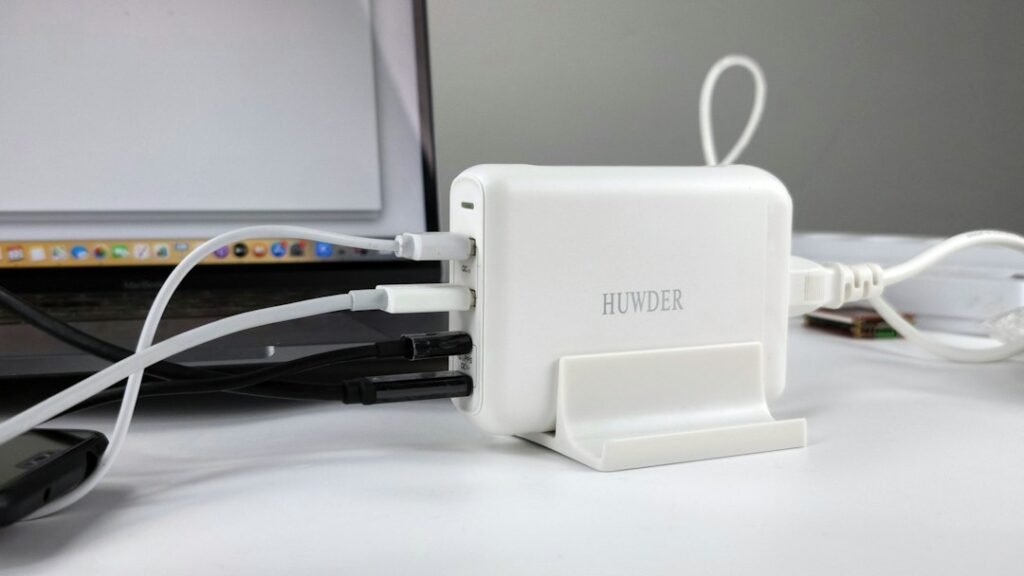
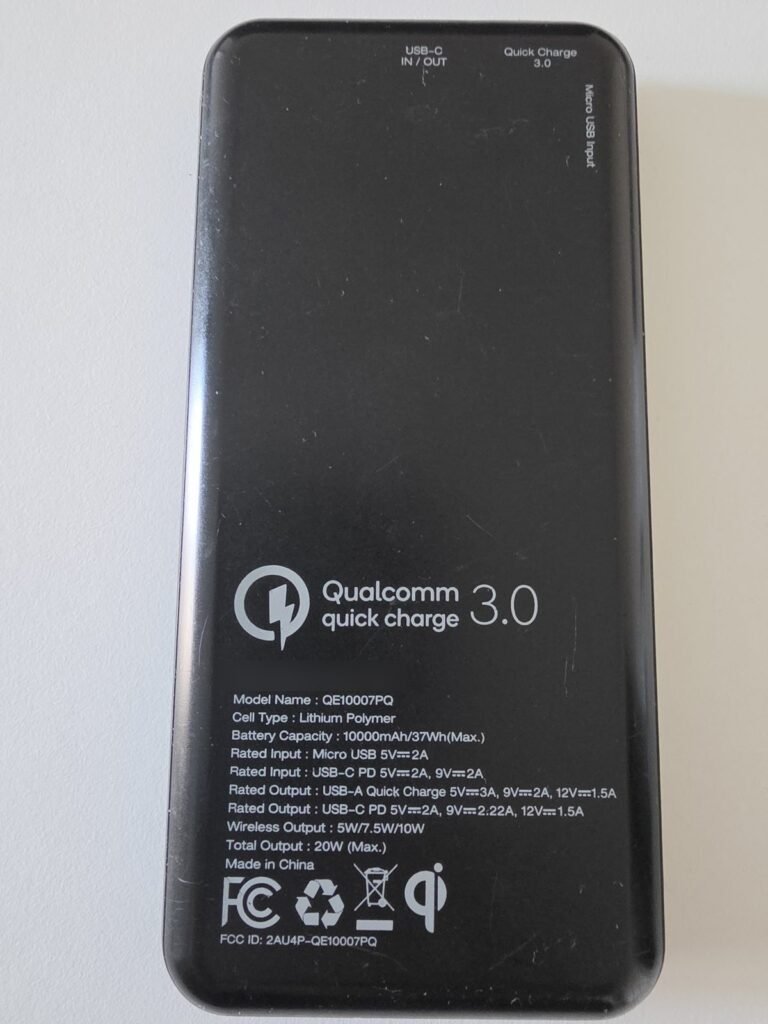
How we put this together: this guide is based on Lenovo’s official spec sheets, the FAA’s battery rules, our own laptop GPU power database and WIRED’s power bank tests (linked below). Apart from the photos of our own HP OMEN, Anker charger and Energizer power bank, it is not based on hands-on testing by iTech Level. See how we choose products.
Does your gaming laptop charge over USB-C?
Check this first. A power bank can only charge a laptop through a USB-C port that supports USB Power Delivery (PD). Not every USB-C port on a gaming laptop does, and the main charger usually plugs into a separate round or rectangular barrel socket. Look up your model’s spec sheet: a charging port is listed with “USB PD” or “Power Delivery” and a wattage. On Lenovo’s Legion Pro 7i Gen 10, for example, one USB-C port is listed “with USB PD 95-100W & DP 2.1”, and the main charger is a separate slim-tip connector (Lenovo PSREF).
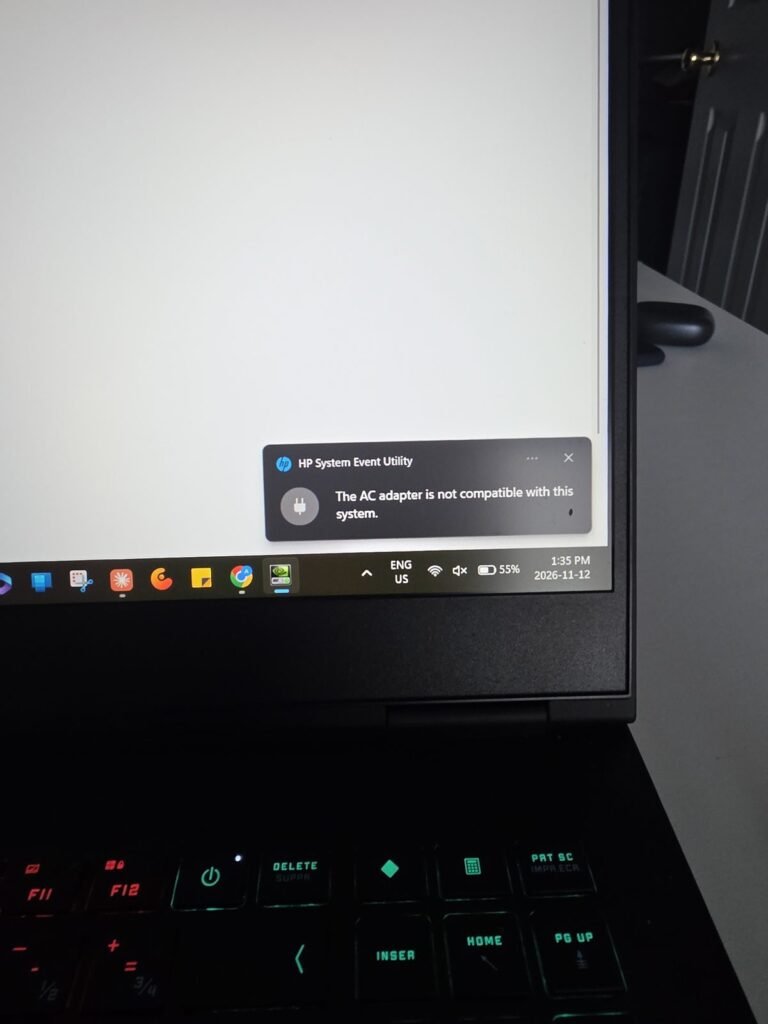
Why a power bank can’t keep up while you game
It’s a wattage problem. A gaming laptop under load can draw far more than 100 watts, which is why manufacturers ship such big chargers. Here are two of Lenovo’s 2025 models, from its official spec sheets:
| Laptop | Included charger | USB-C charging | Battery | GPU power (example config) |
|---|---|---|---|---|
| Lenovo Legion Pro 7i Gen 10 | 400 W | 95–100 W | 80 Wh | RTX 5070 Ti at 140 W |
| Lenovo Legion 5 Gen 10 | 170 W or 245 W | 95–100 W | 60 Wh | RTX 5050 at 115 W |
Sources: Lenovo PSREF spec sheets for the Legion Pro 7 16IAX10H and Legion 5 15IRX10.
On the Legion Pro 7i, the graphics card alone can draw 140 watts, before you count the processor, screen and fans. USB-C covers a quarter of what the 400-watt charger can supply. Our GPU power database shows this is the norm: in 163 of the 238 RTX 50-series laptop configurations with a published figure, about two in three, the GPU’s maximum power is above 100 watts. Most RTX 5050, 5060 and 5070 laptops run their GPU at up to 115 W, RTX 5070 Ti laptops at up to 140 W, and RTX 5080 and 5090 laptops at up to 175 W.
So on USB-C power, plan on the battery draining during demanding games, only more slowly than without a charger. For light games, browsing, video and schoolwork, 100 watts is usually enough to run the laptop and charge it.
How many charges will you get?
About one, not two. Power banks are rated in milliamp-hours at their internal cell voltage, so the useful figure is watt-hours (Wh): the FAA’s rule of thumb is to multiply voltage by amp-hours (FAA). A 25,000 to 27,000mAh power bank holds roughly 90 to 100 Wh. Some energy is lost converting it to the laptop’s charging voltage, and WIRED notes you “will never get the maximum capacity” (WIRED). Against a 60 to 80 Wh gaming laptop battery, that’s roughly one full charge. WIRED’s “one to two charges” estimates are measured on a MacBook Air, which has a smaller battery.
The best power banks for a gaming laptop
Look for a USB-C port rated at 100 watts or more (that’s the most most gaming laptops will take), USB PD support, and a capacity under 100 Wh so you can fly with it. All three picks below are in WIRED’s August 2026 guide to laptop power banks.
| Power bank | Capacity | Best laptop port | Buy |
|---|---|---|---|
| UGREEN Nexode 25,000mAh 145W | 25,000mAh | 100 W USB-C (second USB-C 45 W) | Check price |
| EcoFlow Rapid Pro X 27,650mAh | 27,650mAh | 140 W USB-C plus a built-in 140 W cable; 300 W total | Check price |
| Anker Prime 26,250mAh 300W | 26,250mAh | 2× USB-C + USB-A; 300 W total | Check price |
1. UGREEN Nexode 25,000mAh 145W: best value
Its main USB-C port delivers 100 watts, which matches what most gaming laptops accept over USB-C, so you aren’t paying for power your laptop can’t use. WIRED found it “surprisingly compact” for its capacity at 1.1 pounds, with two USB-C ports and one USB-A. The battery readout only shows the charge level, not watts.
Check the UGREEN Nexode 25,000mAh on Amazon →
Check the UGREEN Nexode 25,000mAh at UGREEN →
2. EcoFlow Rapid Pro X: best if you also charge a phone and a tablet
WIRED’s top laptop power bank. It has three USB-C ports (140, 65 and 65 watts) plus a retractable 140-watt USB-C cable, so it can charge the laptop and two more devices at once. A display shows each port’s wattage. It also recharges fast: about an hour from one 140-watt input, according to WIRED.
Check the EcoFlow Rapid Pro X on Amazon →
3. Anker Prime 26,250mAh 300W: fastest to recharge
WIRED’s runner-up offers 300 watts across two USB-C ports and one USB-A, a smart display and an optional charging dock. With both USB-C ports plugged in, it recharges to 80 percent in about 20 minutes. Your gaming laptop still takes 100 watts at most, so the extra power only helps when you charge several devices or need a quick refill between sessions.
Check the Anker Prime 26,250mAh on Amazon →
Also worth a look: the RAVPower RP-PB1243 is a power bank and a wall charger in one, with up to 140 W of USB-C output, more than any gaming laptop takes over USB-C. RAVPower’s US page doesn’t list its capacity, so check the watt-hours on the label before you fly.
Check the RAVPower RP-PB1243 140W at RAVPower →
Can you fly with a laptop power bank?
Yes, in your carry-on only. The FAA allows spare lithium-ion batteries and power banks up to 100 Wh each in carry-on bags. With airline approval you can carry up to two between 101 and 160 Wh. Power banks can’t go in checked bags, and if your carry-on gets checked at the gate, you have to take the power bank out. The FAA also warns that many airlines set stricter limits, including how many power banks you can bring (FAA). WIRED suggests checking with your airline for anything above about 27,000mAh. All three picks above are under that. For the flight itself, see our best headphones for flying.
Make the battery last longer while you play
- Cap the frame rate in the game or in NVIDIA’s settings. Fewer frames mean less GPU power.
- Use a quieter performance mode. Most gaming laptops have a mode switch in their control app (such as Lenovo Vantage or ASUS Armoury Crate) that lowers power limits.
- Lower the screen brightness and refresh rate when you don’t need 165 Hz or more.
- Pick light games for unplugged sessions. Indie and older titles run far longer than the newest AAA games.
If battery life matters to you, start with the laptop: see our best gaming laptops with long battery life.
Want to game at full power away from an outlet? A power bank can’t do that, but a portable power station can: it has a regular AC outlet for the laptop’s own charger. See what size power station a gaming laptop needs. BLUETTI’s Elite 30 V2 (288 Wh, 600 W) is a compact option that covers about an hour and a half of gaming on a Lenovo LOQ 15.
Check the Elite 30 V2 at BLUETTI →
BLUETTI code AFF5OFF: an extra 5% off at bluettipower.com.
Our verdict
A power bank can charge a gaming laptop, but only through a USB-C port with Power Delivery, and only up to about 100 watts. That’s enough to charge it while you work, browse or travel, and to stretch a gaming session, but not to game at full power: for that you need the laptop’s own charger and a wall outlet. Buy a 100-watt-or-better USB-C power bank under 100 Wh. The UGREEN Nexode 25,000mAh is the best value, and the EcoFlow Rapid Pro X is the one to get if you charge several devices at once.
Check the EcoFlow Rapid Pro X on Amazon →
Frequently asked questions
Can a power bank charge a gaming laptop?
Yes, if the laptop has a USB-C port with Power Delivery. Most gaming laptops accept up to about 100 watts over USB-C, which charges them during light use but can’t keep up while gaming, because their regular chargers are rated 170 to 400 watts.
Can you game on a gaming laptop with a power bank?
You can, but the battery will still drain during demanding games, only more slowly. In our GPU power database, the graphics card alone can draw more than 100 watts in about two in three RTX 50-series laptop configurations.
What size power bank do I need for a gaming laptop?
Get a USB-C power bank with a 100-watt or faster port and Power Delivery, with a capacity of about 25,000 to 27,000mAh. That’s roughly 90 to 100 Wh, about one full charge for a 60 to 80 Wh gaming laptop battery, and still under the FAA’s 100 Wh carry-on limit.
Is a 140W or 300W power bank faster for a gaming laptop?
Usually not. Many gaming laptops, including Lenovo’s 2025 Legion models, accept 95 to 100 watts over USB-C, so a 140W or 300W power bank charges them no faster than a 100W one. The extra power helps when you charge several devices at once or recharge the power bank itself.
Can I take a laptop power bank on a plane?
Yes, in carry-on bags only. The FAA allows power banks up to 100 Wh, and up to two between 101 and 160 Wh with airline approval. Airlines can set stricter limits, so check before you fly.
What wattage USB-C charger do I need for a laptop?
Match the wattage of the charger that came with it, or the USB-C charging figure on its spec sheet, and make sure the charger and cable support USB Power Delivery. Most thin laptops need 45 to 65 watts. Gaming laptops usually accept up to about 100 watts over USB-C, far below their 170 to 400 watt main chargers, so USB-C keeps them going for light use but not for gaming. A weaker charger still works, just more slowly.
Get the Spec Check
One email every Monday: the spec trap of the week, a deal check before you buy, and the new guides. Plus our free GPU wattage cheat sheet.
One email a week, unsubscribe any time. How we use your email.