iTech Level is reader-supported: we may earn a commission when you buy through our links, at no extra cost to you. As an Amazon Associate, iTech Level earns from qualifying purchases. Affiliate disclosure
Most gaming laptops use about 130 to 320 watts from the wall while gaming, and about 7 to 40 watts when idle. Budget models with an RTX 5050 or RTX 5060 draw around 130 to 170 watts in a demanding game, while high-end RTX 5070 Ti, 5080 and 5090 laptops draw 220 to 320 watts. At the average US electricity price, that’s about 2 to 6 cents per hour of gaming. The biggest factor isn’t the GPU’s name but how much power the laptop maker lets it use.
How we put this together: the wall-power figures below are Notebookcheck’s measurements, linked for each laptop. GPU power limits come from our laptop GPU power database (manufacturers’ spec sheets), and electricity prices from the U.S. Energy Information Administration. iTech Level did not measure these laptops itself. See how we choose products.
How many watts gaming laptops use: measured numbers
Notebookcheck measures every laptop it reviews at the wall socket, so its figures include everything: the GPU, the processor, the screen, the fans and charger losses. “Gaming” is Cyberpunk 2077 at 1080p and ultra settings, a demanding game that keeps both the GPU and the processor busy. “Peak” is a stress test that loads everything at once, which games rarely do.
| Laptop | Processor + GPU (max GPU power) | Idle | Gaming | Peak | Charger |
|---|---|---|---|---|---|
| HP Victus 15 | Core i5-13420H + RTX 5050 (HP doesn’t publish it) | 9 W | 128 W | 187 W | 200 W |
| Lenovo LOQ 15 (15AHP11, 2026) | Ryzen 7 250 + RTX 5060 (115 W) | 7 W | 167 W | 197 W | 245 W |
| Lenovo Legion 5 Gen 10 (15IRX10) | Core i7-13650HX + RTX 5070 (115 W) | 13 W | 172 W | 247 W | 245 W |
| MSI Vector 16 HX AI | Core Ultra 7 255HX + RTX 5070 Ti (140 W) | 16 W | 222 W | 336 W | Not stated |
| ASUS ROG Strix SCAR 16 (2025) | Core Ultra 9 275HX + RTX 5090 (175 W) | 32 W | 294 W | 372 W | 380 W |
| Lenovo Legion Pro 7i Gen 10 | Core Ultra 9 275HX + RTX 5080 (175 W) | 39 W | 318 W | 384 W | 400 W |
Idle is Notebookcheck’s average idle figure; numbers are rounded to the nearest watt. Sources: Notebookcheck reviews of the HP Victus 15, Lenovo LOQ 15, Legion 5, MSI Vector 16 HX AI, ROG Strix SCAR 16 and Legion Pro 7i. GPU power limits: our GPU power database, except the Vector 16 (from Notebookcheck’s review).
What decides how much power a gaming laptop uses
- The GPU’s power limit, more than its name. The LOQ 15 and Legion 5 run different GPUs (RTX 5060 and RTX 5070) at the same 115 W limit, and they draw almost the same while gaming: 167 and 172 watts. And the RTX 5090 SCAR 16 used less than the RTX 5080 Legion Pro 7i, because both cap the GPU at 175 W. RTX 50 laptop GPUs are set anywhere from 45 to 175 watts, and the same GPU name can differ by up to 70 watts from one laptop to the next; our database of 239 RTX 50 configurations lists the limit for each model.
- The processor. Laptops with Intel HX chips idle at 13 to 39 watts in the table above, while the LOQ 15’s Ryzen 7 250 idles at 7 watts. In games that lean on the processor, a fast HX chip also adds tens of watts on top of the GPU.
- The performance mode. Gaming laptops have a mode switch in their control app (Lenovo Vantage, ASUS Armoury Crate, MSI Center). Quieter modes lower the power limits; the top mode raises them.
- The game and frame rate. A light or older game, or a capped frame rate, can cut power use well below the figures above.
Does a bigger charger mean the laptop uses more power?
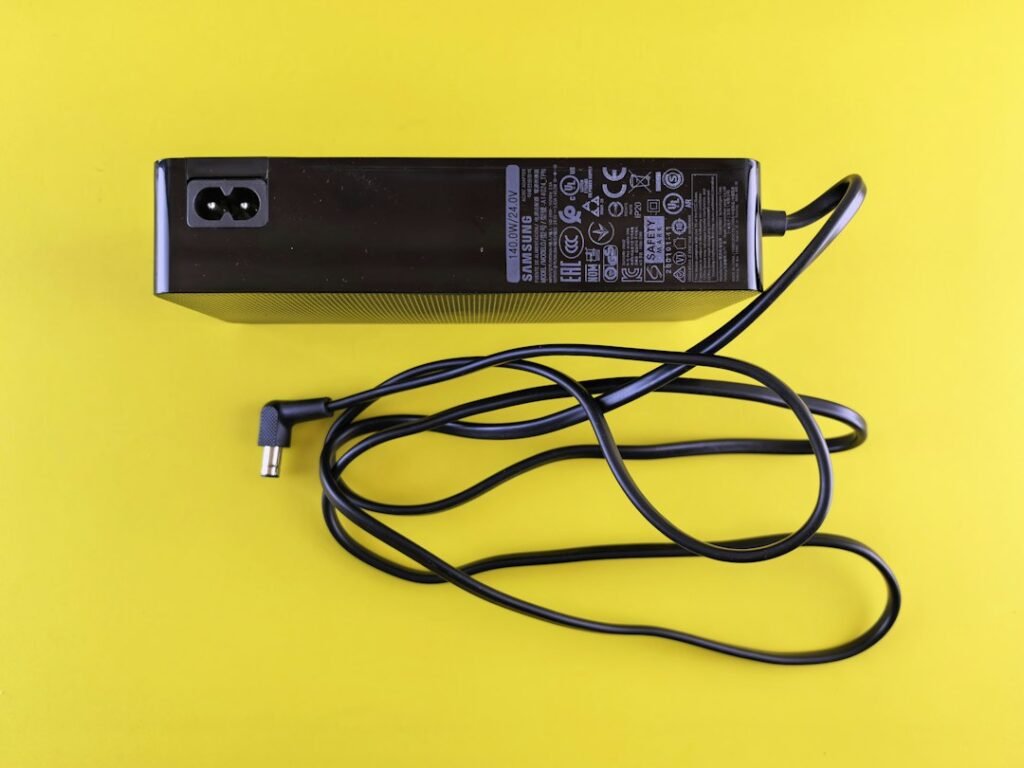
No. The charger’s rating is the most it can supply, not what the laptop draws. In our table, every laptop with a stated charger peaked at or below about its charger’s rating in a stress test, and used much less while gaming: the Legion Pro 7i has a 400-watt charger and averaged 318 watts in Cyberpunk 2077. A bigger charger leaves room for short bursts and for charging the battery while you play. So the charger is a useful ceiling when you size a power station or a travel adapter, but it overstates your electricity use.
How much does it cost to run a gaming laptop?
Very little. The average US residential electricity price was 18.31 cents per kilowatt-hour in July 2026 (EIA). Here’s what gaming costs at that price, using the measured gaming figures above. Your rate may be higher or lower, so check your bill.
| Gaming laptop | Gaming draw | Cost per hour | 3 hours a day for a month |
|---|---|---|---|
| HP Victus 15 (RTX 5050) | 128 W | 2.4¢ | 11.6 kWh, about $2.12 |
| Lenovo LOQ 15 (RTX 5060) | 167 W | 3.1¢ | 15.0 kWh, about $2.75 |
| Lenovo Legion 5 (RTX 5070) | 172 W | 3.1¢ | 15.4 kWh, about $2.83 |
| MSI Vector 16 HX AI (RTX 5070 Ti) | 222 W | 4.1¢ | 20.0 kWh, about $3.66 |
| ASUS ROG Strix SCAR 16 (RTX 5090) | 294 W | 5.4¢ | 26.5 kWh, about $4.84 |
| Lenovo Legion Pro 7i (RTX 5080) | 318 W | 5.8¢ | 28.6 kWh, about $5.24 |
The math: watts ÷ 1,000 × hours × your price per kWh. A month here is 30 days of 3 hours (90 hours) at the full Cyberpunk-level draw, so lighter games cost less.
Gaming laptop vs gaming desktop power use
A gaming laptop uses far less power than a desktop with a similarly named graphics card. NVIDIA rates the desktop RTX 5070 at 250 watts for the graphics card alone and recommends a 650-watt power supply for a PC built around it (NVIDIA). The laptop RTX 5070 tops out at 115 watts, and the whole Legion 5 above drew 172 watts while gaming. The flip side is speed: with more than twice the power budget, the desktop card is faster than its laptop namesake.
What size power station or generator do you need?
This is why power-station makers rank for this question. Two numbers matter:
- Output (watts): the power station’s AC output should be at least your laptop charger’s rating, such as 245 watts for an LOQ 15 or 400 watts for a Legion Pro 7i, so it never trips during a power spike.
- Capacity (watt-hours): multiply the gaming draw by the hours you want to play, then add some margin for conversion losses (we use 15%, an assumption; check your power station’s specs). Two hours on an LOQ 15: 167 W × 2 h = 334 Wh, so a station of about 400 Wh. Two hours on a Legion Pro 7i: 318 W × 2 h = 636 Wh, so about 750 Wh.
For example, BLUETTI’s Elite 30 V2 (288 Wh, 600 W AC output) covers about an hour and a half of gaming on an LOQ 15, and the Elite 100 mini (1,004 Wh, 700 W) about two and a half hours on a Legion Pro 7i, or about five on an LOQ 15, with the same 15% margin (BLUETTI’s specs).
Check the Elite 30 V2 at BLUETTI →
Check the Elite 100 mini at BLUETTI →
BLUETTI code AFF5OFF: an extra 5% off at bluettipower.com.
A USB-C power bank is a different story: most gaming laptops take only about 100 watts over USB-C, which slows the battery drain but can’t keep up with a game.
If you’d rather carry one brick for both jobs, the RAVPower RP-PB1243 is a power bank and a wall charger in one, with up to 140 W of USB-C output (RAVPower’s specs).
Check the RAVPower RP-PB1243 140W at RAVPower →
How to measure your own gaming laptop’s power use
Plug the laptop’s charger into a plug-in electricity meter, then play your usual games for a while with the battery already full (a charging battery adds to the reading). The meter shows the live watts and adds up the kilowatt-hours, which you can multiply by your electricity rate. The P3 Kill A Watt P4400 is the classic one: inexpensive, simple and widely sold.
Check the P3 Kill A Watt P4400 on Amazon →
Software can show the GPU’s own power but not the whole laptop’s: on an NVIDIA laptop, the System Information panel in the NVIDIA Control Panel lists the GPU’s maximum graphics power, which you can compare against our GPU power database.
What about on battery?
Gaming laptops limit their power on battery, because a 60 to 80 Wh battery would last well under an hour at 150 to 300 watts. Expect lower frame rates unplugged, and plug in for serious gaming. If you play away from an outlet a lot, see our best gaming laptops for battery life.
Our verdict
Plan on about 130 to 170 watts for a budget RTX 5050 or 5060 gaming laptop and 220 to 320 watts for a high-end one while gaming, and under 40 watts at idle. That’s 2 to 6 cents an hour at average US prices, so electricity shouldn’t decide which laptop you buy. What the wattage does tell you is performance: the GPU’s power limit matters more than its name, so check it in our GPU power database before you buy. For good-value picks at full power, see our best RTX 5060 laptops and best RTX 5070 laptops.
Frequently asked questions
How many watts does a gaming laptop use?
About 130 to 320 watts from the wall while gaming, depending on the model, and roughly 7 to 40 watts at idle. In Notebookcheck’s measurements, budget RTX 5050 and 5060 laptops drew 128 to 167 watts in Cyberpunk 2077, and RTX 5070 Ti to 5090 laptops drew 222 to 318 watts.
How much does it cost to run a gaming laptop?
About 2 to 6 cents per hour of gaming at the July 2026 US average of 18.31 cents per kWh. Three hours a day for a month costs roughly $2 to $5.
Does a gaming laptop use more power than a gaming PC?
No, much less. NVIDIA rates the desktop RTX 5070 graphics card alone at 250 watts, while the laptop RTX 5070 tops out at 115 watts and a whole RTX 5070 laptop drew 172 watts while gaming in Notebookcheck’s test.
Does a 400W charger mean the laptop uses 400 watts?
No. The charger’s rating is the maximum it can supply. The Lenovo Legion Pro 7i comes with a 400-watt charger but averaged 318 watts while gaming and about 39 watts at idle.
How many watts does a gaming laptop use when idle?
Usually 7 to 40 watts. Laptops with efficient processors, like the Lenovo LOQ 15 with a Ryzen 7 250, idle around 7 watts, while high-end models with Intel HX processors idle at 30 to 40 watts.
Get the Spec Check
One email every Monday: the spec trap of the week, a deal check before you buy, and the new guides. Plus our free GPU wattage cheat sheet.
One email a week, unsubscribe any time. How we use your email.