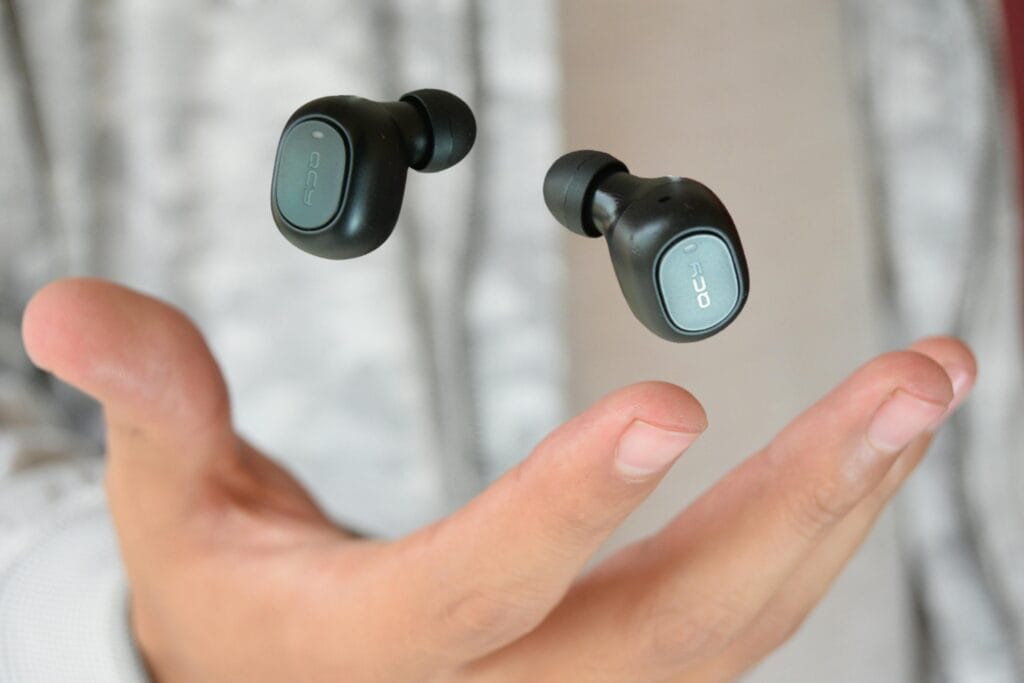
The Complete Guide to Wireless Earbuds for Android in 2026
Most “best wireless earbuds” guides quietly test on iPhone. That’s a problem if you’re one of the roughly 71% of smartphone users worldwide running Android. This guide answers the questions other reviewers skip — and helps you pick the earbuds actually worth your money for your specific Android phone. Whether you call them wireless earbuds or Bluetooth earbuds, the goal is the same: finding a pair that actually works well with your Android phone — not one designed for an iPhone first.
Last Amazon Prime Day was on June 23–26, 2026. Prime Day 2026 has ended, but Amazon’s next big sale — Prime Big Deal Days — typically lands in October. The picks below are chosen on year-round value, not just sale pricing; tap any link to see today’s price.
About iTech Level — We help mainstream tech buyers answer the question that actually matters: is this worth it? Every roundup and review on this site weighs price against performance for everyday use — commuting, working from home, gaming, family life — so you can decide whether to spend more or save your money. We don’t chase audiophile measurements or fringe benchmarks. We focus on the practical trade-offs real buyers face when comparing products in 2026. Learn more about how we evaluate products →
Quick recommendations: skip ahead to your pick
If you only have 30 seconds, here are the four earbuds we recommend most often to Android users, organized by what you actually care about. We explain why each won its category further down — but if you trust our reasoning and want to buy, start here.
| What you want | Our pick | Why | Price |
|---|---|---|---|
| Best overall for Android | Google Pixel Buds Pro | LDAC codec, native Google Assistant, multipoint, 31-hour battery | $129–$199 |
| Best for Samsung Galaxy | Samsung Galaxy Buds FE | Native Galaxy integration, Auto Switch across Samsung devices, SmartThings support | $76–$100 |
| Best budget for Android | Soundcore P30i by Anker | ANC under $30, 45-hour battery, polished Android companion app | $27–$50 |
| Best for workouts | JLab Go Sport+ | IP55 sweat resistance, secure ear-hook fit, under $50 | $25–$45 |
If you want to know why these are the picks — and which one matches your specific Android phone, use case, and budget — keep reading. The rest of this guide is the framework we used to choose them.
What makes earbuds “good for Android”?
Most premium wireless Bluetooth earbuds were designed with iPhone integration in mind. The AirPods, the Beats lineup, and even some Bose and Sony models lean on Apple’s ecosystem for their best features. On Android, those same earbuds technically work — they just lose most of what makes them special.
“Good for Android” means something specific. It comes down to four practical factors that other reviewers rarely test.
1. Audio codecs that actually work on Android
Wireless earbuds transmit audio through a Bluetooth codec — a compression standard that affects sound quality and latency. Android phones support a wider range of codecs than iPhones, but you only benefit if your earbuds support the same ones.
The codecs that matter for Android in 2026:
- LDAC — Sony’s high-resolution codec, also adopted by Google. Transmits up to 990 kbps for genuinely high-quality streaming. The Pixel Buds Pro and Sony WF-1000XM5 use LDAC. iPhones don’t support it at all.
- aptX Adaptive — Qualcomm’s adaptive codec that scales quality with connection strength. Common on premium Android phones (Samsung, OnePlus, Sony). Excellent for stable connections.
- AAC — Apple’s preferred codec, also supported on Android but with inconsistent results. Quality varies depending on the Android phone manufacturer’s implementation.
- SBC — The basic universal codec. Every Bluetooth device supports it, but it’s the lowest quality tier. Avoid earbuds that only support SBC if you care about sound.
If you have a Pixel, Samsung Galaxy, OnePlus, or other premium Android phone, prioritize earbuds that support LDAC or aptX Adaptive. The difference is genuinely audible on hi-res music.
2. Multipoint Bluetooth — more important than you think
Multipoint lets your earbuds connect to two devices simultaneously. You’re listening to a podcast on your laptop, your phone rings, and the earbuds switch automatically. No re-pairing, no menu diving.
This matters more for Android users than iPhone users because Apple’s ecosystem handles device switching natively for AirPods. On Android, multipoint is the only way to get the same experience. Most flagship Android-friendly earbuds support it in 2026, including the Pixel Buds Pro, Galaxy Buds FE, Soundcore Liberty line, and Sony’s WF-1000XM5.
3. Companion app quality
Android earbud apps vary wildly in quality. Some manufacturers ship genuinely polished apps with custom EQ, ANC tuning, and firmware updates. Others ship buggy software that crashes every other launch.
Apps that consistently deliver a good Android experience:
- Soundcore (Anker) — custom EQ, app-based ANC modes, regular firmware updates
- JLab — simple but functional, EQ presets work as expected
- Pixel Buds app (Google) — clean integration, native Assistant settings
- Samsung Galaxy Wearable — exclusive to Samsung phones, but excellent when you have one
- Sony Headphones Connect — feature-rich, occasionally complex, well-maintained
If you’ve ever bought “no-name” budget earbuds and discovered the app crashes constantly or asks for invasive permissions, you know why this matters. Stick to brands with proven Android app quality.
4. Native voice assistant support
Android phones default to Google Assistant or Gemini. Samsung phones add Bixby. Whether your earbuds let you summon the assistant hands-free — or whether you have to tap your phone — comes down to how the earbuds were designed.
Pixel Buds Pro have the deepest Google Assistant integration. Samsung’s Galaxy Buds support Bixby natively. Beyond those, support varies: some earbuds let you map a touch gesture to “summon assistant” but won’t trigger from voice alone. Check before you buy if hands-free voice control is important to you.
Android-specific compatibility considerations
Beyond codecs and apps, a few Android-specific quirks affect which earbuds work best for you.
Bluetooth version on your phone
Most Android phones sold since 2020 support Bluetooth 5.0 or newer, which handles modern multipoint and energy-efficient audio well. If your phone is older — Bluetooth 4.2 or earlier — some premium earbud features won’t work properly. To check: Settings → Bluetooth → Advanced (the exact menu varies by manufacturer).
Volume sync issues
Older Android versions (Android 9 and below) had inconsistent absolute volume control with Bluetooth earbuds. You’d adjust volume on your phone and the earbuds wouldn’t respond, or vice versa. Modern Android handles this correctly, but if you’re running Android 10 or older, look for earbuds explicitly listed as having reliable Android volume sync.
USB-C charging
Every Android phone sold today uses USB-C. Most modern earbud cases also use USB-C — but some budget models and older designs still ship with micro-USB. If you’ve already gone all-USB-C with your other devices, double-check your earbuds match. It’s a small thing that becomes annoying fast.
Find My Device support
Google’s Find My Device network now supports compatible Bluetooth earbuds for location tracking when lost. As of 2026, only some earbuds participate — including newer Pixel Buds and certain Samsung models. If losing an earbud is a real fear, this feature matters.
Budget tiers: what you actually get at each price
Wireless earbuds for Android span $20 to $500. Here’s what you realistically get at each tier, with honest expectations.
Under $50 — entry-level wireless audio
At this price, you get functional wireless earbuds with basic features. Sound quality is decent but not impressive. Active noise cancellation, if present, is more “noise reduction” than true ANC. Battery life is often the headline feature — some budget models advertise 30+ hours of total battery with the case, which is genuinely impressive.
What you usually compromise on: codec support (often SBC and AAC only), companion app polish, build quality, microphone clarity on calls. The earbuds will pair with any Android phone and play music — they won’t impress anyone.
Best uses at this tier: secondary earbuds for the gym, backup pair for travel, replacement for lost AirPods Pro, kids’ devices. Our top picks under $50: Soundcore P30i for ANC under $30, and the JLab Go Sport+ for workout-specific use.
$50–$150 — the sweet spot for most buyers
This is where most Android users should shop. You get genuine ANC, multipoint Bluetooth, real codec support (usually LDAC or aptX Adaptive), polished apps, and 30+ hours of total battery. The earbuds feel like products you’d actually recommend to a friend.
Notable picks in this range: the Samsung Galaxy Buds FE ($76–$100) for Samsung users specifically, the Pixel Buds Pro when on sale (often $129), and a wide range of mid-tier Soundcore and JBL options.
$150–$300 — premium territory
At this price, you’re paying for the best ANC available, audiophile-grade codecs, premium build materials, and ecosystem integration. The Pixel Buds Pro at full price ($199), the Sony WF-1000XM5 ($299), and certain higher-tier Galaxy Buds models live here.
The question at this tier isn’t “is this good?” — it’s “are the upgrades worth the price gap?” For most Android users, the answer is yes only if you listen for hours daily, work in noisy environments where premium ANC matters, or value the specific ecosystem features.
$300+ — diminishing returns for most Android users
Earbuds above $300 exist, but few make sense for Android users. The AirPods Pro 3, Apple AirPods Max, and similar flagship Apple products lose most of their value when paired with Android — you’re paying premium prices for features you can’t fully access.
If you have $300+ to spend on audio for Android, consider over-ear noise-cancelling headphones instead. The Sony WH-1000XM5 and Bose QuietComfort Ultra both deliver better sound and ANC than any earbuds at any price, and they’re Android-friendly. See our over-ear noise-cancelling headphones guide for the comparison.
Picks by phone brand
Your specific Android phone changes which earbuds make the most sense. Here’s what to choose based on what you carry.
For Google Pixel users
The Pixel Buds Pro are the obvious pick. Built by Google to pair seamlessly with Pixel phones, they offer fast pairing, native Google Assistant, Silent Seal ANC, and LDAC support. The combination of Pixel-first features and genuinely good audio quality makes them hard to beat for Pixel owners.
If you want better sound quality at a similar price, the Sony WF-C700N is the alternative. Sony’s audio tuning consistently beats Google’s, but you give up native Assistant integration. Worth the trade-off if you stream a lot of music and use the Assistant less.
See our Best wireless earbuds for Google Pixel.
For Samsung Galaxy users
Samsung’s Galaxy Buds FE are the easy mid-range recommendation. Auto Switch across Samsung devices, SmartThings integration, native Bixby support, and decent ANC at a fair price. If you have multiple Galaxy devices (phone, tablet, watch), the seamless switching is worth real money.
For higher-end Samsung pairs, the Galaxy Buds 3 Pro bring better sound and stronger ANC. But unless you’re a Galaxy power user, the FE gives you 80% of the experience at half the price.
Want cross-platform flexibility instead? The Pixel Buds Pro actually work well on Samsung phones too — you lose Bixby integration but keep multipoint, LDAC, and the better sound. A reasonable alternative if you might switch phone brands later.
For OnePlus, Xiaomi, Motorola, and other Android phones
If your phone isn’t a Pixel or Samsung, “best earbuds for [brand]” guides barely exist. The good news: cross-platform picks work well for you. The Soundcore P30i (budget), Pixel Buds Pro (premium), and Sony WF-C700N all pair cleanly with any modern Android phone and deliver consistent experiences.
OnePlus owners specifically should consider OnePlus Buds 3 if you want maximum integration. Motorola users might consider Moto Buds+ for the same reason. But honestly? The cross-platform picks above will serve you better than most brand-specific earbuds from non-flagship manufacturers.
For older Android phones (3+ years old)
If your phone is older — Android 11 or earlier, Bluetooth 4.2 — be cautious with premium earbuds. Features like multipoint and high-resolution codecs may not work as advertised. Budget picks like the Soundcore P30i and JLab Go Sport+ work reliably on older phones and don’t expect features your phone can’t deliver.
Picks by use case
What you’ll actually do with your earbuds matters as much as your phone brand. Here are the picks for the most common Android user scenarios.
For workouts and running
Look for IP rating (IP55 or better), secure ear-hook or wing-tip design, and durable build. The JLab Go Sport+ is the budget champion — IP55 rated, ear-hook design that won’t fall out during runs, under $50. For a step up, the Shokz OpenRun uses bone conduction so you stay aware of your surroundings (essential for road running).
For long phone calls and video meetings
Microphone quality matters more than audio quality here. The Pixel Buds Pro have beamforming mics that handle calls cleanly. The Galaxy Buds FE also do well, especially when paired with Samsung phones that handle echo cancellation natively.
Avoid budget earbuds for serious call duty — the mic compression and background noise rejection at sub-$50 prices isn’t reliable enough for daily work calls.
For commuting (train, bus, plane)
You need active noise cancellation. Real ANC, not “noise reduction.” The Pixel Buds Pro with Silent Seal handle train and bus noise well. The Galaxy Buds FE ANC is good enough for most commutes. For the absolute best ANC available, you’d step up to over-ear options — see our over-ear ANC headphones guide.
For sleeping or quiet listening
Look for low-profile earbuds you can lie on your side with. The JLab JBuds Mini are remarkably small and unobtrusive. ANC isn’t essential for sleeping use — passive isolation matters more, which means a good seal with the right ear tips.
What to skip
Not every popular earbud is right for Android users. We considered these alternatives and recommend skipping them for Android-specific reasons.
Apple AirPods (all models)
AirPods technically pair with Android via Bluetooth, but you lose almost everything that makes them special: H1/H2 chip features, Spatial Audio, automatic device switching, Find My, Siri integration, battery status, and case interactions. You’re paying premium prices for features you can’t use. Skip unless you’re switching back to iPhone soon.
Beats Studio Buds (and most Beats earbuds)
Beats actually work better on Android than AirPods do — Apple built Android support intentionally. But the standout Beats features (Apple ecosystem integration, Spatial Audio) still require iPhone. On Android, you’re getting decent earbuds at premium prices when better alternatives exist. The Pixel Buds Pro or Galaxy Buds FE beat them on every Android-specific metric.
Most sub-$20 “AirPods clones”
These flood Amazon search results. The pattern: knockoff design, exaggerated battery claims, no companion app, mystery brand names that change weekly. Battery degrades fast, Bluetooth connections drop unpredictably, and warranty support doesn’t exist. The Soundcore P30i exists at $27 — pay the extra few dollars for genuine quality and an actual warranty.
Older Beats Powerbeats Pro models
Once excellent workout earbuds, the original Powerbeats Pro are now several generations old. Battery cells have degraded for most units still in circulation. Buy newer alternatives — the JLab Go Sport+ at half the price is more reliable in 2026.
How we evaluate earbuds for Android
iTech Level focuses specifically on the Android wireless audio market because mainstream tech reviewers don’t. We test against the questions Android users actually ask: Does the companion app work without crashing? Is multipoint reliable? Does the codec actually deliver the quality the manufacturer claims? Will it work with my specific phone brand?
Every recommendation here is based on four practical factors:
- Real-world performance on Android specifically — not iPhone-first feature comparisons
- Price-to-value at multiple budget tiers — what you actually get for what you pay
- Who the product is for (and who should skip it) — every earbud has a target user; we name that user clearly
- Honest trade-offs — no earbuds are perfect; we name the flaws that matter and explain when they’re not deal-breakers
We update this guide as new products launch and older recommendations stop being available. The companion roundups (linked throughout) go deeper on specific tiers and use cases.
Frequently asked questions
Are AirPods worth using with an Android phone?
No, generally. AirPods will pair with Android phones via standard Bluetooth and play music, but you lose almost all the features that justify their premium price — H2 chip integration, Spatial Audio, automatic device switching, Find My, Siri, case interactions, and battery status. For the same money, Pixel Buds Pro or Galaxy Buds FE deliver dramatically better Android experiences.
What’s the best wireless earbud codec for Android?
LDAC is currently the best codec for Android. It transmits up to 990 kbps for genuinely high-resolution audio — significantly better than the SBC or AAC defaults. The Pixel Buds Pro, Sony WF-1000XM5, and Sony WF-C700N all support LDAC. For Qualcomm-equipped Android phones, aptX Adaptive is the next-best alternative.
Do Google Pixel Buds work with Samsung phones?
Yes. Pixel Buds Pro work well with any modern Android phone, including Samsung Galaxy devices. You get multipoint, LDAC codec, and most touch controls. The features you lose are Pixel-specific: Conversation Detection automatic pause, hands-free Google Assistant calling, and Pixel Stand integration. For most users, the Android-first design makes them a strong cross-brand pick.
Can I use Wear OS smartwatches with non-Pixel earbuds?
Yes, with caveats. Wear OS watches handle Bluetooth audio output to any standard Bluetooth earbuds. What you lose is brand-specific integration — for example, controlling Pixel Buds from a Galaxy Watch works but won’t show battery status, while Galaxy Buds on a Galaxy Watch show full status. Most workout and music control features work universally.
What’s the difference between LDAC and aptX?
Both are high-quality Bluetooth codecs, but they’re owned by different companies. LDAC was developed by Sony and is now an open standard supported by Google and most premium Android phones — it can transmit up to 990 kbps. aptX (and its successor aptX Adaptive) is owned by Qualcomm and is built into most Snapdragon-powered Android phones — it caps at 420 kbps but adjusts dynamically to connection strength. For most listeners, both sound great. LDAC has higher peak quality; aptX has more reliable streaming.
Why don’t most reviewers test Android compatibility?
Most major tech reviewers — Wirecutter, RTINGS, MKBHD, The Verge — primarily test on iPhone. Multiple factors drive this: iPhones are dominant in the US tech press market, Apple controls test units more tightly, and Apple-first reviews drive more affiliate revenue from premium AirPods sales. Android users are left with information gaps on which earbuds actually work well with their specific phones.
Are budget Android earbuds actually good in 2026?
Yes, surprisingly. The Soundcore P30i delivers genuine active noise cancellation, multipoint Bluetooth, and 45-hour battery life for under $30. The JLab Go Sport+ provides workout-grade build quality at similar prices. Budget earbuds in 2026 deliver features that cost $200+ five years ago. The trade-offs (sound quality, companion app polish, premium materials) are real but often acceptable.
Do I need a Bluetooth 5.0 phone for modern earbuds?
Most modern earbuds work best with Bluetooth 5.0 or newer phones. Bluetooth 4.2 connections still work but lose features like reliable multipoint, advanced codecs, and energy-efficient pairing. If your Android phone is from 2020 or later, you almost certainly have Bluetooth 5.0+. Check your phone’s settings if unsure.
Are Bluetooth earbuds and wireless earbuds the same thing for Android?
Yes — for Android phones, “wireless earbuds” and “Bluetooth earbuds” mean the same thing. All true wireless earbuds connect to your Android phone over Bluetooth. The terms are used interchangeably, so when you search for wireless Bluetooth earbuds for Android, you’re looking at the same products. What actually matters is which Bluetooth codec they support (LDAC or aptX Adaptive for the best quality), whether they offer multipoint, and how well their companion app works on Android — covered in detail above.
The bottom line
Android users have been underserved by mainstream wireless earbud reviews for years. The good news in 2026: products genuinely built for Android are excellent at every price point.
If you want the best overall earbuds for Android, get the Pixel Buds Pro. If you have a Samsung Galaxy phone, get the Galaxy Buds FE. If you’re on a tight budget, get the Soundcore P30i. If you’ll use them for workouts, get the JLab Go Sport+.
For deeper dives into specific tiers and use cases, see our supporting guides:
This guide is updated as new products launch and older recommendations stop being available. Last updated: May 2026.
Related guide
New to choosing audio gear? Start with our complete framework on how to choose wireless earbuds and headphones — it covers codecs, noise cancellation, and fit, with special attention to what matters for Android users.