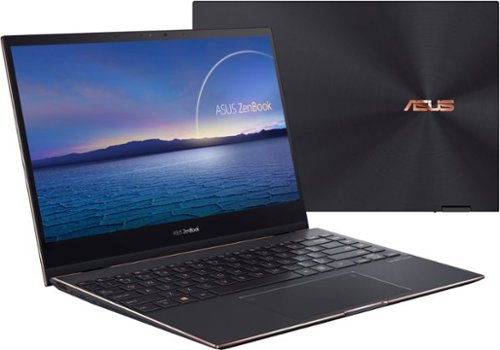
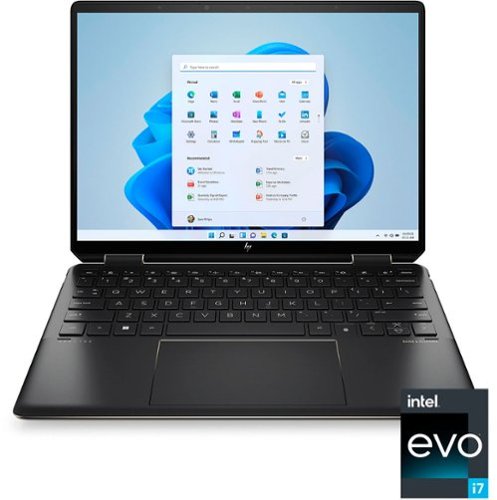
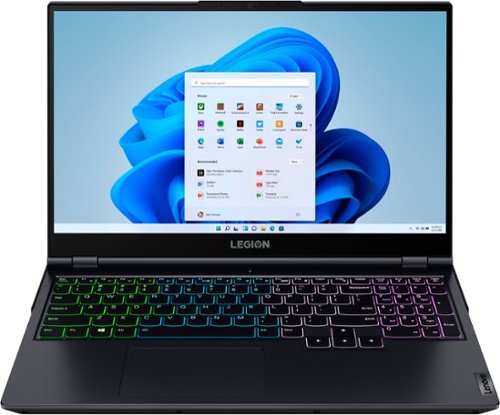
Short answer: gaming laptops are worth it in 2026 if you need to game in more than one place — and they’re a waste of money if you don’t. That’s the honest version most “are gaming laptops worth it” articles dance around. The real question isn’t whether gaming laptops are good (they are, and they’ve never been better); it’s whether you are the person a gaming laptop makes sense for.
This guide walks through exactly that: when a gaming laptop is the right call, when a desktop quietly wins, what you should actually spend, and which models are worth your money if you decide to buy. No hype, no “it depends” cop-out without explaining what it depends on.
When a gaming laptop IS worth it
A gaming laptop earns its premium in specific situations. If two or more of these describe you, it’s likely the right choice:
- You game in more than one place. Dorm and home, couch and desk, or you travel. Portability is the entire reason gaming laptops exist — if you never move your setup, you’re paying for a feature you won’t use.
- You have limited space. A laptop replaces a tower, monitor, and peripherals with one closeable device. For small apartments or shared rooms, that consolidation is worth real money.
- You need one device for gaming AND work/school. A modern gaming laptop is also a capable productivity and creative machine. If it pulls double duty, the cost is split across two jobs.
- You value plug-and-play simplicity. No building, no cable management, no compatibility research. It works out of the box.
When a gaming laptop is NOT worth it
Just as honestly — here’s when you should skip it and buy a desktop (or a console) instead:
- Your setup never moves. If the laptop will live permanently on one desk plugged into one monitor, a desktop gives you more performance per dollar and lasts longer. You’re paying a portability tax for nothing.
- You want maximum performance per dollar. A desktop with the same-named GPU is faster (laptop GPUs run at lower power) and cheaper. Dollar for dollar, towers win on raw power.
- You want to upgrade over time. Desktops let you swap the GPU, add storage, and upgrade the CPU for years. Most gaming laptops let you upgrade RAM and storage at best — the GPU is soldered. When it’s outdated, you replace the whole machine.
- You only play lightweight or older games. If you’re playing indie titles, esports games (Valorant, CS2, League), or older catalog games, you may not need a dedicated gaming laptop at all — a regular laptop with decent integrated graphics can handle them.
The honest trade-offs nobody mentions
Even when a gaming laptop is the right call, go in with eyes open about what you’re accepting:
- Performance per watt, not per name. An “RTX 5070” in a laptop is not the same as a desktop RTX 5070 — laptop GPUs run at lower power limits and deliver less performance. Always check reviews for the specific laptop’s real-world benchmarks, not just the GPU name on the box.
- Thermals are the real differentiator. Two laptops with identical specs can perform very differently depending on cooling. A laptop that thermal-throttles loses performance under sustained load. This is why build quality matters more than the spec sheet.
- Battery life and gaming don’t mix. Gaming drains a laptop battery in 1-2 hours, and most run at reduced performance unplugged. A gaming laptop is portable to locations, not portable to use untethered for long sessions.
- The GPU is the expiry date. Because you can’t upgrade it, the GPU determines how long the laptop stays relevant — typically 3-5 years for modern gaming before you’re turning settings down.
How much should you actually spend?
Gaming laptop pricing maps roughly to what you can play. As of 2026, here’s the honest breakdown:
- Entry (~$1,000–$1,300): RTX 4060/5060-class GPUs. Solid 1080p gaming at high settings, good for esports and most AAA titles with some settings turned down. The best value tier for most buyers.
- Mid (~$1,400–$1,900): RTX 5060/5070-class, often with better screens (QHD, OLED, high refresh) and stronger build quality. The sweet spot for serious gamers who want headroom.
- Premium ($2,000+): RTX 5070/5080-class, premium chassis, top-tier displays. Worth it only if you genuinely need the performance or want the best portable machine money can buy.
For most people, the entry-to-mid range delivers the best value — you rarely need to spend $2,000+ unless portability-plus-power is a hard requirement.
Which gaming laptops are actually worth buying?
If you’ve decided a gaming laptop is right for you, the next question is which one. We’ve done the work of comparing the best compact options — the form factor that best justifies a gaming laptop’s portability premium — in our best mini gaming laptops guide. A few highlights:
- Best all-rounder: the ASUS ROG Zephyrus G14 balances portability, a stunning OLED display, and strong performance — the closest thing to a do-everything gaming laptop.
- Best value: the ASUS ROG Strix G16 offers the most performance for the money if you’ll accept a slightly larger 16-inch chassis.
- Best budget: the ASUS TUF Gaming A14 gets you into true compact gaming without flagship pricing.
See the full comparison with specs, prices, and honest pros and cons for the complete picture.
The bottom line
Are gaming laptops worth it? Yes — if you need to game in multiple places, have limited space, or want one machine for gaming and work. No — if your setup never moves, you want maximum performance per dollar, or you plan to upgrade components over time. A desktop wins on raw value and longevity; a gaming laptop wins on flexibility. Decide which one your life actually needs, set a realistic budget, and buy the best-built machine in that range rather than the one with the flashiest spec sheet.
Frequently asked questions
Are gaming laptops worth it for casual gamers?
For casual gamers who play lightweight or older titles, a dedicated gaming laptop is often overkill — a regular laptop with modern integrated graphics can handle esports and indie games. A gaming laptop becomes worth it when you want to play current AAA titles at good settings, or you need one machine that handles both gaming and demanding work.
Is a gaming laptop or desktop better value?
A desktop offers more performance per dollar and can be upgraded over time, making it the better pure-value choice for a setup that stays in one place. A gaming laptop costs more for the same-named GPU because of its portability and compact engineering — you’re paying for the ability to game anywhere. The “better value” depends entirely on whether you need to move your setup.
How long do gaming laptops last?
A well-maintained gaming laptop typically lasts 3-5 years for modern gaming before you’ll need to lower settings on new titles. The limiting factor is the GPU, which usually can’t be upgraded. RAM and storage can often be upgraded to extend usable life for everyday tasks beyond that window.
How much should I spend on a gaming laptop in 2026?
Most buyers get the best value in the $1,000-$1,900 range. Around $1,000-$1,300 gets solid 1080p gaming with an RTX 4060/5060-class GPU; $1,400-$1,900 adds better displays, build quality, and headroom. Spending $2,000+ only makes sense if you need top-tier performance or the best portable machine available.
Related reading
On a tighter budget? See our picks for the best budget gaming laptops under $1,200, and whether budget gaming laptops are worth it in 2026.
Are gaming laptops good in 2026? The state of the art
Setting aside whether they’re worth your money for a moment — are gaming laptops actually good machines now? Honestly, yes, and more so than at any point previously. The gap that used to define the category has narrowed in three specific ways worth understanding before you buy.
The performance gap narrowed, but didn’t close. A modern RTX 50-series laptop GPU delivers genuinely strong 1080p and 1440p gaming. What changed most is the software: DLSS 4 multi-frame generation uses AI to insert additional frames, which stretches what mid-range laptop hardware can do far beyond what its raw silicon suggests. A laptop RTX 5060 in 2026 plays current titles at settings that would have required a much pricier machine two years ago. That said, a desktop card of the same name still wins — laptop GPUs run at lower power limits, so the name on the box never tells the whole story.
Thermals and build quality improved across the board. The cheap gaming laptops of a few years ago throttled badly under sustained load. Cooling design has genuinely improved, and mid-range machines now hold performance through long sessions far better than they used to. This remains the single biggest quality differentiator between two laptops with identical spec sheets — which is why sustained-load reviews matter more than opening benchmark numbers.
They became credible everyday computers. A 2026 gaming laptop is a capable machine for work, study, and creative software, not just games. That dual-purpose reality changes the value calculation substantially, because the cost gets split across two roles rather than charged entirely to gaming.
Are gaming laptops worth it yet? What changed, and what didn’t
If you’ve held off in previous years waiting for the category to mature, here’s the honest assessment of what the wait actually bought you.
What genuinely improved: current-generation graphics with AI frame generation, meaningfully better cooling, high-refresh and OLED displays becoming standard rather than premium, and battery life on non-gaming tasks that no longer feels like a compromise.
What has not changed, and won’t: the GPU is still soldered, so it still sets the machine’s expiry date at roughly three to five years of comfortable modern gaming. A desktop still delivers more performance per dollar and stays upgradeable for years. Gaming still drains the battery in one to two hours, and most laptops still throttle performance when unplugged. These are consequences of physics and engineering, not features waiting on a future generation — if they’re dealbreakers for you, waiting longer won’t fix them.
The 2026 wrinkle nobody expected: a global memory shortage has pushed component costs up, raising gaming laptop prices across the board this year. The practical effect is that the budget floor moved. Finding a capable current-generation machine under $1,000 has become difficult, and the realistic entry point now sits closer to $1,100. So in one narrow sense, waiting made things slightly worse rather than better — which is worth weighing if your plan is to keep waiting.
Are gaming laptops worth the money? Running the actual numbers
The clearest way to answer the money question is to compare what your budget buys in each direction, then decide which set of trade-offs matches your life.
- Around $1,100–$1,400 buys a current-generation RTX 5060 gaming laptop that handles 1080p gaming at high settings, doubles as a work and study machine, and goes wherever you go. The same money spent on a desktop buys noticeably more raw performance, plus the ability to upgrade the graphics card in two or three years instead of replacing everything.
- The portability premium is real and quantifiable. You’re paying roughly 20–30% more for equivalent-name hardware, and accepting lower sustained performance, in exchange for a machine that closes and travels. If you’ll genuinely use that portability, it’s money well spent. If the laptop will live permanently on one desk, you are paying that premium for nothing — this is the single most common way people waste money in this category.
- The dual-purpose discount. If the machine replaces both a gaming device and a work or school computer, the effective cost drops sharply. For students especially, a single machine that handles coursework and games is often better value than a desktop plus a separate laptop.
Our honest rule: a gaming laptop is worth the money when portability or space constraints are real requirements rather than nice-to-haves, and when the machine will do more than one job. Outside those conditions, a desktop stretches the same budget considerably further.
Quick answers by situation
- Student living in a dorm or shared space: yes, usually the right call — space is limited, the machine does double duty for coursework, and it moves home over breaks.
- Working from home with a fixed desk setup: probably not — a desktop plus your existing work laptop delivers more gaming performance for the money.
- Frequent traveller who games: yes, this is exactly the use case the category exists for.
- Playing mainly esports titles (Valorant, CS2, League): you may not need a dedicated gaming laptop at all — a well-specified regular laptop handles these comfortably for less.
- Chasing maximum settings at 1440p or 4K: a desktop, unless portability is non-negotiable; the laptop tier that manages this comfortably is expensive.
If you’ve decided a gaming laptop makes sense, our best budget gaming laptops under $1,200 covers the value tier in detail, and our best mini gaming laptops guide covers the compact machines that most justify the portability premium.